
Video files, surveillance footage, machine-generated logs, design assets, medical images, research datasets, documents, sensor readings and AI training data are all growing at the same time. Much of this information is unstructured, meaning it does not fit neatly into the rows and columns of a traditional database.
For businesses in the GCC, this is happening right as we embrace smart cities and digital government projects. Data centers are under pressure to store more than ever while trying to keep power bills and rack space under control.
Buying additional capacity may solve the immediate problem, but it does not create an AI-ready storage architecture.
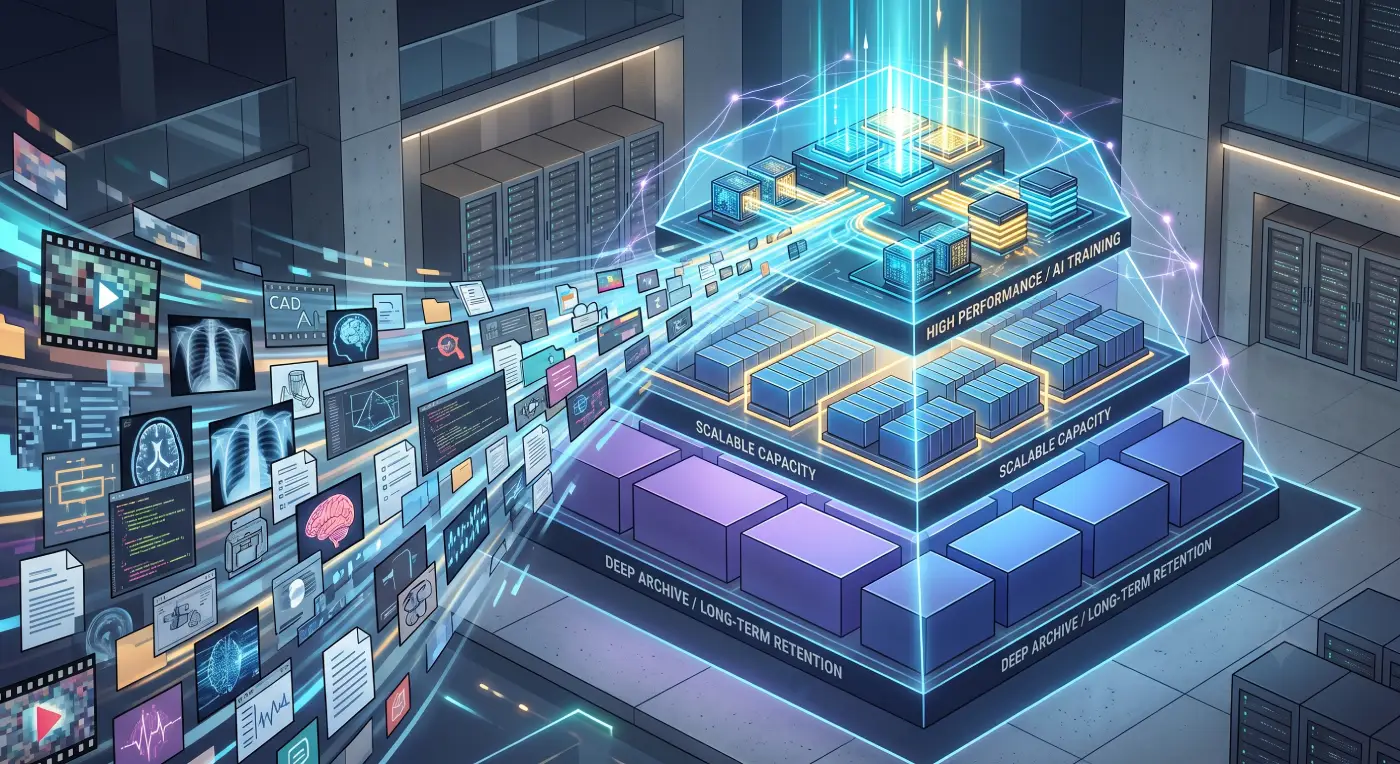
A better approach is to understand how data moves through the organization, how frequently it is accessed and which storage technology is suitable at each stage. The objective is not to keep every file on the fastest and most expensive system. It is to make data available at the right performance level, for the right cost, throughout its lifecycle.
Why AI Is Changing Enterprise Storage Requirements
AI applications depend on data, but they do not always consume it in predictable ways.
A traditional business application might generate structured transactions with relatively consistent storage and performance requirements. AI environments work differently. A project may begin with millions of images, video streams, audio recordings, documents or machine logs. The data may be cleaned, copied, labelled, transformed and reused several times before a model is ready.
This creates a lot of conflicting demands on your storage.
Data scientists need high speed while preparing data, while training systems need to read massive amounts of information all at once. Once a project is “done,” that data might sit idle for months, only to be pulled back suddenly for retraining or an audit.
This means an AI-ready setup needs to solve for more than just capacity. You have to ask:
- How quickly data needs to be ingested
- How many users or systems will access it simultaneously
- Whether the workload involves small files, large files or billions of objects
- How frequently datasets will be reused
- How long information must remain available
- Whether data must remain on-premises, in the cloud or within a specific jurisdiction
- How inactive data can be retained without consuming expensive primary storage
AI is also making “old” data valuable again. Something you haven’t touched in a year might be exactly what a new analytics tool needs tomorrow.
That makes deleting old files just to save space a risky move. But keeping everything on expensive flash storage isn’t exactly sustainable for the budget either.
Quantum addresses this by managing data across its entire lifecycle. Its approach is to move data between different types of storage, including file, object, disk and tape, so it stays accessible and secure without creating isolated “storage islands.”
The practical message for infrastructure teams is clear: AI readiness begins with data placement, not with purchasing the largest possible storage array.
What Makes Data Growth Hard to Manage
Data growth becomes difficult when the organization cannot clearly see what it owns. Most organizations can see their total storage bill, but they’re often flying blind when it comes to the details that matter:
- What data is actually active?
- Who owns it?
- When was it last accessed?
- Are we keeping multiple copies of the same data?
- Could some of it move to a cheaper tier without affecting users?
If you can’t answer those questions, your storage strategy becomes purely reactive. You wait until you’re at 95% capacity, panic and then write a check for more hardware. It’s an expensive cycle that leads to a fragmented, messy environment.
Unstructured data makes this even trickier because it’s scattered everywhere. Marketing has its massive video files, security teams have years of surveillance footage and AI teams may have dozens of versions of the same dataset. Usually, nobody has a bird’s-eye view of everything.

The solution is to use classification and lifecycle rules to group information into clear categories. The challenge isn’t just the technology; it’s also the workflow.
A file might start on local storage, move to a shared system, get copied into object storage for a project and then end up backed up to the cloud. While these copies keep things safe, they consume capacity quickly if you don’t have clear policies in place.
A practical classification model can divide data into four main categories:
- Hot data: Actively used and highly performance-sensitive.
- Warm data: Accessed regularly, but not continuously.
- Cold data: Rarely accessed but still valuable.
- Archive data: Retained for long periods because of compliance, historical value, future analytics or AI reuse.
The categories do not have to be perfect from day one. Even a simple assessment based on age, access frequency, business owner and retention period can reveal how much expensive capacity is being used for inactive information.
Quantum’s StorNext Intelligent Tiering handles much of this heavy lifting. It automates the movement of data through its lifecycle, so teams can still find what they need in a familiar environment while the system moves less-active files to more affordable storage behind the scenes.
The important point is that archived information should not become invisible or unusable. A well-designed architecture preserves access while changing the underlying economics.
File, Object, Disk, Tape, and Cloud Storage Roles
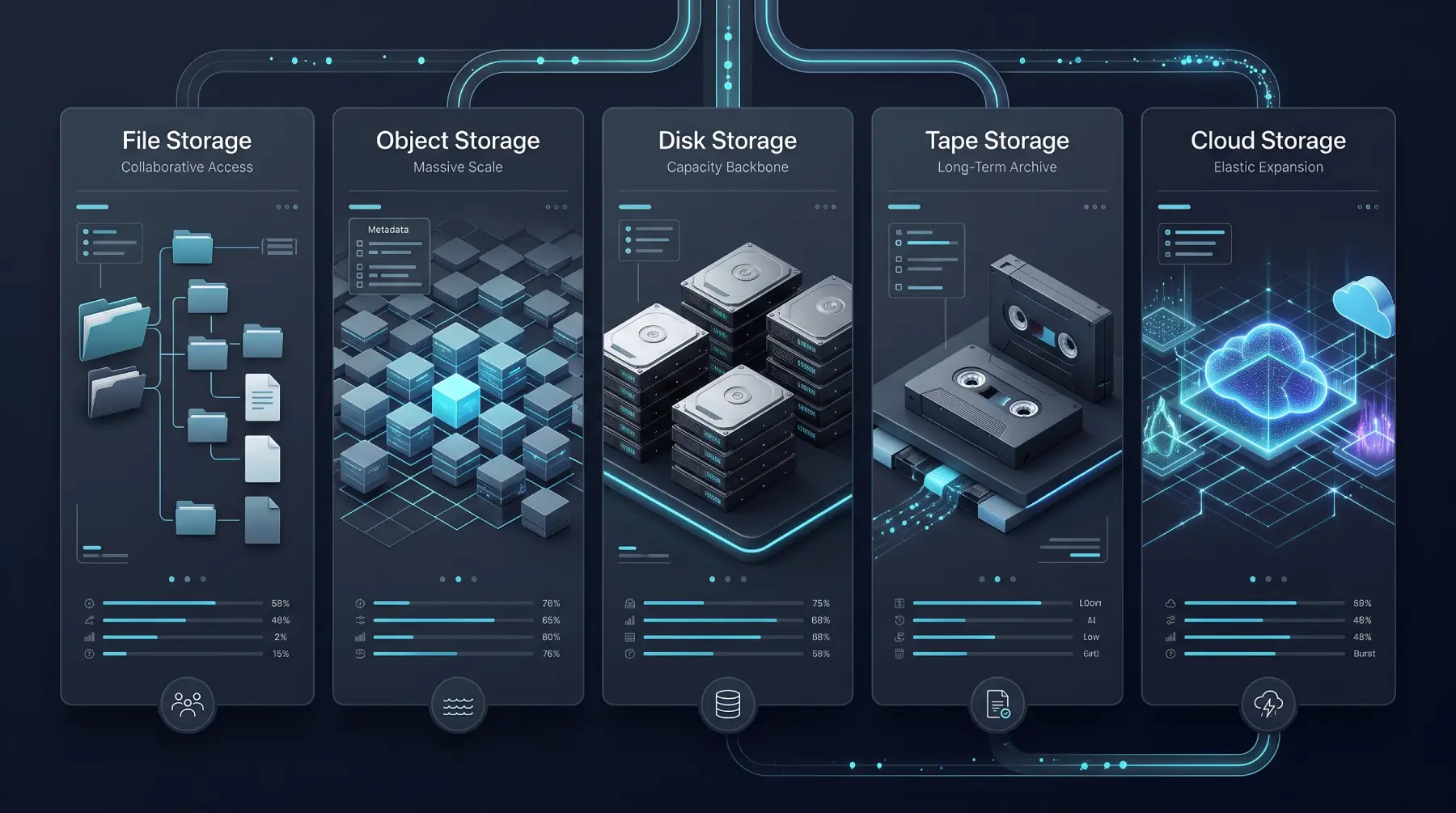
There is no single storage technology that is ideal for every AI workload. Each option has a different role, and the strongest architectures combine them.
File Storage
File storage is still the go-to option when you need a classic folder and filename structure. It’s well suited to collaborative projects where different people and applications need to share and edit the same sets of data.
High-performance file systems are especially useful during the data preparation phase of AI projects. When teams are scanning massive directories or modifying files constantly, they need both speed and familiarity.
However, very large file environments can become difficult to scale if they depend entirely on a traditional storage design. Capacity expansion, metadata performance and management complexity must all be considered.
Object Storage
Object storage is the heavy lifter for truly massive amounts of unstructured data. Instead of relying on folders, it uses unique identifiers and metadata, making it easier to manage billions of objects across different locations.
This is where data lakes, media libraries and massive AI training repositories often live.
Quantum ActiveScale supports both active and cold object storage within a unified platform. It can also integrate disk and tape into the same workflow, helping organizations avoid isolated islands of data that are difficult to manage.
Disk Storage
Disk storage is still the backbone for much of enterprise data. While flash provides the speed needed for demanding workloads, high-capacity hard drives remain essential because AI requires a massive and affordable home for source datasets before they are processed.
Seagate’s Exos drives are designed for intensive data-center environments. Its Mozaic platform uses advanced recording technology to increase the amount of data that can be stored on each drive, allowing organizations to expand capacity without increasing their physical footprint at the same rate.
Density is a major consideration. Every additional drive does not just add hardware cost; it also consumes rack space, power and cooling. Higher storage density can help organizations scale AI infrastructure without increasing operational costs at the same rate.
Seagate positions its Mozaic-based platforms as a way to increase capacity without expanding physical infrastructure at the same rate. Its AI storage portfolio focuses on placing more data within the same rack footprint while reducing power consumption per terabyte.
Tape Storage
Tape storage might sound old-school, but it can play an important role in AI-ready infrastructure, especially for long-term data retention.
Tape is not intended to replace high-performance primary storage. Its strength lies in storing large volumes of inactive data at a lower operational cost. Once media is stored in a library, it consumes considerably less power than keeping the same amount of information online across continuously operating disk systems.
It can also provide physical or logical separation from production environments, supporting cyber-resilience and long-term archive strategies.
Quantum’s Scalar tape libraries are designed for modern long-term storage environments. The i7 RAPTOR, for instance, focuses on high storage density, helping organizations reduce space and cooling requirements while retaining large volumes of data for the long term.
Modern tape should not be viewed as a forgotten box placed on a shelf. When integrated with object storage and lifecycle-management software, it can operate as a managed cold tier. Users and applications can continue to find archived information without needing to understand where the data physically resides.
Cloud Storage
Cloud storage provides flexibility and rapid scalability. It can be particularly useful for collaboration or when an organization needs a temporary burst of resources for a specific project.
The concern is not whether cloud storage is useful. It is whether the organization understands the long-term cost and movement of its data.
A hybrid model is often more practical. Sensitive or performance-critical data can remain on-premises, selected workloads can use cloud resources and inactive information can move to economical disk or tape tiers.
How to Plan Capacity Without Overspending
The first step in capacity planning is to stop treating all data as equal.
Start with a realistic assessment of what you have: how much capacity are you using, how quickly is it growing and how many copies of the same data exist across your environment?
From there, the organization can build a realistic growth model.
Looking only at the previous year’s growth percentage is not enough. Infrastructure teams should include expected business changes such as new offices, higher-resolution surveillance, AI pilots, cloud migration, new digital services and changes in retention policy.
It is also important to separate raw capacity from usable capacity. Protection methods, replication, erasure coding, spare space and operational headroom all reduce the amount of capacity that applications can actually consume.
A Solid Plan Should Answer These Five Simple Questions
Before choosing a storage architecture, make sure your strategy can answer the practical questions that affect performance, cost, recovery and future growth.
What must stay on the performance tier?
Only keep the data that really needs high-speed performance. Don’t waste expensive flash space on old files simply because moving them seems like a chore.
What can be moved automatically?
Use policies to identify inactive data automatically. Automation reduces the manual work involved in managing massive datasets and lowers the chance of human error.
How quickly must archived information be restored?
Not every archive needs instant recovery. If you can wait a few hours for a dataset, tape or cold object storage may be significantly more economical. If you need it within minutes, you’ll need a different storage tier.
How much physical infrastructure will growth require?
Capacity per drive and capacity per rack matter. A lower-cost drive can become more expensive if it requires additional enclosures, rack space, power, cooling and maintenance.
Can the architecture expand without a disruptive migration?
You want a system that can scale naturally, so you aren’t starting from scratch every time you need more capacity. Modular architectures can make future expansion significantly easier.
Where Quantum and Seagate Fit in AI-Ready Infrastructure
Quantum and Seagate address different but complementary parts of the storage challenge.
Seagate provides the high-capacity hardware that acts as the physical foundation. Its Mozaic and Exos technologies focus on increasing the amount of storage available per drive, which is particularly important for data-intensive AI projects.
For companies in the GCC, where data-center space and power can be at a premium, higher density can make a significant difference. More storage per drive can mean fewer enclosures and lower infrastructure requirements.
Quantum adds the data-management and lifecycle layer.
From Myriad for high-speed flash to StorNext for intelligent tiering and Scalar for large-scale tape archives, its technologies help organizations move data to the appropriate storage tier based on how frequently it is being used.
When these technologies are combined, the architecture can work like this:
- New data lands on high-speed platforms for immediate use.
- Active datasets stay ready for processing and analytics.
- Large working sets live on economical capacity disks.
- Intelligent software identifies which files are becoming less active.
- Cold data automatically moves to lower-cost object or tape storage.
- Archives remain searchable so they can be reused whenever they are needed.
- Capacity can scale without relying entirely on premium flash storage.
D3’s role is to help partners across the GCC turn these technologies into a practical, real-world storage strategy.
That means moving beyond a simple product list. We help organizations understand their specific workloads and determine where each category of data should live.
A university lab won’t have the same requirements as a government agency or a technology startup. The right design always depends on how an organization creates, accesses and uses its data.
By combining regional expertise with technologies from Quantum and Seagate, D3 helps organizations build infrastructure that can grow with their requirements without becoming unnecessarily complex or expensive.
Final Storage Architecture Checklist
Before signing off on a new storage purchase, use this checklist to evaluate your architecture:
- We know how much structured and unstructured data we currently manage.
- We have measured growth by workload rather than using one general percentage.
- We understand which applications require high performance.
- We know which datasets are active, inactive, cold or archival.
- Retention policies are documented and connected to business requirements.
- File, object, disk, tape and cloud storage each have a defined role.
- Data can move between tiers without creating operational disruption.
- Archived information remains discoverable and recoverable.
- Capacity calculations include protection overhead and operational headroom.
- The design considers rack space, power, cooling and administration.
- Performance and capacity can scale independently.
- The organization is not keeping inactive information on premium storage by default.
- Recovery expectations have been tested rather than assumed.
- The platform can support future AI projects without requiring a complete redesign.
- Total cost of ownership has been considered, not only the purchase price.
In the end, AI-ready storage isn’t just about a single drive or a cloud service. It’s an architecture that understands how the value of data changes over time.
Organizations that plan for these shifts now will be in a much better position to scale. Those that simply continue buying isolated hardware may find themselves with more storage, but also a much bigger environment to manage.
The goal isn’t just to store more data. It’s to keep that data useful, safe and affordable, from the moment it is created until the moment it becomes valuable again.