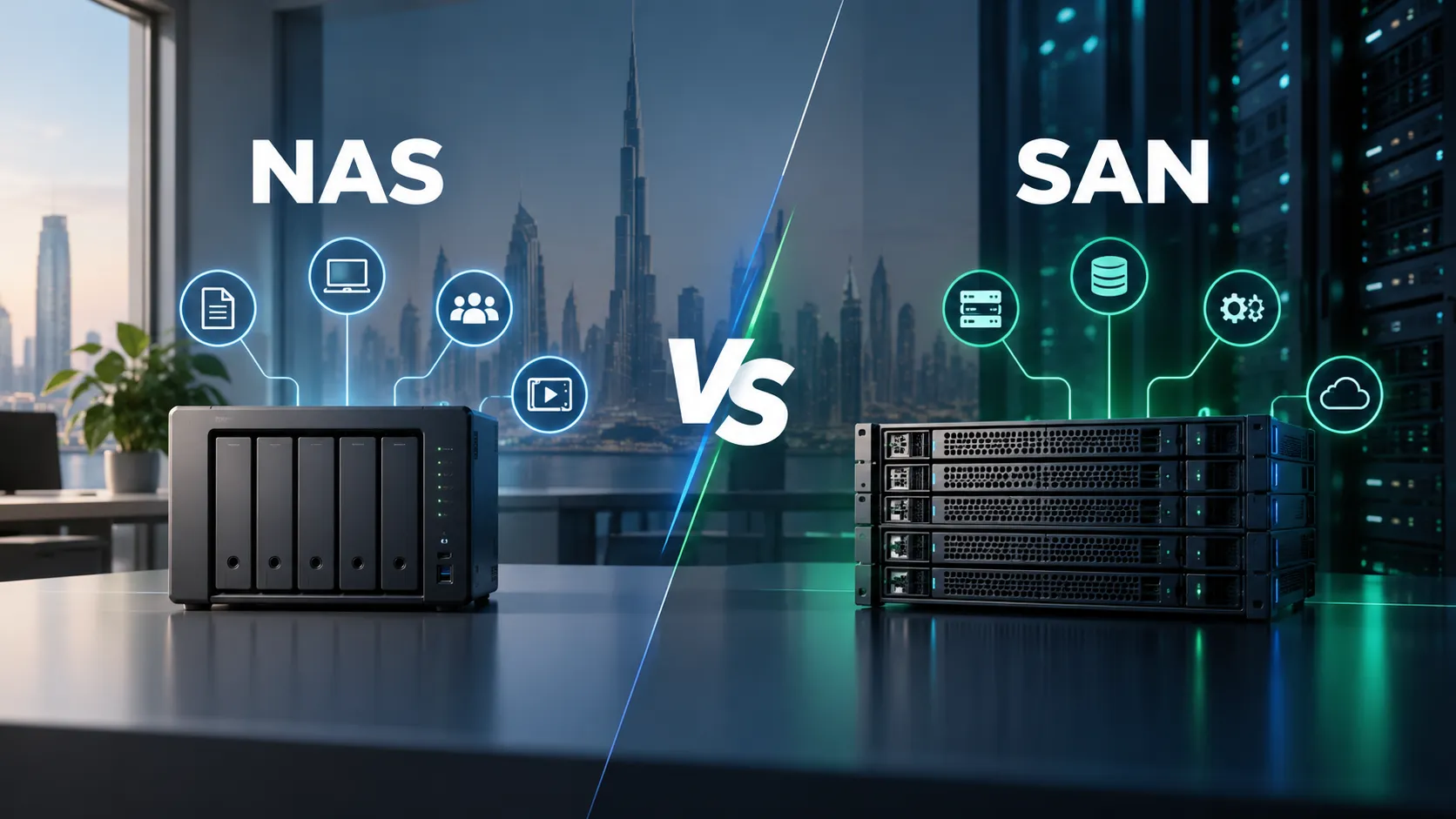
That’s where the NAS vs SAN debate really comes into play.
Both network-attached storage and storage area networks give you a central place to store data, but they go about it in completely different ways. NAS is designed for quick, convenient file sharing. SAN, on the other hand, provides block-level storage built for apps and infrastructure where speed, reliability and low latency matter most.
For businesses across the GCC building new data centers, expanding virtualization, managing large media libraries or simply trying to bring scattered business files under control, choosing between them is less about asking “Which technology is better?”
A much better question to ask is:
“Which setup actually matches how we use our data every day?”
What Is NAS?
At its core, a NAS (Network Attached Storage) is simply dedicated storage attached straight to your existing network.
Picture a growing company where marketing keeps video assets, finance manages spreadsheets, HR stores personnel files and leadership holds reports across various laptops and servers.
A NAS gives everyone a single, central home for all those files.

Authorized users connect over the network and access folders and files without needing to understand what is happening underneath. Seagate describes NAS as an on-site storage configuration accessible to authorized users through the business network, making accessibility and flexibility two of its practical advantages.
This approach is known as file-based storage.
Instead of applications requesting raw storage blocks, people and systems work with normal files and folders. It might sound like technical semantics, but it explains why NAS is so practical.
It shines in setups where teams need to store, fetch and share files seamlessly without the headache of building a high end storage network.
Typical uses for NAS include:
- shared company documents and departmental folders;
- creative assets, images and video libraries;
- user home directories;
- centralized file repositories;
- local backups and archives;
- collaboration between teams;
- growing SMB storage requirements.
For many organizations, the appeal is equally operational. NAS can usually be introduced without redesigning the entire data center.
And as your storage needs grow, hardware choices become key. For instance, Seagate’s guidance on NAS emphasizes using purpose-built NAS drives to handle heavy multi-user workloads smoothly over time.
So, NAS isn’t just “a giant hard drive plugged into the wall.”
When set up properly, it serves as reliable, shared infrastructure for the whole team.
What Is a SAN?
A SAN (Storage Area Network) works a bit differently.
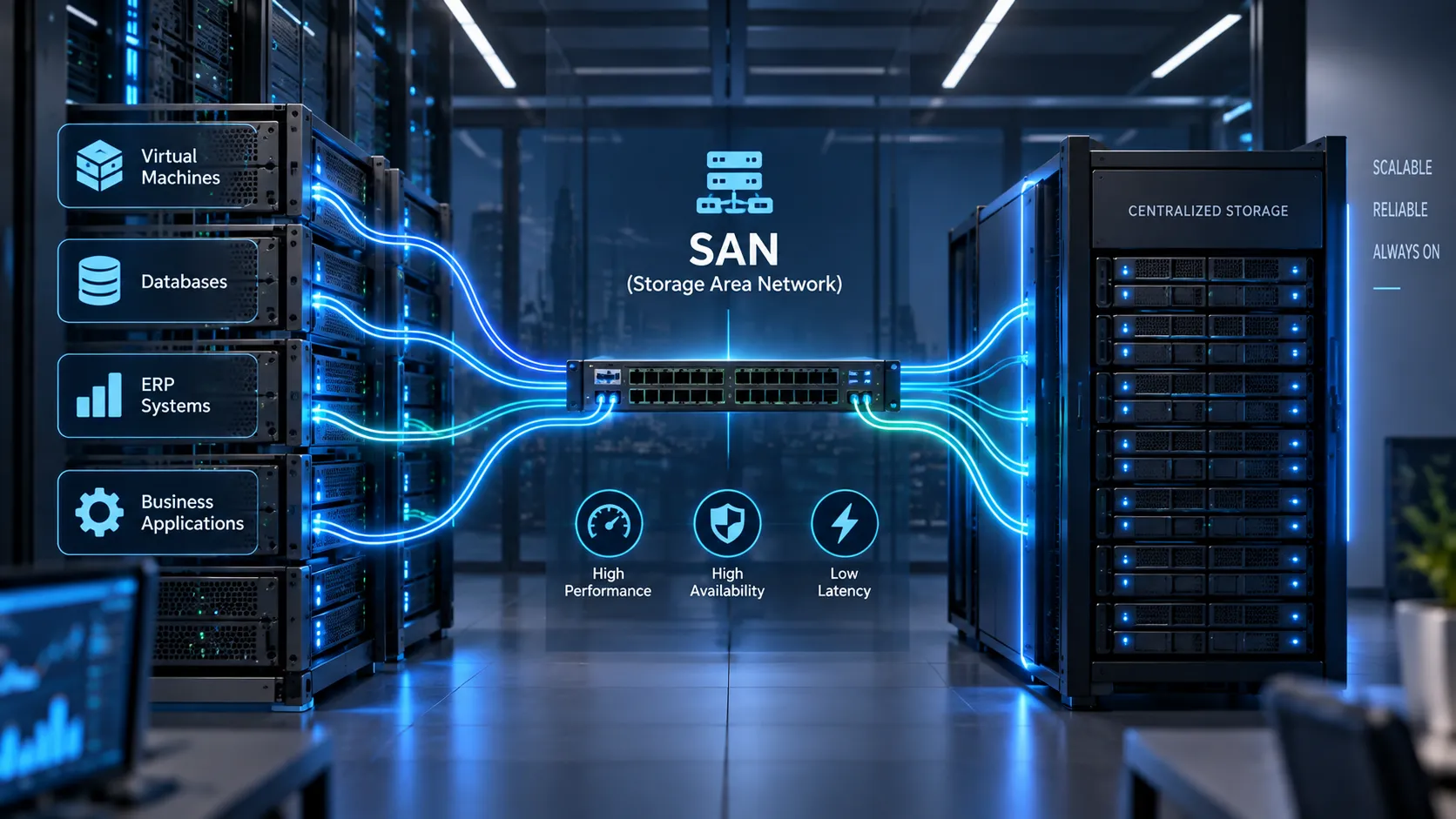
Instead of focusing on shared file access for everyday users, a SAN builds a dedicated network that hooks servers directly into centralized storage at the block level.
From the server’s perspective, this setup feels just like local drive space, even if the physical hardware is sitting clear across the data center.
This key difference makes a SAN a lifesaver when your storage needs to do more than just hold files, it has to actively power your core business apps.
Take virtual machines, for instance. The same goes for transactional databases, ERP systems, heavy-duty applications, and anything else driving constant, high-volume read/write activity.
Seagate’s SAN overview highlights boosted I/O performance, high availability and minimal latency as the standout benefits for demanding setups.
To connect servers and storage, SANs rely on tech like Fibre Channel or iSCSI. That delivers serious power, though it’s definitely more hands on than plugging a NAS box into your standard Ethernet network.
You’ll have more architectural choices to navigate.
Expect to plan for dedicated switches, redundancy, multipathing, storage controllers, zoning and specialized management tools.
That complexity isn’t necessarily a disadvantage. If an application generates revenue every minute it remains online, “simple storage” is probably not the primary objective. Predictable performance and availability are.
NAS vs SAN at a Glance
Put the two architectures side by side and the distinction becomes much easier to see.
| Consideration | NAS | SAN |
| Storage access | File level | Block level |
| Typical network | Existing Ethernet/IP network | Dedicated or logically separated storage network |
| Common protocols | SMB, NFS | Fibre Channel, iSCSI and related block protocols |
| Best suited to | File sharing, collaboration, repositories, general storage | Databases, virtualization, enterprise applications, demanding workloads |
| Complexity | Generally simpler | Generally more specialized |
| Initial investment | Usually lower | Usually higher |
| Performance focus | Convenient shared file access | High throughput and low latency |
| Scaling approach | Straightforward for many SMB and departmental workloads | Designed for larger and more performance-sensitive environments |
| Administration | Often manageable by a general IT team | May require specialist storage/network expertise |
That’s why boiling this choice down to “NAS for small companies, SAN for big ones” misses the mark entirely.
Seagate points out the same thing: company size alone shouldn’t make the call. What really matters are your specific workloads, infrastructure and storage demands.
A massive enterprise might still rely on NAS for simple departmental file sharing.
Meanwhile, a lean startup running high-demand databases or heavy virtualization might have every reason to go with a SAN.
At the end of the day, your workload matters far more than your head count.
How Workloads Change the Choice
That’s where choosing between NAS and SAN shifts from a theoretical debate into something genuinely useful.
Rather than starting with a shopping list of storage products, start by looking at what your people and applications are actually doing day to day.
File Sharing and Team Collaboration
If the main requirement is straightforward:
“We just need one secure, reliable spot where our teams can access and share files”
then NAS is almost always the logical choice.
Your team gets to work with intuitive, familiar folder structures, while IT keeps centralized control over company data, stopping sensitive files from getting scattered across random laptops, workstations and external drives.
That makes NAS a very practical fit for growing companies, branch offices, creative agencies, and any team handling large shared files.
Plus, it leaves plenty of room to expand down the road without forcing you to build out a complex storage network right away.
In fact, Seagate points to collaboration and seamless file sharing as two of the biggest advantages NAS brings to growing businesses, especially those supporting hybrid or remote teams.
Still, there’s an important distinction to keep in mind.
Hosting a 30 TB shared folder of media files is one thing.
Having dozens of critical business applications constantly hammering your storage for ultra-fast performance is a whole different story.
The moment the workload changes, the architecture deserves another look.
Virtual Machines and Databases
Virtualization fundamentally shifts what you need from your storage.
A single physical server might run dozens of virtual machines, with all of them reading and writing data at the exact same time. Toss in active databases, ERP systems or transactional applications and storage performance quickly becomes a bottleneck long before you ever run out of disk space.
This is where SAN becomes compelling. Block-level access, centralized storage and high-performance connectivity allow SAN infrastructure to support demanding workloads where latency and availability have direct operational consequences.
Seagate highlights enterprise data centers, cloud infrastructure and high-performance computing as classic examples where SAN is the go-to solution.
Looking across the broader market, block storage technology has come a long way.
Take the Seagate Exos CORVAULT, for instance; it pairs high density block storage with intelligent features like ADAPT data protection and Autonomous Drive Regeneration. Systems like this are engineered specifically for multi-petabyte environments where high availability and minimal manual maintenance are top priorities.
Businesses across Dubai, the GCC and the wider MENA region can work with D3 as a trusted Seagate Distributor to explore enterprise storage solutions tailored to modern workloads, including enterprise HDDs, SSDs, NVMe storage, surveillance solutions and unified storage platforms designed for performance, scalability and reliability.
To be clear, this doesn’t mean every single database requires a SAN. They certainly don’t.
The point is that once storage performance affects application performance, storage architecture becomes a business decision rather than simply a capacity calculation.
Network and Management Requirements
NAS really shines when you just want to keep things simple.
It usually runs right over the IP and Ethernet setup you already have. If your network is in good shape and your team mostly needs basic file storage, NAS keeps moving parts to a minimum and gets you up and running without much fuss.
A SAN, on the other hand, puts a bit more on your infrastructure team’s plate.
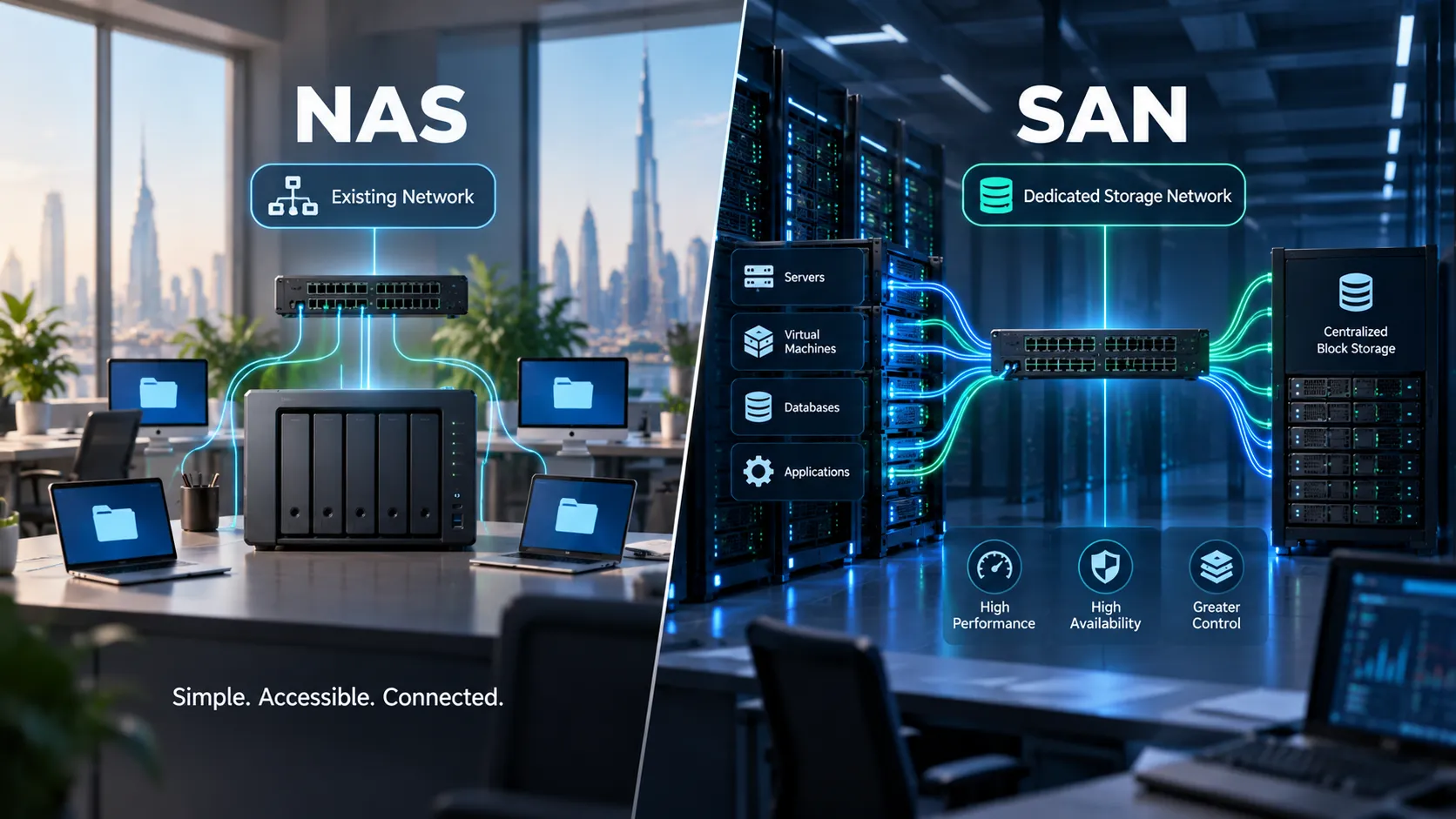
Depending on how you build it out, you might end up managing dedicated switches, Fibre Channel setups, host bus adapters, extra failover paths and specialized storage admins.
All that extra setup isn’t for nothing, though it gives you something huge: real control.
You can keep storage traffic completely separate from everyday network noise, set up redundant paths so a hardware hiccup won’t take you down and handle storage allocation for all your servers and workloads from one central spot.
That becomes increasingly valuable as infrastructure grows. There is another option worth mentioning here, particularly because modern enterprise data doesn’t fit neatly into one box anymore.
Some organizations are managing huge volumes of unstructured data, video, imagery, research data, surveillance footage, AI datasets and media assets while simultaneously requiring high-performance access.
This is where file-storage architectures have also become considerably more sophisticated.
Through D3 as a trusted Quantum Distributor, businesses can access advanced storage technologies such as StorNext for high-performance collaborative file workflows and Myriad for scalable all-flash file and object storage. These solutions are designed for organizations managing large volumes of unstructured data that require fast, reliable access beyond the limits of a traditional NAS-or-SAN architecture.
In other words, NAS vs SAN is an important starting point not necessarily the end of the storage conversation.
Cost and Expansion Trade-Offs
The true cost of storage goes way beyond the price tag on the hardware estimate.
That initial price is really just step one. To get a real picture of expenses, you need to factor in networking, drives, controllers, server rack space, power, cooling, software licensing, admin time, ongoing maintenance and what it will take to scale down the road.
NAS usually looks much cheaper upfront. You can leverage your current network gear, roll it out pretty easily, and your team won’t face a steep learning curve. If all you really need is central file storage, paying for SAN-level horsepower makes no sense.
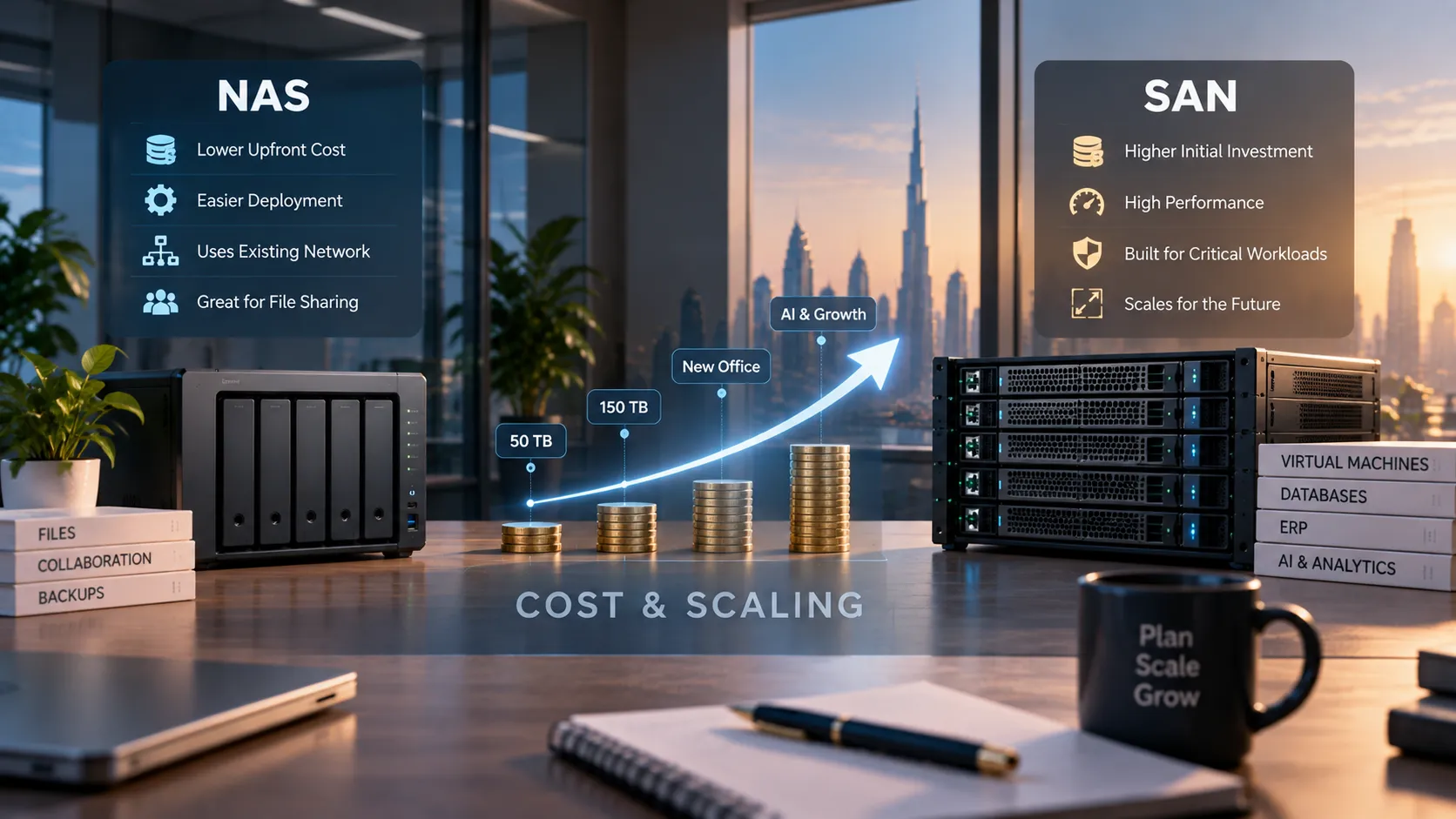
SAN setups generally demand a much bigger upfront investment. However, cheaper to buy and cheaper to run for your specific workload are two totally different things.
If slow storage causes an enterprise application to underperform, or infrastructure needs to be replaced because the original architecture cannot scale, the inexpensive option can become surprisingly expensive.
Expansion therefore deserves to be discussed before procurement.
Ask yourself:
- What happens when your 50 TB jumps to 150 TB?
- What happens when 20 virtual machines become 100?
- What happens when the company opens another GCC office?
- What happens when AI, analytics or surveillance begins generating several times the current data volume?
Enterprise hardware is increasingly built to solve these exact scaling pains.Seagate’s Exos storage systems, for example, are tailored for data-intensive demands where density, durability, efficiency and long-term expansion are essential.
The smartest storage choice isn’t simply whichever option offers the lowest cost per terabyte right now.
It’s the system that still makes financial sense after your business expands.
A Storage Selection Checklist
Before diving headfirst into choosing NAS, SAN, or any other storage system, D3 suggests focusing on your actual workload instead of just browsing product catalogs.
To keep things practical, start by asking yourself these key questions:
- What type of data are you storing?
Everyday office files, databases, virtual machines, CCTV footage, backups, AI datasets and media archives each come with very different demands. - How will people or systems access it?
Do your team members just need shared file folders or do your applications rely on block-level storage? - How sensitive are your workloads to speed and latency?
A marketing media archive and a transactional database have completely different ideas of what counts as “fast enough.” - How many users, servers or apps need access all at once?
Look closely at simultaneous demand, not just overall storage capacity. - What happens if the storage goes offline?
An hour of downtime might just be a minor inconvenience for one task, but a major financial blow for another. - How fast is your data growing?
Plan for realistic growth over the next three to five years rather than building only for today’s needs. - What infrastructure do you already have in place?
Your current Ethernet setup, Fibre Channel networks, virtualization environment, and data center tools will heavily guide the right setup. - Who is going to manage the system?
Even the most advanced storage architecture only brings value if your team can comfortably run and maintain it. - What are your backup and disaster recovery needs?
Primary storage is great, but it is never a substitute for a robust backup, recovery, and cyber-resilience plan. - What does scaling up actually cost?
Remember to factor in licenses, networking gear, rack space, power, administration, and future migrations — not just the initial drives.
For businesses across the GCC, there is one more essential detail to consider: local availability and hands-on implementation support.
A storage setup might look perfect on paper, but it still requires proper sizing, compatible hardware, smooth procurement and a clear path for future growth.
That is the gap D3 is designed to address.
As an authorized Seagate distributor across Dubai, GCC, and MENA and a regional Quantum distribution partner, D3 works directly with businesses to match real workload requirements with practical storage setups, whether that means simple shared file systems, enterprise-grade storage, high-performance block arrays or modern platforms for backups and unstructured data.
At the end of the day, planning storage shouldn’t start with “Which system should we buy?” It should begin with “What does our data need to do?”
Once you answer that, choosing between NAS and SAN becomes much more straightforward. If you’re building out a new storage environment or rethinking a setup your business has outgrown, check out D3’s enterprise IT solutions or reach out to the D3 team to get expert help with workload sizing, vendor choices and a storage roadmap tailored to your future goals.