Just because a user logs in successfully doesn’t mean it’s actually the person you think it is. That distinction matters now more than ever.
Someone can type the right password, pass MFA and log in from an approved laptop making everything look totally legit to your identity system. But if their credentials were stolen, their session tokens hijacked or their device compromised, an attacker is essentially walking right through the front door using trusted access.
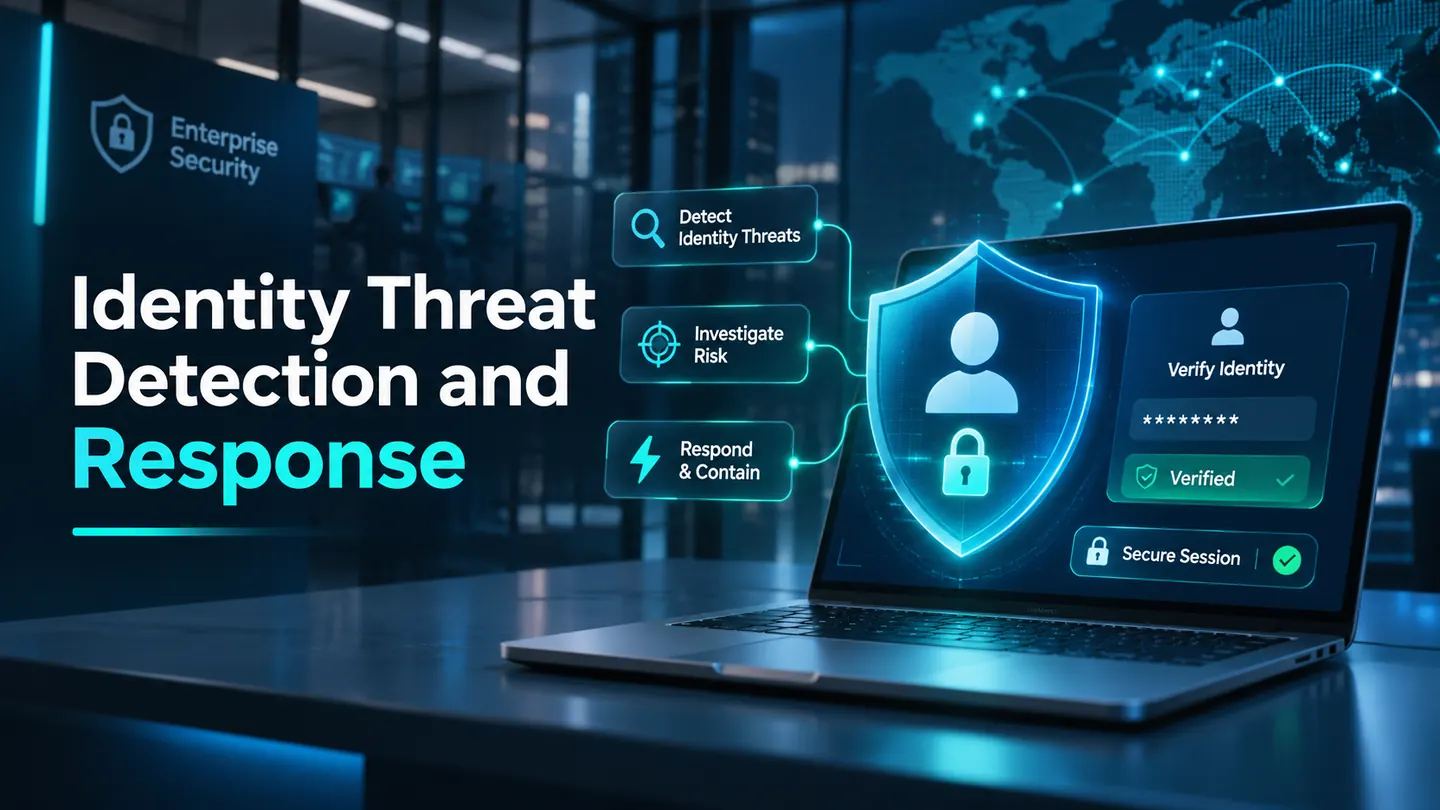
Attackers don’t really need to “break in” anymore. They just need to blend in. That’s exactly the challenge Identity Threat Detection and Response (ITDR) is built to solve.
ITDR keeps a close eye on suspicious activity involving credentials, logins and active sessions. Rather than assuming everything is fine once a user logs in, it gives security teams extra context to spot when a trusted connection starts acting risky.
For D3 customers across Dubai, Riyad and the broader GCC, this is crucial. With teams spanning cloud apps, remote setups, third-party vendors and hybrid environments, identity is often the one thread tying it all together.
So the real question isn’t just:
“Did they get the password right?”
It’s also:
“Does their behavior before, during and after that login actually make sense?”
What ITDR Means
At its core, Identity Threat Detection and Response (ITDR) brings threat detection right into the world of identity management. Instead of just trusting an active session or valid password, it actively searches for clues that an account might actually be in the wrong hands.
It keeps an eye out for red flags like:
- Risky sign-ins
- Stolen credentials
- Unusual authentication patterns
- Token replay
- Unexpected device use
- Privileged account misuse
- Abnormal session behaviour
- Suspicious activity after login
The secret sauce here is context. One successful login event may tell the security team very little on its own. But that same sign-in gets a lot more suspicious when you weigh it alongside details like:
- User history
- Device identity
- IP address
- Location
- Browser
- Time of access
- Privilege level
- Session activity
Take Microsoft’s identity protection model as an example: it stitches together these exact signals—looking at unfamiliar devices, hidden IP addresses, leaked credentials and stolen tokens—to spot risky logins in real time. Ultimately, Identity Threat Detection and Response (ITDR) goes beyond simply checking passwords and asks a bigger question:
Is this account still acting like someone we should trust?
Why Identity Attacks Bypass Traditional Defenses
Most classic security tools are great at catching obvious red flags like clear-cut malware or blatantly suspicious network traffic. Malware usually leaves behind a suspicious file signature.
An active exploit tends to trigger unusual network activity. And unauthorized connections typically come from places they shouldn’t be originating from. Identity-based attacks are trickier to spot because the attacker often has completely valid credentials.
Think about what happens when an admin account gets compromised. The username checks out. The password is correct. The MFA prompt was already approved. Even the remote access tool being used is something IT deliberately set up. And the server being accessed is the exact same one that admin manages every day. To traditional security filters, everything looks entirely normal and above board. That’s precisely why credential theft and session hijacking work so well.
Microsoft explicitly recommends monitoring for token theft because attackers may reuse authenticated tokens rather than repeatedly triggering the normal login process. The real challenge starts after the user logs in.
Most identity, SSO and MFA tools focus heavily on that initial login moment. PAM handles issuing the privileged access credentials. ZTNA determines whether the connection itself is allowed. Once a sensitive session is active, however, there’s often a blind spot between who was allowed to connect and who is actually driving the session right now.
KeyStrike describes this as the post-authentication security gap: the point where pre-login and connection controls have already done their job, but live activity inside a trusted session may still need verification. That is why Identity Threat Detection and Response (ITDR) needs to continue beyond the login screen.
Signals That May Reveal Identity Compromise
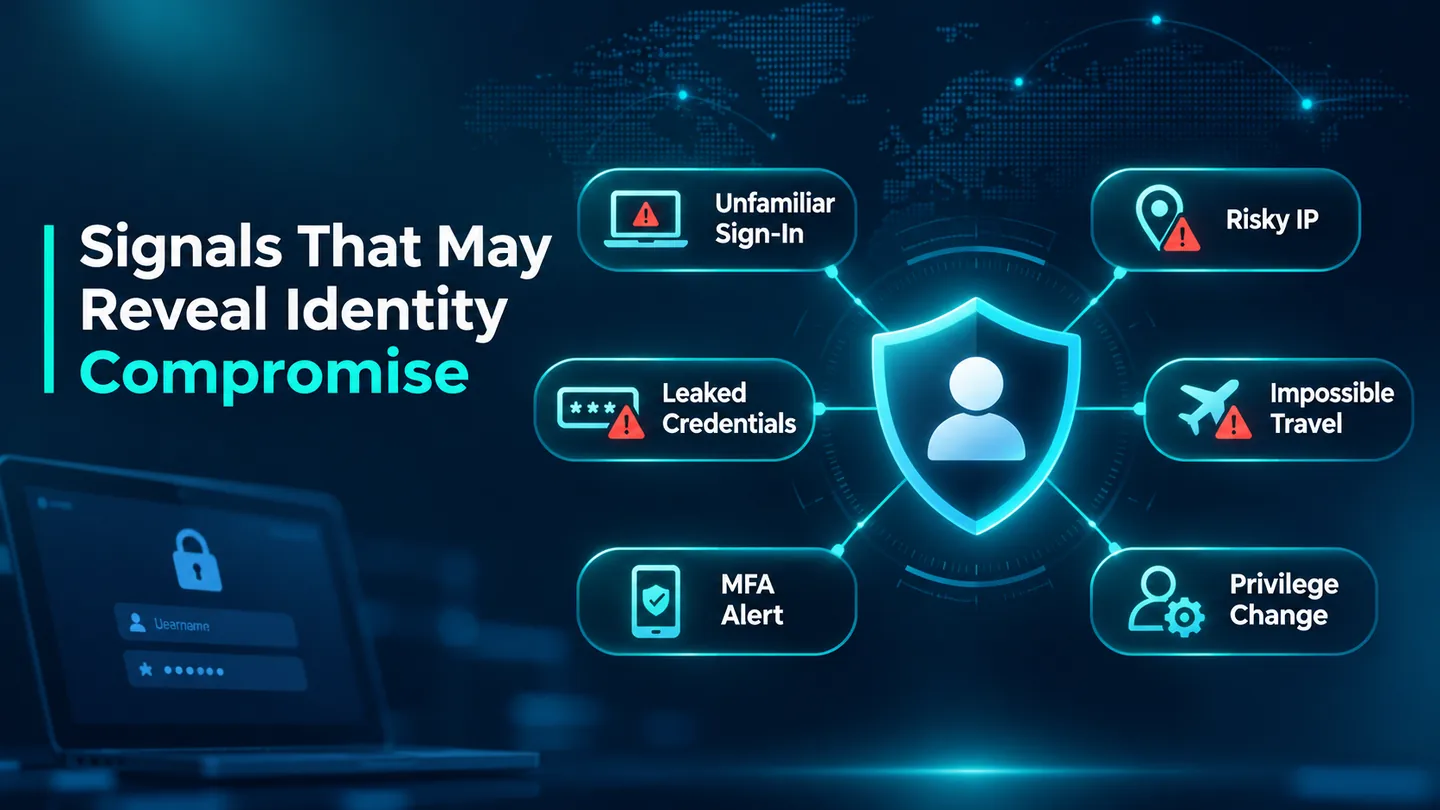
Identity Threat Detection and Response (ITDR) works by connecting several different clues, whether subtle or obvious. On its own, a single warning sign rarely proves an account was hacked. However, when multiple red flags crop up around the same user, confidence in a potential compromise rises significantly.
Here are a few common indicators to keep an eye on:
Unfamiliar sign-in properties
A user normally connects from the same browser, device and network. Suddenly the account signs in through unfamiliar infrastructure. That isn’t an immediate guarantee of a breach employees upgrade devices or log in while traveling all the time. Still, it’s a detail worth evaluating in proper context.
Anonymous or high-risk IP addresses
If a login originates from an anonymous proxy or network infrastructure flagged for malicious activity, it naturally warrants a closer look.
Leaked credentials
When user credentials show up in public breach dumps, that account instantly becomes high risk even before any strange behavior occurs.
Impossible or unusual travel patterns
Two authentication events that appear to come from geographically distant locations within an unrealistic period may indicate credential sharing, token replay or another identity problem.
Unexpected MFA activity
An MFA prompt approved from an unexpected location or device often points to social engineering or prompt-fatigue attacks.
Microsoft’s current risk-detection catalogue uses combinations of device, browser, ASN, GPS and authentication context to identify suspicious MFA approvals and unfamiliar sign-in behaviour.
Privilege changes
Any time a standard user account suddenly gains administrative rights, security teams should take notice.
Dormant account activity
When an account that has been inactive for months suddenly comes back online, it could be a returning employee or an attacker exploiting neglected access.
Session changes
Even if the initial login was totally legitimate, what happens inside the session might stray from normal behavior. That last point is key, because Identity Threat Detection and Response (ITDR) needs to be much more than just another system that alerts you to unusual logins.
Login, Device and Session Context
When security teams run identity investigations as part of Identity Threat Detection and Response (ITDR), they usually pull together three main layers of information:
- Login details
- Device details
- Session activity
Login context comes down to questions like:
- Where did this sign-in attempt come from?
- Did the user pass MFA?
- Does the location make sense?
- Is it happening at an odd hour?
- Has this user ever connected from this network in the past?
Device context looks at things from another angle:
- Is this a company-managed device?
- Is it recognized in your system?
- Are its security settings up to date?
- Is the browser standard for this user?
- Has the hardware changed recently?
Session context asks something different:
What is actually happening after someone signs in?
Official identity standards now place a big emphasis on this distinction.
The current NIST Digital Identity Guidelines explicitly describe session monitoring, sometimes called continuous authentication, as the ongoing evaluation of session characteristics to detect possible fraud after authentication. NIST identifies examples including usage patterns, timing, device characteristics, geolocation and IP reputation.That means security does not have to end when the password and MFA challenge have been accepted.
When it comes to privileged access, KeyStrike takes this idea a step further.
Its session-focused approach helps confirm whether actions taken inside a remote connection are tied to actual human input on a device. Instead of replacing IAM or PAM tools, it adds an extra layer of verification right inside live sessions.This creates a smooth, step-by-step security process:
- Identity confirms who the user is.
- Endpoint security checks the device.
- Access policies decide if the connection is allowed.
- Session controls monitor and verify ongoing activity once connected.
That kind of layered setup is far more reliable than expecting a single tool to handle every aspect of identity security.
ITDR vs IAM vs Endpoint Security
While Identity Threat Detection and Response (ITDR), IAM and endpoint security all overlap to a degree, each handles a very different part of the puzzle.
IAM : Identity and Access Management
Think of IAM as the gatekeeper. It asks:
- Who are you?
- How are you verifying your identity?
- Which apps are you allowed to use?
- What permissions do you get?
In short, it’s all about administering who gets access to what.
ITDR : Identity Threat Detection and Response
ITDR steps in to look for red flags. It asks:
- Does this login look off?
- Could these credentials be leaked or stolen?
- Is this account acting unusually out of character?
- Has access we previously trusted suddenly turned risky?
Its sole focus is hunting down threats tied to identity usage.
Endpoint Security / EDR
Endpoint tools keep watch over the physical or virtual hardware. They ask:
- Is malicious code running?
- Has the operating system been compromised?
- Is the endpoint behaving suspiciously?
- Is a process attempting lateral movement?
It protects and investigates the device. Rather than competing, these tools complement each other. Imagine an attacker accessing systems from a compromised employee laptop:
- To IAM, it looks like a completely valid user.
- MFA has already been passed successfully.
- EDR steps in to investigate suspicious processes running locally on the laptop.
- ITDR flags abnormal login patterns or identity signals for review.
Meanwhile, session-level controls verify whether the live actions inside a privileged remote connection actually belong to an authorized human.
This is precisely where KeyStrike plays a vital role. Instead of trying to replace existing IAM or EDR platforms, its platform focuses on securing live remote sessions, third-party access and critical system operations. That distinction is critical. Your overall security architecture becomes much stronger when every tool is used for the exact job it was created to do.
Detection, Triage and Response Workflow
An effective Identity Threat Detection and Response (ITDR) workflow should quickly turn raw signals into confident decisions.
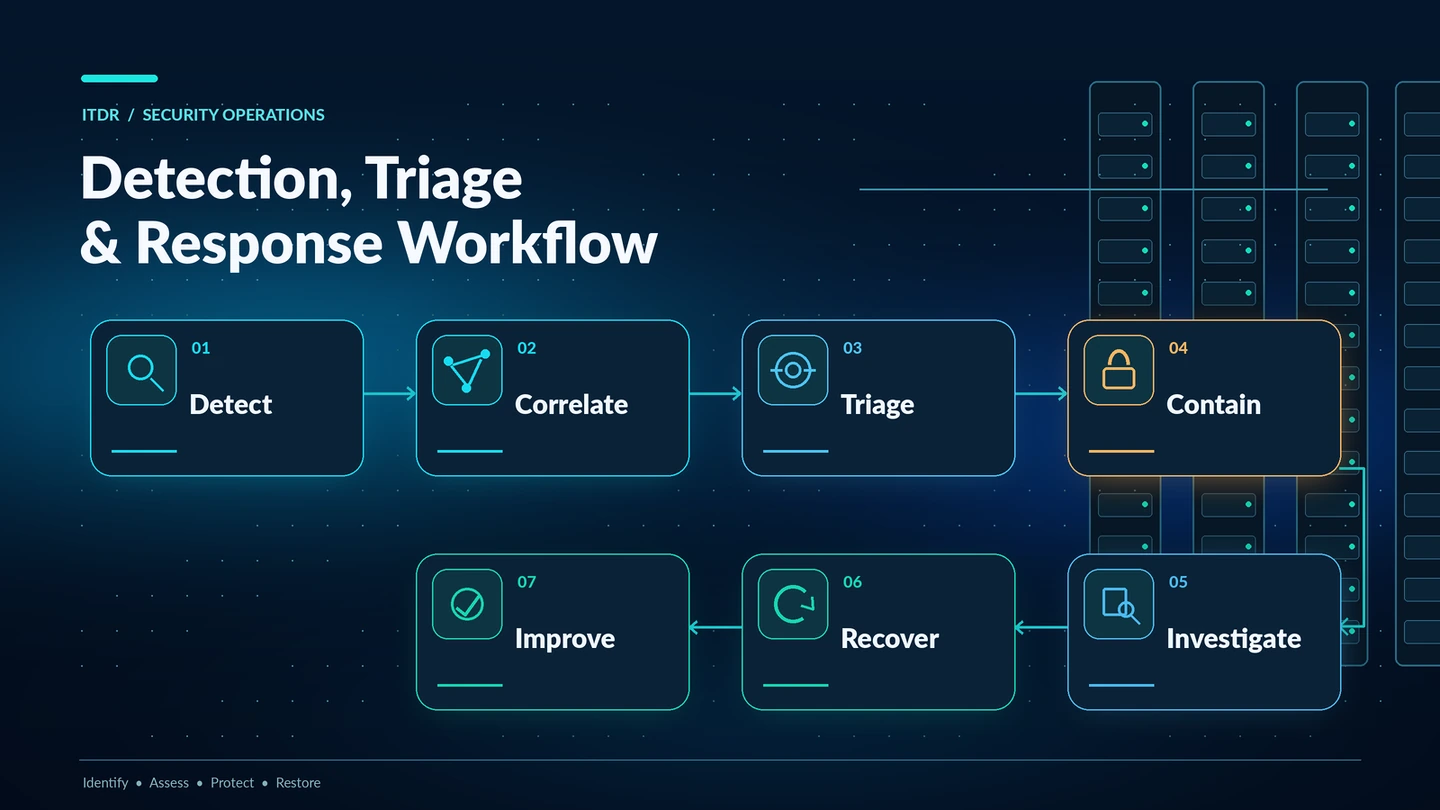
1. Detect
Start by gathering identity and access data across your core environments. This usually includes data from sources like:
- Identity provider
- Active Directory
- MFA
- Cloud applications
- VPN
- PAM
- Endpoint security
- Remote-access platforms
2. Correlate
A single odd sign-in might not warrant hitting the panic button. However, multiple unusual indicators tied to the same account certainly do. Consider a scenario involving:
An unrecognized device. A suspicious IP address. A sudden assignment of admin privileges. When these happen together, the pattern demands immediate attention.
3. Triage
During triage, analysts should ask practical questions:
- Is the activity expected?
- Is the employee traveling for business?
- Were they just issued a new laptop?
- Did IT recently update their permissions?
- Is there an active maintenance window?
Adding proper context stops security teams from treating every minor glitch as a major breach.
4. Contain
If a breach looks likely, response measures typically include:
- Revoke sessions
- Disable the account
- Force reauthentication
- Reset credentials
- Block the endpoint
- Remove privileges
- Suspend third-party access
NIST guidelines suggest that when continuous monitoring flags potential fraud, teams should immediately prompt for re-authentication or terminate the session altogether
5. Investigate
Determine exactly what systems or resources the compromised identity accessed. Be sure to review:
- Applications
- Systems
- Privileged actions
- Authentication events
- Session activity
- Endpoint telemetry
6. Recover
Restore user access only after identifying the root cause and fixing any compromised credentials, endpoints or permissions.
7. Improve
Every real identity incident offers a chance to refine your defense strategy.
- Did the account have more access than necessary?
- Was access active longer than necessary?
- Was third-party activity left unmonitored?
- Did security visibility drop right after initial login?
Response should improve the architecture, not simply close the ticket.
Blind Spots and False Positives
While Identity Threat Detection and Response (ITDR) is a game-changer, it’s definitely not magic. The biggest hurdle security teams face here is getting the full context. Say an employee logs in from a brand-new country. That could easily be an attacker hijacking the account. Then again, it might just be a sales rep touching down for a business trip.
Similarly, seeing a connection from an unrecognized device might raise eyebrows. Or the company may simply have replaced the employee’s laptop. If your identity detection is set to trigger on every minor change, your team will quickly end up buried in alert fatigue.
As Microsoft points out, some risk scores update immediately while others take time to crunch offline as extra context rolls in (check out Microsoft’s guide on risk timing and remediation for more details). Because of this delay, security teams have to get comfortable separating simple signals from concrete proof.
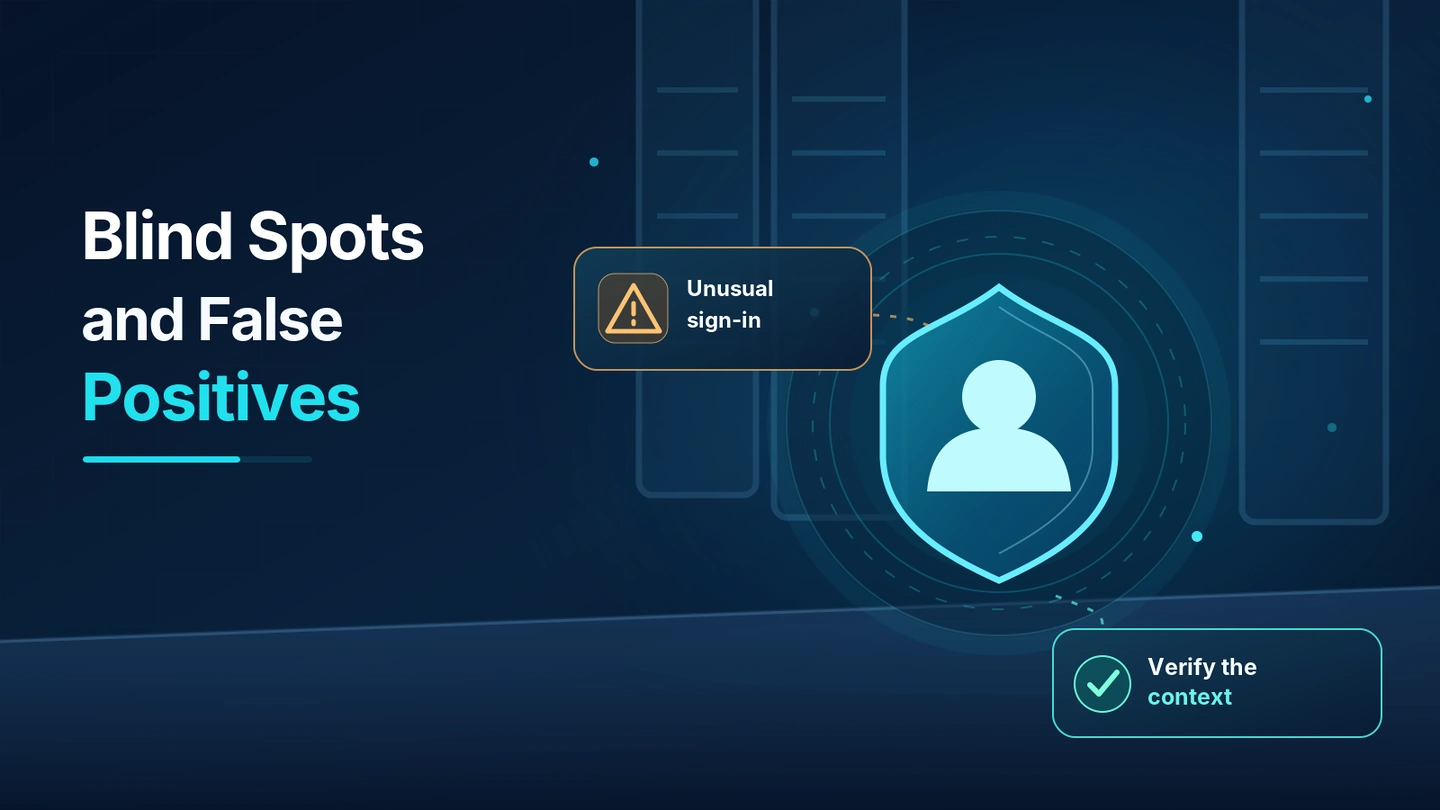
Another common blind spot opens up right after authentication succeeds. A system might know exactly who passed the front gate, but have zero visibility into what they’re actually doing once inside a privileged remote session. This is where KeyStrike helps fill the void. By bringing continuous attestation and live session telemetry into your broader security platform, post-login actions are no longer left in the dark (see KeyStrike’s post-authentication security model for a deeper dive).
At the end of the day, no single alert should carry your entire security strategy. The real goal is connecting enough pieces of the puzzle to easily tell legitimate business activities apart from actual threats.
ITDR Readiness Checklist
Before you start setting up or upgrading your Identity Threat Detection and Response (ITDR) strategy, take a minute to work through this quick sanity check:
1. Identity inventory
Do you have a clear picture of every identity provider, directory and app where your users are active?
2. Privileged-account visibility
Can your team quickly pinpoint admin accounts and high-stakes access?
3. MFA coverage
Are privileged, remote and sensitive accounts protected with appropriate MFA?
4. Sign-in telemetry
Do you have the data you need—like IP, device type, browser, location and login method—to dig into suspicious sign-ins?
5. Risky-user detection
Can the organisation identify compromised or suspicious identities?
6. Credential compromise monitoring
If employee credentials leak online, will your team get an alert they can actually act on?
7. Device context
Can analysts determine whether an endpoint is corporate, managed and healthy?
8. Session visibility
What actually happens to your monitoring once a user gets past the login prompt?
9. Privileged session controls
Can you monitor, audit and manage high-privilege remote sessions in real time?
10. Third-party access
Are vendor accounts limited by user, device, system and time?
11. Automated response
Can you automatically cut off risky sessions or force immediate re-authentication when something looks off?
12. SIEM integration
Are identity events correlated with endpoint, network and application telemetry?
13. Response ownership
Is it clear who has the authority to step in and lock down a compromised account?
14. False-positive process
Can analysts document legitimate exceptions without permanently weakening controls?
15. Audit evidence
Can you reconstruct a full, clear timeline of user activity both before and after authentication?
For teams across the UAE, Saudi Arabia and GCC, answering these questions helps make Identity Threat Detection and Response (ITDR) a core pillar of your security setup rather than just another noisy dashboard. Working with a KeyStrike Distributor like D3 helps organizations address the visibility gaps left by traditional security tools, providing continuous verification across privileged sessions, vendor access and live connections.