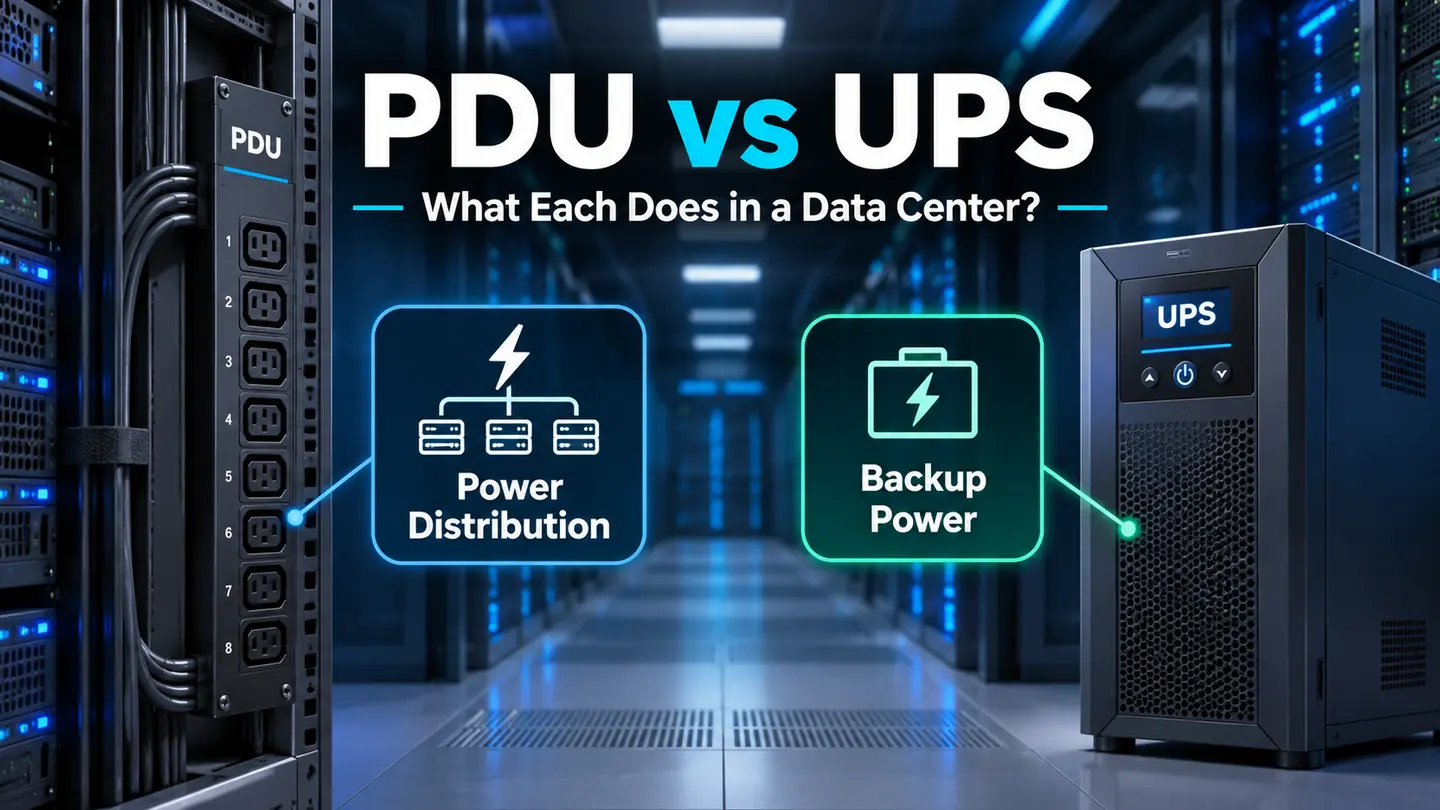
Even though a UPS and a PDU often sit in the same power chain, they’re actually handling two completely different parts of the power equation. It’s a distinction that’s pretty easy to overlook.
For example, a team might spend time carefully sizing a UPS to protect their servers during an outage, only to overload the rack because they plugged way too many devices into a single PDU. On the flip side, someone might set up smart PDUs with top-tier power tracking, yet still end up completely stranded with no battery backup when the grid goes down.
The main takeaway? Neither piece of gear can take the place of the other.
Think of it this way: a UPS provides temporary backup power and, depending on its topology, conditions the power entering your gear. A PDU simply takes the available power and divides it up safely among all the devices in your rack.
When a setup is done right, the two work hand in hand.
Here’s how the power typically flows:
Grid / Generator → UPS → Rack PDU → Servers, Storage and Switches
Understanding PDU vs UPS differences isn’t just about ordering the right hardware. It directly impacts how you plan for capacity, design redundancy, monitor your load and handle unexpected electrical failures.
For companies building out or expanding server rooms across Riyadh and the broader GCC, staying on top of these details is essential as rack densities climb. Sliding another server into a spare rack slot might seem simple physically, but it immediately adds to your total wattage, current draw and reliance on your power layout.
What Is a Power Distribution Unit?
In a PDU vs UPS comparison, a Power Distribution Unit (PDU) is designed to take electricity and send it to multiple devices at once.
In simple terms, a rack PDU pulls power from an upstream source like a UPS, a generator-backed circuit or your main facility feed and opens up several outlets to power everything inside the rack. That’s where you plug in your servers, network switches, storage units and security gear.
While that might sound a lot like a heavy-duty power strip, data center PDUs are built for much tougher workloads. Many can handle higher electrical loads, support specialized rack-mounting layouts and offer tailored outlet configurations. Plus, advanced models can track energy use in real time and let you manage power settings remotely.
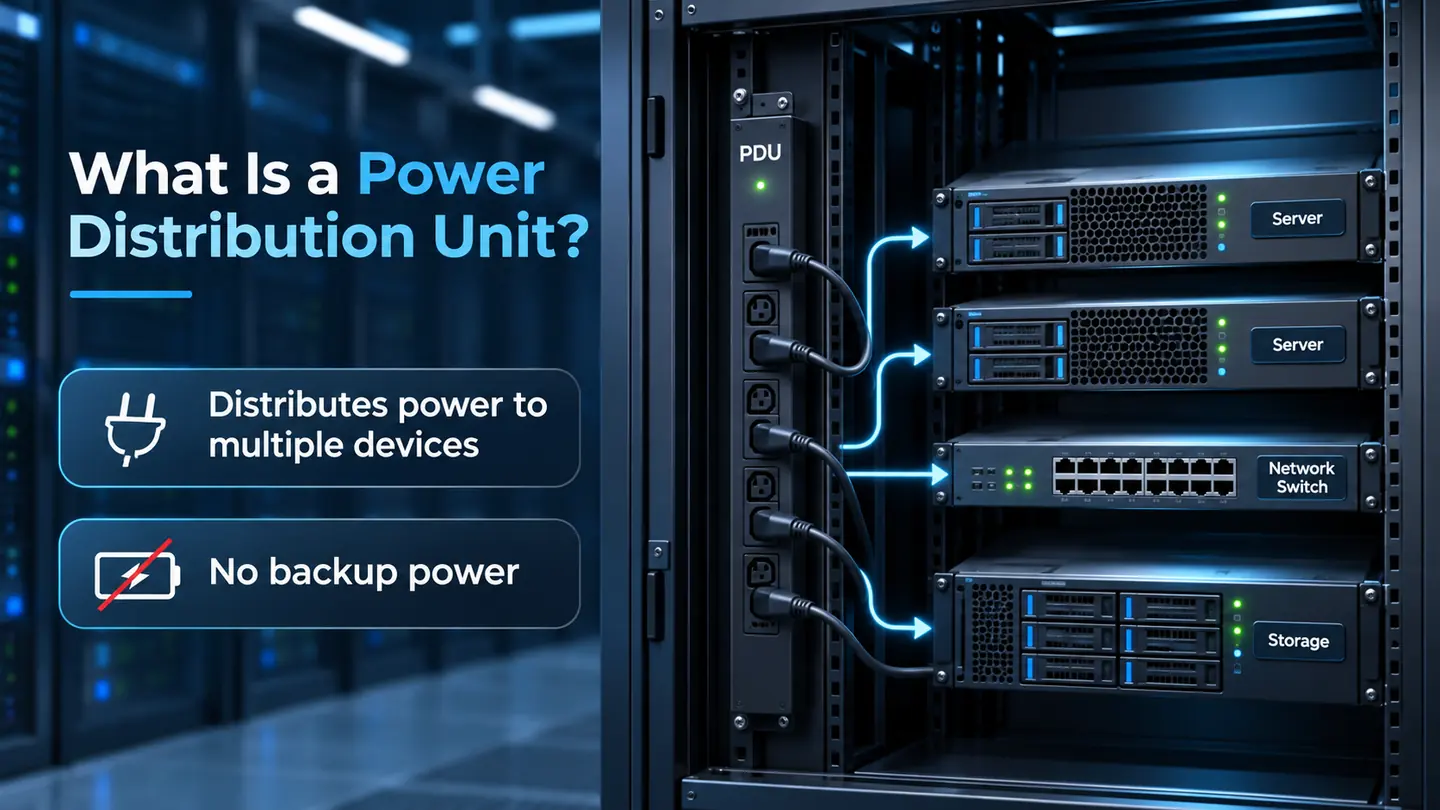
In fact, Eaton’s rack PDU guidance breaks them down into several tiers ranging from basic power distribution all the way up to metered, monitored and switched models. Depending on the model, a PDU can handle features like:
- Multiple rack outlets
- Current and load monitoring
- Input power measurement
- Outlet-level measurement
- Environmental sensor integration
- Remote management
- Individual outlet switching
- Power-cycle capability
But one thing remains important:
A standard rack PDU doesn’t store or generate backup power.
If the main power source cuts out, the PDU won’t keep your servers running on its own unless an upstream system, like a UPS or generator, keeps power flowing. Put simply, a PDU’s main job is power distribution along with monitoring and control if you’re using a higher-end unit.
What Does a UPS Do?
In PDU vs UPS planning, a UPS (Uninterruptible Power Supply) plays a completely different role. At its heart, it is there to keep your critical gear up and running during utility outages, within its capacity and battery runtime. Depending on its topology, it also guards your hardware against electrical issues, such as:
- Blackouts
- Brownouts
- Overvoltage
- Voltage fluctuations
- Frequency variations
- Electrical disturbances
With a double-conversion online UPS operating in double-conversion mode, incoming AC power gets continuously cleaned up through the rectifier and inverter before reaching your equipment. If the grid fails, the battery supplies the inverter, which continues powering the load with zero transfer time to battery, unlike typical standby or line-interactive UPS setups.
Tecnoware’s online UPS documentation notes that this design smooths out electrical spikes and dips during normal operation, with the inverter continuing to supply power from the battery during an outage in double-conversion mode. Because of this, the UPS sits upstream of the PDU. It isn’t responsible for deciding which specific server gets plugged in where.
Its main job is providing reliable backup power and, depending on the topology, power conditioning. From there, the PDU distributes that protected power across the rack. Keeping this distinction in mind is key when you’re sizing your setup. Just because you have a 10 kVA UPS doesn’t mean every single rack can draw 10 kVA on its own; check the UPS’s total kVA and kW ratings and the load across all connected racks.
Likewise, upgrading to a higher-capacity PDU won’t magically give you more backup power from your UPS. You really have to design the entire power chain as a single system.
PDU vs UPS Side-by-Side
The comparison table below breaks down how each unit handles key data center power requirements.
| Requirement | UPS | PDU |
|---|---|---|
| Provides battery backup | Yes, for battery-equipped models | No |
| Protects against utility outages | Yes, within available runtime | No independent backup; relies on upstream source |
| Conditions incoming power | Depending on UPS technology | Normally no |
| Distributes power to multiple rack devices | Model-dependent outputs / upstream role | Yes |
| Rack-level load monitoring | Some models | Metered/intelligent models |
| Outlet-level monitoring | Usually not main function | Available on advanced PDUs |
| Remote outlet switching | Available on some models; not the main role | Available on switched/managed PDUs |
| Supports A/B rack feeds | Part of upstream architecture | Yes, using separate PDUs or a suitable ATS PDU |
| Helps prevent rack overload | Indirectly | Metering helps identify risks; breakers protect where fitted |
| Typical location | Power path upstream | Typically inside individual rack |
An easy way to keep the two straight is:
UPS = power protection
PDU = power distribution
Beyond the PDU vs UPS comparison, most data centers rely on both working together, because fixing one side of the power equation doesn’t automatically solve the other.
Basic vs Metered vs Switched PDUs
Not every server rack requires the same level of intelligence or control.
A basic PDU simply hands out power to your equipment. You won’t get network features or smart monitoring here, but it works just fine in smaller setups where power draw is predictable or tracked higher up the line. If you need clear visibility, a metered PDU gives you actionable data. Depending on the unit, it measures current draw at the main input, specific branches or individual outlets.
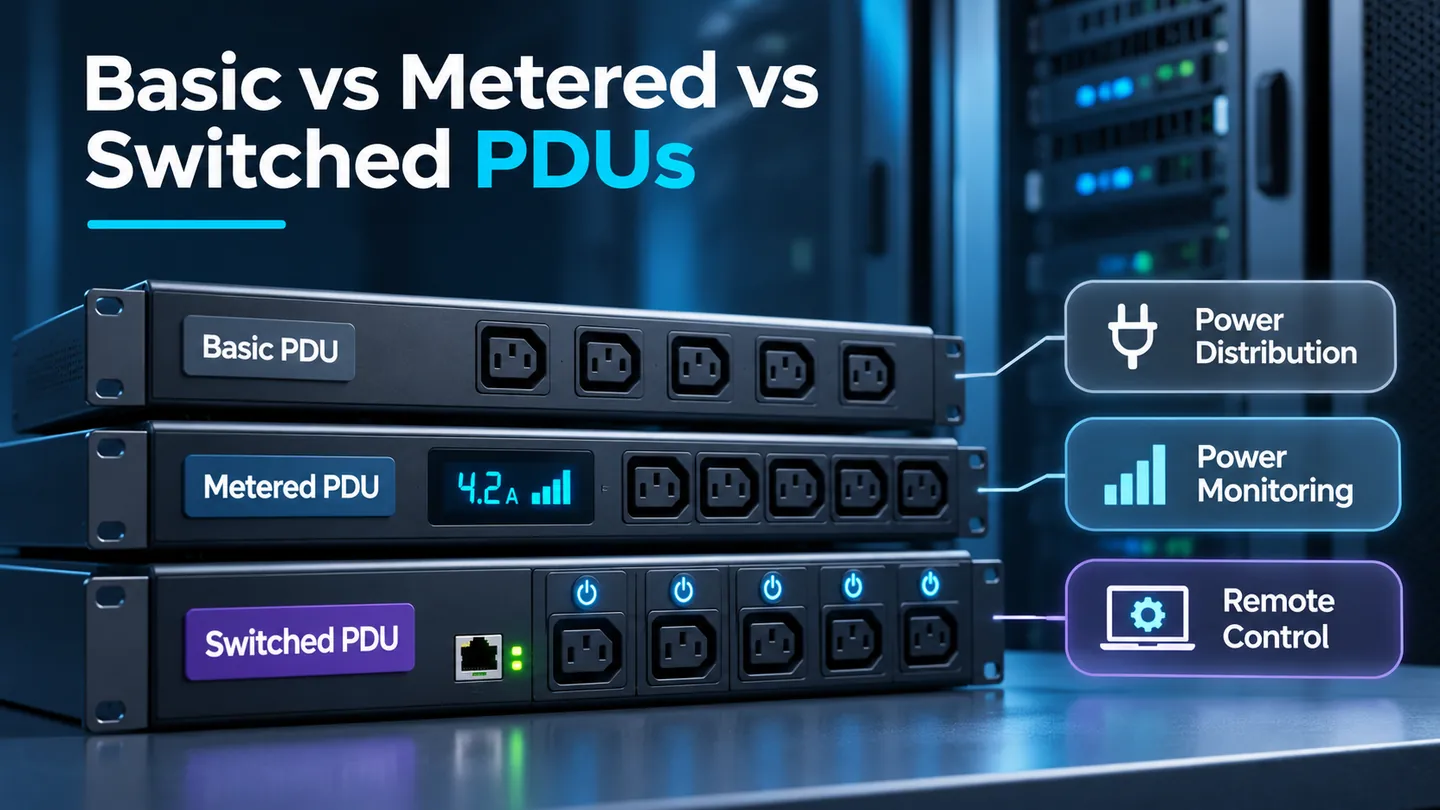
This lets your IT team spot impending overloads before they cause problems and estimate how much headroom is left against rated limits before plugging in another piece of gear. Imagine a rack circuit designed to handle a specific load capacity.
Without metering, someone might assume it’s safe to add another server just because there are open plugs on the strip. Here’s the catch:
an open plug doesn’t mean open capacity
In PDU vs UPS planning, a metered PDU helps expose that difference. A monitored PDU adds network connectivity so power information can be viewed remotely. This becomes particularly useful across large data centres where nobody wants technicians walking rack-to-rack simply to read current values. A switched or managed PDU goes further by allowing selected outlets to be controlled remotely.
Eaton’s breakdown of intelligent rack PDU types notes how switched models allow admins to toggle specific outlets on or off through authorized remote access.
That remote access comes in handy for a few key reasons. For instance, you can reboot a frozen server without dispatching a tech to the room. You can easily switch off unused outlets to prevent unauthorized equipment from drawing power. And during tight power events, you can shut down non-essential gear safely before switching off its outlets. Ultimately, picking the right option boils down to how much visibility and hands-on control your setup demands. A single rack may not justify complex remote management. A data centre containing hundreds of devices probably does.
How PDUs and UPSs Work Together
When evaluating PDU vs UPS roles, it helps to think of a server rack’s setup as a single, connected power chain. Here’s a standard example of how it flows:
Facility power → UPS → rack PDU → server
Electricity coming in from the utility company hits the UPS first. From there, the UPS provides backup protection and, depending on its topology, conditions the incoming power. Next, the PDU takes that protected feed and sends it out to all the individual devices.
If grid power drops out completely, the UPS battery supports the PDU through the inverter. A properly sized online UPS in double-conversion mode keeps compatible servers running without a transfer interruption until one of a few things happens:
- Main grid power comes back on
- The backup generator comes online and supplies acceptable power to the UPS
- The batteries eventually run out
- You initiate a safe, graceful system shutdown
That’s exactly why PDU vs UPS capacity planning needs to account for both units. Say you have a rack rated for 5 kW of protected power. Swapping in a 7 kW PDU won’t magically give your UPS an extra 2 kW of juice to work with. At the end of the day, your upstream UPS, PDU ratings, circuit breakers and overall wiring set the hard ceiling on available power.
You can also run into the opposite problem. Your UPS might have plenty of headroom to spare, while a single rack’s PDU is already sitting right at its limit. If you plug one more piece of gear into that rack, you run the risk of overloading the PDU even though the UPS barely notices the extra load. When planning out your setup, keep a close eye on:
- UPS capacity
- PDU rating
- rack load
- circuit capacity
- future growth
Every one of these factors plays a key role in building a reliable layout.
Redundancy and A/B Feed Considerations
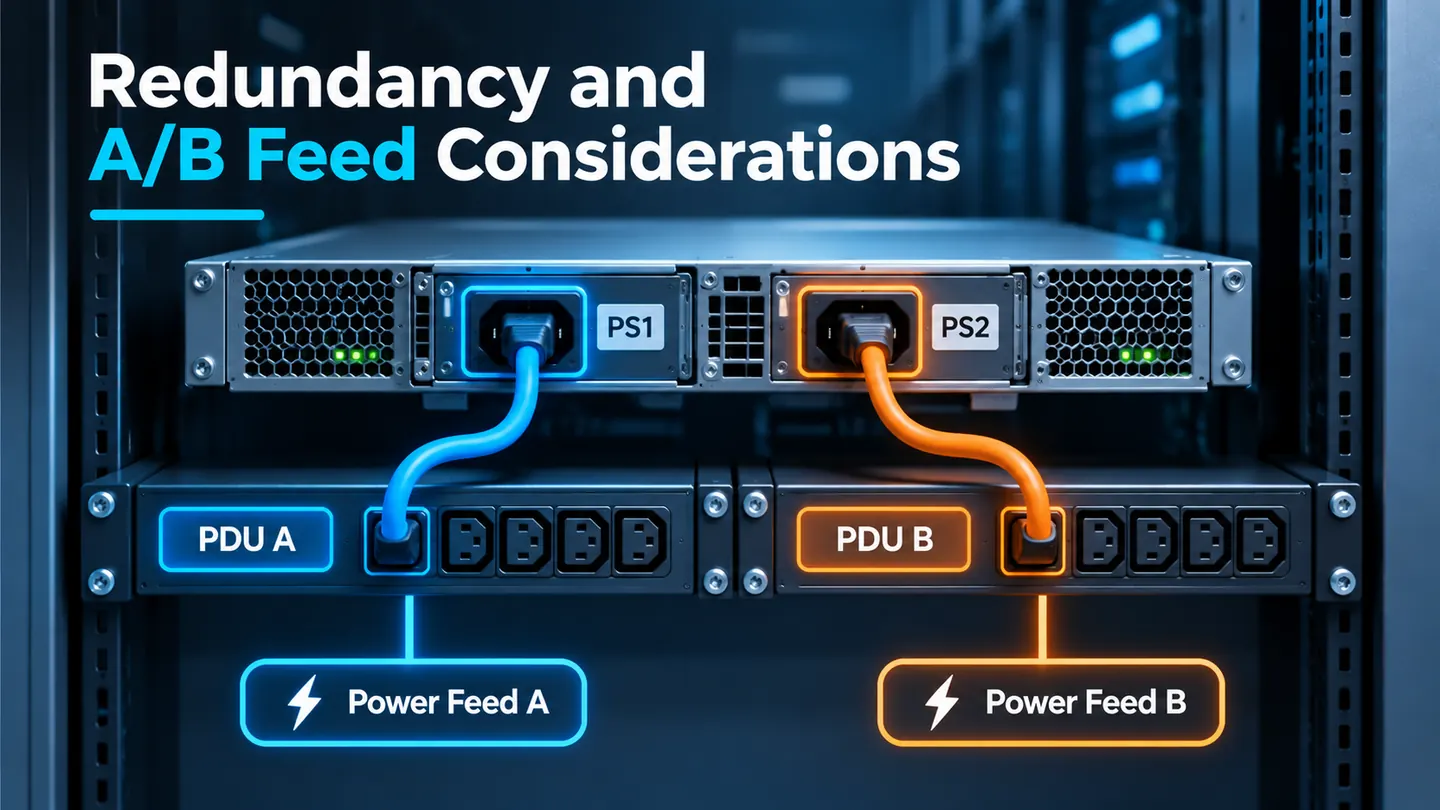
In PDU vs UPS planning for high availability, setups almost never rely on a single power line. Instead, server racks are usually wired with dual A and B feeds. If a server has dual power supplies, you’d plug them in like this:
Power Supply 1 → PDU A
Power Supply 2 → PDU B
Ideally, those PDUs ultimately connect to independent upstream power paths. If one PDU, UPS or power feed fails, the other path can continue supporting the server if it has sufficient capacity and the server supports redundant operation. But redundancy only works if the design is genuinely independent. Connecting PDU A and PDU B to the same upstream failure point may look redundant inside the rack while providing little protection against a larger electrical fault.
Single-corded equipment brings its own set of challenges, too. To handle those, many facilities turn to an Automatic Transfer Switch (ATS) PDU or a similar device. It draws from two power sources and automatically transfers your single-corded gear to the backup source if the primary line fails, with a short, model-dependent transfer time that the connected equipment must tolerate.
Eaton’s PDU installation guidance highlights how these primary and secondary feeds work together to keep gear powered even during an outage. An A/B architecture also directly impacts how you plan capacity. If a server has two power supplies, don’t just assume it will always split the electrical draw evenly 50/50.
You always have to ask:
- what happens if one entire feed cuts out?
- Can the remaining feed shoulder 100% of the load on its own?
Because at the end of the day, handling that exact worst-case scenario is why you built in redundancy to begin with.
Common Rack Power Planning Errors
A common trap in PDU vs UPS procurement is picking a PDU based purely on the number of outlets.
You need 20 plugs for your setup?
You buy a PDU with 24 outlets.
Problem solved, right?
Not even close. What you actually need to keep an eye on are the specs that dictate real capacity:
- Input voltage
- Maximum current
- PDU power rating
- Outlet type
- Actual equipment load
- Circuit capacity
Another frequent PDU vs UPS planning oversight is treating UPS capacity and PDU capacity like they’re the exact same thing. They work together, sure, but they measure two distinct parts of the power chain. It’s entirely possible to max out a PDU in a single rack even while your main UPS is running smoothly with plenty of power to spare.
It’s also easy to forget about scaling for future expansion. If a rack is sitting at 70% electrical capacity on day one, you’ll have limited room for future growth once operating and redundancy margins are considered, even if half the physical rack slots are wide open.
At the end of the day, physical space in a rack and available power density are two entirely different constraints. Unbalanced load across A/B feeds is another issue that pops up all the time.
If most of your equipment pulls power primarily from one side, PDU A might end up dangerously close to overloading while PDU B barely works up a sweat. Adding metered PDUs makes it much easier to catch and fix these hidden imbalances early on.
Environmental monitoring is another critical piece of the puzzle that often gets glossed over. The more power your rack draws, the more heat it generates.
Fortunately, many intelligent PDUs hook right up to temperature and humidity sensors, letting you monitor environmental conditions side-by-side with your electrical metrics. Eaton’s overview of monitored and switched PDU features highlights how networked PDUs gather real-time data from environmental sensors alongside power metrics.
Lastly, people tend to forget that the power chain requires ongoing maintenance and checkups.
- UPS systems need regular battery health checks.
- PDUs need routine inspections and load tracking.
Gear gets swapped, connections change and workloads shift over time. That’s why rack power planning should be an ongoing review process throughout the life of your infrastructure, rather than a one-and-done task on setup day.
Procurement Checklist
Before making a PDU vs UPS purchasing decision for your server room or data center, make sure you double-check these key points:
1. Actual IT load: Figure out your real world power draw instead of relying strictly on the theoretical numbers on equipment labels.
2. UPS capacity: Check both kVA and kW ratings, including suitable operating margin and future growth.
3. Required runtime: Decide if your UPS just needs to bridge the gap until the generator fires up or if it needs to support equipment for a longer, specified battery runtime.
4. PDU input rating: Verify that your PDU matches the upstream source voltage, phase, current rating and connectors.
5. Outlet types: Confirm compatibility with server and network-equipment power cords.
6. Outlet count: Leave extra open plugs for future gear additions.
7. Rack mounting: Choose whether horizontal (1U/2U) or vertical (0U) mounting makes the most sense for your rack space.
8. Metering requirement: Determine if basic power distribution is enough or if you need real-time data tracking.
9. Remote monitoring: Network monitoring saves your team from having to do physical rack checks in larger setups.
10. Outlet switching: Determine whether remote power cycling is operationally useful.
11. A/B feeds: Set up separate power paths for mission-critical, high-availability gear.
12. Single-corded equipment: Determine whether ATS functionality is required.
13. Failure capacity: For full A/B redundancy, make sure either surviving power path can handle 100% of the protected load within its rated limits.
14. Environmental monitoring: Track temperature and humidity levels alongside your power metrics to keep hardware safe.
15. Management integration: Check SNMP, web management, Modbus or other required monitoring methods.
16. UPS maintenance bypass: Plan a suitable maintenance bypass or redundant power path so routine UPS servicing does not require taking your entire system offline.
17. Future rack density: Account for actual power requirements in watts, not just available physical slot space.
18. Regional technical support: Make sure local technical support is readily available to service your UPS system down the road.
For reliable power continuity, working with a Tecnoware Distributor like D3 gives businesses access to UPS solutions for data centers and critical IT infrastructure, along with technical support throughout Riyadh and the GCC.
In the end, it takes more than just picking a UPS with enough kVA and kW. You need to make sure that clean power flows to the right racks through a solid distribution setup giving you the capacity and visibility you need as your facility grows.
That’s the core idea behind PDU vs UPS planning.
The UPS asks:
“How do we keep hardware powered and safe if utility power fails?”
The PDU asks:
“How do we deliver that backed-up power to every rack unit safely and efficiently?”
A resilient server room setup needs clear answers to both questions.