Most security headaches don’t start with a major breach. They usually begin with everyday workplace changes.
When someone starts, they get access to basic tools like email and shared files. Six months down the line, they switch roles and pick up new permissions, but no one revokes the old ones. Eventually, when they leave the company, a stray SaaS account slips through the cracks because it wasn’t listed on the offboarding checklist.
On their own, these look like simple admin oversights. Taken together, they lead to a widespread security issue: people holding onto permissions that no longer fit their job. That is where the Joiner-Mover-Leaver Process (JML) comes in, offering a clear framework to manage access throughout an employee’s time at the company.
New hires need the right tools ready on day one. Internal transfers need their access updated as their responsibilities shift. And departing staff need their access removed promptly and completely. The core concept is simple enough. The real work is keeping HR, IT, managers and system owners in sync so changes happen on time and leave a clear audit trail of approvals and actions.
As companies grow across multiple locations and cloud platforms, managing the Joiner-Mover-Leaver Process manually becomes a major bottleneck. Instead of relying on random emails and spreadsheets, identity management needs to connect employee records directly with approval workflows and business applications. That is exactly why a structured access lifecycle is so essential.
What Is the Joiner-Mover-Leaver Process?
At its core, the Joiner-Mover-Leaver Process is all about managing who gets access to what from the day someone joins a company to the day they move on.
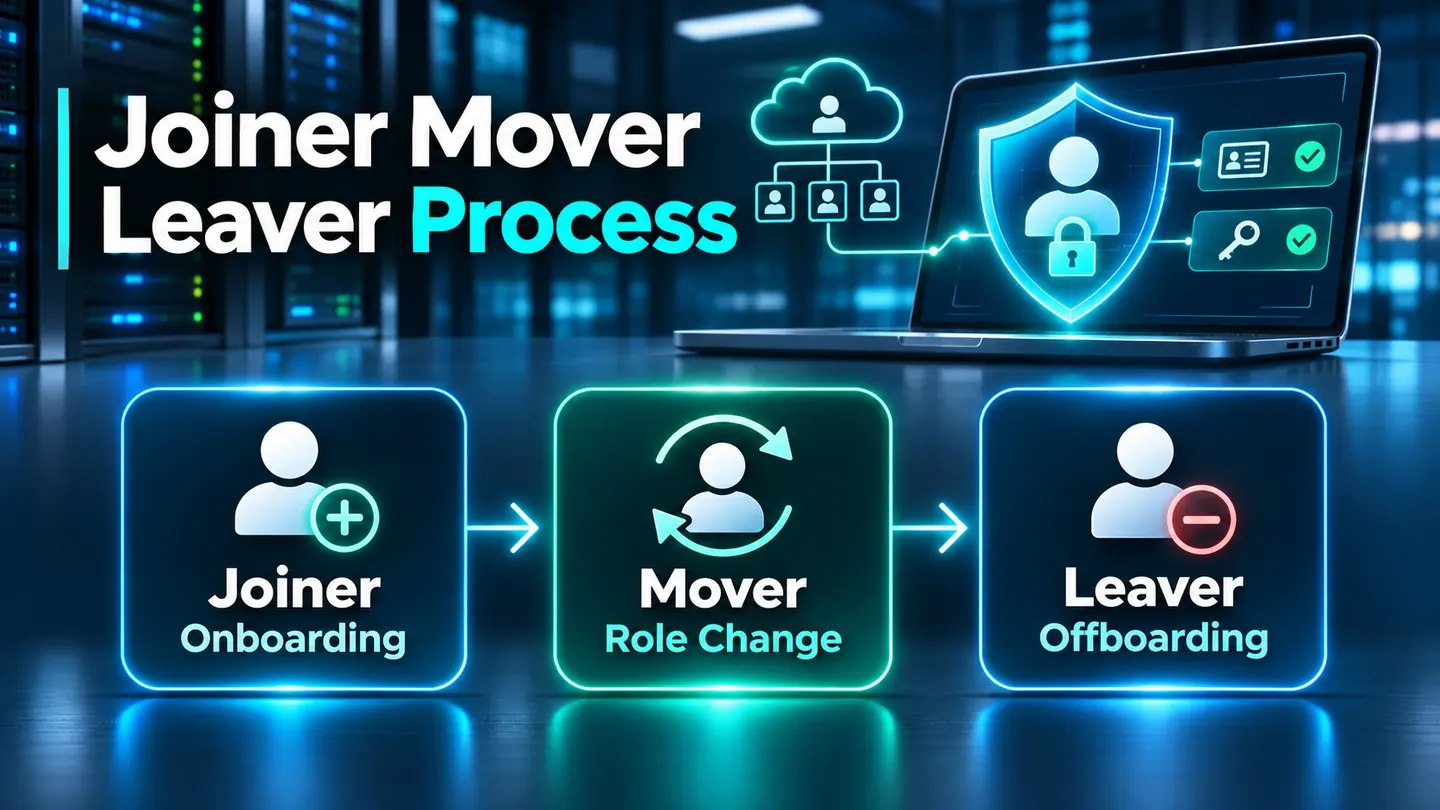
It breaks down into three key phases:
Joiner: A new team member or contractor comes onboard and needs accounts and tools configured.
Mover: An employee switches roles, shifts departments, moves to a new location or takes on a new manager.
Leaver: Someone departs the organization, meaning their access permissions need to be revoked and accounts promptly disabled or removed as appropriate.
NIST SP 800-53 Rev. 5 account management guidance focuses on this exact lifecycle: companies need clear rules for setting up, updating, disabling and deleting user accounts, along with timely notifications whenever someone changes roles or leaves.
A good Joiner-Mover-Leaver Process puts those principles into practice seamlessly.
It clearly lays out:
- Who starts the request?
- Who signs off on permissions?
- Which systems need adjustments?
- When should changes take place?
- Who confirms completion?
- What evidence should be retained?
Without a solid workflow, managing access quickly becomes chaotic and ad-hoc.
IT often gets last-minute requests like:
“Can you set up an account for our new sales manager? They start tomorrow morning.”
Then a couple of months later, another quick note comes in:
“Could you give them access to the procurement system too?”
Fast-forward a few years and no one remembers why they still have access to both sets of tools. A structured Joiner-Mover-Leaver Process replaces this guesswork with a smooth, continuous process that naturally follows the employee’s journey.
Joiner: Approving Day-One Access
When someone starts a new job, the goal is to give them enough access to hit the ground running without handing out keys to things they might never need. The joiner phase of the Joiner-Mover-Leaver Process works best when it kicks off from a single, trusted source of truth.
For most companies, that source is the HR department. HR builds the initial employee profile with essential details like:
- Name
- Employee ID
- Department
- Job title
- Manager
- Location
- Start date
- Employment type
Your identity platform can then use these details to figure out standard, day-one permissions automatically.
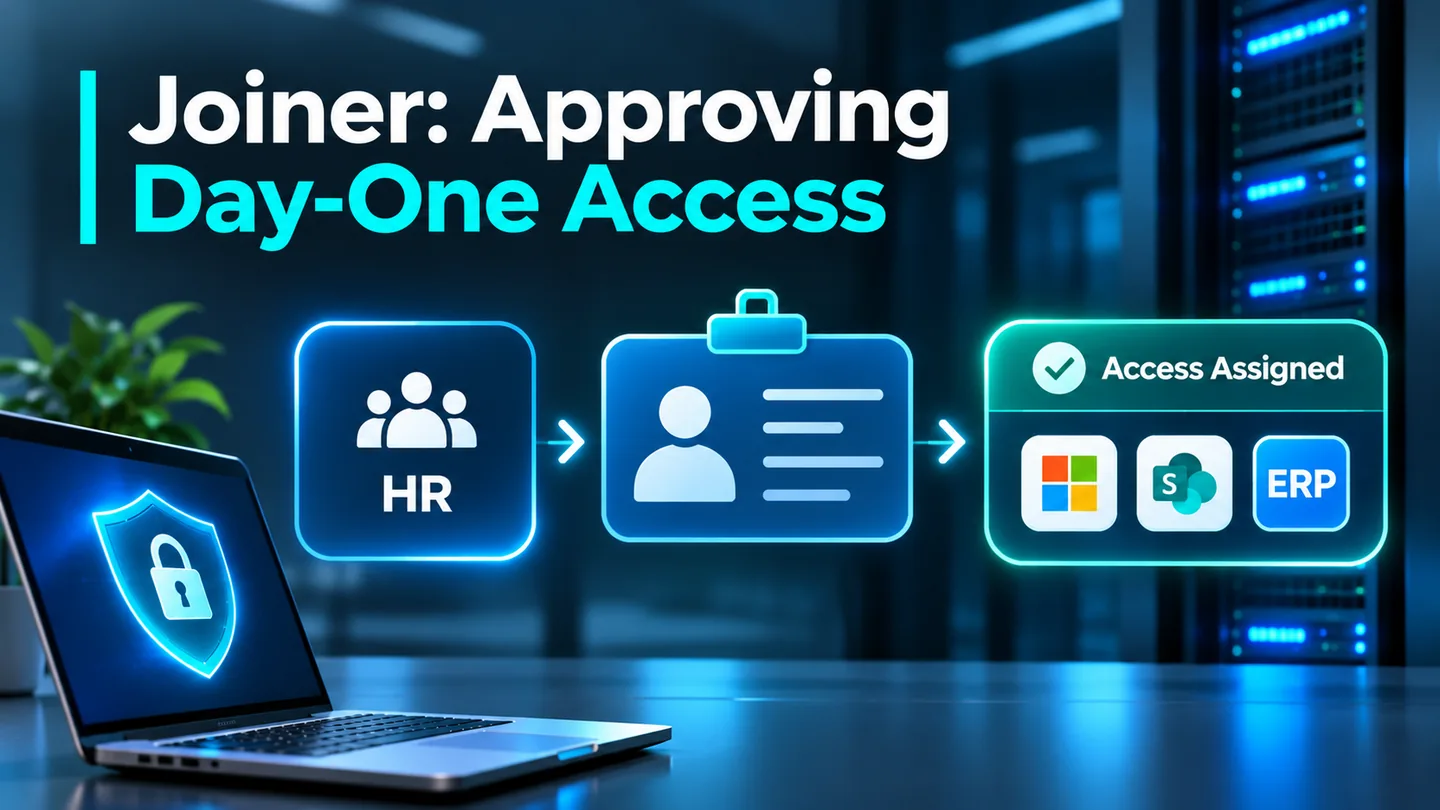
Here is how that looks in practice:
Someone joining Finance might get instant access to Microsoft 365, the finance team’s shared drive and the core ERP system. Meanwhile, a new teammate in Marketing gets set up with an entirely different set of tools. This is where role-based access becomes useful. Instead of manually picking out software rights for every single new hire, the business assigns permissions based on job roles, groups or key attributes.
Platforms like Securify Identity use Lifecycle Management to pull data from multiple directories, assign groups and roles automatically and run identity workflows. This means access is driven by actual business events and user attributes rather than manual account setup.
That said, automation shouldn’t replace real sign-offs where human approval is necessary. Basic tools like company email can be set up automatically on day one. However, getting access to sensitive databases, financial software or admin accounts should still require explicit approval from a manager or system owner.
A practical joiner workflow therefore looks like:
HR sets up the profile → identity record is created → basic access is assigned → extra access is approved → accounts are set up → employee is notified
The goal here isn’t to wrap onboarding in red tape. It is simply about making access consistent and predictable. Every new team member should start with the exact tools they need for their role—and nothing extra.
Mover: Adjusting Access When Roles Change
Managing movers is often a lot trickier than dealing with new joiners. When someone first joins the company, it’s obvious to everyone that they need access set up from scratch. However, when employees switch roles internally, teams tend to focus only on granting whatever new permissions are requested.
Over time, this creates a major issue: access accumulation.
Consider a scenario where an employee starts out in Sales. They get set up with access to the CRM, sales reporting tools and client files. A year later, they transitioned into a new position in Procurement.
They’re granted rights to purchasing systems and vendor databases. Yet, nobody thinks to take away their old Sales permissions. Fast-forward two more years: they get promoted to a management role and pick up another set of elevated rights.
Suddenly, you have a single user holding onto access rights spanning three completely different positions.
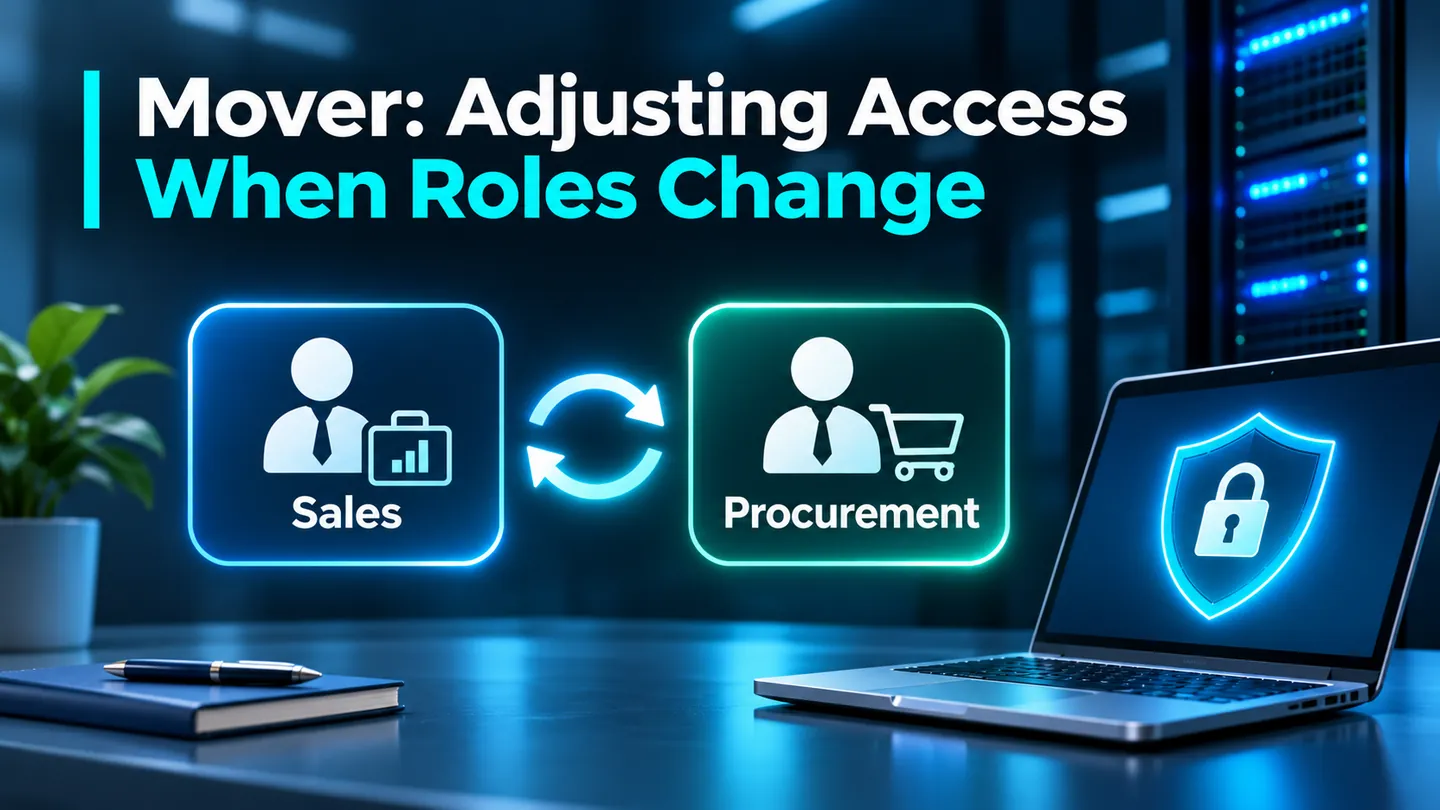
NIST guidelines explicitly emphasize that whenever staff members move to new roles, organizations need to review their logical and physical access, tweaking authorizations to match what they actually need for their new duties. That fundamental concept is precisely what your mover phase should enforce.
Whenever a role change occurs, it should trigger two essential questions:
What new access does this person actually need?
and
What old access should be revoked?
Both of these aspects are equally vital. An effective mover phase of the Joiner-Mover-Leaver Process typically follows these steps:
- HR updates and sends the new role details
- Current permissions are audited
- Required permissions for the new role are calculated
- Potential conflicts in access are flagged
- Manager or system owner approves changes
- Outdated access rights are revoked
- New access rights are provisioned
- Final access setup is verified
This phase is also where segregation-of-duties risks frequently pop up.
An employee might genuinely need a specific privilege for their old position and a different one for their new one but keeping both active at the same time can create serious compliance conflicts. For example, one permission may allow a purchase to be created while another allows it to be approved. That’s why lifecycle management tools should look at overall combinations of rights, rather than assessing individual permissions in isolation.
Tools like Securify Identity feature dedicated orchestration systems that support automated provisioning, directory integration and attribute-based identity management, helping user access dynamically align with updated records.
The key principle is simple:
A role change shouldn’t just tack on extra permissions—it needs to completely recalculate them.
Leaver: Revoking Accounts and Sessions
When it comes to offboarding in the Joiner-Mover-Leaver Process, timing is everything.
When someone leaves the company, their access shouldn’t stay open just because the next routine access review is a month away.
CISA highlights the importance of an ongoing user management process to ensure former employees are promptly deprovisioned and blocked from internal tools. That’s why a solid leaver workflow needs to start with a dependable departure trigger.
Usually, that update originates directly from HR or a core HRIS system. From there, the system should map out every single permission associated with that user. That means checking more than just:
- Active Directory
but also:
- Microsoft 365
- VPN
- SaaS platforms
- ERP
- CRM
- privileged accounts
- cloud consoles
- remote-access tools
- physical access
- shared credentials where applicable
Terminating active sessions is just as vital.
Simply locking or disabling a main account doesn’t always kill open sessions right away. Depending on the setup, IT may also need to invalidate tokens, kill active web sessions or clear out app-specific keys. For sensitive or high-risk departures, exact timing must be carefully coordinated with HR.
If an employee is being let go for cause, access often needs to be cut off right as or right before the conversation happens. NIST stresses that quick, decisive action is critical in these situations.
A complete deprovisioning flow should look like this:
HR confirms termination → identity disabled → active sessions revoked → application access removed → privileged access removed → physical credentials recovered → completion verified
The process shouldn’t stop just because an offboarding ticket is marked “closed.” It’s only truly done when IT can verify that all access has actually been removed.
HR, IT and Line-Manager Responsibilities
The Joiner-Mover-Leaver Process usually falls apart when nobody takes ownership of the actual decision. HR, IT and managers all play distinct roles here.
HR is typically in charge of official employment milestones. They track essential timing details like:
- When a new hire starts
- When someone changes roles
- When someone gets a new manager
- When an employee departs
That said, HR shouldn’t be deciding granular technical details like which specific database permissions a software engineer requires. Those decisions belong to the teams closer to the work.
Line managers understand what their team members actually do day-to-day. They should review and approve any access that can’t be safely granted by automated rules.
Managers are also responsible for pointing out when old permissions are no longer needed after a role transition.
- IT and IAM teams handle the hands-on technical execution and enforcement. They set up accounts, configure rights, enforce policy guardrails and double-check that access updates successfully sync across all systems.
- Application owners step in to sign off on access to sensitive or high-risk tools. For instance, a finance system owner is in a much better position to evaluate payment approval privileges than central IT would be.
The most effective strategy clearly separates:
business decision-making
from
technical execution.
CISA’s IAM recommendations emphasize keeping clear oversight of organizational identities and managing all lifecycle changes through structured, ideally automated processes grounded in the principle of least privilege. When these boundaries get blurry, IT ends up making business calls, while managers incorrectly assume IT is automatically revoking unneeded permissions behind the scenes. That miscommunication is precisely how unnecessary access lingers far longer than it should.
Automation and Evidence Requirements
Automation really shines in the Joiner-Mover-Leaver Process when it takes care of all those repetitive, routine tasks for you.
Here are a few classic examples of what that looks like in action:
- Automatically creating an identity from HR data
- Assigning baseline roles
- Creating directory accounts
- Provisioning standard applications
- Removing access at termination
- Updating groups after department changes
- Sending approval tasks to managers
- Recording who approved access
Securify Identity builds its workflow engine, automated role assignment and rule enforcement to handle precisely this type of lifecycle management. That said, automation can’t run effectively without solid proof. Every significant access event needs to leave behind a clear, traceable record.
For example:
Created: Microsoft 365 account
Trigger: HR onboarding
Role: Finance Analyst
Approved by: Finance Manager
Provisioned: 08:43
Status: Completed
For a leaver:
Account disabled: 17:00
VPN revoked: 17:01
ERP access removed: 17:04
Sessions terminated: 17:05
NIST SP 800-53 Rev. 5 control AC-2(4) calls for automated auditing of account creation, modification, enabling, disabling and removal when that control enhancement is applicable. Having that paper trail proves invaluable during:
- Security investigations
- Compliance audits
- Access reviews
- Internal-control testing
- Incident response
So at the end of the day, an automated process needs to deliver on two main fronts:
- execute the task correctly
and
- provide clear proof that it was done.
Common JML Control Gaps
One major pitfall is late HR notification.
When IT only finds out about someone leaving days after they’ve already walked out the door, even the slickest offboarding workflow in the world can’t fix that timing gap.
Another issue is partial application coverage.
It’s all too common for Active Directory to get disabled while a standalone SaaS account remains completely open. This happens constantly with software that individual departments pick up on their own. Then there are add-only mover workflows.
Teams pile on new permissions without ever taking a second look at the old ones. You also run into problems with shared accounts.
When a handful of team members rely on a single shared login, you can’t easily cut off access for one departing employee without disrupting everyone else. Privileged accounts introduce another major risk factor. An admin might hold both a standard user login and a separate admin account, so offboarding needs to catch both.
Temporary permissions also have a bad habit of turning permanent. A staff member gets elevated rights for a quick one-month project. Nobody sets an automatic expiration date. Two years later, the permission remains. Finally, plenty of organizations mistake triggering a workflow for actually verifying the end result. Your IAM platform might trigger a deprovisioning command, but that doesn’t automatically guarantee the destination system removed the account like it was supposed to.
That’s why identity lifecycle management should always include reconciliation checks or other verification methods whenever possible.
JML Process Checklist
Here is a handy checklist to keep in mind when designing or reviewing your Joiner-Mover-Leaver Process:
1. Establish a single source of truth for identities.
Make sure you know exactly which HR system or database kicks off official employee lifecycle events.
2. Ensure profile details are reliable.
Keep core attributes like department, manager, location, role and employment status up to date.
3. Create standard access roles.
Avoid manually building every new user’s permissions from scratch.
4. Separate baseline and sensitive access.
Not everything should require the same approval level.
5. Clarify who approves what.
Ensure line managers and application owners understand their specific review responsibilities.
6. Automate baseline access setup.
Set up standard user accounts and software tools automatically based on role attributes so new joiners get what they need right away.
7. Recalculate permissions when someone changes roles.
Whenever an employee shifts teams, review their existing access and strip away old privileges that no longer fit their new responsibilities.
8. Watch out for conflicting permissions.
Keep an eye on combinations of rights that could break segregation of duties, like allowing someone to both create and approve purchase orders.
9. Agree on clear offboarding schedules.
Define exact timing guidelines with HR so IT knows precisely when to cut off access during routine departures or urgent terminations.
10. Kill active user sessions immediately upon offboarding.
Don’t rely just on disabling main accounts; invalidate web tokens and terminate active sessions wherever supported, and verify that former staff can no longer access applications.
11. Remember admin and privileged accounts.
Ensure offboarding procedures trace and remove separate elevated logins alongside standard corporate accounts.
12. Cover all SaaS and cloud tools.
Include third-party web apps and departmental tools in your workflows so stray cloud accounts don’t stay open unnoticed.
13. Track physical entry rights alongside digital access.
Collect keycards and update building access lists at the same time software rights are revoked.
14. Put expiration dates on temporary access.
Automatically revoke short-term or project-based elevated rights after a set time so they don’t linger indefinitely.
15. Maintain detailed audit logs of all lifecycle actions.
Keep reliable records of who requested, approved and executed access changes for compliance reviews and security audits.
16. Confirm deprovisioning actually worked.
Run verification checks to ensure target systems and connected platforms successfully shut down the targeted accounts.
17. Clean up dormant and orphaned accounts regularly.
Periodically audit your systems for unlinked or inactive logins that may have slipped past routine offboarding workflows.
18. Regularly test and refine your JML workflows.
Run routine checks and simulations to confirm your onboarding, mover and offboarding procedures operate smoothly across all teams.
For businesses across Riyadh and the broader GCC, working with a Securify Identity Distributor like D3 provides access to lifecycle automation, directory sync, role mapping and centralized IAM management. D3’s local expertise helps businesses bridge these technical capabilities with the real-world access procedures running across their teams and software.
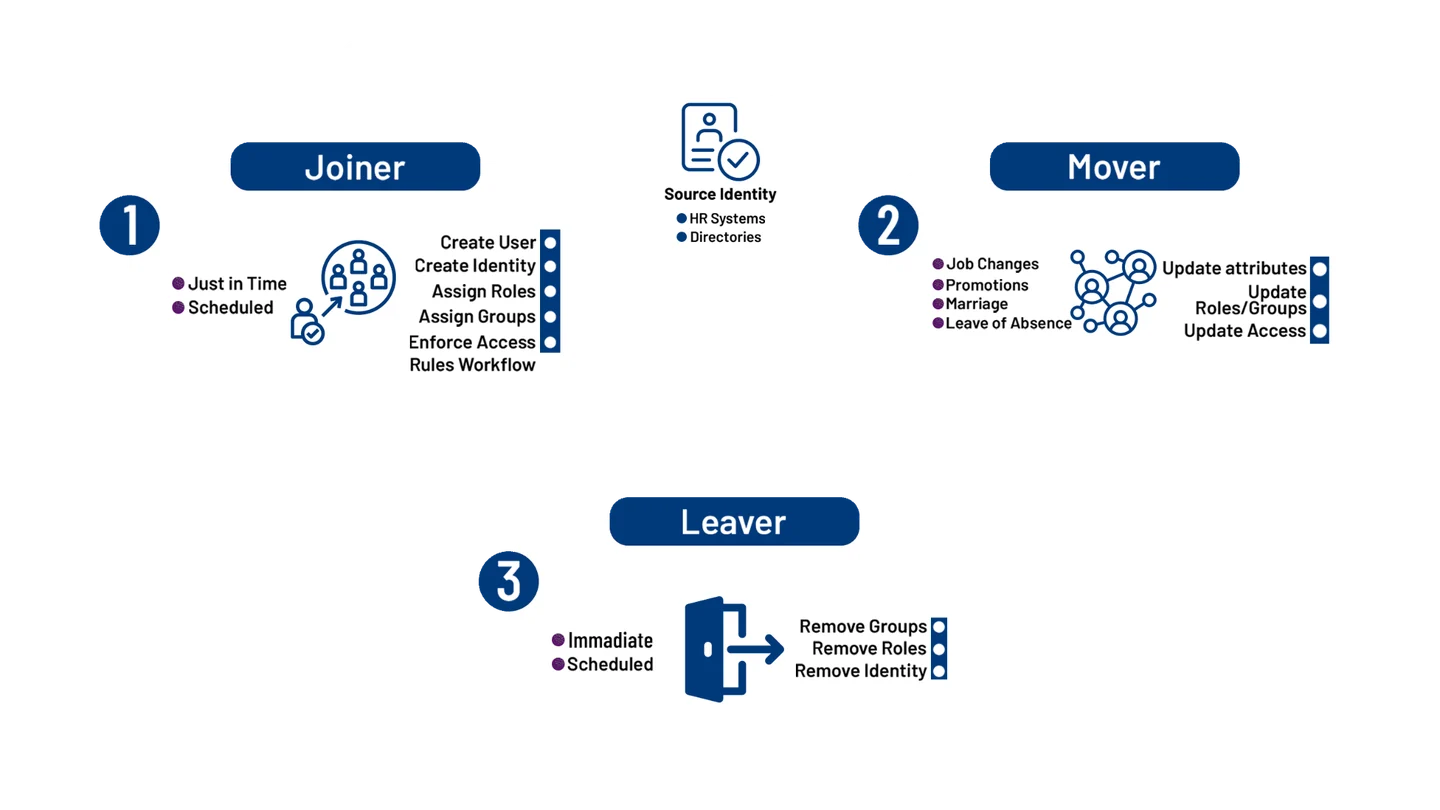
Ultimately, a solid Joiner-Mover-Leaver Process makes access management clear and predictable. Employees get the right tools as soon as they start. Permissions adjust dynamically as their role evolves. And when it’s time to move on, access is wrapped up cleanly and completely.
At the end of the day, an effective Joiner-Mover-Leaver Process boils down to one simple golden rule:
Access should match an employee’s current role not serve as a history log of every permission they’ve ever held.