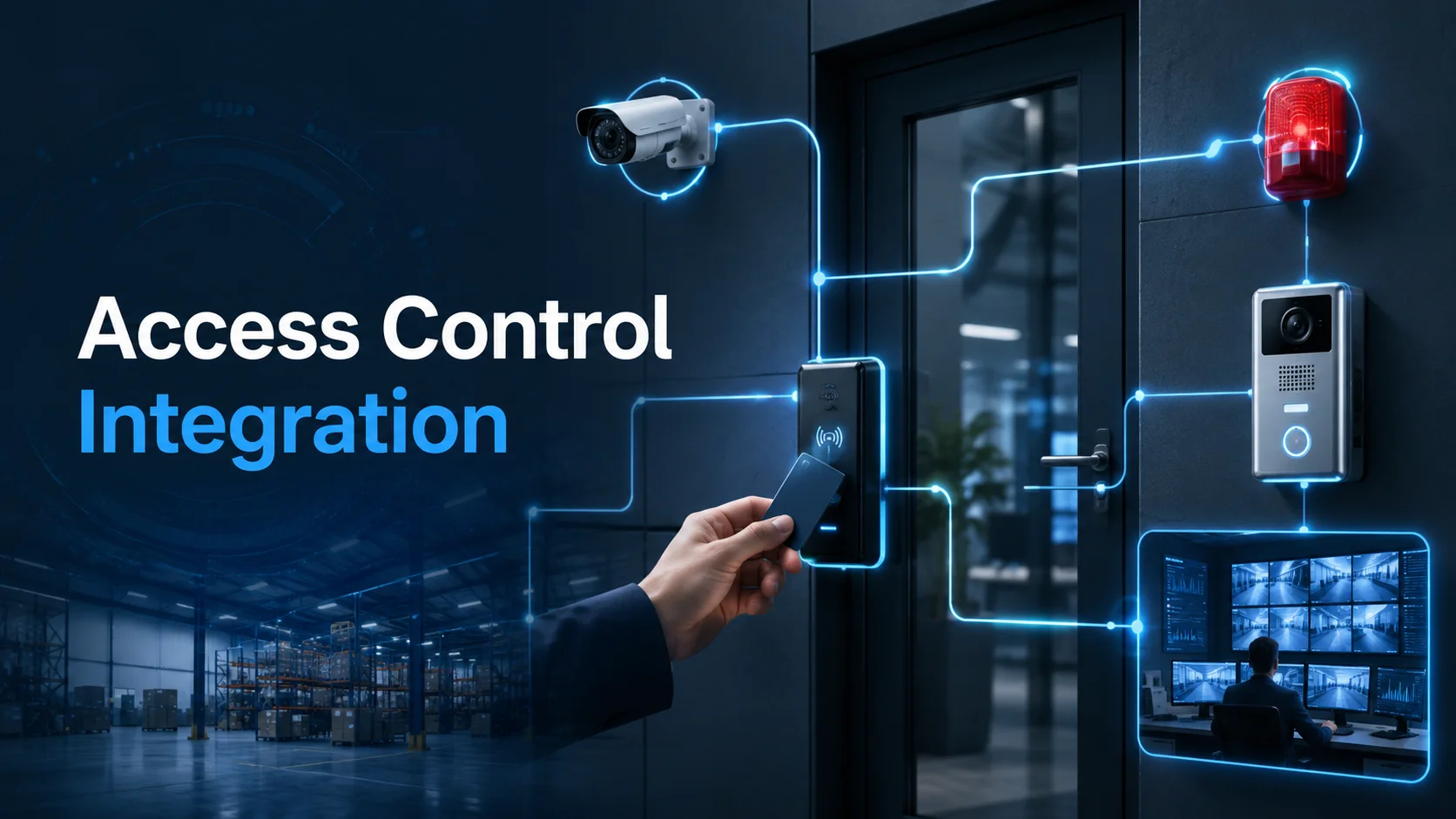
Access control integration brings those systems into one coordinated workflow. A door event can call up the relevant camera. A visitor request can be visually verified before entry is granted. An intrusion alarm can trigger recording, notifications or a lockdown procedure. The event, video and operator response can then become part of the same audit trail.
For businesses across the GCC, this kind of integration is a lifesaver as operations expand across different offices, warehouses or remote sites. The goal isn’t just to cram every piece of tech onto one screen; it’s about making sure your team has the right information at their fingertips the second they need to make a call.
Why Integrated Security Reduces Response Time
In a lot of traditional security setups, you end up with a bunch of different systems that don’t really talk to each other:
- Access control for doors and credentials
- CCTV for live monitoring and recorded footage
- Video intercom for visitor communication
- Intrusion alarms for unauthorized activity
- Fire alarms and emergency controls
- Visitor management and identity records
When these platforms are disconnected, your security operator is the one stuck doing all the heavy lifting to bridge the gaps.
Say a warehouse door gets forced open late at night. Your access control system flags a door alarm, your CCTV keeps recording and your intrusion panel might even go off, but each alert is buried in a different menu on a different screen.
The operator must first understand which door generated the alarm, identify the nearest camera, open the correct video view and confirm whether the event involves an intruder, an employee or a faulty door contact.
An integrated security workflow removes several of those manual steps.
A forced-door event can automatically display live video from the associated camera. The system can bookmark the recording, notify the appropriate team and present the access history for that door. The operator is not beginning an investigation from zero; the relevant context is already available.
Paxton10, available through a trusted Paxton Distributor in Dubai, combines access control and video management in one platform and supports fire and intruder alarm integration, real-time notifications, lockdown functions and rule-based Triggers and Actions. The platform is designed to manage up to 1,000 doors and 1,000 cameras, depending on the project configuration.
Response time improves because the system helps answer three immediate questions:
What happened?
The system immediately flags the specific door, the type of alarm, and the exact time it went off.
What is happening right now?
Since the cameras are linked, you get a live visual of the scene right away.
What’s the next move?
The system can automatically alert an operator, lock down other areas or kick off an escalation plan.
At the end of the day, integration isn’t about replacing your team’s judgment. It’s about cutting out the manual work of gathering data so they can focus on what really matters: making the right decision.
Linking Door Events With Video Evidence
Think of an access control event as a digital footprint; it tells you a credential was scanned at a door, but it can’t actually confirm who was holding it.
We’ve all seen it: a valid card gets borrowed by the wrong person, two people tailgating through a single swipe, or a door accidentally left propped open. Without eyes on the ground, you’re just guessing what really happened.
That’s where video steps in to fill the gaps.
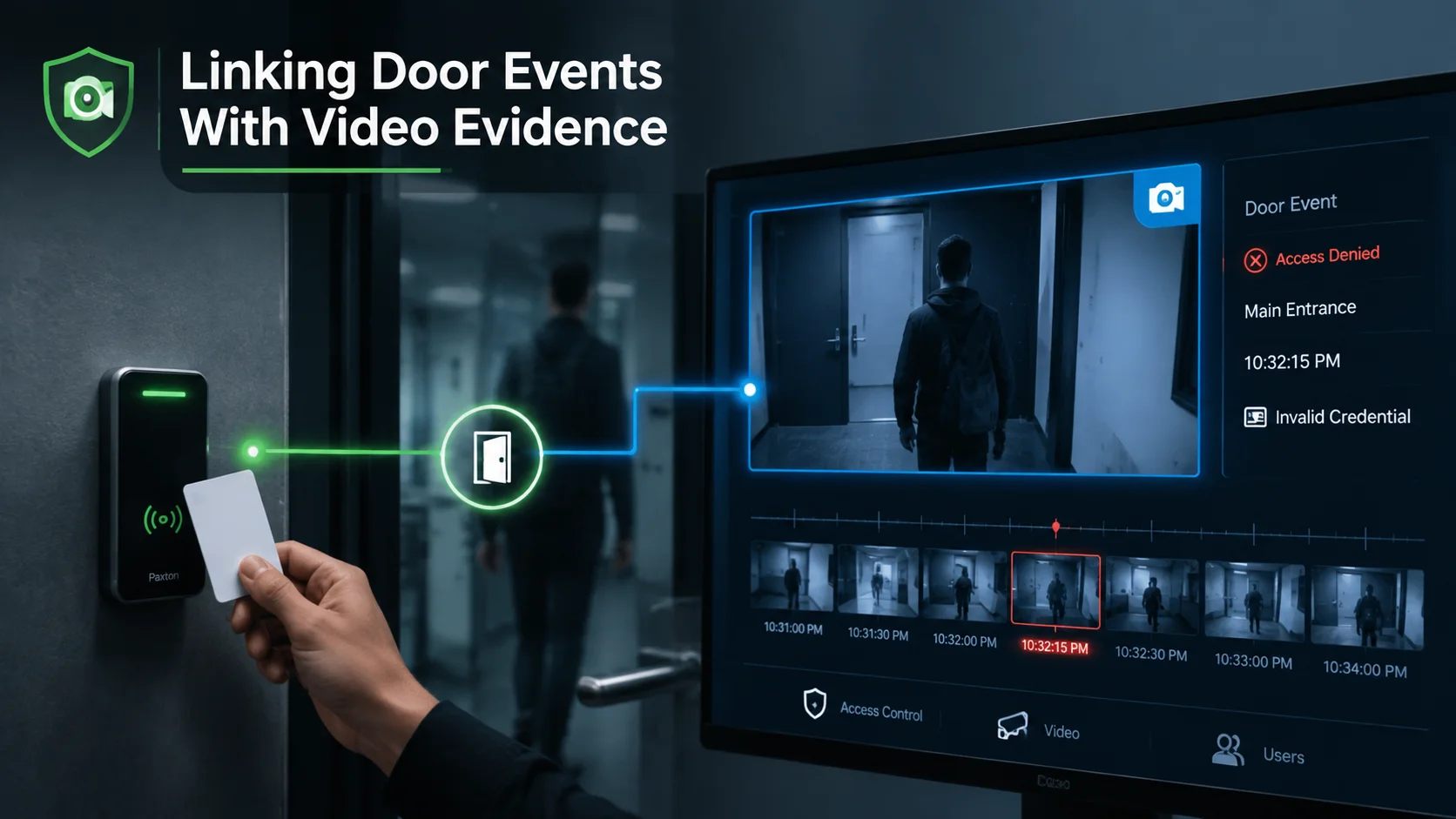
When your cameras and doors are on the same page, your security team can instantly pull up footage for just about anything, including:
- Successful entries
- Denied access attempts
- Doors being forced or held open
- Use of invalid credentials
- People trying to get in after hours
- Emergency releases or full lockdowns
The strongest workflow does more than display a live image. It also links the event to recorded footage from the moments before and after it occurred.
For example, if an employee’s credential is rejected at 10:32 p.m., the operator may need to see what happened from 10:31 to 10:34. Pre event footage can show how the person approached the door, whether anyone else was present and what happened after the denial.
Paxton’s Net2 is great for this, letting you link your door logs directly with popular CCTV systems. It even works seamlessly with platforms like Milestone XProtect, putting your alarms, cameras and staff details all in one easy-to-use dashboard.
If you’re planning a project using both Paxton and Tiandy, you’ll want to nail down the integration details early. Working with an experienced Tiandy Distributor in Dubai can help installers select compatible cameras, NVRs and integration solutions for a reliable security workflow. There are a few ways to build the connection, whether that’s through a shared platform, specialized middleware or using standard video protocols.
Tiandy offers plenty of technical resources like SDKs and a massive range of cameras and NVRs, but it’s always smart to test your specific hardware and software versions together to make sure everything talks correctly.
Don’t forget about camera placement, either. A camera might see the whole hallway but totally miss the face of the person at the reader. Installers need to make sure they’re getting a clear shot of the user without leaving any sneaky blind spots.
Finally, keep your clocks in sync. If your door controller and video recorder aren’t perfectly aligned, your team could end up searching the wrong part of the footage. It’s a small detail that makes a huge difference in an emergency.
Visitor Entry, Alarm Triggers and Audit Trails
Visitor entry is probably the best way to see how security integration works in our daily lives.
Think about what happens when someone stops by: they press the intercom, reception chats with them to see who they’re here to meet and once everything checks out, they buzz them in and the system logs the visit.
If your systems aren’t talking to each other, that intercom call, the door click and the visitor log are all scattered. But when they’re integrated, they all flow together into one simple, easy-to-follow story.
Paxton Entry is a video intercom system that works either on its own or right alongside your Net2 or Paxton10 setups. When a visitor stops by, they just ring the bell on the panel and an authorized person on your team can see and chat with them, letting them decide whether to buzz them in.
A practical visitor workflow may include:
- The visitor calls from the entrance panel.
- Reception receives video and audio.
- The host or appointment is confirmed.
- The door is released for a limited period.
- The system records who approved the entry.
- Relevant footage and door events remain available for review.
The exact same logic works for alarms, too.
If someone holds a door open too long, the system can sound a local alert and ping security immediately. If a door is forced, you can have it automatically pop up the closest camera and crank up the recording quality. You can even set it up to restrict access in certain areas if an intrusion alarm trips, or manage a full lockdown during an emergency to keep everyone safe.
With Paxton10, you can use ‘Triggers and Actions’ to set up custom rules based on what’s happening in your building. These rules let you do things like lock doors, arm or disarm your alarm system or send instant alerts to the right people. Plus, with Paxton’s input and output connectors, you can tie in just about anything else, like extra sensors, alarm contacts or physical buttons.
Just because the technology can automate an action doesn’t mean it always should. It’s important to make sure every automated move is approved, logged, and actually necessary, so you aren’t over-responding to minor issues.
Audit trails provide accountability after the event. They should show the original alarm, associated user or credential, linked door, operator activity and final action. Where video is exported, the organization should record who exported it, why it was required and where the evidence was stored.
A complete audit trail supports investigations, compliance reviews and internal learning. It helps the business understand not only what the system detected, but how the team responded.
Integration Planning for Installers
Successful integration starts before devices arrive on site.
Installers should first map the customer’s operational workflows. Asking which products are required is not enough. The design team needs to understand what should happen when a door is forced, a visitor calls, a credential is denied or an alarm is activated.
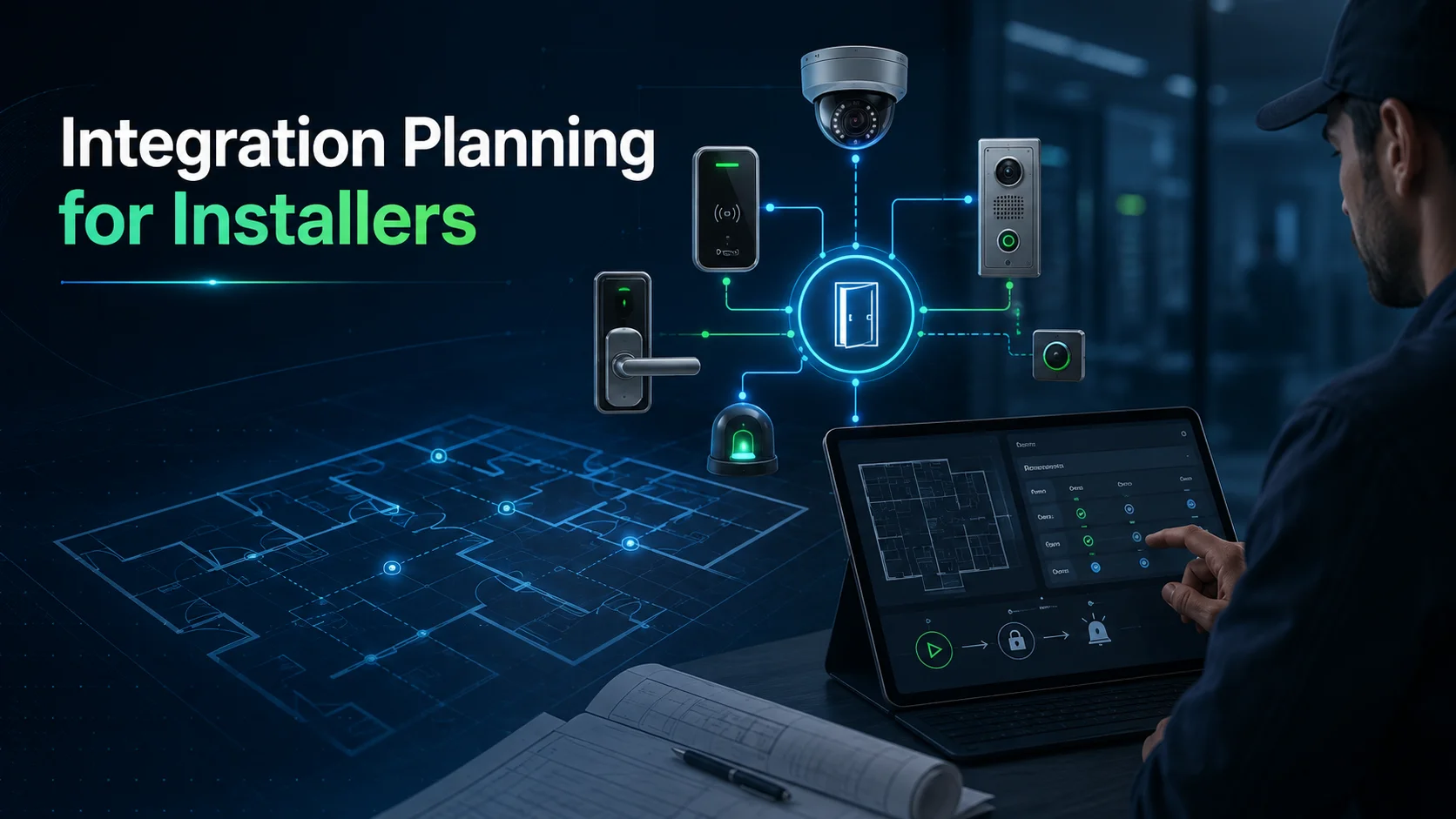
A useful workflow document identifies:
- The event that begins the process
- The devices and systems involved
- The user or team receiving the alert
- The visual information required
- The action the operator may take
- The escalation path if there is no response
- The information retained for auditing
The installer should then create an integration matrix. Each row can represent one function, such as linking a lobby door to a camera or triggering an alarm output after repeated access denials.
The matrix should record the access controller, reader, lock, camera, recorder, software version, alarm interface and expected behavior.
Compatibility must be confirmed at feature level. Two platforms may exchange basic alarms while failing to share cardholder details, video bookmarks or advanced analytics. Supporting the same protocol does not guarantee that every required function is available.
Licensing should also be checked early. Some integrations require additional software modules, per-door licenses, camera licenses or third-party middleware. These costs should be included before the project is approved.
Installers must also define system ownership. Access control may belong to facilities, CCTV to security and networking to IT. Integration will fail over time when nobody is responsible for the complete workflow.
Acceptance testing should use realistic scenarios rather than checking only whether devices appear online. The customer should witness a denied credential, forced door, visitor call, alarm trigger, network interruption and evidence search.
The result should be recorded in a test document showing what occurred, whether the expected action followed and who accepted the outcome.
Cybersecurity Considerations for Physical Security Systems
The moment you start connecting your doors, cameras and alarms, your physical security effectively becomes a part of your digital security too.
Think about it: if an admin account gets hacked, someone could suddenly have the power to watch your live feeds, unlock doors or mess with permissions. Even a weak link in your integration server could give an intruder a path from your security system right into your main business network.
That’s why your system needs to be built with “controlled trust” basically, making sure every part of the setup only talks to what it absolutely needs to.
CISA suggests using network segmentation, which is just a fancy way of saying you should divide your network into smaller, protected zones. Just because your cameras, servers and workstations are in the same building doesn’t mean they should all be sitting on the same open network.
If you’re looking to really lock things down, here are the non negotiables we always recommend:
- Change those default passwords the very second you unbox your gear.
- Give every admin their own personal login so you actually know who’s doing what.
- Use the least privilege approach basically, only give people access to the specific tools they need for their job.
- Keep your security hardware on its own dedicated network, completely separate from your day-to-day office traffic.
- Set up firewalls to strictly control which devices are allowed to communicate.
- Be incredibly picky about how you handle remote access to the system.
- Stay on top of software and firmware updates, don’t let them sit ignored.
- Make sure you’re backing up your databases and settings on a regular schedule.
- Keep a solid log of every administrative or security event that happens.
- And remember to pull access immediately whenever an employee or contractor moves on.
It’s also a great idea to keep an up-to-date map of everything you own, every controller, camera and software version should be accounted for.
The NIST security control overlay for electronic physical access control systems highlights the need to manage accounts, authorizations, system access and security controls across electronic access environments.
Remote vendor support should be enabled only through an approved method and removed or disabled when it is no longer needed. Shared remote-access credentials create unnecessary risk and make accountability difficult.
Integration logs should also be monitored. Repeated communication failures, unusual administrator activity or unexpected configuration changes may indicate a technical fault or a security incident.
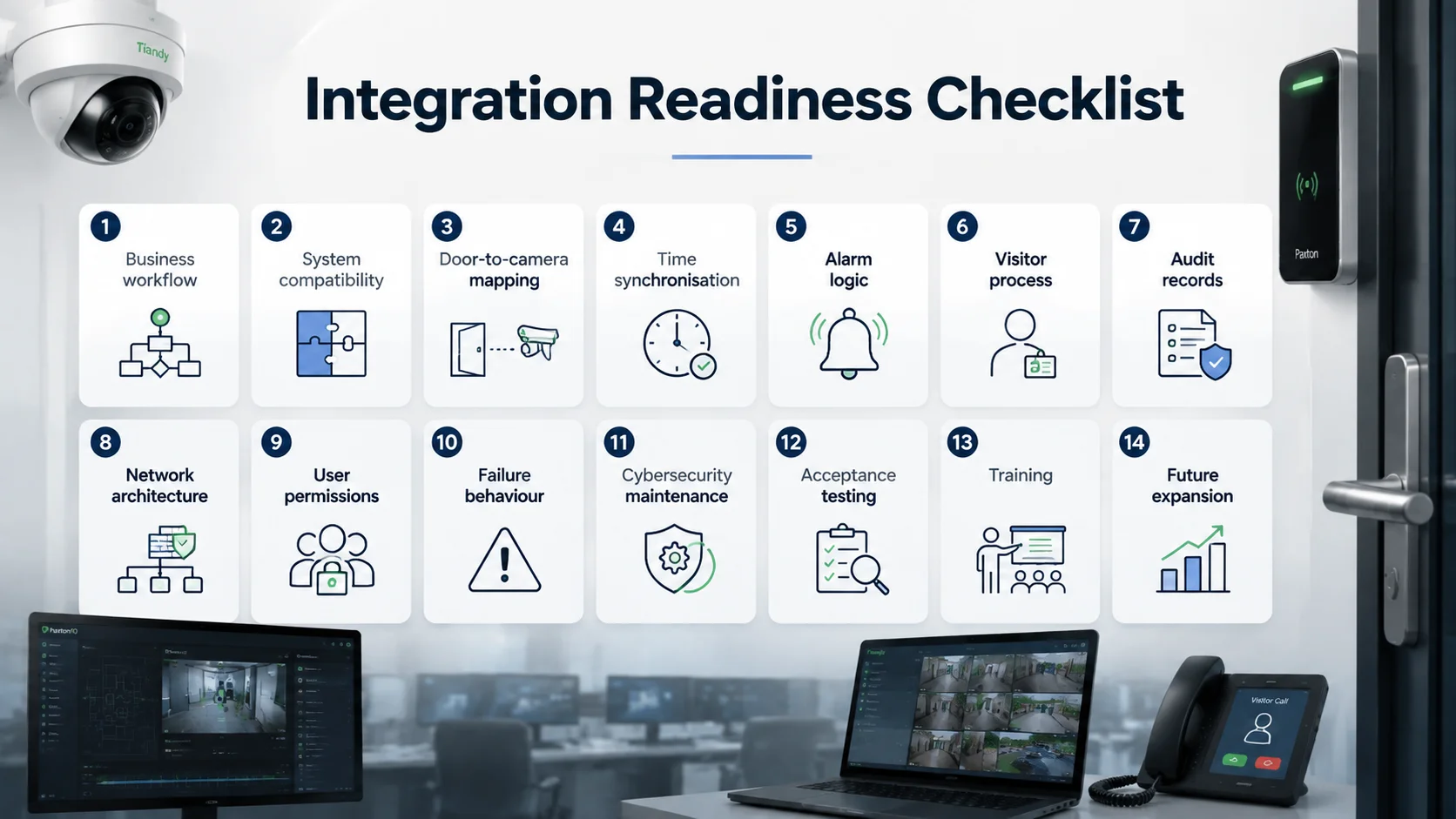
Integration Readiness Checklist
Before connecting access control, CCTV, visitor entry and alarms, confirm the following:
- Business workflow
Has the customer defined what should happen during each important door, visitor and alarm event? - System compatibility
Are the chosen controllers, cameras, recorders, software versions and integrations officially supported or successfully tested? - Door-to-camera mapping
Does every critical door have a suitable camera view, and is that relationship documented? - Time synchronization
Do all connected systems use a consistent time source? - Alarm logic
Are triggers, actions, delays and escalation paths clearly defined? - Visitor process
Who verifies visitors, who may release doors and how is the approval recorded? - Audit records
Will the system capture the event, user, operator action and associated video? - Network architecture
Are security devices segmented and protected by appropriate firewall rules? - User permissions
Do operators, receptionists, managers and administrators have only the access required for their roles? - Failure behavior
What happens if the network, server, camera, controller or integration service becomes unavailable? - Cybersecurity maintenance
Who manages updates, backups, account reviews and vulnerability responses? - Acceptance testing
Have real events been tested from beginning to end with the customer present? - Training
Can operators handle alerts, locate linked footage and follow the escalation procedure without installer assistance? - Future expansion
Can the design support more doors, cameras, sites and integrations without rebuilding the entire system?
D3 brings together Paxton access control and Tiandy surveillance technologies for partners and businesses across Dubai and the GCC. Paxton provides the door control, credential, intercom and integrated management capabilities, while Tiandy supports intelligent video surveillance, recording and centralized visibility for different operational environments.
D3’s value is helping customers and installers design the connection between those technologies: the door event, the visual evidence, the alarm response, the network and the people responsible for acting.
A collection of security devices can record several versions of the same incident.
A properly integrated security workflow helps the business understand that incident and respond while it still matters.