When a project team says, “We need fiber,” it can sound like the decision is already set in stone. But in reality, that is really just step one. The bigger question comes right after: which type of fiber actually makes sense for your network?
That choice matters a lot more than most people realize. A fiber line might handle a quick data-center setup today, connect two buildings next year, and support high-speed upgrades down the road. Once those cables are pulled through conduits, risers, or underground paths, swapping them out is nowhere near as simple as swapping a switch.
That is why the Single-Mode vs Multimode Fiber decision shouldn’t just be a quick checkbox. It directly impacts your reach, optics, future scalability, testing needs and total project cost.
For growing businesses across Dubai, Riyadh and the broader GCC, this is a major factor in corporate campuses, logistics hubs, smart buildings, and data centers. Take a backbone installed for a warehouse site in Riyadh, for instance it might need to handle switching, Wi-Fi, CCTV, access control and everyday operations for years to come. The goal in a Single-Mode vs Multimode Fiber decision isn’t just finding something that works right now, but choosing what fits your real distances, performance goals, and future growth.
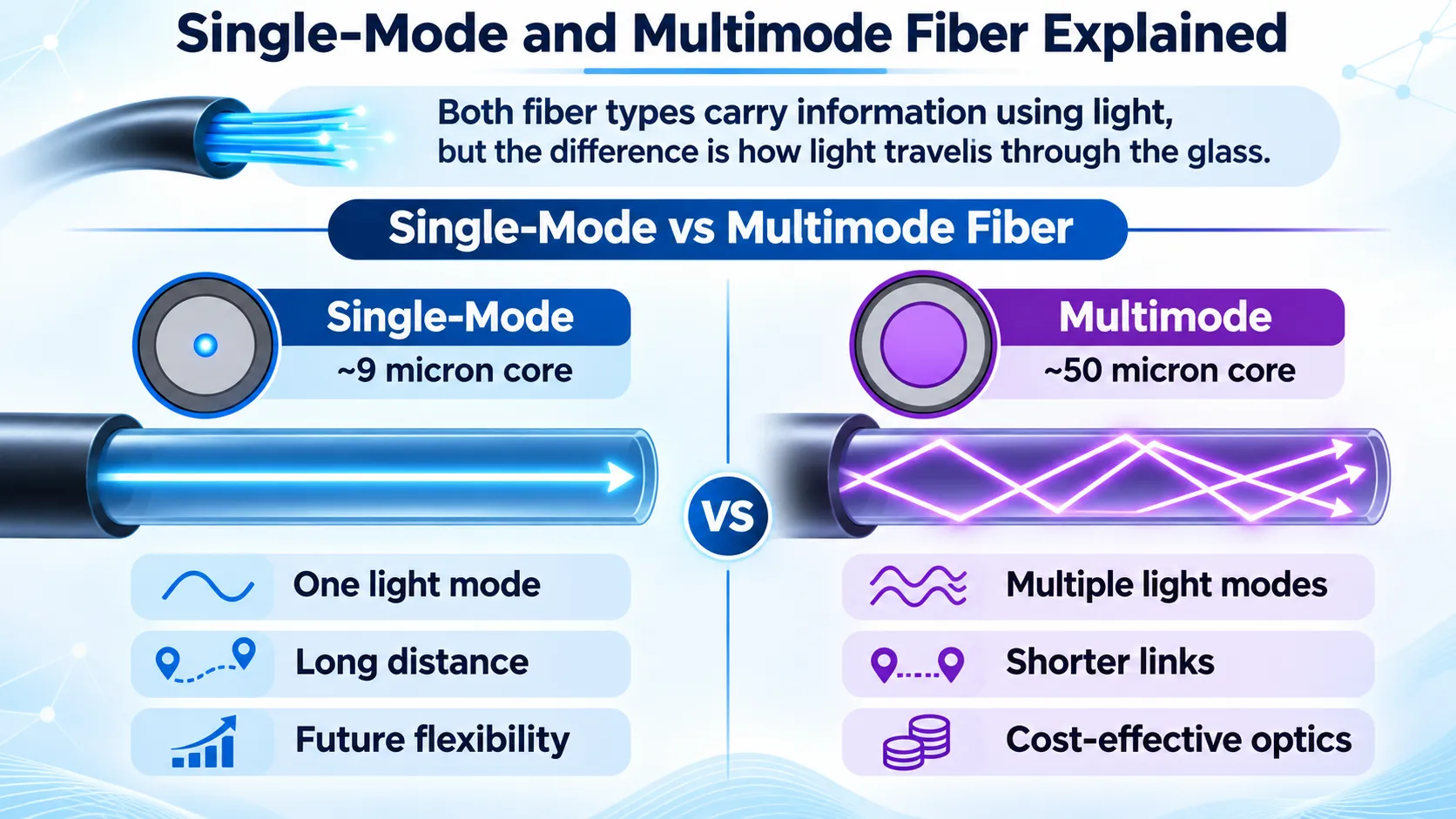
Single-Mode and Multimode Fiber Explained
At a basic level, the Single-Mode vs Multimode Fiber comparison starts with how both types carry information using light. The difference is in how that light travels through the glass.
Single-mode fiber features a tiny core usually just around 9 microns wide. Because single-mode fiber supports only one guided light mode, it eliminates intermodal dispersion and enables longer transmission distances. However, signal attenuation and chromatic dispersion still need to be considered when designing high-speed optical links.
Multimode fiber has a larger core, commonly 50 microns in modern enterprise installations. Multiple light modes can travel through it at the same time. That larger core makes it easier to work with short-reach optics and helps reduce transceiver cost for many shorter applications.
In practical terms, the split is simple:
- Single-mode is usually selected where distance, future flexibility and long-reach performance matter most.
- Multimode is often selected where distances are shorter and the project wants cost-effective high-speed optics.
That does not mean one is “modern” and the other is “old.” Both are current, useful and widely deployed. The correct Single-Mode vs Multimode Fiber choice depends on the network design, not on the assumption that a higher-spec-sounding option is automatically better.
Key Differences in Reach, Optics and Cost
Right off the bat, the most noticeable difference in Single-Mode vs Multimode Fiber comes down to reach.
Looking at Cisco’s optical transceiver specifications, a standard 10GBASE-SR SFP+ tops out at 300 meters on OM3 and 400 meters on OM4. Single-mode long-reach optics, on the other hand, can stretch far beyond that depending on the transceiver you pick.
That simple difference explains why multimode is so popular for data centers and equipment rooms, whereas single-mode gets the nod for building backbones and longer campus runs.
Distance, though, is only part of the story.
In the Single-Mode vs Multimode Fiber comparison, the optics themselves are another major factor. Multimode typically uses short-range 850 nm optics, while single-mode relies on longer wavelengths like 1310 nm or 1550 nm. For shorter runs, multimode transceivers are generally cheaper, keeping upfront costs down for enterprise and data center setups. Still, the real question isn’t just which optic costs less today, but which option makes the most financial sense over the entire life of the cabling. A multimode setup might work great for a quick switch-to-switch connection inside a server room. But if you ever need to extend that link or switch to a different optical setup down the road, those original cables can quickly become a bottleneck. That’s why it pays to plan ahead—replacing buried or routed cables later is both disruptive and expensive.
OS1/OS2 vs OM3/OM4/OM5
In any Single-Mode vs Multimode Fiber discussion, terminology can quickly get confusing, but breaking down the naming conventions keeps things clear:
- OS types are single-mode
- OM types are multimode
When planning standard enterprise deployments, you’ll mainly see these options:
- OS1 / OS2 for single-mode
- OM3 / OM4 / OM5 for multimode
For modern projects, OS2 stands out as the primary single-mode choice. Thanks to its low signal loss, it’s ideal for long-distance runs and future-proofing main network backbones.
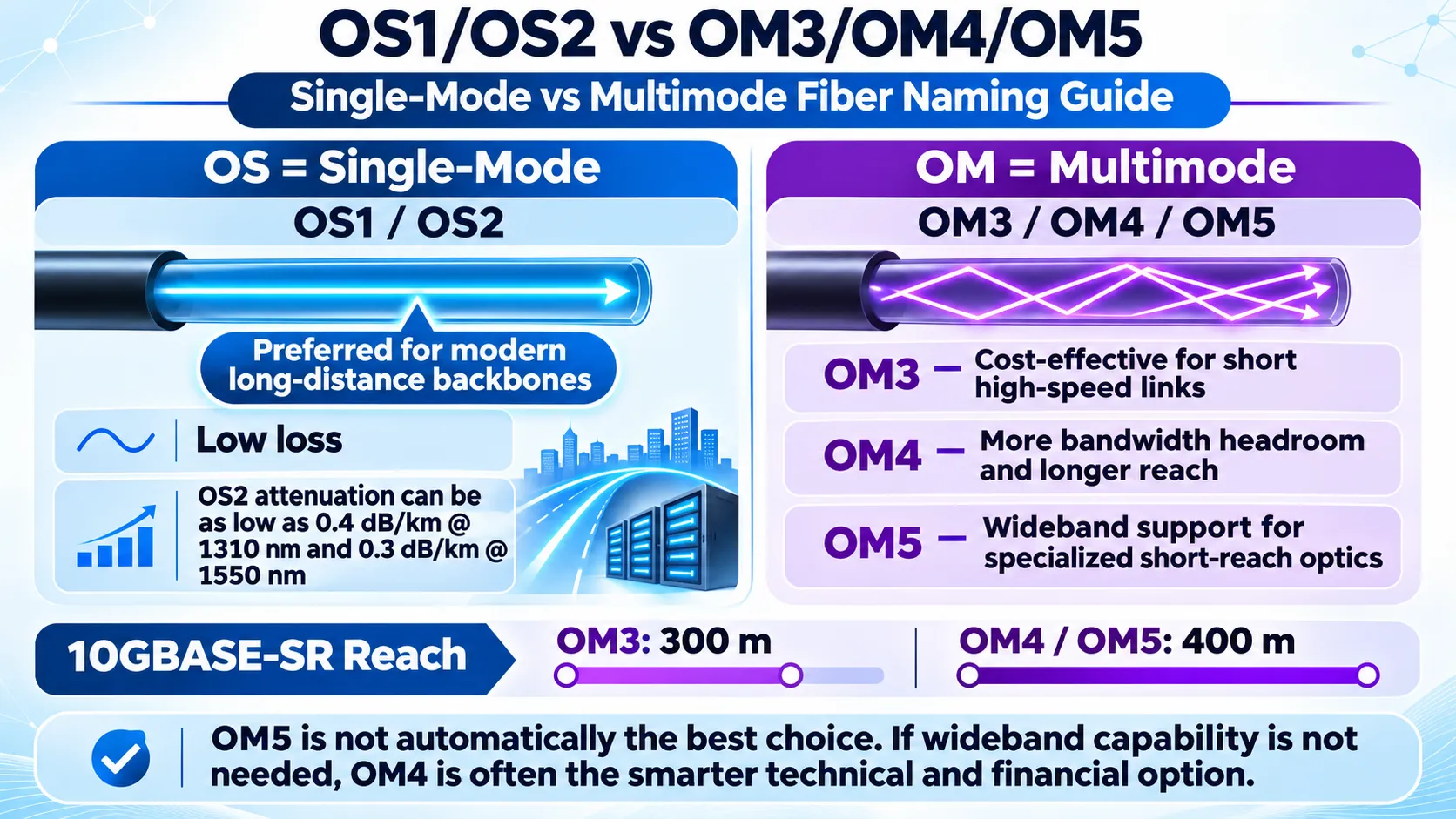
According to Corning’s LAN and data-center guide, certain OS2 cable designs specify attenuation values as low as 0.4 dB/km at 1310 nm and 0.3 dB/km at 1550 nm, although actual values vary by cable construction. Multimode fiber types like OM3 and OM4 generally have higher attenuation per kilometer.
Looking closely at multimode options:
- OM3 serves as a reliable, cost-effective standard for short-distance high-speed links in enterprise networks and server rooms.
- OM4 delivers higher bandwidth headroom and extends reach margins for demanding high-speed setups.
- OM5 provides wideband support optimized for specialized multi-wavelength, short-reach optics.
Corning’s guidelines outline typical reach limits of 300 meters for 10GBASE-SR on OM3 compared to 400 meters on OM4/OM5 cabling.
Does that make OM5 automatically the top choice over OM4? Not necessarily. Unless your architecture specifically leverages wideband capabilities, OM4 often remains the smarter technical and financial investment. A frequent misstep in cabling projects is default-selecting the highest specifications available without evaluating whether the network will actually utilize those features.
Campus and Data Center Use Cases
When it comes to Single-Mode vs Multimode Fiber, the easiest place to start is simply asking yourself: where is this link actually going to live? If you’re working inside a data center, your distances are usually pretty short. Switches, server racks, patching zones, and storage links almost always stay within multimode’s comfort zone. In these spots, going with OM3 or OM4 is super practical, especially when you want to strike that sweet spot between solid performance and keeping optic costs down.
Step outside into a campus setup, though, and things change quickly. The moment your cables start running between different buildings, across yards, through utility corridors, or out to separate facilities, distance becomes a much bigger deal. Whether it’s a corporate park, a university, a hospital, a factory, or a massive logistics hub, single-mode usually gives you a lot more breathing room without boxing you in later.
We see this all the time across Saudi logistics and warehousing operations. A project might start small with just one warehouse block, a single IT room, and a short cable run. But fast forward a year, and that same location has expanded with another building, a security gate, a dispatch office, a central control room, outdoor security cameras, and a bunch of new operational tools. Whatever backbone you lay down during phase one needs to handle that growth gracefully without needing a complete overhaul.
That’s where D3 brings real value to the table locally. Through its role as an AEM Distributor in Dubai and the GCC, D3 doesn’t just ship products; it helps teams pick the right gear, verify their setups, and consult on live enterprise builds. For clients and partners scaling up in Riyadh and across KSA, that hands-on guidance makes a huge difference, because fiber infrastructure never operates in a vacuum. It supports your whole technology stack, from switches and access points to cameras, access control doors, servers, and core business applications.
So when weighing Single-Mode vs Multimode Fiber for your use case, don’t just ask, “Is this for a data center or a campus?” Also ask yourself: “How much is this site going to expand down the road?”
Fiber Connector and Transceiver Compatibility
Another mistake in Single-Mode vs Multimode Fiber planning is thinking that once you’ve picked the fiber type, the job is done.
It isn’t.
Your transceiver must match the fiber, and your choice of connectors has to fit both the optic modules and the broader link design.
You can’t simply swap a short-reach multimode module for a long-reach single-mode module just because they plug into the same switch port. They operate on entirely different optical principles and belong in different network environments.
Connector choice is just as critical. Standard enterprise switches usually rely on LC duplex connections, whereas high-density or parallel-optics setups depend on MPO/MTP cabling systems. This distinction becomes even more crucial as you plan for higher-bandwidth uplinks, breakout configurations, or future upgrades.
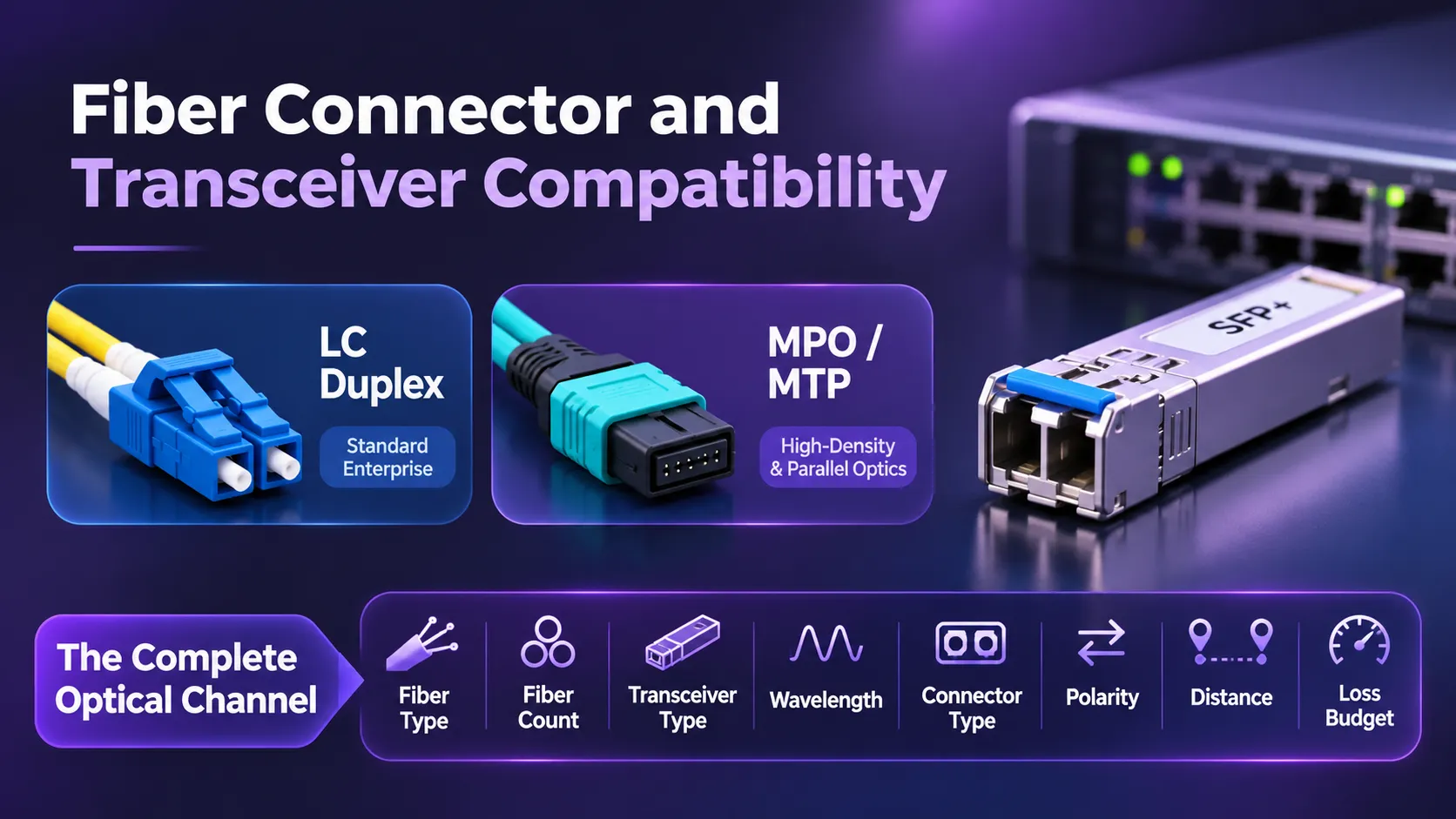
Simply put, choosing fiber isn’t just about picking a cable. It’s about planning the entire optical channel:
- fiber type
- fiber count
- transceiver type
- wavelength
- connector type
- polarity
- distance
- loss budget
Every one of these factors needs to line up perfectly for the link to work seamlessly.
How to Avoid Distance and Loss Budget Mistakes
Fiber links can fail not only because of excessive distance, but also when total optical loss exceeds the limits supported by the transceivers.
That’s why any Single-Mode vs Multimode Fiber decision needs to evaluate distance and loss budget side-by-side right from the start. The FOA Installation Standard lays this out clearly: you should always measure your end-to-end insertion loss against the calculated maximum loss planned for the cable plant based on your setup and specs. It also points out that if your actual test numbers diverge from your budget, it’s time to pause, troubleshoot, and fix the underlying issue. The calculated cable loss must also remain within the transceiver’s optical power budget, while accounting for receiver limits, transmission distance, and appropriate operating margins.
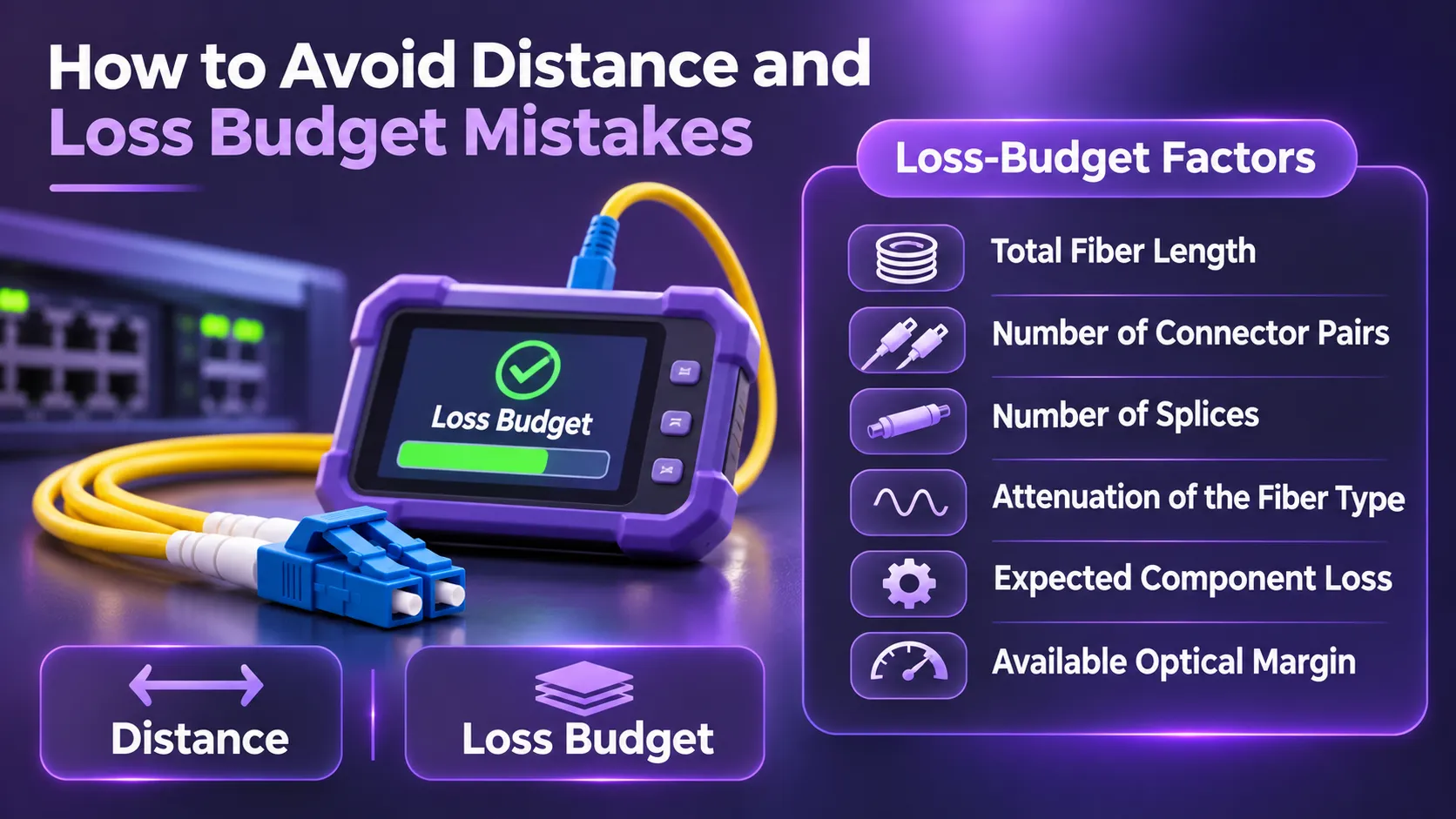
A solid loss-budget calculation should take into account:
- total fiber length
- number of connector pairs
- number of splices
- attenuation of the fiber type
- expected component loss
- available optical margin
As the FOA standard notes, pulling together an accurate loss budget means gathering three key details: total link length, the number of end-to-end connections, and the total count of splices along the path. This is why two links of the same distance can behave differently. One may have a clean, direct path with minimal patching. Another may pass through multiple patch panels and splices. Even though both are “within distance,” one can consume much more of the optical budget than the other. And that’s precisely why thorough testing is so vital. Just seeing a link light turn on isn’t enough. Proper fiber acceptance testing helps verify that the installed cable plant meets its specified loss limits. Adequate operating headroom must also be confirmed against the requirements of the intended optical equipment.
Fiber Selection Decision Table
Here is a simple practical view of when each option makes sense in a Single-Mode vs Multimode Fiber decision:
| Requirement | Multimode | Single-Mode |
|---|---|---|
| Short data-center runs | Very strong fit | Possible, but not always necessary |
| Enterprise riser / short backbone | Strong fit | Also valid, especially if future growth is expected |
| Building-to-building campus links | Sometimes, depending on distance | Usually the stronger option |
| Long outdoor backbone | Usually limited | Strong fit |
| Short-reach 10G/40G environments | Strong fit | Depends on architecture |
| Future distance flexibility | More limited | Much stronger |
| Optic cost for short links | Often lower | Often higher |
| Cable replacement difficulty | Important consideration | Often worth the long-term investment |
| High-growth KSA campus/logistics environments | Good for short local sections | Strong for long-life backbone strategy |
The table is only a guide. Real design still depends on the exact site, budget and upgrade path.
Installation and Acceptance Checklist
For any Single-Mode vs Multimode Fiber project, make sure to walk through this quick checklist before signing off:
- Map out the actual cable path length instead of relying on a straight-line estimate on paper.
- Lock down your speed requirements for both today’s needs and upcoming network growth.
- Specify the exact fiber type rather than writing generic “fiber optic cable” line items in specs.
- Match optic transceivers directly to the chosen fiber type.
- Plan your connector setup, including standard LC or high-density MPO/MTP interfaces where applicable.
- Calculate a realistic loss budget factoring in total run distance, patch points, and splices.
- Build in a comfortable safety margin instead of operating right at theoretical limits.
- Inspect and clean every end-face prior to final link testing.
- Certify every fiber strand rather than assuming it works just because a link light comes on.
- Compare test figures against baseline expectations to catch and fix abnormal loss right away.
- Document all test results so future troubleshooting and upgrades go smoothly.
- Keep test reports and labeling records safe so everyone knows what was installed and where.
That is where D3’s hands-on approach really pays off. For fast-paced GCC and KSA projects especially in logistics centers, expanded campuses, and enterprise facilities having local experts who supply hardware while guiding test verification gives you genuine peace of mind. At the end of the day, teams do not just need fiber pulled through conduit. They need complete confidence that the backbone powering their access points, security networks, server rooms, and warehouse systems is built and certified to perform reliably for years to come.
What usually makes more sense for growing logistics sites in KSA? For short internal runs, multimode may be perfectly practical. For long-life campus backbone infrastructure where expansion is likely, single-mode often gives better strategic flexibility. In the end, the best answer to Single-Mode vs Multimode Fiber is not a generic rule.
It is this:
Choose the fiber that matches the network’s real distance, optical design, upgrade path and business growth. If the project starts from that point, the fiber becomes what it should be—a long-term infrastructure decision, not just another line item in the bill of materials.