When your AI project starts dragging, your first instinct is probably to blame the GPUs.
You might find yourself wondering: Do we have enough processing power? Is our server set up right? Does the model need more oomph?
These are fair questions, but they often miss the real culprit.
Think about how an AI cluster operates, the GPUs aren’t working in a bubble. They’re constantly passing back and forth massive amounts of model data, gradients and checkpoints between servers and storage. Even the most powerful accelerator is going to end up sitting idle if your network can’t keep up with the pace.
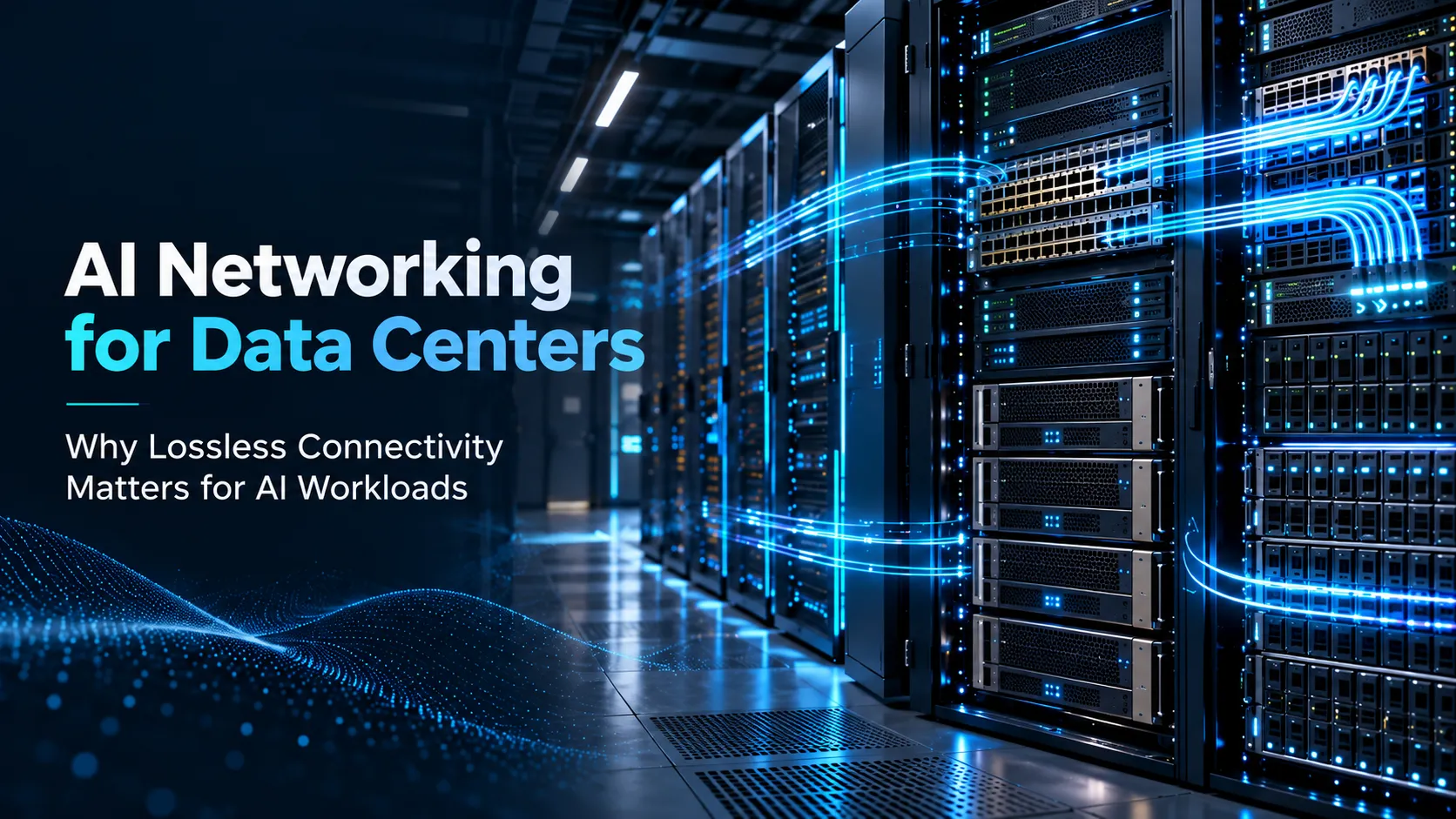
That’s exactly why AI Networking for Data Centers has become such a make or break piece of planning your AI infrastructure.
Old-school enterprise networks were built for predictable, steady traffic. But AI training is different, it creates massive, synchronized traffic spikes across thousands of devices. If there’s even a tiny delay, a bottleneck or a dropped packet, that coordination falls apart and you end up wasting the potential of your expensive GPU hardware.
That’s where a lossless network comes in; it’s built to keep data flowing smoothly without any hiccups. It bundles up high bandwidth switching, smart congestion control and automated traffic management to cut down on packet loss and keep latency steady.
The goal isn’t just raw speed. It’s about making sure your computer, storage and network are all operating together as a single, unified system.
How AI Workloads Stress Traditional Networks
Think about how most standard business apps usually work, it’s a pretty predictable routine.
Usually, a user makes a request, the server crunches the data, talks to a database and sends an answer back. Most of the data movement happens just between the user and the app or across a handful of background systems.
But training AI models is a completely different ballgame.
Since a complex model is often too big for a single processor, we have to split it across many GPUs. As they train, these chips are constantly talking to each other. One chip finishes a piece of the math, hands off the results and then pauses to wait for the rest of the cluster to catch up before moving on.
This creates large volumes of east-west traffic inside the data center.
The network may need to support thousands of simultaneous flows between compute nodes. Traffic can also arrive in sudden bursts when several GPUs attempt to communicate at the same point in the training cycle.
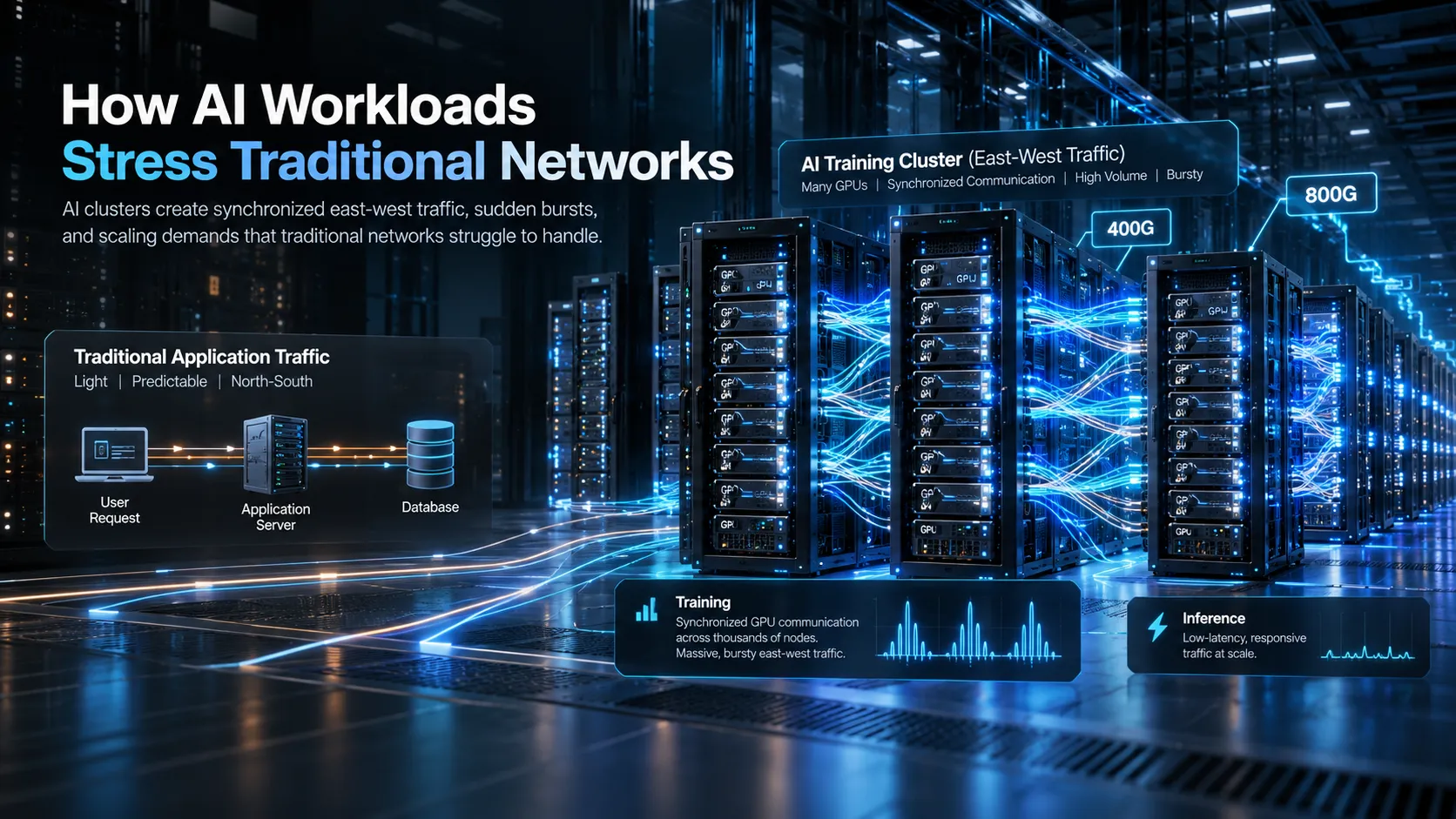
As H3C points out, modern AI environments face some unique challenges. They need to handle huge numbers of connections, manage high-speed 400G and 800G networking and cope with the intense traffic bursts that happen when every device in a distributed model tries to talk to the others all at once.
A traditional network might manage steady, everyday traffic just fine, but it often struggles when hit with these kinds of sudden, synchronized spikes.
This is important because AI infrastructure is expensive. AI Networking for Data Centers has to prevent network delays from leaving GPUs powered and allocated without performing useful computation. Otherwise, the business is paying for compute capacity that is waiting for data.
Training is not the only workload affected.
AI inference may also require fast communication between servers, storage, databases and edge environments. Real-time use cases such as computer vision, fraud detection, speech processing and recommendation systems can become sensitive to inconsistent latency.
The network must therefore support two different demands:
- High-volume, synchronized traffic during distributed model training
- Consistent, low-latency communication during inference
AI clusters also tend to grow quickly. A project may begin with eight GPUs, move to dozens and eventually require hundreds or thousands. A network architecture that works for the initial proof of concept may become a serious bottleneck when the cluster expands.
The infrastructure should therefore be designed around the likely communication pattern and future scale, not only the number of servers being installed today.
Latency, Congestion and Packet Loss
Speed is definitely a big deal, but it’s only one part of the story.
You can have the fastest links in the world, but if your data is getting stuck in traffic or disappearing along the way, your AI is still going to crawl.
Latency is just the travel time for your data. In a big AI setup, tiny delays might not look like much on their own, but they add up fast when you’re repeating them thousands of times a second.
It gets really messy when things are supposed to be in sync. If one group of GPUs is even a fraction of a second late finishing a task, the entire cluster has to sit there and wait for them to catch up.
Congestion is basically a digital traffic jam where too many data flows are fighting for the same spot on the network.
This can happen at a switch port, uplink or internal buffer. AI traffic is particularly challenging because many servers may transmit large volumes of information toward the same destination at approximately the same time.
This many-to-one traffic pattern is often described as incast.
When the network can’t handle the volume, it starts dropping packets. Most apps can eventually recover by asking for that missing data again, but that back and forth wastes time and kills your overall speed.
To get around this, high end AI systems use Remote Direct Memory Access (RDMA). It basically lets the hardware move data directly between memories, skipping the middleman, the server CPU to keep things moving faster.
RoCE (RDMA over Converged Ethernet) is just a way to bring those high speed capabilities to standard Ethernet networks.
As the H3C Intelligent Lossless Network white paper points out, while RoCEv2 is great for performance, it’s also incredibly sensitive. Because of how it’s built, even a tiny bit of congestion or a single dropped packet can cause a major headache.
A “lossless” network design uses a few clever tricks to make sure that doesn’t happen.
Priority Flow Control (PFC) is like a traffic light that can briefly pause specific types of data before the network gets overwhelmed.
Explicit Congestion Notification (ECN) acts like a warning sign, letting the system know a jam is forming so it can slow down the flow before anything actually gets dropped.
Intelligent ECN takes it a step further by automatically adjusting those warning levels on the fly based on what’s actually happening in the network.
On top of that, things like smart load balancing and buffer management help spread the data out evenly so no single path gets bogged down.
To be clear, “lossless” doesn’t mean nothing can ever go wrong. It just means the network is specifically engineered to handle the heavy lifting of AI without losing data under normal conditions.
But you have to be careful, if PFC isn’t set up right, it can cause the whole network to lock up. And if ECN is too sensitive, it’ll slow you down for no reason; too loose, and you’re back to dropping packets.
That’s why lossless connectivity in AI Networking for Data Centers isn’t just a button you click. It has to be carefully planned and tested from one end of the network to the other.
Data Center Switching for AI Clusters
When you start planning AI Networking for Data Centers, everything really kicks off with the physical switching setup.
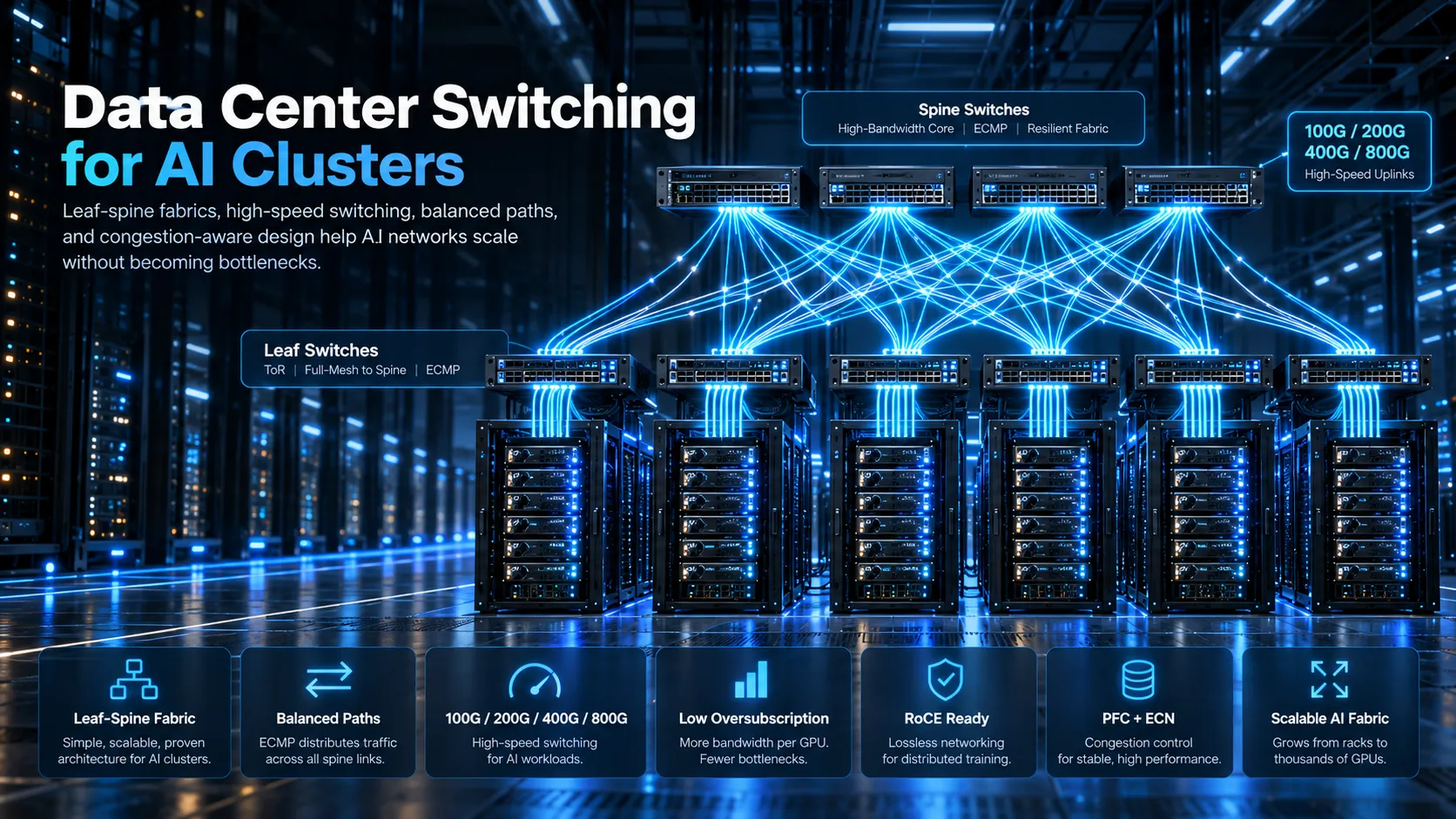
Most modern data centers lean on what we call a leaf spine design.
Here, your servers plug into leaf switches, usually sitting right at the top of the rack. From there, each leaf connects to every spine switch, which opens up multiple balanced paths for your data to travel across the fabric.
This approach is great because it cuts down the hops your data needs to make between servers and it makes scaling up a breeze, you just add more leaf or spine capacity when you need more power.
H3C’s data center underlay design guidance recommends Layer 3 leaf spine fabrics with equal cost multi path routing, redundant leaf connectivity and designs that avoid a single point of failure.
For AI clusters, several design details become especially important.
The first is port speed.
Depending on how big your setup is and what hardware you’re using, you might be looking at 100G, 200G, 400G or even faster. You have to make sure your spine links have enough breathing room to carry traffic between racks without hitting a predictable bottleneck.
Second, keep an eye on oversubscription.
This happens when the combined potential of your server links outstrips the capacity of the uplink from the leaf switch. In a standard office environment, this is usually fine not everyone is maxing out their connection at the exact same moment.
But AI training? It’s much less forgiving. Since all those GPUs are often talking at once, relying on heavy oversubscription is a direct threat to your performance.
Third, you need to think about buffer and congestion management.
You need switches that actually support the traffic controls your RoCE setup requires. Just buying a fast switch isn’t enough to guarantee a smooth, lossless network.
Finally, focus on path consistency.
You want your AI traffic spread efficiently across all available paths. If the flow distribution is poor, you might end up with one link completely clogged while the one right next to it is barely doing anything.
For these kinds of high density AI setups, H3C offers the S9857 switches. They come ready with 400GE and 800GE interfaces and handle all the necessary RoCE features, like PFC, ECN and AI ECN straight out of the box. They also support flexible global load balancing, which really helps spread traffic out across those massive computing networks.
If you’re dealing with a larger environment, take a look at the H3C S12500AI series. It uses H3C’s DDC architecture and is built for those massive-scale AI and intelligent computing networks with high density 400GE/800GE connectivity.
When you’re choosing a switch for AI Networking for Data Centers, don’t just count the ports. Your team really needs to dig into the details: forwarding capacity, latency, cabling, power, airflow, software features and whether it’s actually going to grow with you down the road.
A smaller AI cluster may use a conventional leaf spine architecture with carefully configured RoCE. A very large cluster may require more advanced traffic scheduling and a switching architecture designed specifically around all-to-all AI communication.
H3C’s DDC-based lossless networking architecture uses cell based switching and cross device traffic scheduling to address congestion, load balancing and scalability in large AI clusters.
The architecture should follow the workload. A business should not build hyperscale infrastructure for a small inference platform, but it should not design a growing AI cluster around a network that has no practical expansion path.
Monitoring, Automation and Optimization
AI Networking for Data Centers cannot be operated effectively through occasional manual checks.
Traditional monitoring may show that a switch is online and that its interfaces are active. That is useful, but it does not reveal whether congestion is delaying a training job or whether one network path is carrying significantly more traffic than the others.
AI infrastructure needs you to look much deeper under the hood.
Network teams need to stay on top of several key metrics:
- How much of the interface is actually being used
- Whether queues are starting to back up
- Any dropped packets or pause signals
- Real time congestion warnings (ECN marking)
- Deep level RDMA performance stats
- Delays (latency) and timing variations (jitter)
- Where and why traffic jams are forming
- Whether data is being spread fairly across all paths
- The physical health of the optical signals
- Hardware vitals like temperature and power consumption
This information should be collected continuously and connected to the affected application or cluster.
A training team may report that one job took longer than expected. The network team should be able to review the relevant time period and determine whether the cause was congestion, a failed link, an overloaded path, a server issue or something outside the network.
H3C’s S12500AI platform helps here by supporting streaming telemetry and gRPC-based data collection. This feeds right into analysis tools that help you trace faults and fix problems way faster than the old manual way.
As your setup grows, automation becomes your best friend. Trying to manually set up every switch, VLAN and congestion policy is just asking for trouble. Even a tiny mistake on one device can ripple out and affect dozens of compute nodes.
Using configuration templates and automated rollouts makes sure everything is consistent. You can validate changes before they go live and verify that the network is actually doing what you intended after the update.
The H3C AD-DC platform pulls all of this together, management, control, analytics and automation into one place. It features graphical orchestration, network simulation and even AI-assisted troubleshooting to catch and handle faults automatically.
Optimization should be continuous.
AI Networking for Data Centers that performed well with 32 GPUs may behave differently after another rack is added. New models may create different communication patterns. A change in batch size, parallelism or storage design may shift traffic to another part of the fabric.
Capacity reviews should therefore use measured workload data rather than assumptions. Teams should examine which links are approaching their limits, whether traffic is balanced and how much room remains for the next phase.
Storage and Compute Connectivity
When we talk about AI Networking for Data Centers, it can sound like it is just GPU to GPU communication, but your storage plays a massive role in the overall workload too.
Before you even start training, you’ve got to shuffle datasets from storage into the compute environment. Once things are running, the system is constantly reading that data and saving checkpoints. And when you’re finished, all those logs, results and model files need a reliable home where they can be accessed for testing or deployment.
Even the fastest GPU fabric in the world won’t save you if your storage can’t feed it data quickly enough.
When you’re looking at your full architecture, you really need to plan for three main traffic zones:
The compute fabric: where GPUs and AI servers talk to each other.
The storage fabric: which handles data moving between compute nodes and your high-performance storage.
The management network: for all the admin stuff like monitoring, provisioning and daily operations.
You can set these up as completely separate physical networks or use isolated services on the same infrastructure. It really just comes down to what you need for performance, security and the scale of your project.
Using RDMA can also give your storage communication a boost by taking the load off the CPU, allowing for much faster transfers directly between memory and storage.
H3C’s lossless network guidance positions RoCE for AI computing, high-performance computing and distributed storage environments that require high throughput and low latency.
Data locality matters as well. When the training cluster is located far from the data, the organisation may spend significant time moving datasets before useful work can begin. The storage design should place frequently used information close enough to the compute environment while maintaining the protection, capacity and retention required by the business.
Checkpoint traffic deserves particular attention. A large training job may periodically write a substantial representation of its current state.
This protects the project from having to restart entirely after a failure. However, when many nodes write checkpoint data simultaneously, the storage network can experience a significant burst.
The design should test both average and peak behaviour. A system that handles normal data loading may still struggle during synchronized checkpoint operations.
The network should also account for security boundaries and multi tenant environments. AI infrastructure may be shared by several departments, customers or research teams. Their traffic and data should remain isolated without creating unnecessary performance penalties.
An H3C 400G RoCE deployment case combined RoCE with ACL and VXLAN technologies to support logical tenant isolation while maintaining high-bandwidth, low-latency connectivity for AI training and inference.
Storage, compute and AI Networking for Data Centers should therefore be designed together. When each team selects infrastructure separately, the project may end up with strong individual components that do not perform well as one AI platform.
AI Network Design Checklist
Before you sign off on AI Networking for Data Centers, sit down with your infrastructure team and walk through these practical questions:
1. What kind of AI jobs are we actually running? Training, fine tuning, and inference all have their own personalities when it comes to traffic volume and how much lag they can handle.
2. How many GPUs are we talking about? Don’t just think about Day 1. Make sure you’ve got a roadmap for how much you expect to grow over the next few years.
3. What communication model will the workload use? Understand whether traffic will be one to one, many to one or all to all.
4. What speeds do the servers really need? Forget generic specs pick network interfaces that actually match your specific accelerators and the work they’ll be doing.
5. How much oversubscription is acceptable? Heavy oversubscription may reduce costs initially but can leave expensive GPUs waiting during synchronized communication.
6. Is RoCE in the cards? If you’re going that route, double check that your adapters, switches, and team skills are all ready for it across the whole path.
7. How will packet loss and congestion be controlled? Define PFC, ECN, queue, buffer and load-balancing strategies before deployment.
8. Is the topology resilient? Review leaf-spine connectivity, redundant devices, power supplies, links and management paths.
9. Can we scale without tearing it all down? Think ahead about rack space, spine capacity and even cooling, so adding more power doesn’t require a total redesign.
10. Is storage ready for the load? Test how it handles real-world stress, like huge data pulls and quick checkpoint writes, before the real work begins.
11. Are compute, storage and management networks properly separated? Use physical separation or controlled logical segmentation according to performance and security needs.
12. What are we actually watching? You need real-time eyes on everything from queue levels and latency to basic hardware health and dropped packets.
13. Can we automate the boring stuff? Using templates and automated checks helps you avoid the human errors that usually pop up when you’re configuring things by hand.
14. How will performance be tested before acceptance? Use representative AI traffic rather than relying only on basic throughput tests.
15. Who will operate the network after deployment? Define responsibility for monitoring, congestion tuning, firmware, capacity management and incident response.
16. What does success look like? Measure GPU utilisation, job completion time, network latency, packet loss, training stability and operational recovery not only headline bandwidth.
Through its role as an H3C Distributor, D3 helps business and data center teams across the GCC connect high-performance switching with the practical requirements of AI infrastructure.
AI data centers are often described in terms of GPU counts and computing power. But those accelerators create value only when they can exchange information without repeatedly waiting for the network.
Lossless connectivity is what turns separate servers into a coordinated AI cluster.
The best approach to AI Networking for Data Centers isn’t always about having the fastest individual switch on the market. It’s about building an architecture that keeps traffic moving, stays in control of congestion, and lets you see exactly what’s happening as you grow.
In AI infrastructure, the network is not simply carrying the workload.
It is part of the workload.