Today, data is everywhere, on servers, in the cloud, and on laptops across the world. Meanwhile, ransomware groups are specifically hunting for backups because they know that if you can’t recover, you’re more likely to pay.
That’s why backups aren’t just a boring maintenance task anymore. They are a core part of how you stay safe and resilient.
NIST (the National Institute of Standards and Technology) says that testing and protecting your backups is a top priority. They recommend keeping a copy offline so attackers can’t reach it—because a backup that gets encrypted along with your live data isn’t much help.
The objective is therefore not to create more copies for the sake of it. The objective is to build a recovery system the business can trust.
What Is Enterprise Backup?
Enterprise backup is a structured process for copying, protecting, retaining and recovering an organization’s critical data and systems.
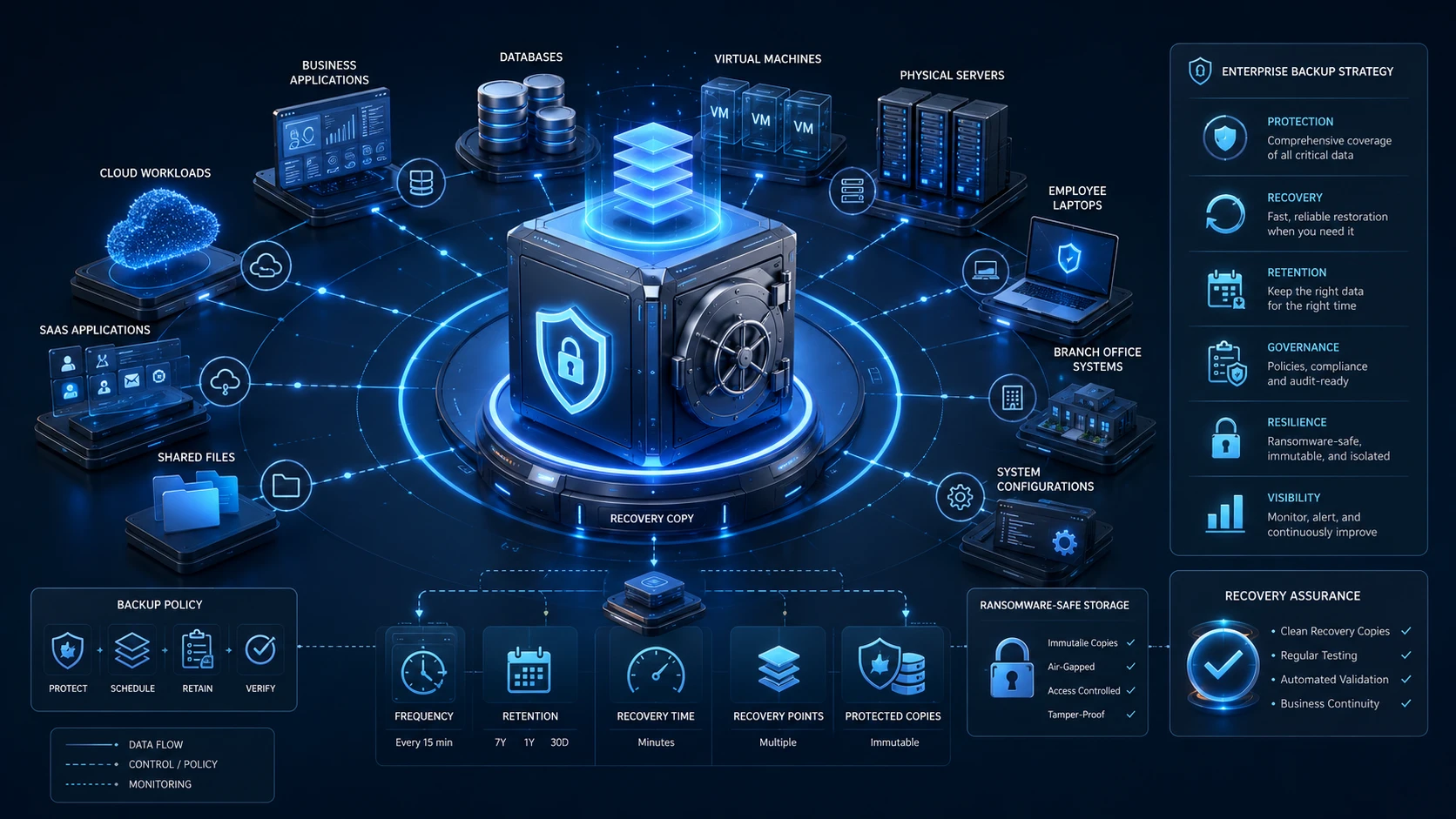
Unlike a basic file-copying process, enterprise backup must address a much broader environment. It may include:
- Business applications and databases
- Virtual machines and physical servers
- Employee endpoints
- Cloud workloads and SaaS data
- Branch and remote-office systems
- System configurations
- Shared files and unstructured data
- Long-term records required for governance or compliance
For distributed workforces, enterprise endpoint backup adds a separate recovery layer for business data stored on employee devices.
A complete enterprise backup strategy defines more than where data will be stored. It also determines what must be protected, how frequently it should be backed up, how long each copy must be retained and how quickly different systems must be recovered.
For instance, your financial records might need to be backed up every hour, while an archive of old projects only needs a weekly check. One app might need to be back online in minutes, while another can wait a day.
If you treat everything the same way, you end up either spending too much money or leaving critical gaps in your protection.
A smart strategy focuses on what’s most important to your business. It should answer these four questions:
The result should be a clear answer to four questions:
- What data must be protected?
- How much recent data could the business afford to lose?
- How long could each system remain unavailable?
- Where will clean recovery copies remain protected?
When those answers are documented, backup becomes measurable rather than assumed.
Why Traditional Backup Is Not Enough for Modern Businesses
In the past, backups were simple. You’d copy everything to a disk or tape at the end of the day. It was mostly there in case someone accidentally deleted a file or a hard drive crashed.
But the world has changed. Today, businesses run around the clock across multiple clouds and offices. A few hours of downtime can mean lost sales, angry customers and stalled production.
The threats are smarter now, too. In a ransomware attack, criminals don’t just encrypt your files, they actively try to delete your backups first so you have no choice but to pay.
CISA (the Cybersecurity and Infrastructure Security Agency) warns that an “accessible” backup isn’t necessarily a “protected” one.
For a deeper look at how protected recovery copies work, see our guide to immutable backup and why it matters during ransomware recovery.
You need to know that your systems won’t just recover, but that they’ll do it fast enough to save the day.
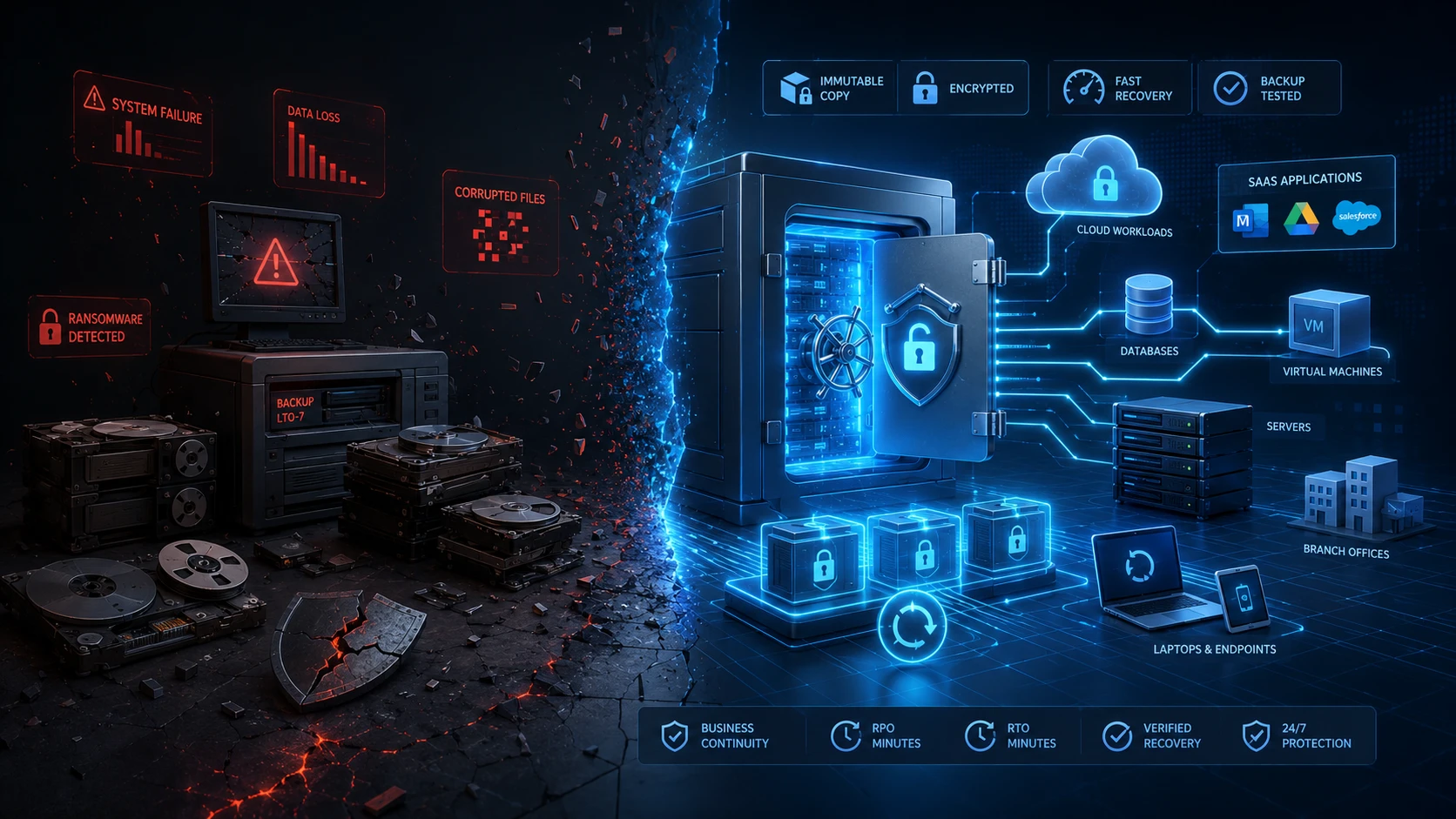
The question has shifted from “Did the backup finish?” to “Can we recover safely and on time?”
Main Risks That Threaten Business Data
Data loss isn’t always about hackers. A good plan covers cyberattacks, human mistakes and hardware glitches all at once.
1. Ransomware
Attackers often steal administrator passwords to move through your systems and wipe out your recovery options. Your strategy should make sure that even if one account is compromised, your backups stay out of reach.
This usually means keeping “immutable” copies that can’t be deleted and having multiple versions so you can go back to a time before the attack started.
Beyond preventing encryption, organizations also need ransomware recovery storage that remains usable even after production systems or credentials have been compromised.
2. Human Error
We’ve all been there situations:
someone accidentally deletes a folder, overwrites a database, or applies the wrong setting. Because your team has permission to change things, they also have the power to break things.
Versioned backups let you “rewind” to a point before the mistake happened.
3. Hardware Failure
Even the best equipment fails eventually.
And remember: “mirrored” or “replicated” systems aren’t the same as backups. If a file gets corrupted on one side, it gets corrupted on the other. A true backup exists independently of your live systems.
4. System Downtime
Sometimes the data isn’t lost, it’s just stuck. If an app goes down and you can’t get it back quickly, your business stops.
That’s why you need to decide which systems need high-performance recovery and which ones can take a little longer to restore.
Key Components of a Reliable Backup Strategy
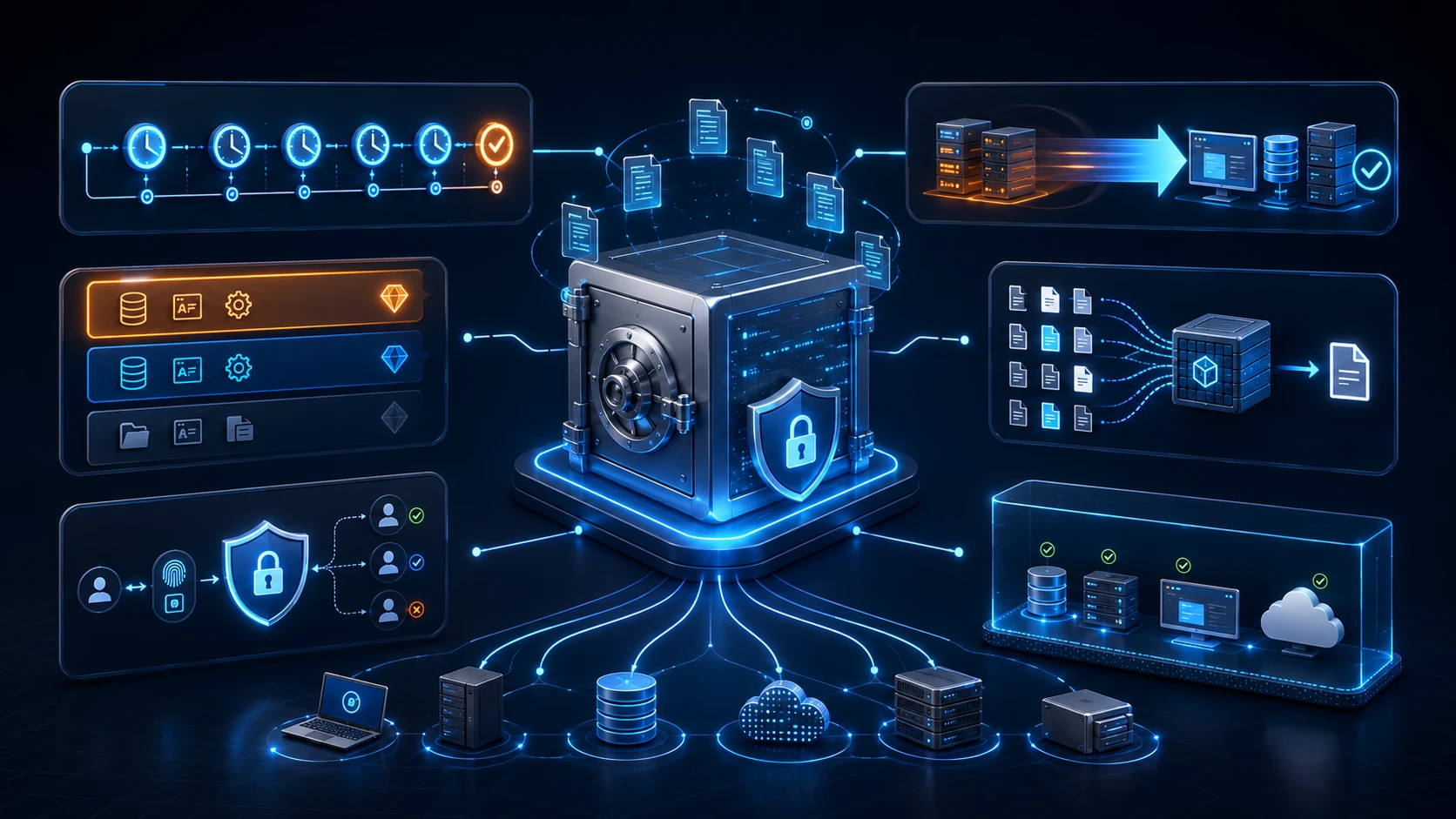
A strong enterprise backup strategy combines policy, technology and operational discipline. Buying additional storage alone will not solve the problem.
Backup Frequency
Backup frequency determines how much recent information could be lost after an incident.
This is commonly expressed through the Recovery Point Objective, or RPO. An RPO of four hours means the business is prepared to lose up to four hours of changes. An RPO of fifteen minutes requires much more frequent protection.
The correct frequency depends on the workload.
A frequently updated transactional database may require short backup intervals. A departmental archive that changes once a week may not.
Applying an aggressive schedule to everything increases cost and infrastructure load, while backing up critical data only once per day may leave an unacceptable gap.
Organizations should classify workloads according to business impact and set policies accordingly. A useful classification might include:
- Mission-critical systems
- Business-essential systems
- Standard operational data
- Long-term retention and archive data
The schedule should also account for application consistency. Copying files while a database is actively processing transactions may not always produce a reliable recovery point. Backup processes should integrate correctly with the application and verify that protected data is recoverable.
Most importantly, frequency should be reviewed as the business changes. A system that was once used by ten employees may later become central to customer operations.
Recovery Speed
Recovery speed is usually measured through the Recovery Time Objective, or RTO. It defines how long a system can remain unavailable before the impact becomes unacceptable.
RTO should not be guessed by IT in isolation.
Business owners, operations teams, finance leaders and application stakeholders should contribute to the decision. They understand what happens when a service becomes unavailable and which processes depend on it.
Recovery performance is influenced by several factors:
- The size of the workload
- The location of the backup
- Available network bandwidth
- Storage performance
A successful restore is not merely the transfer of data from backup storage. Applications must start correctly, dependencies must reconnect, users must regain access and the business must confirm that the recovered environment is safe to use.
This is why recovery tests should simulate real situations rather than restoring one sample file and declaring the strategy successful.
Data Deduplication
Backups often have a lot of repeated data. Deduplication finds those duplicates and only stores what’s necessary. This saves space and money and lets you keep more recovery points.
Quantum’s DXi appliances, for example, can reduce data footprint significantly, making it practical to keep longer histories.
Encryption and Access Control
Your backups are a goldmine of info, so they need to be encrypted and tightly controlled.
Use separate accounts for backup admins, turn on multi-factor authentication and use “least-privilege” access so no one has more power than they absolutely need.
Backup vs Disaster Recovery
Organizations that are still defining these roles may also benefit from understanding backup vs archive vs disaster recovery before designing retention and recovery policies.
Backup and disaster recovery are closely related, but they are not interchangeable.
Backup creates protected copies of data and systems.
Disaster recovery defines how the organization will restore technology services and resume operations after a major interruption.
A company may have complete backups but still lack an effective disaster recovery plan.
A disaster recovery plan addresses these dependencies.
It should define responsibilities, communication channels, recovery priorities, escalation procedures, alternative infrastructure and validation steps. It should also account for scenarios in which the main office, data center, identity platform or communication system is unavailable.
Backup provides the recoverable information. Disaster recovery turns that information back into a functioning business.
How Backup Appliances Help Improve Recovery
A dedicated backup appliance is built for one job: protecting your data.
Tools like Quantum DXi provide “Secure Snapshots”, protected copies that live in a hidden pool where malware can’t find or destroy them. It’s like having a digital vault that stays separate from your everyday network.
According to Quantum’s technical documentation, Secure Snapshots create protected point-in-time copies in a non-network-addressable block pool.
The snapshots cannot be accessed through the normal data path, altered through the management interface or deleted before their configured expiration. During recovery, an administrator can select an appropriate snapshot and restore it into a share, partition or logical storage unit.
This separation matters during ransomware recovery because it reduces the likelihood that malware operating through standard network paths can discover and destroy the protected copy.
A backup appliance can also improve operational consistency. Instead of assembling separate servers, storage systems and optimization tools, the organization gains a platform designed specifically for backup and restore processes.
A resilient architecture may combine fast disk or flash-based recovery, replication to another site, immutable object storage and physically isolated tape.
Quantum’s enterprise data-protection portfolio follows this tiered approach, with DXi appliances for high-performance backup, ACTIVE Scale object storage for scalable immutable copies and Scalar tape for offline retention.
The correct combination depends on recovery objectives, data volumes, retention periods, locations and budget.
D3 provides Quantum backup and recovery solutions for organizations that need high-performance backup appliances, protected recovery copies and long-term data retention.
Common Mistakes in Enterprise Backup Planning
The biggest mistakes often come from bad assumptions.
Don’t just trust a “success” report, test it. Don’t forget about your cloud apps or remote employees. And most importantly, don’t leave your backups connected to the same network as everything else, or a single breach could wipe out everything.
Organizations also rely too heavily on successful job reports. A green status confirms that a process completed. It does not necessarily confirm that the data is clean, application-consistent or recoverable within the required time.
Final Backup Strategy Checklist
Before approving an enterprise backup strategy, decision-makers should be able to answer the following questions clearly:

- Data scope: Have we identified critical applications, databases, cloud workloads, endpoints and remote-site data?
- Business priorities: Has each workload been classified according to operational impact?
- Recovery points: Do backup frequencies reflect how much data the business can afford to lose?
- Recovery time: Can critical services be restored within agreed business timeframes?
- Protected copies: Do we maintain immutable, isolated, offline or otherwise attacker-resistant recovery copies?
- Multiple locations: Is at least one copy protected outside the primary production environment?
- Access security: Are backup credentials, administrative permissions and encryption keys properly separated and controlled?
- Retention: Are recovery points kept for enough time to address delayed ransomware detection, accidental deletion and governance requirements?
- Testing: Do we regularly test complete recovery workflows instead of relying only on backup-job reports?
- Documentation: Are recovery priorities, responsibilities, dependencies and escalation procedures clearly documented?
- Capacity: Can the platform support expected data growth without reducing retention or recovery performance?
- Review cycle: Is the strategy reassessed after infrastructure changes, acquisitions, new cloud services or business expansion?
The most important part of a backup isn’t the copy itself, it’s being able to get back to work. Don’t wait for a crisis to find out if your strategy works.
Building a Recovery Strategy the Business Can Trust
The value of backup becomes visible at the worst possible moment: when normal systems are no longer available.
That is not the time to discover that a repository was also encrypted, a recovery point was corrupted, the restore process takes three days or nobody knows which application should return first.
A modern enterprise backup strategy should combine frequent protection, clearly defined RPOs and RTOs, efficient data reduction, encrypted storage, restricted administration, immutable recovery points and tested disaster recovery procedures.
For organizations across the GCC, the challenge is often made more complex by rapid growth, distributed branches, hybrid infrastructure and increasing dependence on digital services. Backup architecture must be able to scale without becoming difficult to manage or too expensive to retain.
D3 helps businesses and technology partners assess these requirements and design practical data protection strategies around real operational priorities. Through Quantum solutions such as DXi backup appliances, organizations can strengthen cyber recovery, improve storage efficiency and build a more dependable path back to normal operations.
Because the most important result of a backup is not the copy itself.