Access risks rarely happen overnight; they usually creep up on you when you least expect it.
Think about a typical journey: a new hire gets set up with email, shared drives, ERP and a handful of work tools. Six months later, they transferred to a new team. They get the permissions for their new role, but nobody revokes the old ones. Then a contractor wraps up a project, but their account stays active. Or maybe a manager gets admin rights for a quick troubleshooting session, and everyone forgets to turn them off afterward.
None of these slip-ups sparks an immediate crisis on its own. The real danger lies in how quickly they pile up over time.
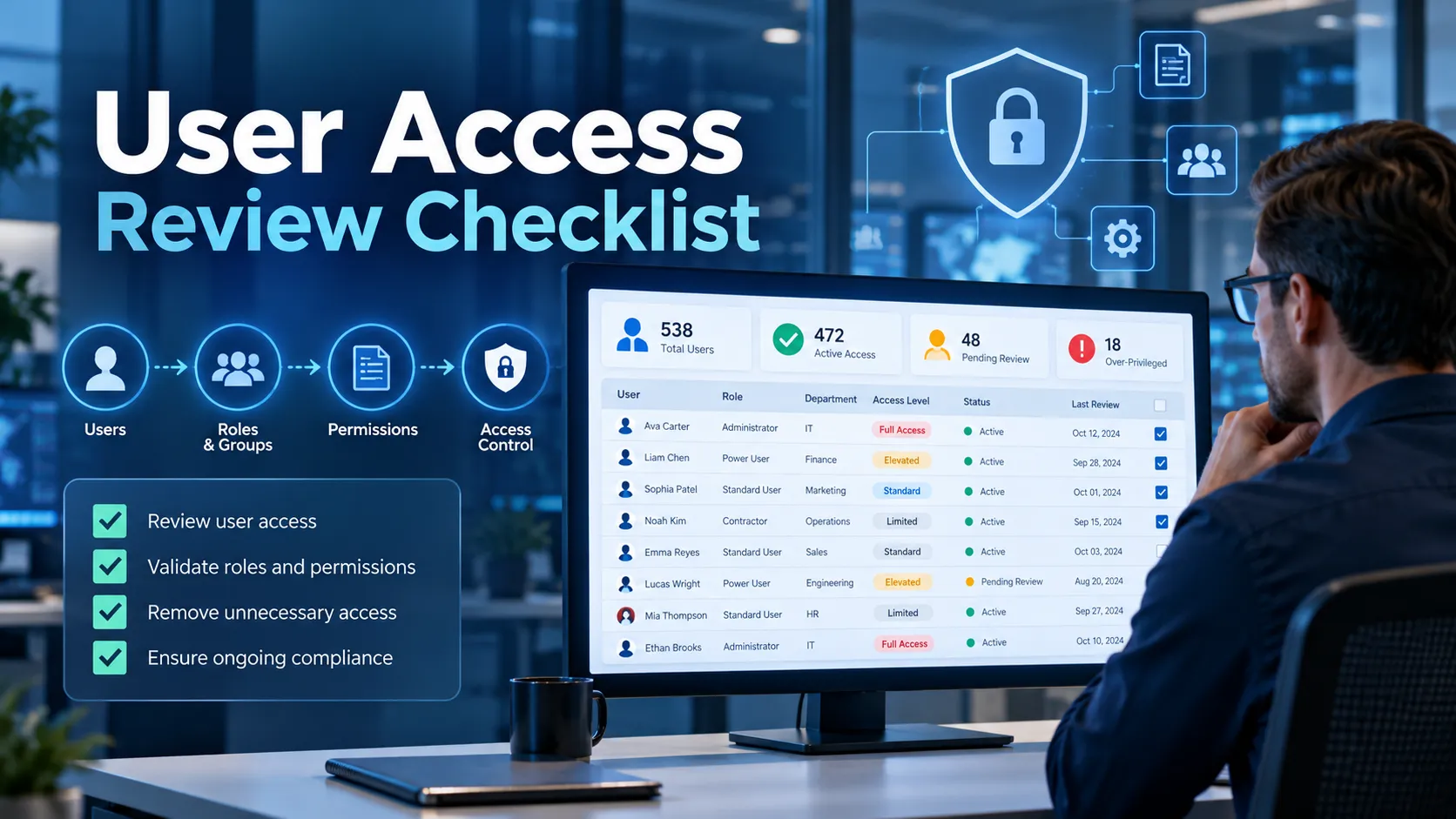
A simple User Access Review Checklist gives IT and security teams a straightforward, repeatable way to tackle one core question:
Does everyone still actually need the access they have today?
This becomes a bigger challenge as companies grow across multiple sites. Take a business with hubs in Dubai and Riyadh, warehouses across Saudi Arabia, hybrid workers and third-party partners. User accounts can become scattered across Microsoft 365, ERP platforms, warehouse software, VPNs, SaaS applications and local servers.
The bigger your operations get, the harder it becomes to keep track of “who has access to what” using memory or manual spreadsheets.
The account-management guidance in NIST SP 800-171 Rev. 3, which applies to systems protecting Controlled Unclassified Information (CUI), stresses the importance of defining authorized users, group memberships and privileges, monitoring account use and disabling accounts that have expired, become inactive or no longer belong to an authorized user. Regular access reviews turn those principles into a practical operating process.
Define the Review Scope and Owners
When working through a User Access Review Checklist, resist the urge to export every account from every system at once. Define what you actually want to review first.
One quarter, you might focus on privileged accounts. The next review could target employees with access to financial systems. A logistics business opening a new warehouse in KSA might specifically review warehouse-management, ERP and administrative access before the site becomes operational.
Useful review scopes include:
- One application
- One department
- One country or branch
- Privileged users
- Contractors and external users
- Cloud applications
- High-risk roles
- Shared groups
- Accounts inactive for a defined period
Once the scope is clear, determine who actually owns the decision.
IT can collect the technical information, but it should not be expected to guess whether every employee still needs a particular business permission.
A warehouse manager is better positioned to decide whether a supervisor still requires inventory-adjustment rights. Finance should validate financial-system access. Application owners should review specialised software permissions.
A practical User Access Review Checklist separates responsibilities between three groups:
IT / IAM Team: Collects account, role and permission information.
Business or Application Owners: Decide whether the access remains necessary.
Security / Governance Team: Defines the review policy, investigates higher-risk cases and ensures remediation is completed.
Endpoint-security information can strengthen this process. K7 Cyber Protect 360 provides centralised visibility across enterprise infrastructure together with asset inventory and security-event information, while K7 Endpoint Security supports centrally managed groups and security policies. That gives IT useful context about the endpoints associated with different teams and whether those systems are following the intended security baseline.
It does not replace the business owner’s access decision, but it gives the review better technical evidence.
For companies operating across Dubai, Riyadh and regional warehouses, local management should also be involved. A headquarters team may not know whether a temporary employee in a Saudi distribution centre still needs access to a particular operational system.
Collect Accounts and Entitlements
Next up, your User Access Review Checklist needs a clear, accurate snapshot of what your current environment actually looks like. Don’t stop at just gathering regular employee usernames. A proper user permissions audit should cover full-time staff, contractors, guest users, admins, service accounts and any other identity that can access your systems.
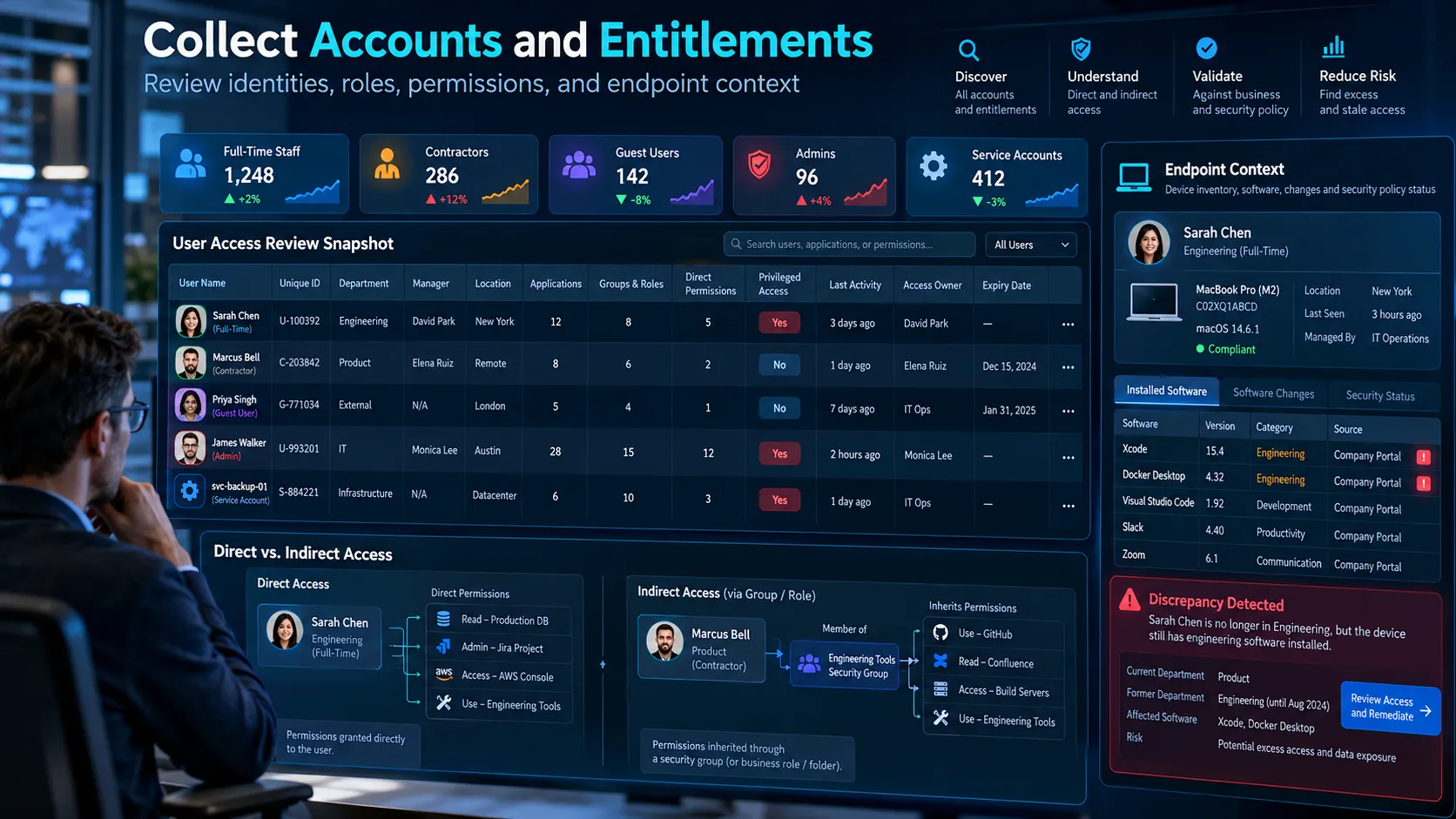
For each person or account, make sure you collect details like:
- User name and unique ID
- Employment or contractor status
- Department
- Manager
- Location
- Applications assigned
- Groups and roles
- Direct permissions
- Privileged access
- Last sign-in or last activity
- Account creation date
- Access owner
- Expiry date where applicable
An entitlement is simply any specific permission or access right granted to a user. That could be membership in the Sales team group, approval authority in your ERP, admin rights on a server or folder access in a shared drive.
One difficult area is indirect access.
A user might not have been given a permission directly; instead, they might inherit it through a security group, a business role, or standard folder hierarchies.
Use your identity platform or directory to map centrally managed entitlements, but check applications directly for permissions they manage separately. K7 adds another helpful layer of context: its centralized endpoint-security features track hardware and software assets, software changes, and central security policies. IT teams can compare this device-level information with approved access to spot software or policy discrepancies.
For example, if an employee no longer belongs to an engineering role but still has specialised engineering software installed and permitted on their laptop, that discrepancy deserves attention. Access reviews work much better when you look at account permissions and real-world endpoint usage side by side.
Flag Access That Needs Attention
Not every access permission needs a deep dive or heavy scrutiny right off the bat. Instead, focus your energy on permissions that pose the biggest potential security risks.
Here are a few key red flags to watch for in your User Access Review Checklist:
- No recent login activity
- Former or departing employee
- External guest
- Privileged access
- Permission outside the user’s current role
- Access added directly rather than through an approved role
- Very old access
- Multiple conflicting permissions
- Access to sensitive applications
- Contractor account without an expiry date
- Unusual combinations of roles
CISA suggests checking user accounts regularly and enforcing least privilege so people only hold the access they actually need to do their jobs.
Leavers, Dormant Accounts and Guests
Handling former employees should be one of the easiest calls you make during a review. If someone has left the company and has no reason to access your systems, their account shouldn’t stay active just because no one got around to removing it.
NIST calls for disabling accounts when they expire, remain inactive beyond an organisation-defined period or are no longer associated with an authorised user. Inactive or dormant accounts need the same kind of attention. If an account hasn’t been touched in six months, there might be a valid reason, but someone should still be able to justify why it’s open.
External guests and contractors warrant even closer attention, as their work usually comes with a clear end date. This is especially common in GCC and Saudi logistics operations, where third-party integrators, temporary workers and tech vendors often need short-term system access.
Once the job is finished, their access should wrap up too.
K7 helps strengthen this side of things by giving you centralized visibility over your endpoints and assets. While K7 Cyber Protect 360 monitors hardware and software changes across devices, K7 Endpoint Security lets admins manage endpoint group policies, application controls and removable media restrictions from one place. While it won’t automatically close accounts in your identity provider, it gives you an extra safety net: you can check whether previously assigned laptops or workstations remain visible and managed, then confirm account status in your identity systems.
Excess Permissions and Role Changes
Honestly, tracking down people who change roles inside a company is often trickier than spotting those who leave entirely. When someone transfers from procurement over to sales, the business usually moves fast to grant them all the new tools and permissions they need.
What usually gets forgotten is taking away their old permissions. After a couple of internal moves, an employee ends up carrying around a massive, leftover collection of access rights from previous roles. That’s classic access creep. Instead of asking if a permission might still come in handy someday, compare what the user actually does in their current job against what they can access.
NIST’s least-privilege recommendations emphasize reviewing privileges regularly and stripping them back whenever they’re no longer strictly needed. Pay particular attention to administrator rights.
CISA has repeatedly recommended reviewing user and Active Directory permissions to identify unnecessary privileged access. The endpoint should be checked as well. If somebody no longer requires administrative responsibilities, IT should review whether their endpoint still has software, device or security-policy exceptions associated with the previous role.
K7 Endpoint Security makes it easy to handle group- and policy-based administration, including application control and device restrictions. That way, you can smoothly update an employee’s security setup whenever they switch teams, rather than leaving lingering policy exceptions behind.
Record Keep, Change or Revoke Decisions
At the end of the day, every permission in a User Access Review Checklist needs a clear, definitive call.
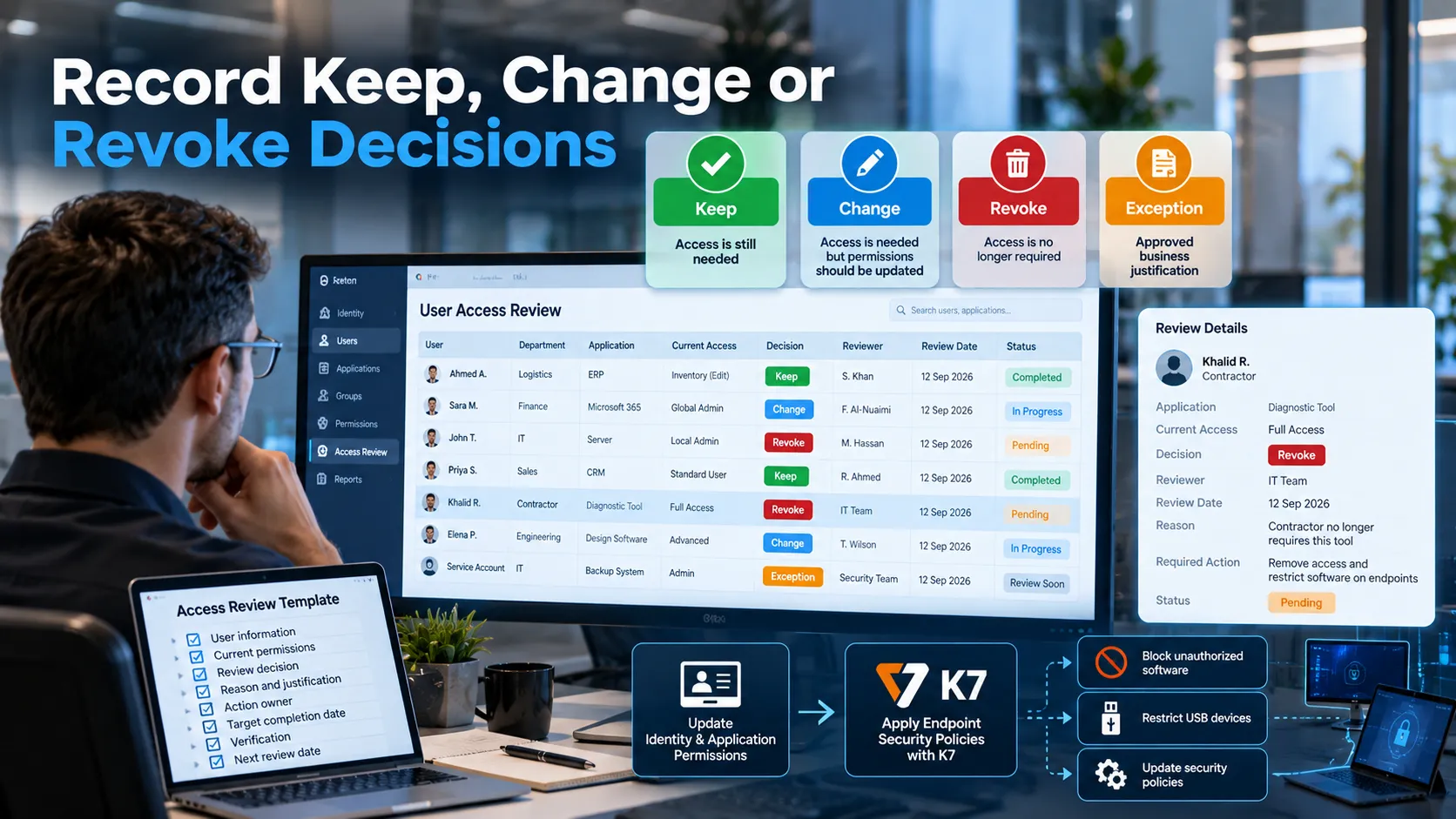
Stick to simple, unambiguous decisions:
Keep — everything makes sense and access is still needed.
Change — access is still required, but the current permission level is wrong.
Revoke — access is no longer required.
Exception — access creates a known policy concern but has an approved business justification.
Avoid outcomes such as “probably required” or “check later.”
For every keep decision, record the reviewer and review date. For every change or revoke decision, identify who is responsible for remediation. For exceptions, document the business justification, who signed off on it and set a hard expiration or review date.
This is precisely where a standardized access review template saves the day. Keeping things consistent makes future audits and upcoming review cycles much easier to handle. Think of K7 as an endpoint-policy enforcement and double-check mechanism rather than your official identity-access audit log. Once a review decision is made, K7’s centralized policy controls can help IT apply associated endpoint restrictions, such as blocking unauthorized software, restricting USB drives or updating device security policies. Account permissions still need to be changed in the relevant identity or application system.
For example, if a contractor no longer requires a diagnostic utility, the business should remove their account access in the relevant application and also ensure that the software is no longer permitted on managed endpoints where it is unnecessary. Do not use email threads as the permanent evidence for these decisions. Six months down the road, no one should have to dig through their inbox to figure out why someone still has sensitive access.
Verify That Remediation Was Completed
This step is where a lot of access reviews quietly fall apart. A manager marks a permission as Revoke. The spreadsheet gets checked off as complete. Yet nobody actually verifies if that access was truly stripped from the live system.
Making a decision on a User Access Review Checklist isn’t the same thing as fixing the problem. Once your review wraps up, double-check that:
- Disabled accounts are genuinely turned off
- Group memberships have actually been removed
- Application roles were properly updated
- Admin privileges are completely gone
- Guest access has expired
- Contractor accounts have been fully deactivated
- Direct permissions have been cleared out
- Orphaned accounts have been properly handled
From there, take a close look at your endpoints.
- Did the employee get moved into the right security group?
- Were old policy exceptions wiped clean?
- Is an app that shouldn’t be used anymore still able to run?
- Are there lingering USB or device exceptions that shouldn’t be there?
- Is the endpoint still checking in normally with your security management tools?
K7 Endpoint Security offers centralized application control, device management and hardware/software asset tracking, while K7 Cyber Protect 360 gives you broader visibility over assets, compliance tracking and security event correlation. These tools help IT teams check endpoint policy status and reported changes rather than just assuming a policy update worked.
You’ll still need to confirm identity fixes directly inside your directory, application or cloud system. Combining these verification steps turns access recertification from a routine paperwork task into a meaningful security practice. If you flagged twenty permissions to be removed and three are still active, your review isn’t done yet.
Set the Next Review Cycle
Whenever you complete a User Access Review Checklist, your very next step should always be locking in the date for the next one. How often you do this really comes down to the actual risks involved, rather than following a rigid, one-size-fits-all schedule. For instance, privileged accounts deserve a much closer eye and more frequent check-ins.
Contractors and external partners also need tighter, more regular review cycles. Systems that handle sensitive financial or core operational data are often good candidates for quarterly reviews, depending on risk and applicable requirements. On the other hand, lower-risk tools can be reviewed less frequently when justified by a risk assessment. That said, running reviews when big operational changes happen is just as crucial as following a calendar.
You definitely shouldn’t wait around for a scheduled quarterly check if any of these kick up:
- Someone leaves
- Someone changes roles
- A contractor engagement ends
- A merger or restructuring occurs
- A sensitive application is introduced
- An identity incident occurs
- A new branch or warehouse opens
If you’re growing your sales and logistics presence in KSA, opening up a new office or warehouse in Riyadh is the exact kind of milestone that calls for an immediate access check. Whenever a business expands, new accounts, devices, software and vendor connections get rolled out at a rapid pace.
And naturally, that fast pace is when small oversight errors easily slip through the cracks. Those same events should prompt a quick check on your endpoint security setup, too. K7’s centralized setup lets you assign group-based policies, making it much easier to keep security tight and consistent as you onboard new devices and sites.
A Simple Access Review Record
The record supporting a User Access Review Checklist does not need to be complicated.
| Field | Example |
|---|---|
| User | Ahmed A. |
| Department | Logistics |
| Location | Riyadh |
| Application | Warehouse Management System |
| Role / Permission | Inventory Supervisor |
| Privileged | No |
| Last Activity | 12 September |
| Reviewer | Logistics Manager |
| Decision | Change |
| Reason | User moved to transport operations |
| Required Action | Remove inventory adjustment permission |
| Action Owner | IT IAM Team |
| Completion Date | 18 September |
| Verified | Yes |
| Next Review | December |
At a minimum, your User Access Review Checklist should keep track of the person’s identity, application, permission level, who reviewed it, the decision, the reason behind it, where remediation stands, and the review date.
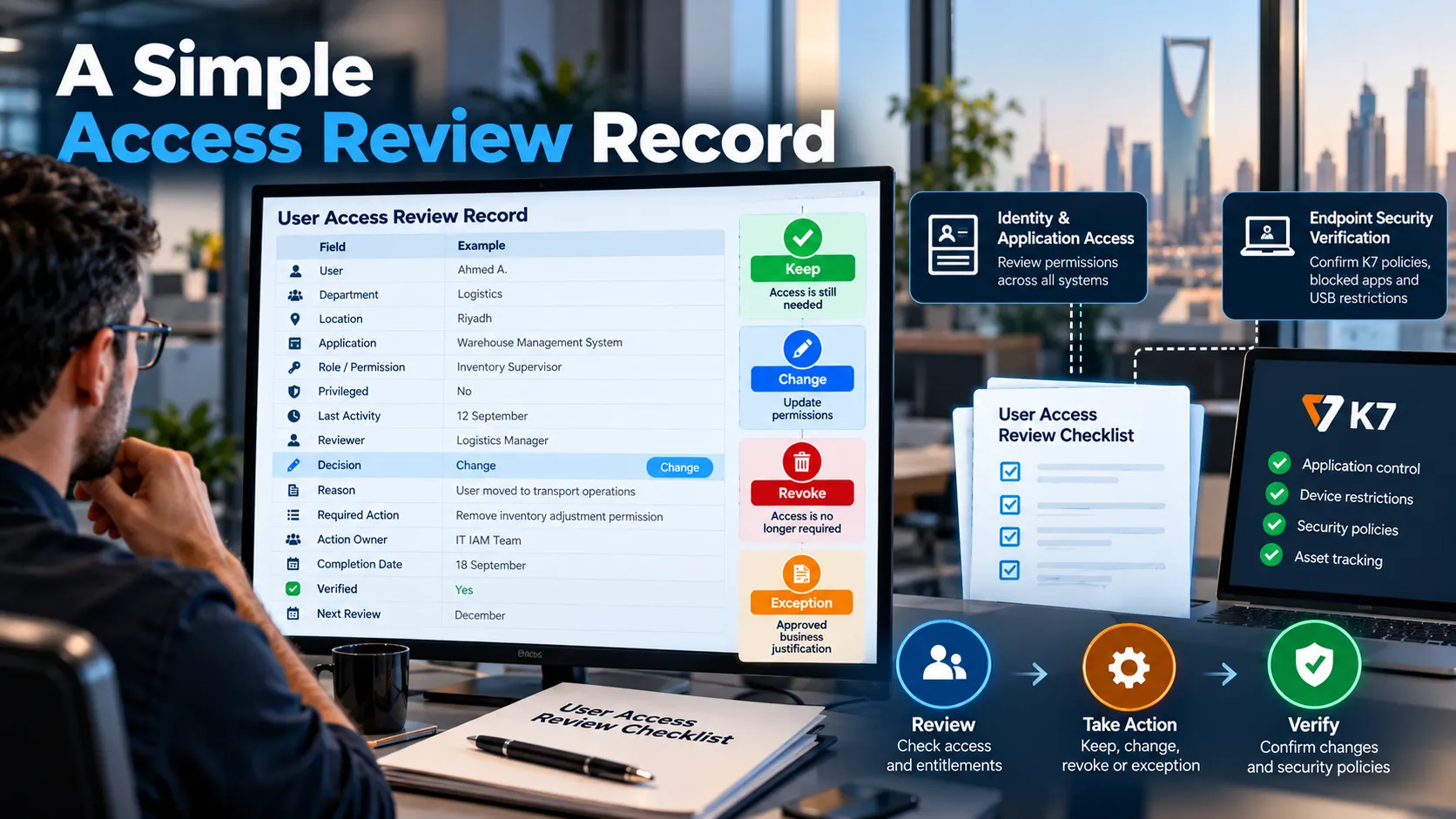
If the role touches sensitive endpoints, it’s also smart to log whether you’ve verified any associated security policy updates. That could mean double-checking that the right K7 policy is assigned, blocked apps are actually off-limits, or USB restrictions match what the user should be doing day to day.
Expert insight: A User Access Review Checklist is only useful when its decisions are backed by evidence. For higher-risk systems, IT teams should compare identity permissions with application records, confirm that access removals took effect, and review related endpoint policies. That closes the gap between approving a change and actually reducing security exposure.
If you’re running operations across Dubai, Riyadh or the broader GCC, D3, a K7 Cybersecurity Distributor, can build on this setup with its K7 cybersecurity portfolio. We offer K7 Endpoint Security, Cyber Protect 360 XDR and tailored solutions to safeguard your devices, servers and connected infrastructure, all backed by local teams in UAE and an expanding presence in Saudi Arabia.
Keep in mind, K7 isn’t an identity-governance tool; it reinforces the endpoint and security-control layer of your reviews through central management, device tracking, application blocking, threat monitoring and policy enforcement. Access reviews answer who still needs permissions. K7 helps you check and enforce the security policies on managed devices used for that access. At the end of the day, completing a User Access Review Checklist should leave you with one clear takeaway:
Every active permission has a clear owner, a solid reason and a genuine business purpose.
And every device tied to that access continues to operate under the right security rules.