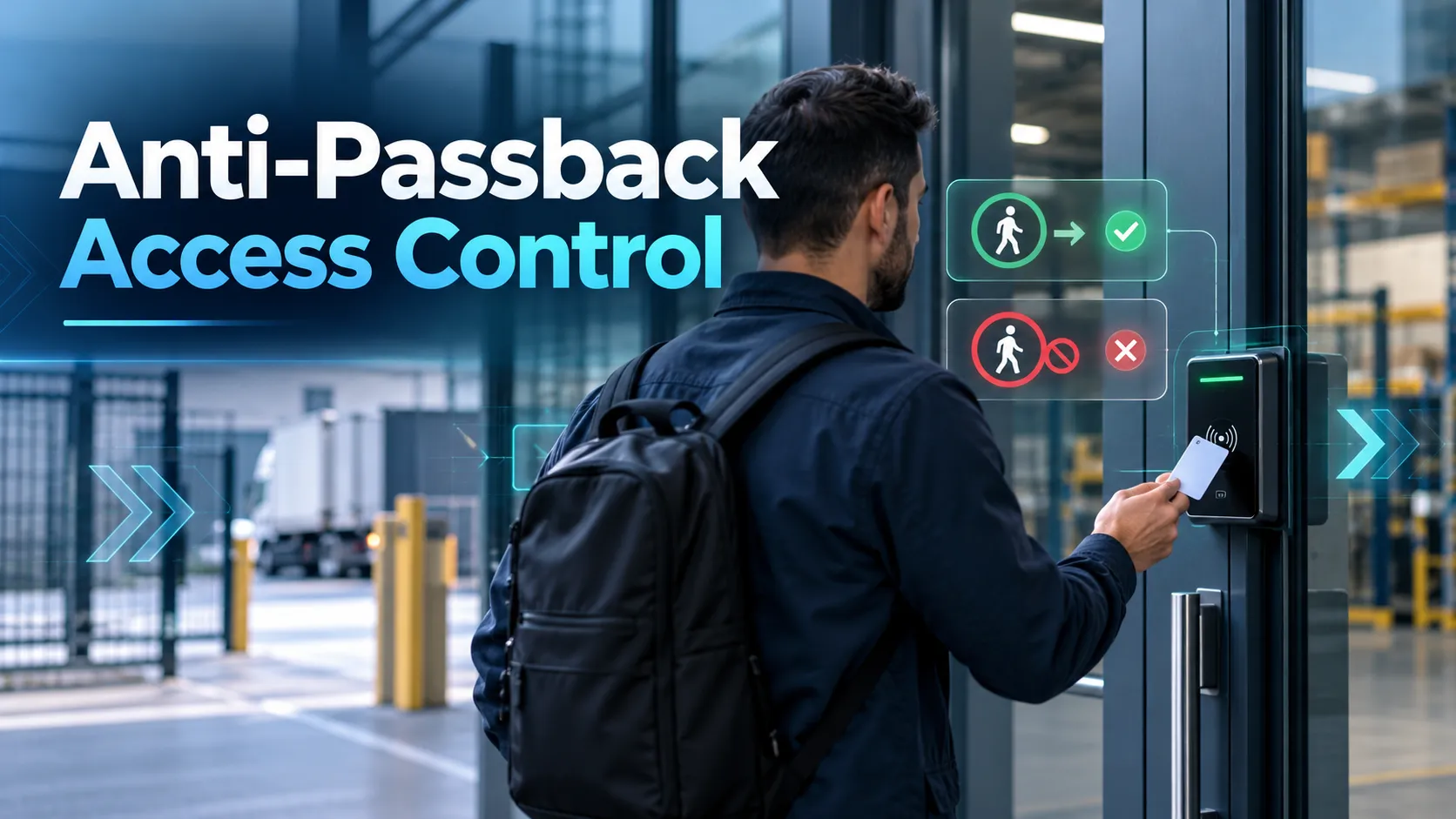
Just because someone has a valid access card doesn’t automatically mean they should be let through the door. Picture a warehouse employee who taps their card to enter a restricted area, then hands that same card back to a coworker outside. Both individuals hold a valid credential when tapping in, but that second entry shouldn’t be allowed. That’s exactly what Anti-Passback Access Control is built to solve.
Anti-Passback Access Control adds a layer of movement logic to standard permissions. Instead of simply checking whether a card works for a door, the system asks, “Based on where this card was last scanned, does it make sense for it to enter here right now?”
As Paxton notes, the main job of Anti-Passback Access Control is to stop cardholders from passing credentials back to let others into the same space. It also helps systems keep more accurate records of occupancy and everyone’s last known location.
For businesses across Dubai, Riyadh, Saudi Arabia and the wider GCC, this feature is particularly valuable for logistics hubs, distribution centers, employee parking and facilities where hundreds of people pass through access points every single day. The technology is not complicated. The planning behind it is what determines whether it works well.
What Anti-Passback Prevents
Standard access control usually just checks if a card has permission to open a door. Anti-Passback Access Control goes a step further by making sure people follow a logical order when moving around.
For instance, if the system logs an employee tapping into Warehouse Zone A, they should have to badge out before that same card can be used to tap back in. Without this rule in place, someone could tap in, pass their card back through a gate and let a coworker reuse it right away.
Paxton specifically lists preventing token sharing as an Anti-Passback Access Control use case and uses a car park as a practical example. The exact same logic applies across logistics sites. Picture a driver pulling into a secure vehicle yard. Or a warehouse worker tapping into a restricted inventory room. Or even a contractor entering a server room. If that same card gets scanned at the entrance again without a logged exit in between, the system immediately flags that something isn’t right.
That makes Anti-Passback Access Control great for cutting down on things like:
- Credential sharing
- Repeated use of one badge for multiple people
- Incorrect entry/exit sequences
- Unreliable occupancy records
- Certain forms of casual access misuse
It also improves security reporting by giving administrators a clearer record of each credential’s last known location, although accuracy still depends on movements being properly recorded.
Hard, Soft and Timed Anti-Passback
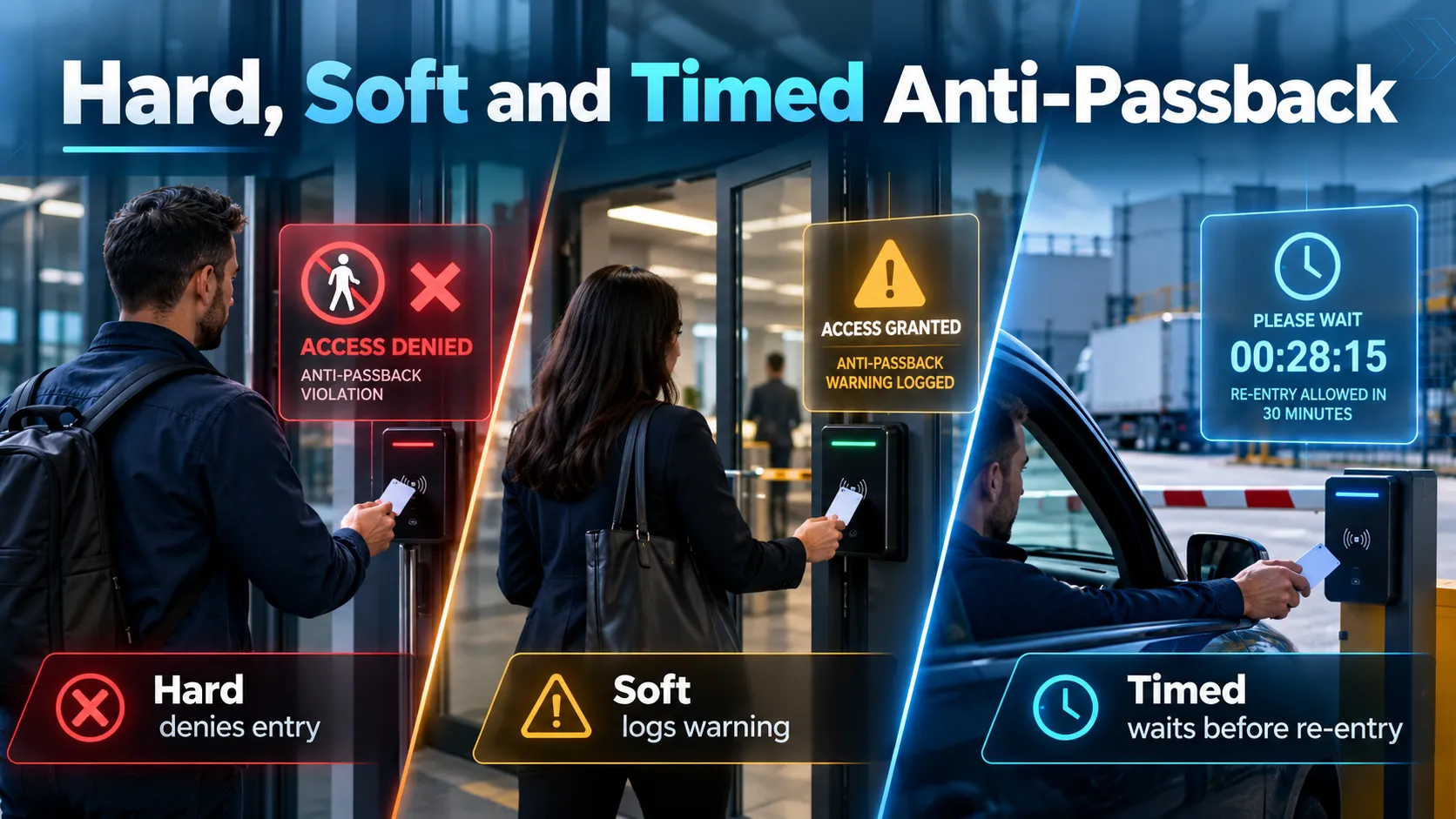
Not every location needs to handle anti-passback violations the exact same way. In Paxton10, traditional and timed anti-passback determine how movement is checked, while hard and soft settings determine how violations are enforced. With hard anti-passback, breaking the rule blocks entry immediately.
Under Paxton10 rules, anyone violating hard anti-passback is turned away at the door and an access-denied event is logged. This restriction applies to entry, not authorised exit. This setup makes sense whenever strict security comes before convenience. Places like secure warehouse cages, server rooms or sensitive areas are ideal candidates.
Soft anti-passback takes a much lighter touch.
The system still flags the violation, but lets the person in anyway if their standard permissions allow it. Paxton describes this as creating an informational alert rather than locking someone out. Soft anti-passback works great in busy offices or facilities where accidentally locking an employee out causes unnecessary headaches. Security can keep an eye on patterns and follow up on repeat infractions without bringing everyday work to a halt.
Timed anti-passback offers another practical option.
Here, a badge can’t be used again to enter the same controlled area for a set amount of time after an entry. Paxton points to timed rules as a practical choice when exit readers aren’t installed or enforced. For example, a distribution-centre parking gate could reject reuse of the same credential for 30 or 60 minutes after entry. That makes immediately passing the card to another driver much less practical.
The best Anti-Passback Access Control configuration really comes down to your day-to-day operations. A standard office might prefer soft anti-passback to keep things moving. A high-value stockroom usually calls for hard enforcement. And vehicle gates or parking areas often get the most out of timed rules.
Entry and Exit Reader Requirements
For standard Anti-Passback Access Control to accurately keep track of credentials, it relies on solid movement data. That usually means placing both an entry reader and an exit reader at any access point you want to monitor.
Paxton points out that traditional anti-passback needs both readers so the system can verify someone has actually logged an exit before letting their card tap in again.
- The basic flow looks like this: Outside → scan badge → Inside
- and then: Inside → scan badge → Outside
This gives the system a clear, logical way to track where that credential is.
However, if a user entered correctly but leaves through an emergency exit without scanning out, the system will still think they’re inside. When they try to tap in the next morning, hard anti-passback will reject them because the sequence is out of order.
Installing door sensors helps improve movement tracking accuracy. Paxton recommends using them so the system can confirm a door actually opened, rather than simply assuming a valid swipe meant the person walked through. However, door contacts cannot identify someone leaving without scanning their credential, so missed exits still require appropriate monitoring and reset procedures. Getting the hardware right is especially critical for logistics sites, where staff entrances, loading docks, vehicle gates, and exit-only doors all have different flow requirements.
Plan Areas and Movement Rules
When setting up Anti-Passback Access Control, you’ll want to start by thinking about areas rather than individual doors. First, the access control team needs to map out which specific spaces actually require tracking.
A large Saudi logistics facility might include:
Outside → Employee Entrance → Warehouse → High-Value Storage
Meanwhile, vehicles might follow a different flow:
Public Road → Security Gate → Logistics Yard → Loading Zone
Every single boundary needs a clear, defined purpose.
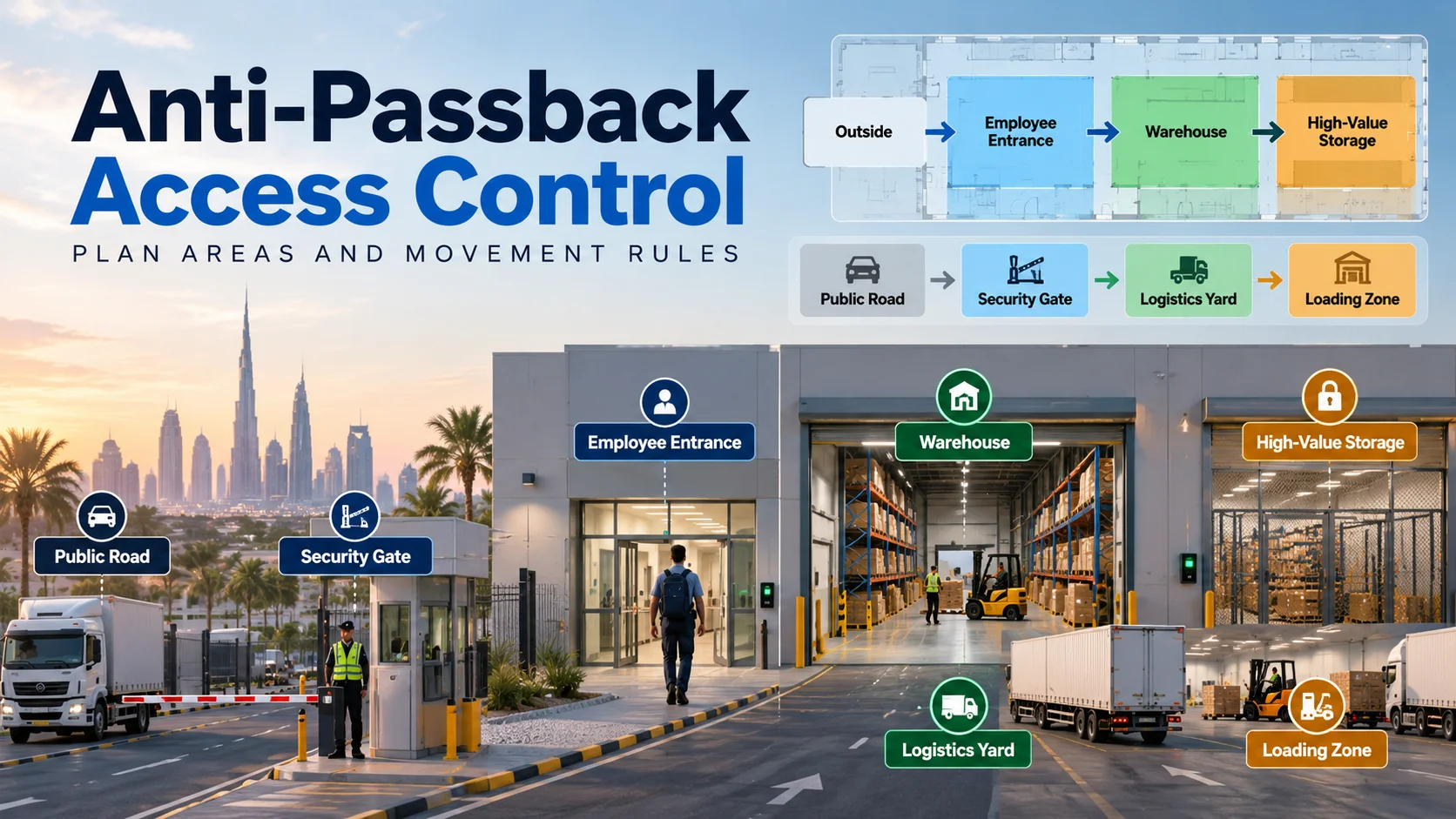
In Paxton’s Net2 architecture, Areas are used to group controlled doors together, enabling anti-passback to work seamlessly across larger facilities. Your configuration rules should mirror how people naturally move around the site.
- Do employees routinely head straight from the warehouse over to the loading yard?
- Is there a staff exit nearby that lacks a card reader?
- Are drivers allowed to exit through a secondary gate?
- Do cleaning crews or security guards use distinct routes?
If you overlook these real-world exceptions during planning, you’ll end up dealing with endless false violations down the road.
Paxton cautions against creating overlapping or conflicting area boundaries, advising that you only set up zones that are genuinely necessary. However, Net2 and Paxton10 handle overlapping areas and shared access points differently, so installers should follow the configuration requirements of their selected system.
For multi-site organizations operating across Dubai, Riyadh and other GCC locations, keeping things consistent is helpful, but simply copy-pasting the same anti-passback setup between sites doesn’t work. A corporate office in Dubai and a busy distribution center in Riyadh will naturally need very different movement rules.
Handle Missed Exits and Exceptions
Let’s be honest: at some point, someone is bound to forget to scan out. People will exit through emergency doors when they shouldn’t. Security guards will walk visitors in and out of areas. And whenever a fire alarm goes off, routine movement patterns go right out the window. Any solid Anti-Passback Access Control system needs to plan for these real-world scenarios from day one.
Luckily, Paxton gives you a few handy ways to manage these situations. System admins can manually reset a user’s status or you can set up scheduled forgiveness to wipe the slate clean for everyone at a set time. An automatic midnight reset makes total sense for a standard office that completely empties out at night. It may make far less sense in a 24/7 logistics operation with night shifts. That’s why you want clear, documented processes for handling exceptions instead of making things up on the fly.
You’ll also need specific rules for key personnel like on-duty security staff, who can’t be constrained by standard user paths. Paxton’s Net2 guidelines highlight how admins can exclude designated users from anti-passback rules whenever duties require it.
Emergency procedures need extra care and attention during planning. In Net2 systems with fire-alarm integration enabled, anti-passback status is reset once the fire-alarm event has cleared and the doors relock. This allows credential tracking to restart after the evacuation.
Why Anti-Passback Does Not Stop Tailgating
Anti-Passback Access Control can discourage tailgating and reveal certain movement inconsistencies afterward, but it cannot reliably detect or physically prevent someone from following an authorised person through an open door. At the end of the day, it has no way of guaranteeing that each scan represents only one person walking through.
For example, two employees can easily slip through an open door together after just one person taps their card. From the access system’s perspective, everything looks completely normal; it just sees a single valid entry. Because the second person never scanned anything, there’s no second scan attempt for the system to flag or block.
That’s why anti-passback and anti-tailgating aren’t quite the same thing. In official IEC access-control terminology, anti-tailgating refers to functions specifically designed to stop or detect multiple people entering on a single credential, whereas anti-passback is strictly about enforcing correct entry and exit sequences. Paxton points out that anti-passback helps deter tailgating mainly because anyone who sneaks in without scanning will run into trouble the next time they try to use their card. If a facility needs to strictly enforce one person per scan entry, it will usually need physical barriers or extra tech like turnstiles, security portals, guards or occupancy sensors.
Ultimately, anti-passback builds better credential habits, but it doesn’t replace proper physical entrance design. It’s a digital rule, not a physical barrier.
Test Rules Before Going Live
You shouldn’t just configure Anti-Passback Access Control on a Friday afternoon and immediately flip the switch for 200 doors across your facility. It’s crucial to test real-world behavior beforehand. Grab some test credentials or work with actual team members and intentionally break the entry/exit sequences.
Try badging in twice in a row. Badge in, then walk out without scanning your card at the exit reader.
Attempt using a completely different door into that same zone.
Put the timeout settings to the test.
Trigger fire alarm or emergency workflows where applicable.
Temporarily disconnect a reader under controlled test conditions, without compromising emergency egress.
Double-check exactly what your system operators see on their screens.
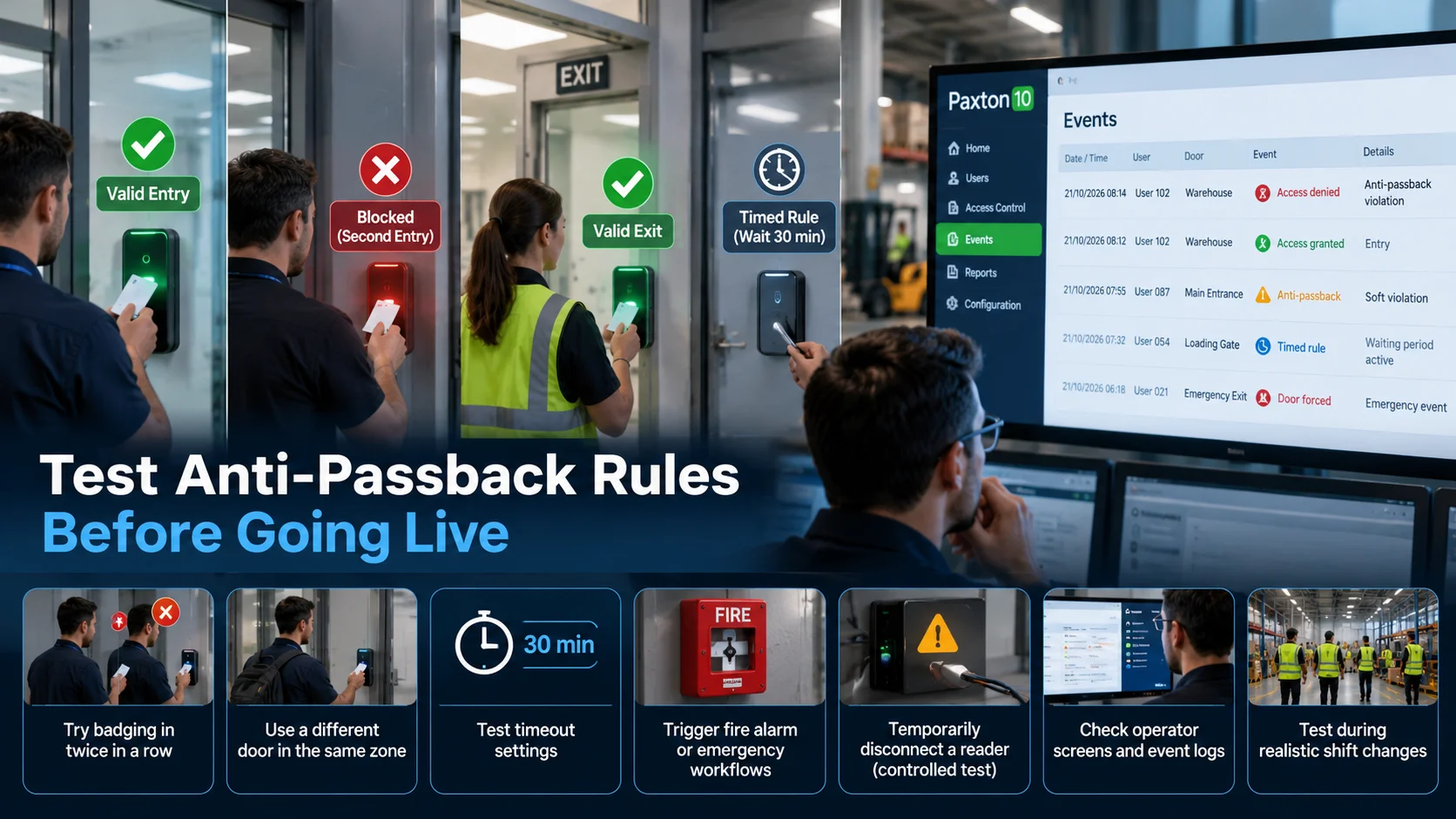
Paxton records anti-passback events, with Net2 event records identifying the anti-passback type involved, giving admins useful context when reviewing access violations. When running a logistics operation, try testing during realistic shift changes. A setup that runs smoothly for five people can quickly cause a bottleneck when 200 warehouse staff arrive at 7:00 a.m. Start with one area, validate it, then expand.
A Site Administration Checklist
Before bringing anti-passback live, security and facilities teams should run through this quick operational checklist:
- Are all controlled areas clearly defined?
- Is every entry and exit direction correctly configured?
- Do strict areas use appropriate entry and exit readers?
- Are door contacts installed where accurate movement tracking matters?
- Are traditional or timed rules configured with the appropriate hard or soft enforcement?
- What timeout applies to timed rules?
- What happens when an employee forgets to badge out?
- Who is authorised to reset a user’s anti-passback state?
- Do security personnel require exceptions?
- What happens during evacuation or fire-alarm operation?
- Have shift changes and high-traffic periods been tested?
- Are violations reviewed rather than simply stored?
- Are readers, barriers and turnstiles positioned around the real movement flow?
- Has the configuration been documented for future administrators?
- Is the process suitable for 24/7 sites rather than assuming everyone leaves at night?
For clients, resellers, and integrators across Dubai, Riyadh, Saudi Arabia and the wider GCC, D3, a Paxton Distributor, provides comprehensive support for Paxton projects from product selection and system architecture to regional sales, technical advice and deployment strategy.
D3’s Paxton distribution and physical security offering features Net2, Paxton10, controllers, readers, smart credentials and video entry systems, supported by a regional setup tailored for Gulf-wide projects.
This tailored approach is especially useful for Saudi logistics, warehousing, and distribution hubs, where access control must coordinate employee doors, vehicle barriers, loading docks, secure storage areas and multiple shifts rather than just locking a single office door.
Anti-Passback Access Control is most effective when it’s fully integrated into your everyday operations.
The principle is simple:
If a credential enters a space, the system needs to record how it left or enforce the configured waiting period before letting it back in. Getting that sequence right turns a simple access card into a much more robust security safeguard.