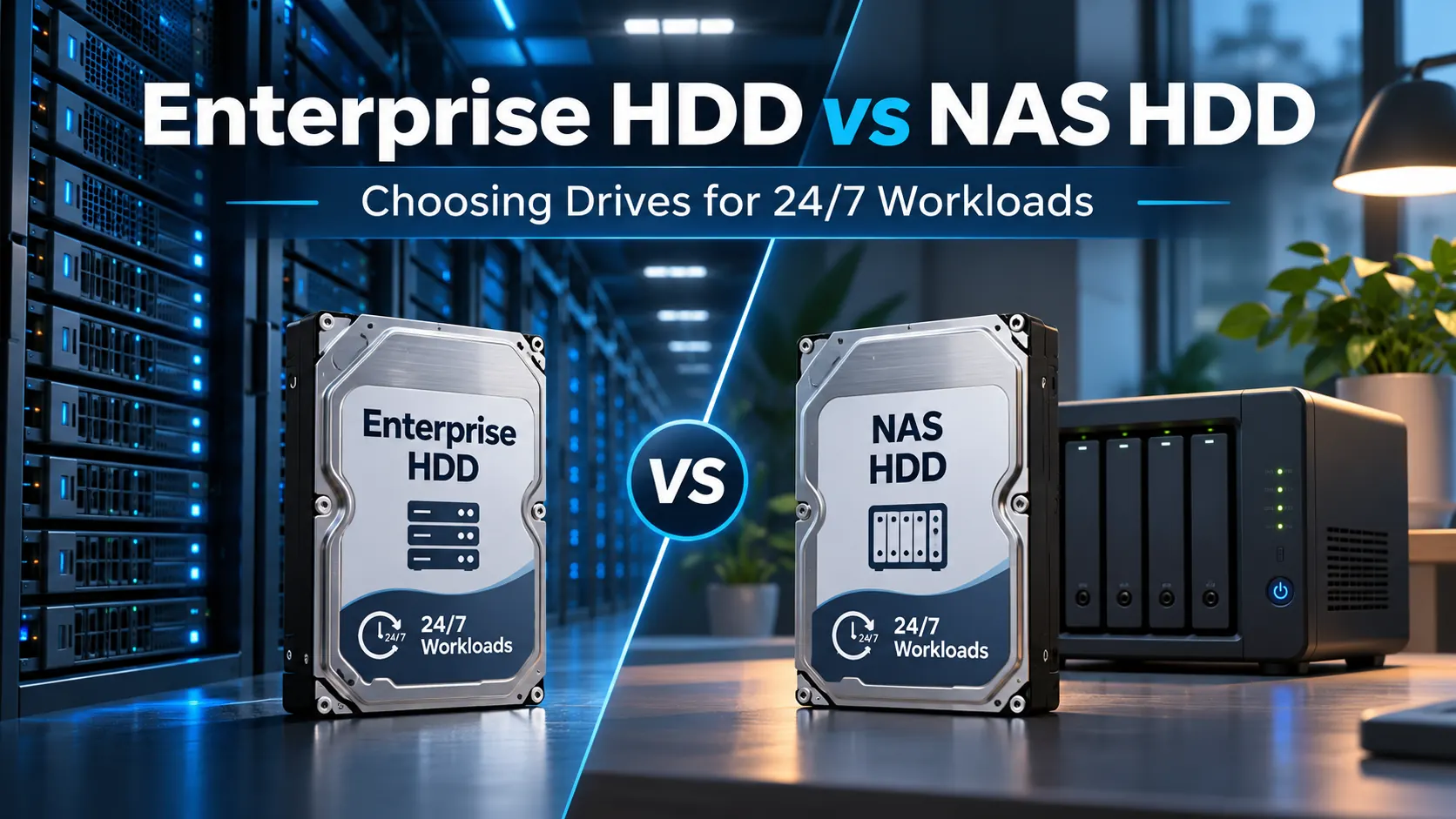
Just because a hard drive has all the space you need doesn’t mean it’s actually the right tool for the job. Think about it this way: a 20TB drive sitting in a small office NAS leads a completely different life than one packed into a dense enterprise storage array running non-stop. That enterprise setup deals with far higher workloads, heavy vibration, relentless RAID activity, constant read/write cycles and strict uptime requirements.
That’s exactly why comparing Enterprise HDD vs NAS HDD involves much more than comparing raw capacity and price tags.
Sure, both types can run 24/7 and handle RAID configurations. In fact, with modern drives like Seagate’s IronWolf Pro, the performance and durability gap between top-tier NAS drives and enterprise HDDs is much smaller than you might think.
What really sets them apart is the specific operating environment each drive was engineered to survive in.
For businesses across UAE, Saudi Arabia and the broader GCC, this Enterprise HDD vs NAS HDD distinction is huge. Storage today powers everything from branch NAS units and backup appliances to surveillance archives, logistics systems, private clouds and full-scale data centers.
So instead of just asking:
“Which drive packs more punch?”
A much better question to ask is:
“Which drive was actually built for our workload, enclosure and operational scale?”
Enterprise HDD and NAS HDD Defined
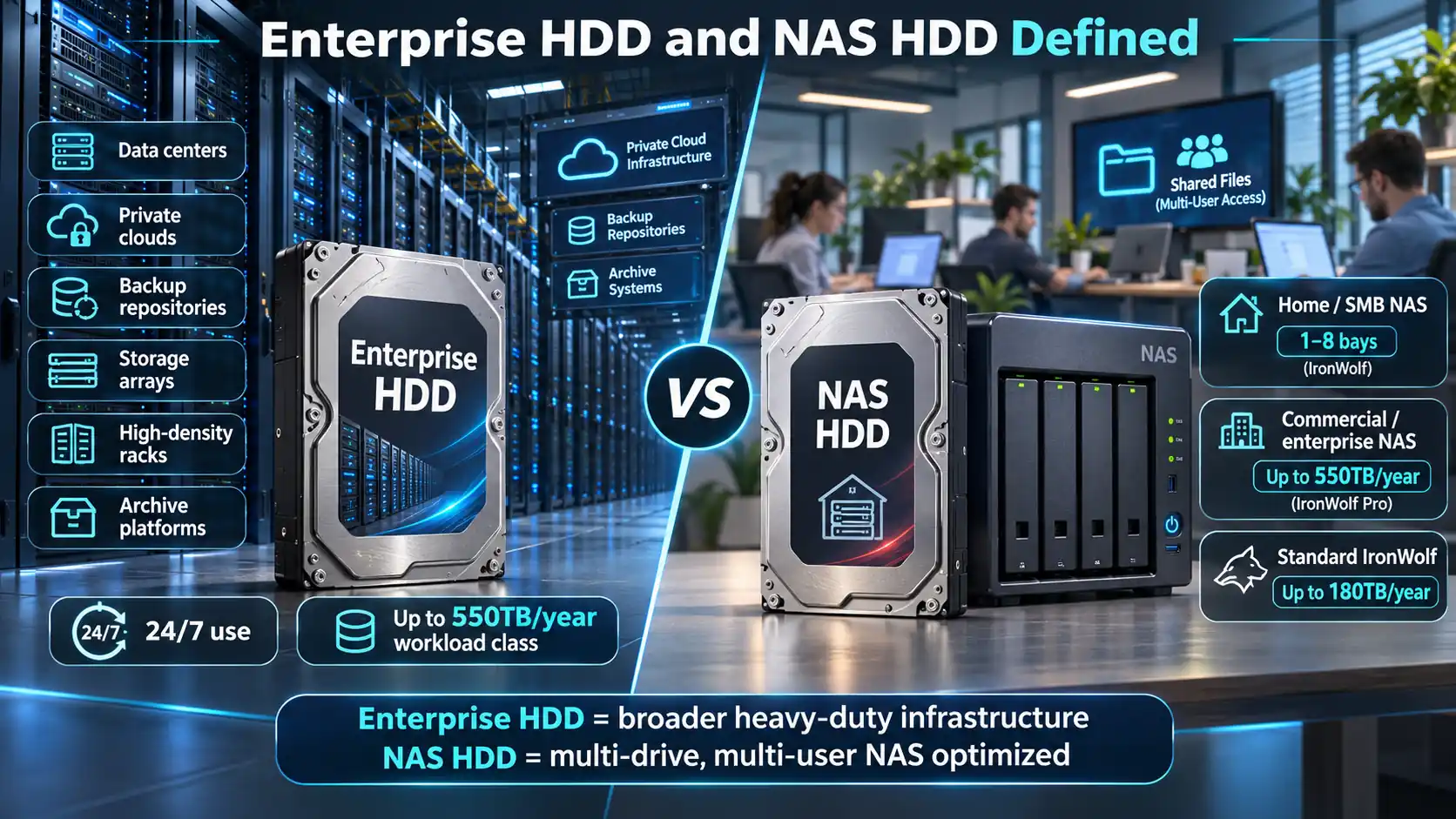
An enterprise HDD is built from the ground up for large, round-the-clock infrastructure.
You’ll typically find them in places like:
- Data centers
- Private clouds
- Large backup repositories
- Enterprise storage arrays
- High-density rack setups
- Massive archive platforms
Take Seagate’s Exos lineup, for instance it’s engineered specifically for these demanding setups. Current Exos and nearline enterprise drives are made for continuous 24/7 use, complex RAID arrays and packed multi-drive systems, handling workload ratings up to around 550TB per year on enterprise-grade models. Seagate’s workload guidance places enterprise-capacity drives right in this bracket.
A NAS HDD, on the other hand, is specifically fine-tuned for network-attached storage. NAS setups come with their own unique challenges. You usually have several drives packed tightly into one enclosure while multiple users hit the system at the same time to pull shared files, run backups, stream media or access business apps.
Seagate breaks down its IronWolf NAS range into two clear options:
- IronWolf: tailored for home, small office and SMB NAS systems (typically 1 to 8 bays), supporting workload ratings up to 180TB/year.
- IronWolf Pro: designed for commercial and enterprise NAS setups with unlimited rated bay support (subject to NAS-platform compatibility) and workload ratings reaching up to 550TB/year.
That Enterprise HDD vs NAS HDD distinction is pretty critical. A modern NAS drive isn’t just a standard desktop hard drive with fancy branding, it’s crafted specifically to handle multi-drive, multi-user workloads smoothly. Meanwhile, enterprise HDDs are tailored for broader, heavy-duty infrastructure where storage density, consistent performance and rock-solid system-level reliability matter even more than NAS-specific tweaks.
Workload Rating, Endurance and Duty Cycle
When you’re looking over a hard drive’s spec sheet, one of the most useful details you’ll find is its workload rate limit. Simply put, it indicates the annual volume of reads and writes supported by each drive, not its guaranteed lifespan.
Seagate calculates this annualized workload rate from host reads and writes, normalized to a full year using the drive’s power-on hours. For enterprise nearline drives, that published workload class typically reaches up to 550TB per year. Seeing a few real-world examples helps make that number a lot easier to digest.
Think about a typical small office NAS, it mostly handles things like:
- Shared everyday documents
- Routine user backups
- Marketing media files
- Financial records
- The occasional project archive
Even though the array runs non-stop, 24/7, the actual volume of data moving back and forth stays pretty light overall.
Now, compare that setup to a dedicated enterprise backup repository. Night after night, it might ingest several terabytes of fresh data, run verification checks, mirror content to secondary sites and still manage restore requests during the workday. While both setups stay powered on around the clock…the strain they experience couldn’t be more different.
Seagate’s product positioning makes this distinction very clear:
IronWolf: built for up to 180TB/year.
IronWolf Pro: steps up to 550TB/year.
Exos: matches that enterprise workload class around 550TB/year.
That does not mean every IronWolf Pro and Exos installation will behave identically. It means they are designed for a similar level of workload intensity, but in different storage environments. This Enterprise HDD vs NAS HDD distinction is something growing businesses really need to keep in mind.
A local NAS at a Riyadh warehouse might start out just holding office files and local backups. But fast forward two years and that same NAS might also be processing surveillance footage exports, daily business reports, ERP database backups and data feeds from regional branches. The drive capacity might still look fine, but the daily workload has quietly skyrocketed. That’s why planning for long-term drive suitability should focus on how much data actually moves through each drive, rather than just raw storage capacity.
Vibration, Bays and RAID Environments
Because hard drives rely on moving mechanical parts, vibration is always a factor when you pack several of them together. A single drive running inside a desktop workstation barely notices any vibration from nearby components. Scale that up to a 24-bay or 60-bay rack system, though and it’s a completely different story.
In those dense enclosures, every spinning disk passes mechanical vibrations along to its neighbors, which can degrade overall performance if left unchecked. That’s precisely why built-in rotational vibration (RV) sensors play such a crucial role in multi-drive NAS and enterprise storage setups. Seagate integrates RV sensors across current capacities in both lines, equipping standard IronWolf drives for smaller NAS enclosures and IronWolf Pro for larger, commercial-grade deployments.
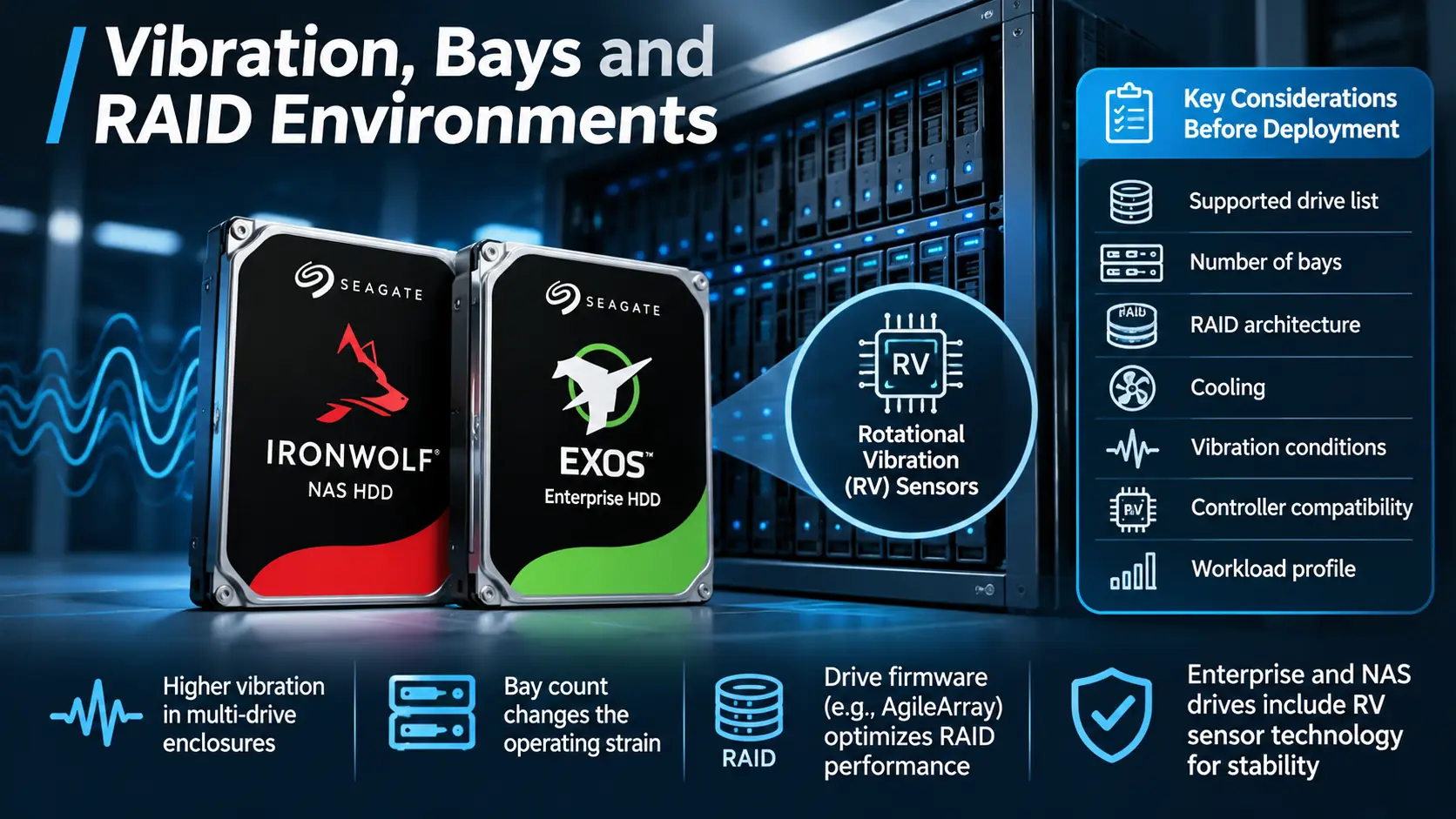
Enterprise Exos drives are similarly built to withstand harsh, high-density environments. In fact, Seagate’s Exos 7E8 documentation highlights dedicated rotational-vibration controls designed to maintain steady performance in complex RAID and mirrored storage architectures.
So, bay count is a major piece of the Enterprise HDD vs NAS HDD puzzle. Even if a 4-bay desktop NAS and a massive enterprise rack array both use SATA drives, the physical strain inside those enclosures couldn’t be more different.
How the drives manage RAID operations matters just as much. For example, Seagate’s IronWolf series features specialized AgileArray firmware to optimize drive balancing, dampen vibration and ensure smooth, continuous operation across multi-bay RAID arrays. Seagate’s NAS guidance specifically highlights IronWolf Pro for these heavier multi-user RAID workloads. At the end of the day, you should always choose your drives and your enclosure as a complete package. Before making a final call, review:
- Supported drive list
- Number of bays
- RAID architecture
- Cooling
- Vibration conditions
- Controller compatibility
- Workload profile
Do not choose a hard drive first and try to make the storage platform fit around it later.
Performance and Capacity Trade-Offs
When it comes to hard drive performance, there’s no single stat that tells the whole story. Real-world speed depends on a mix of factors capacity, spin speed (RPM), continuous transfer rates, cache size, firmware tuning, platter density, your specific workload and even the design of the drive enclosure itself.
Enterprise drives are generally built to deliver:
- Predictable throughput
- Heavy workload handling
- Dense storage environments
- Capacity efficiency
- Reliability under continuous operation
NAS drives focus on many of those same qualities, but their firmware is specifically tuned to handle multi-user access, RAID arrays and the unique quirks of NAS enclosures. Take the IronWolf Pro series as a solid example.
When Seagate rolled out the 24TB IronWolf Pro ST24000NT002, it brought sustained transfer speeds up to 285MB/s, an annual workload rating of 550TB/year and a 2.5-million-hour MTBF rating (as detailed on Seagate.com).
That’s clearly serious, enterprise-level performance. The real distinction comes down to the environment each drive was designed for. IronWolf Pro is crafted for commercial and business NAS setups.
Exos is engineered around broader enterprise storage, cloud and high-density data-centre environments. So avoid oversimplifying the comparison into:
Enterprise = fast
NAS = slow
That oversimplification just isn’t accurate.
A much more helpful perspective is:
Enterprise HDD = enterprise infrastructure optimized
NAS HDD = NAS environment optimized
At the end of the day, in any Enterprise HDD vs NAS HDD comparison, the specific drive model you pick will dictate its actual real world performance.
NAS, Video and Data Center Use Cases
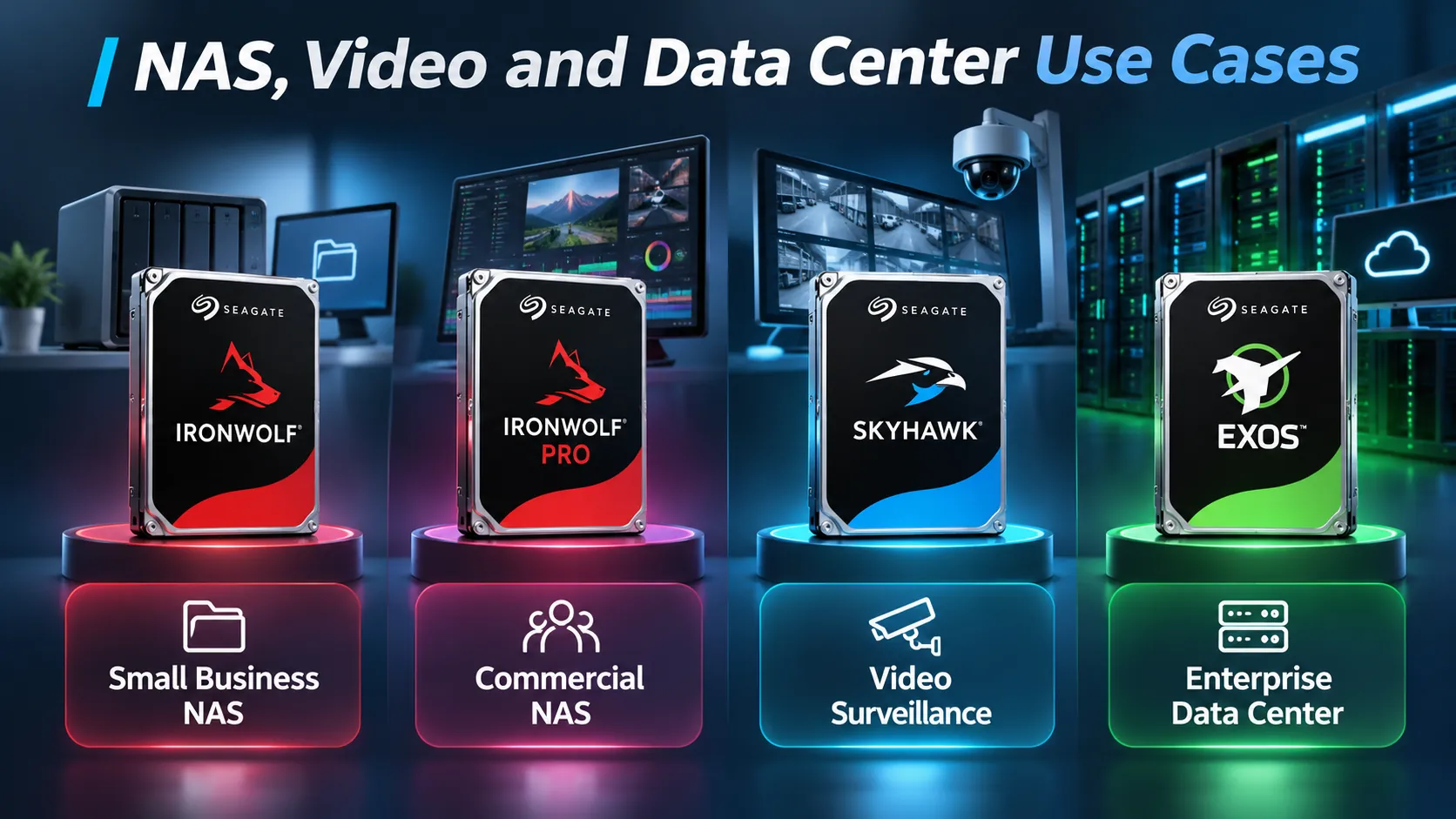
The simplest way to make an Enterprise HDD vs NAS HDD choice is to look at what you actually need the drive to do day-to-day. If you’re setting up a small business NAS, the standard IronWolf is usually your best bet.
It works great for everyday tasks like:
- Sharing files across the team
- Handling small-office backups
- Supporting team collaboration
- Storing local documents safely
- Running light private cloud setups
When it comes to a commercial or enterprise NAS, though, you’ll want to step up to IronWolf Pro.
It’s tailored specifically for:
- Larger NAS enclosures
- Busy environments with many active users
- Commercial-grade RAID arrays
- High-demand creative production storage
- Heavy annual data transfers
Seagate explicitly targets IronWolf Pro at commercial and business NAS applications, offering massive capacities up to 32TB and supporting continuous workloads of up to 550TB per year (as detailed on Seagate.com).
For high-density, capacity-focused enterprise storage, Exos is often the right way to go when the platform and workload are compatible. Looking at D3’s Seagate enterprise lineup, Exos is specifically built to handle high-density storage, cloud computing, AI platforms and critical 24/7 enterprise systems (learn more at digidisti). If you’re setting up conventional video surveillance, you’ll want to consider a surveillance-optimized drive family as well.
The Seagate SkyHawk series is tuned specifically for conventional CCTV setups, handling continuous camera feeds and sequential write streams that operate quite differently from general NAS traffic; larger analytics-heavy deployments may call for SkyHawk AI or enterprise storage.
This distinction is especially key for places like logistics facilities. For instance, a major distribution hub in Saudi Arabia might rely on multiple distinct storage tiers:
IronWolf for routine departmental file sharing.
IronWolf Pro for a high-capacity main NAS.
SkyHawk for continuous video surveillance recording.
Exos for centralized backup, enterprise storage or data-centre infrastructure.
Using one drive family everywhere because it simplifies procurement may actually reduce efficiency. The better approach is to map each workload independently. For D3, this is where regional distribution becomes more useful than simple product supply.
Across Dubai, Riyadh and the wider GCC, D3 says it can support Seagate projects with workload assessment, product selection, supply planning and regional logistics. That becomes particularly important in KSA projects where dozens or hundreds of drives may need to arrive as part of one structured storage deployment rather than as individual purchases.
Why CMR/SMR Is a Separate Decision
Think of CMR and SMR as different recording methods, rather than drive categories. It helps to avoid treating them like synonyms for enterprise vs. NAS drives.
CMR (Conventional Magnetic Recording) writes tracks side-by-side, which supports consistent write speeds and broad plug-and-play compatibility.
SMR (Shingled Magnetic Recording) overlaps those tracks like roof shingles to squeeze more capacity into the same space.
While that gives you extra room, the way data gets written means you need to plan your system setup much more carefully. That is why Seagate recommends standard CMR for plug-and-play simplicity, while leaving SMR for setups where the storage system is tailored specifically to handle it as outlined in Seagate’s CMR/SMR overview.
That same breakdown shows how the lineup looks today:
- IronWolf: Uses CMR throughout.
- IronWolf Pro: Standard CMR, including high-density Mozaic HAMR models.
- Exos: CMR across most capacities, with specialized high-capacity SMR options available.
So, break your Enterprise HDD vs NAS HDD decision down into two simple steps.
First, ask yourself:
“Are we building a NAS or going with enterprise infrastructure?”
Then follow up with:
“Does our setup need straightforward CMR, or are we built to take advantage of SMR?”
Keeping those two questions separate makes picking the right drive a whole lot easier.
How to Read a Drive Data Sheet
Spec sheets can feel a bit overwhelming at first glance, but you only need to focus on a few key details to make the right Enterprise HDD vs NAS HDD choice.
- First, check the capacity. Figure out how much raw storage space you actually need and remember to account for what gets used up by your RAID setup.
- Next, look at the workload rating. If your system is going to be moving heavy data around the clock, this rating is easily one of the most critical numbers to keep an eye on.
- Pay attention to the RPM as well.
- Higher-RPM drives can improve performance, but noise, power draw and heat vary by model and generation. Take a look at the sustained transfer rate. This is particularly useful for sequential workloads such as backup, media and large file movement.
- Check the interface.
- SATA may be appropriate for many NAS and capacity-storage environments. Some enterprise systems use SAS depending on controller and architecture.
- Look at rotational vibration support. This becomes increasingly important as bay count rises. Check the MTBF or AFR. These give you population-level reliability estimates under specified operating conditions rather than a guaranteed lifespan for a specific drive.
- Check the warranty coverage. Both IronWolf Pro and standard enterprise nearline drives typically come backed by solid five-year warranties from Seagate.
- And finally, double-check overall system compatibility.
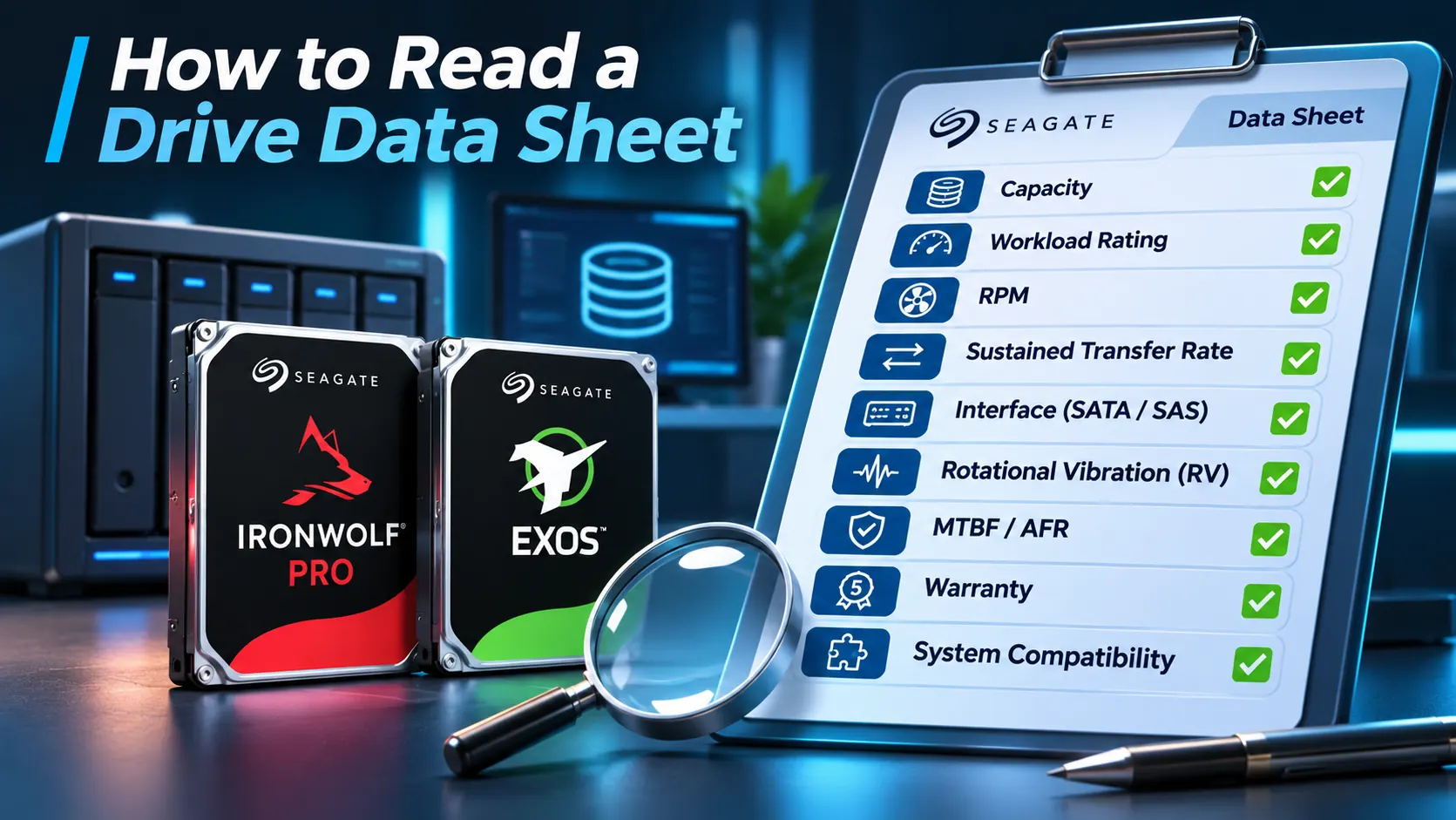
Seagate explicitly recommends checking the NAS manufacturer’s approved-drive list before deploying IronWolf products. The right drive is not only one that looks good on paper. It needs to be fully tested and supported by the hardware you’re running it on.
Drive Selection Checklist
Before making an Enterprise HDD vs NAS HDD decision for a system running 24/7, here are a few key questions to ask yourself:
- What kind of workload are we actually dealing with? Are you setting up a NAS, a backup server, an archive, surveillance storage, a private cloud, or full-scale enterprise infrastructure?
- How many drives will operate together? Bay count affects vibration, thermal behaviour and drive selection.
- How much data will pass through the drives each year? Make sure to estimate active data movement, rather than focusing only on how much raw capacity you store.
- Will the system operate continuously? Use a drive designed for 24/7 duty.
- Are you setting up a RAID array? Double-check that the drive model is built and tested to handle multi-drive RAID environments smoothly.
- Does your setup need standard IronWolf or IronWolf Pro? Small home or office NAS setups have very different demands compared to larger commercial NAS deployments.
- Would Exos be more appropriate? For dense, enterprise-scale infrastructure, often yes.
- Is video surveillance your main focus? If you are recording continuous camera feeds, look at SkyHawk rather than assuming a standard NAS drive is right for the job.
- Is the drive built on CMR or SMR technology? Ensure the underlying recording tech aligns with your storage system and workload requirements.
- Is the exact drive model supported by the enclosure? Never assume compatibility from interface alone.
- What is your actual usable capacity after setting up RAID? Remember that raw drive capacity isn’t the same as usable storage once redundancy is factored in.
- How much future data growth do you anticipate? Plan ahead for incoming users, new regional branches and expanding data needs.
- What warranty and data recovery options come with the drive? Solid warranty coverage and eligible rescue services, which vary by model and country, can help when dealing with mission-critical business data.
- Can your supplier meet the full scale of your deployment? Larger projects need predictable regional inventory rather than buying hardware piecemeal in small batches.
That last point carries a lot of weight for projects in Saudi Arabia. According to D3, as a seagate distributor, it provides businesses and integrators with access to enterprise storage and Dubai-based regional coordination extending into KSA.
Which Enterprise HDD vs NAS HDD option makes the most sense for a growing logistics company in KSA?
There isn’t a single one-size-fits-all answer. A typical warehouse in Riyadh might use IronWolf drives for local NAS file sharing, SkyHawk for CCTV security feeds and Exos for centralized backups or enterprise storage arrays.
That’s the core takeaway when comparing Enterprise HDD vs NAS HDD.
A solid storage strategy shouldn’t start by asking:
“How many terabytes can we get for our money?”
Instead, start with:
“What kind of workload will these drives actually deal with every day?”
Once you have that answer locked down, picking the right capacity, endurance rating, RAID configuration and drive model becomes much easier.