Let’s be honest: backup data has a massive duplication problem.
On Monday, you back up a 40 GB virtual machine. On Tuesday, you back up almost the exact same machine again. By Wednesday, most of those data blocks are already sitting in your backup repository, yet you’re saving them all over again.
Multiply that across hundreds of VMs, databases, user files and daily retention points and you’re basically paying to store identical information over and over.
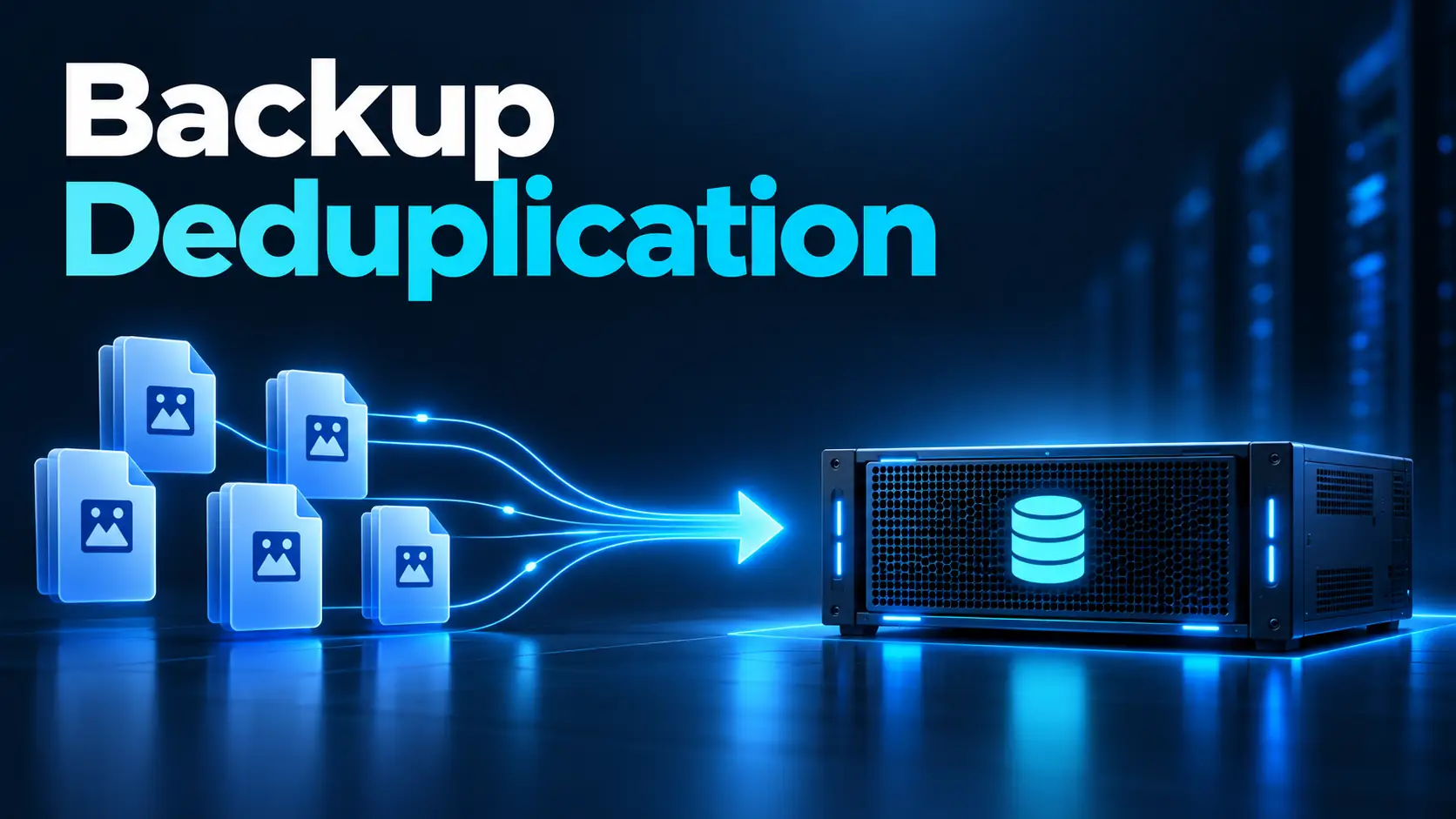
That’s where backup deduplication comes in.
Rather than treating every backup like a fresh set of data, deduplication spots repeating chunks and keeps only one copy. Any future backups simply point back to the data that’s already there instead of hogging extra storage space.
For businesses across the GCC juggling exploding data volumes, strict retention rules and sprawling IT setups, the payoff is huge: you use less storage, send less data over the network and keep more restore points within the same footprint.
Quantum’s DXi backup appliances are designed around this exact concept. By pairing deduplication with compression, Quantum reports that DXi can boost data reduction efficiency up to 70X, depending on your workloads and setup.
To see whether it’ll actually make a difference for your organization, let’s take a look at how it works under the hood.
What Backup Deduplication Does
At its core, backup deduplication is all about hunting down duplicate data so you aren’t storing the exact same files or blocks over and over again.
Think about what happens when you back up 100 employee laptops across a company.
Nearly every single device ends up holding:
- the same operating-system files;
- the same Microsoft Office installation;
- similar application libraries;
- duplicated attachments;
- shared templates;
- repeated corporate documents.
If you stick with a traditional backup method, you’ll end up saving identical copies of all those files repeatedly.
A deduplicating system works smarter, it spots those duplicate blocks and simply creates pointers to the single saved copy.
So instead of backing up something like this twice:
Block A + Block B + Block C
and then storing:
Block A + Block B + Block D
the system only holds onto the unique chunks and tracks where they belong in each backup set.
Naturally, the more overlap you have between devices and daily backups, the bigger your storage savings will be. This is a crucial distinction: deduplication doesn’t magic away storage usage on raw size alone, it relies entirely on data similarity.
Take a 200 TB environment full of virtual machines with heavy overlap: that will compress down and deduplicate amazingly well. On the flip side, a 200 TB vault packed with unique, pre-compressed video files will barely shrink at all.
Quantum points out that workloads like VMs, relational databases, office documents, Exchange databases and code repositories are typically sweet spots for deduplication.
So whenever someone asks: “How much space will deduplication save us?” The honest answer isn’t a one-size-fits-all percentage. It’s always going to be:
“Let’s look at the data first.”
Block-Level vs File-Level Deduplication
First off, it’s worth noting that not all deduplication tools work the same way. One common method is file-level deduplication.
When two files match completely, the system keeps a single physical copy and just points both references to it.
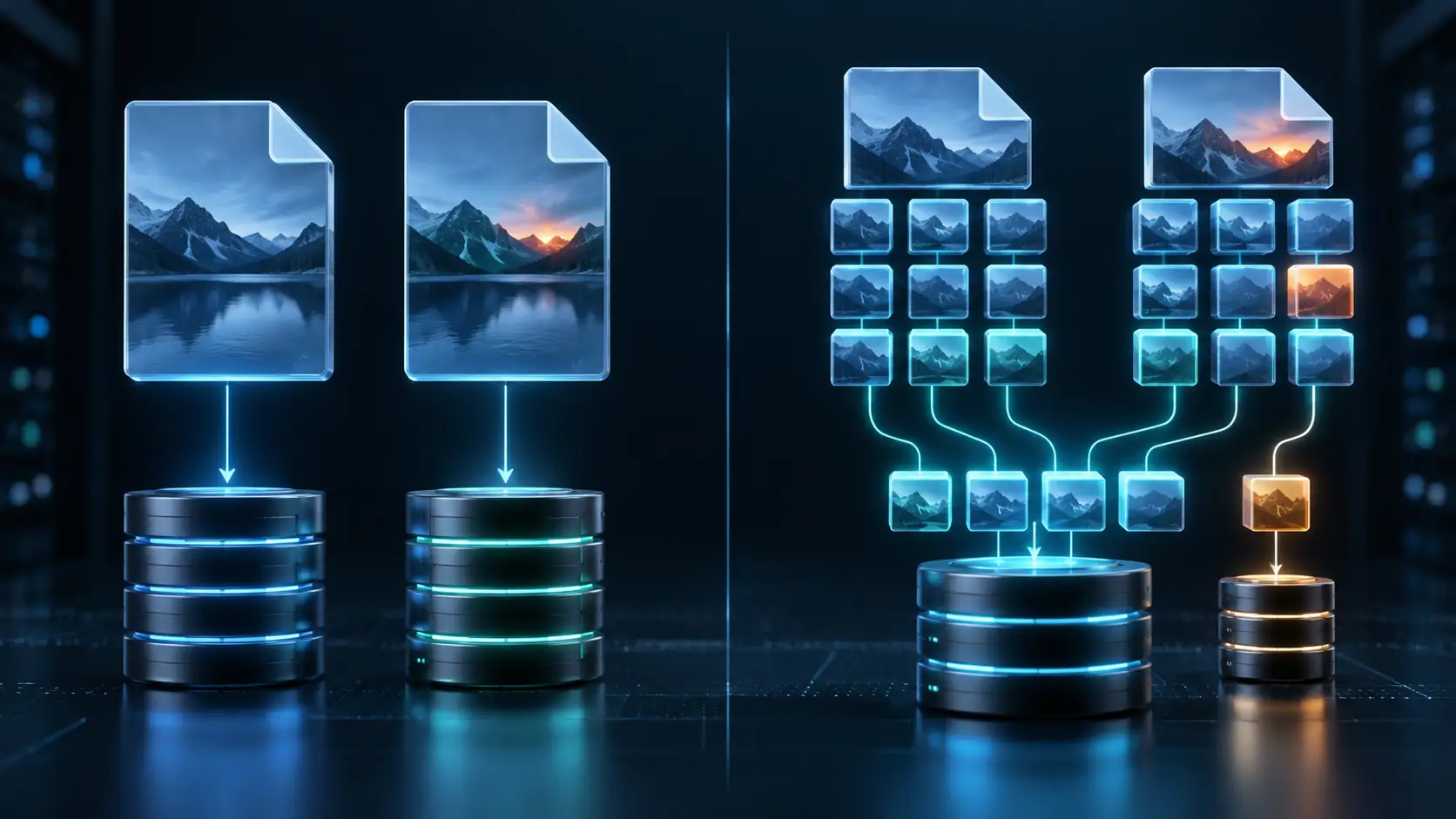
That strategy works great if you’re dealing with identical copies of entire files. In real- world backups, though, files are usually almost identical rather than exact twins. Take a massive 20 GB database where only a tiny fraction updates overnight: file level deduplication treats Tuesday’s backup as a brand-new file.
Look at it from a block-level perspective, though and most of that data hasn’t changed at all since Monday. That’s why block-level deduplication is so much more effective. It chops your data into smaller chunks, compares them and only stores blocks it hasn’t seen before.
Quantum’s DXi backup systems take this further with variable length deduplication, catching duplicate patterns far better than whole file comparisons ever could. This distinction becomes huge whenever minor updates shift content around inside a file.
With simple fixed size blocks, changing or inserting data near the beginning of a file can alter the boundaries of many blocks that follow. Variable length engines adjust boundaries based on the actual content, letting them spot repeated data even when its position moves around.
If your environment handles constantly changing VMs, databases and file shares, that flexibility translates into massive space savings over time.
Source vs Target Deduplication
Another critical choice is deciding where the deduplication work actually happens. If you go with source deduplication, your system flags duplicate content right on the server or endpoint before sending anything over.

The advantage is easy to see. If the destination already has a particular block, there may be no reason to send that block across the network again.
That drastically slashes network load, which is a massive win for:
- remote offices;
- branch locations;
- limited WAN links;
- cloud backup;
- distributed infrastructure.
The trade off is that some processing has to happen closer to the source. With target deduplication, all your data travels to the backup appliance first, leaving the appliance itself to handle the heavy lifting.
This keeps your primary environment lean and offloads intensive data reduction onto hardware specifically built for it. Purpose built systems like Quantum DXi appliances process incoming streams on the fly while playing nicely with leading backup software.
Ultimately, the right choice boils down to your setup. Protecting a few local servers in a single Dubai data center calls for a very different setup than backing up branch offices spread across Saudi Arabia, Oman, Qatar, Bahrain and the UAE over wide-area links.
Plus, in modern IT setups, your deduplication strategy directly impacts replication performance. As Quantum’s DXi V-Series documentation highlights, replicating between DXi appliances transfers only changed data, keeping inter-site data transfers remarkably light.
That’s the moment data reduction moves beyond just saving disk space. It turns into a serious network efficiency booster, too.
Deduplication vs Compression
People often mention these two technologies together, but they actually fix completely different problems.
Deduplication removes repetition.
Compression reduces the size of data that still needs to be stored.

Think of a company backing up the same 100 MB file 50 times. Deduplication stops you from storing 50 identical copies. Compression makes that single stored copy take up as little space as possible. Because of that, they work great side by side.
In fact, Quantum’s current DXi strategy intentionally pairs deduplication and compression together to maximize overall data reduction. There is a catch, though. If your data gets compressed or encrypted before reaching the deduplication appliance, the underlying data patterns change completely.
Two files that started with tons of identical content can end up looking totally different once they’re encrypted or compressed separately.
Quantum’s best-practice advice calls this out directly: running compression, encryption or other deduplication steps on backup streams beforehand hides those repeating patterns from the downstream DXi engine. While DXi will still try its best to deduplicate the incoming stream, your reduction ratios will likely drop because fewer obvious patterns remain.
So toggling on every single data-reduction setting at once won’t automatically guarantee better space savings. Sometimes these features end up working against each other.
That’s why you need to design your backup architecture as an integrated whole rather than just turning features on one by one.
How to Calculate a Deduplication Ratio
Simply put, a deduplication ratio shows you how your total logical backup data stacks up against the actual physical storage space it occupies after deduplication. Here is a quick way to figure it out:
Logical backup data ÷ physical storage used = deduplication ratio
Let’s say your organization is backing up 500 TB of logical data. Once deduplication finishes its job, that data only takes up 25 TB of actual disk space. Your ratio works out to:
500 ÷ 25 = 20:1
In real-world terms, you’re storing 500 TB worth of backup points using just around 25 TB of physical capacity before factoring in extra system overhead.
Quantum points to a similar scenario with its DXi V5000 Community Edition: the platform can scale up to 5 TB of physical storage, which lets you hold up to 100 TB of logical backup data at a 20:1 ratio. That all sounds clean and straightforward on paper.
Real production environments, though are rarely that simple.
Just because one company hits a 20:1 ratio doesn’t mean another business will see the exact same numbers. Your actual ratio hinges on several key factors, including:
- how many full backups you hold onto;
- how rapidly your data changes day to day;
- how repetitive your core workloads are;
- whether your backup data is compressed before arriving;
- whether encryption is applied upstream;
- the specific file types you store;
- your overall retention policies;
- how your backup software handles data streams.
Because of this, vendor estimates reflect potential efficiency under ideal workloads rather than a guaranteed result for everyone. Quantum notes that uncompressed and unencrypted streams yield higher deduplication ratios since the system can easily spot recurring patterns.
So the question you should be asking isn’t:
“What ratio does this product promise on paper?”
Instead, ask:
“What ratio will our specific data actually deliver?”
Why Results Vary by Workload
You can take two companies, give them the exact same backup setup and end up with completely different results. Picture a typical virtualized business environment.
It might host hundreds of VMs built on nearly identical operating systems and app stacks. Because so many data blocks overlap from one system to the next, daily backups usually contain only tiny changes compared to the previous snapshot.
That’s pretty much a dream scenario for deduplication. Now imagine a post production studio storing already compressed video files instead. Each media file is massive and largely unique. Since video codecs have already squished the data down, there are far fewer repeating patterns left for a deduplication engine to catch.
As a result, your deduplication ratio won’t look nearly as impressive.
Quantum’s own best practice guides highlight virtual machines, databases, Office docs and code repos as prime targets for deduplication, whereas pre compressed audio, video and images usually don’t yield much on the first pass. That said, there’s an interesting twist here. A poor first-pass result doesn’t mean those files can never benefit at all.
If the exact same compressed file shows up repeatedly across multiple full backups, subsequent jobs will still spot that duplicate content.
In short:
Data type matters, but backup history matters too.
This is why testing with real, actual data in a proof-of-concept will tell you so much more than a generic storage calculator ever could.
For GCC businesses planning out backup capacity over three to five years, even a slight shift in real-world deduplication ratios can totally rewrite your infrastructure requirements.
At a 2:1 ratio, 500 TB of logical data takes up about 250 TB of physical space before overhead. At 10:1, that drops down to roughly 50 TB. And at 20:1, you’re looking at around 25 TB. That isn’t just a minor difference.
That’s a whole different level of storage architecture.
Encrypted and Compressed Data
It’s completely understandable why security teams insist on encrypting backup data. At the same time, storage teams naturally want everything compressed to save space. And backup administrators just want deduplication to work as efficiently as possible.
The real challenge comes down to where and when each step happens in your pipeline. By design, encryption scrambles data into what looks like random noise. That is a security advantage because meaningful patterns are hidden from anyone who doesn’t have the key. Unfortunately, deduplication also depends on identifying patterns.
If two identical sets of data get encrypted separately before hitting your deduplication appliance, the resulting streams won’t look alike anymore. Compressing data too early causes a similar headache by altering the underlying structure before deduplication gets a chance to analyze it.
That’s why Quantum’s DXi guides warn that passing pre-encrypted, pre-compressed or pre-deduplicated streams will significantly lower your downstream savings. This doesn’t mean you should skip encrypting your backups altogether. Far from it.It simply means encryption needs to be strategically built into the right phase of your workflow.
Quantum’s DXi platforms offer built-in security features designed to safeguard stored copies, integrating encrypted and immutable snapshots directly into ransomware defense and recovery plans.
The ideal strategy is clear:
Maintain high deduplication efficiency without compromising on robust data protection at rest or in transit.
Achieving that balance takes thoughtful architectural planning rather than just toggling settings.
Retention and Data Change Rate
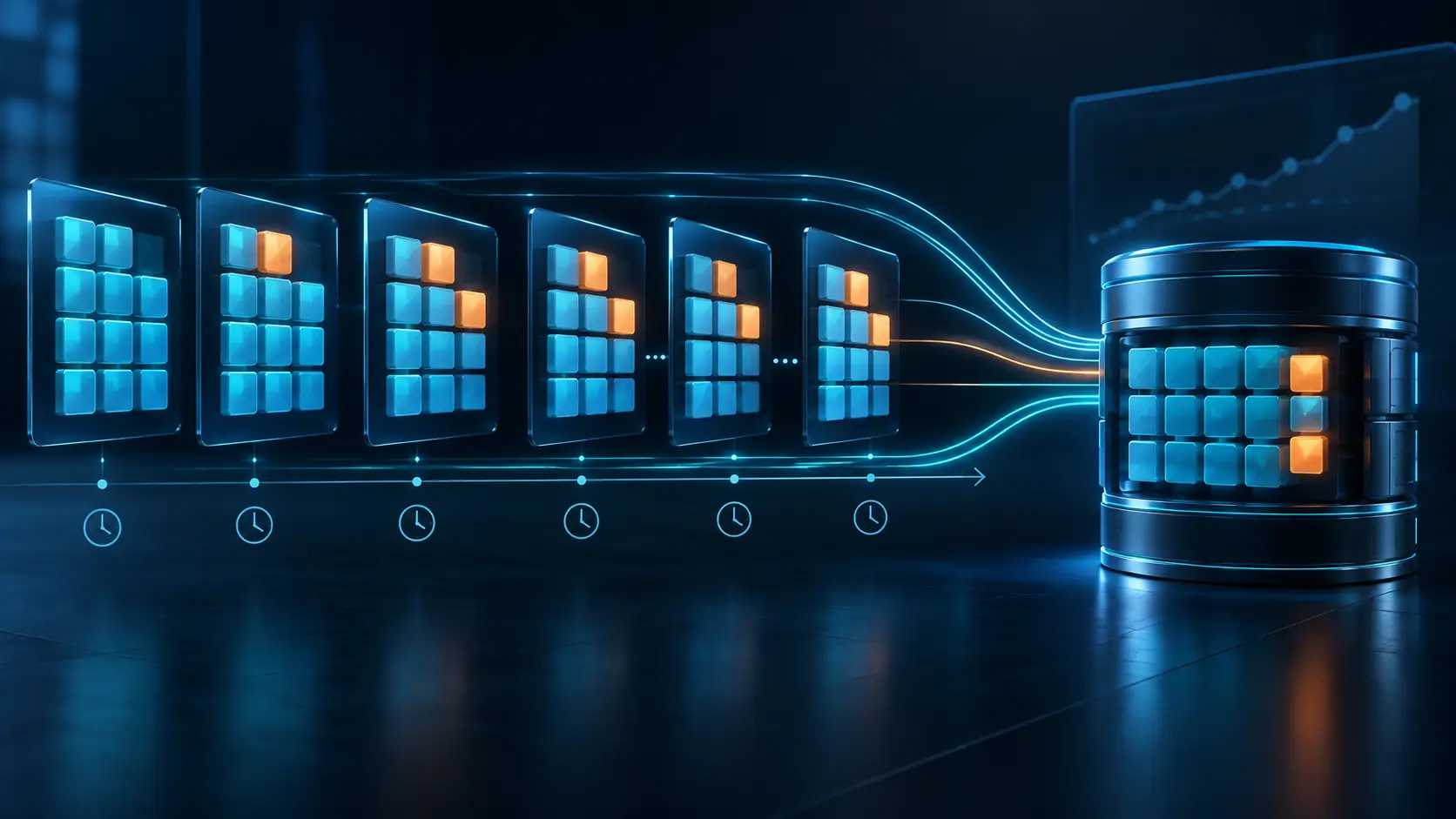
Deduplication gets really interesting when you start hanging onto data for longer. If you only keep the most recent backup, there isn’t much repeated history to take advantage of. There simply isn’t a lot of overlap to squeeze down.
Now imagine your retention strategy looks more like this:
- 30 days of daily backups;
- several months of weekly backups;
- a full year of monthly backups.
Without deduplication, every single recovery point eats up serious physical storage space. With deduplication, any unchanged blocks already sitting in your repository don’t need to be saved a second time. That means you can store far more restore points without needing to buy extra disk capacity.
Quantum’s DXi4800 documentation describes this principle directly, explaining that deduplication can allow organizations to retain backup data on disk for much longer while maintaining fast restore access. But once again, the amount saved depends on the data change rate.
Imagine a 10 TB VM environment. If only 2% of the blocks change day to day, consecutive backups will share a ton of identical data. If 80% changes daily, there’s much less duplicate content to eliminate. So when you’re sizing out a deduplicating backup system, break it down into two key questions:
How much data do we have? And how much of that data actually changes between backups? The second question is often more revealing. Retention strategy also needs to consider where data should live long term.
Quantum’s enterprise lineup clearly separates high-performance backup tiers from long-term archives, spanning DXi appliances, ActiveScale object storage and Scalar tape systems.
This distinction is critical. Keeping every single backup forever on an expensive primary disk just because deduplication shrunk it isn’t automatically smart architecture. Different retention periods can justify different storage tiers.
How to Test Savings and Restore Speed
When you’re evaluating backup deduplication, two main numbers really matter. The first one gets most of the spotlight:
How much storage did we actually save?
The second one, though, is arguably even more critical:
How fast can we get our data back?
At the end of the day, a backup system exists for one primary reason: recovery. That means a proper proof-of-concept shouldn’t stop the moment your deduplication dashboard shows an impressive ratio. You need to test the entire process from start to finish.
Start with real, representative datasets instead of artificial test files. Include the actual workloads running in your environment whether that’s virtual machines, databases or file shares.
Run enough backup cycles to simulate genuine retention patterns over time.
Then take time to measure key metrics like:
- actual physical storage used;
- total logical data protected;
- real-world deduplication ratios;
- backup throughput speeds;
- network bandwidth impact;
- replication traffic overhead;
- restore performance and throughput;
- the actual time required to recover a VM or application;
- system performance during multiple simultaneous restores.
That last point is especially critical.
An appliance might be amazingly efficient at storing data, but it won’t help much if it can’t restore systems fast enough to meet your operational SLAs.
Quantum designs DXi to balance high storage efficiency with rapid data recovery, which hits on a fundamental rule: great deduplication ratios only matter if restoring your data remains smooth and practical.
For organizations across the GCC, network geography should also be factored into testing. If you’re replicating backup data between sites like Dubai, Riyadh, Muscat or Doha, make sure to test and track the actual impact on your WAN links.
Never rely solely on lab benchmarks to predict real-world production performance.
This is where working with a partner like D3 adds real value beyond just hardware sales.
Through D3, a Quantum Distributor serving organizations across the GCC and MENA, businesses can design their backup architecture around real workloads, data volumes, change rates, retention policies, restore targets and replication requirements.
So the core question shouldn’t be:
“How much raw storage capacity do we need to buy?”
It should be:
“How much unique data do we manage, how long do we need to store it and how fast must we recover it?”
Once you have clarity on those points, backup deduplication becomes much more than an impressive spec sheet marketing feature.It turns into what it’s meant to be: a practical strategy to cut storage overhead, reduce network bandwidth usage, and maintain long-term recovery points without letting your physical footprint spiral out of control.