
A CCTV system can have excellent cameras and still become expensive or difficult to operate because of one setting hidden inside the video configuration: the codec. Deciding on H.264 vs H.265 for CCTV might seem straightforward at first. Since H.265 is newer and more efficient, it feels like an obvious choice across the board, right?
The reality is that a surveillance setup involves far more than just the cameras themselves. The camera has to compress the video, the network needs to carry it and your NVR or VMS has to decode and record it. On top of that, security teams need to view live feeds, while mobile apps, web browsers, integrated systems and video export tools all need to handle that exact same stream seamlessly.
That means your choice of codec directly impacts your storage space, network bandwidth, hardware processing load and overall system compatibility all at once.
For businesses managing security infrastructure in Dubai, Riyadh and across the GCC, this balance becomes critical as systems expand from a few local cameras to hundreds of high-resolution units operating across multiple offices, facilities and distant sites.
The right question is not simply:
“Which option saves us the most hard drive space?”
Instead, ask yourself:
“Which codec strikes the best balance between clear footage, efficient storage and smooth compatibility across our entire security setup?”
How CCTV Video Compression Works
Modern IP cameras capture way more raw data than any network or hard drive could practically handle. To put it in perspective, uncompressed 1080p video running at 30 frames per second pushes nearly 1 Gbps. That would blow through standard storage and bandwidth in no time, which is exactly why video codecs step in to shrink the data down. All this compression work happens right inside the camera itself. The camera looks at the captured image and decides which information needs to be encoded in full and which information can be represented more efficiently.
Most surveillance footage actually stays pretty still most of the time. A building wall doesn’t move. The stretch of road stays right where it is. A front lobby desk might look identical for hours on end. So instead of saving every single frame as a brand-new image, codecs look at how frames relate to one another. They save key reference frames every so often and only track the parts that actually change in between.
That simple trick cuts down file sizes massively. As Axis points out in their video compression guide, encoding happens right at the source and your choice of codec sets the stage for everything downstream, from bandwidth demands to storage, playback and analytics. Keep in mind, video compression is almost always lossy.
In short, the camera intentionally tosses out extra visual detail to keep stream sizes manageable. The real challenge for security teams is making sure the codec doesn’t throw away crucial details needed for an investigation. A license plate, a person’s face, or someone moving across the frame needs far more data allocation than a static brick wall in the background. Smart encoding algorithms handle this by focusing data allocation on active zones while dialing back bitrate in static areas. That’s why, when comparing H.264 vs H.265 for CCTV, two cameras running the exact same resolution and frame rate can end up using completely different bitrates.
H.264 vs H.265 for CCTV: Main Differences
H.264, often referred to as AVC, has been the go-to standard for security video compression for years. Its real selling point these days isn’t just how well it shrinks files.
It comes down to pure compatibility.
Virtually everything plays nicely with H.264, including:
- IP cameras
- NVRs
- VMS platforms
- Browsers
- mobile applications
- hardware decoders
- export tools
- third-party integrations
On the flip side, H.265 (or HEVC) was introduced as the next big step forward, designed specifically to pack video into even smaller file sizes.
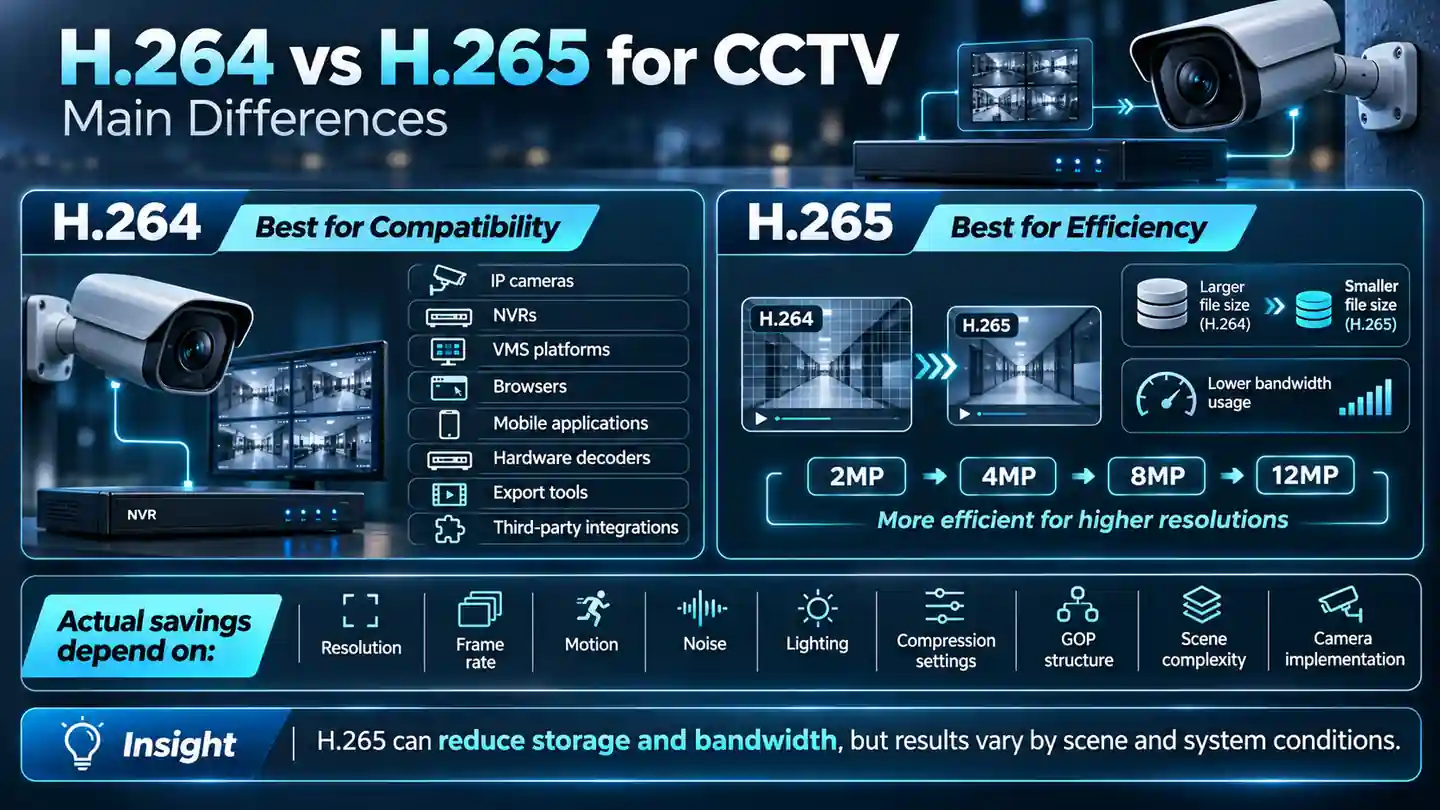
The official ITU-T H.265 guidelines position it as a direct upgrade over older codecs like H.264, helping systems meet growing demands for tighter storage and bandwidth efficiency. In practical terms, H.265 lets you stream or store similar-quality video while using fewer bits than H.264 under the same conditions.
That efficiency becomes a huge deal as camera resolution scales up. A basic 2MP camera outputs a manageable stream of data. Jump to 4MP, 8MP, or 12MP and the sheer volume of image data skyrockets. If you keep adding high-res cameras without updating your compression format, your network and storage drives will fill up fast. That’s precisely where H.265 shines.
However, the improvement is not a fixed percentage that applies to every camera and every scene. Your real-world storage savings when comparing H.264 vs H.265 for CCTV will ultimately depend on several factors:
- Resolution
- Frame rate
- Motion
- Noise
- Lighting
- Compression settings
- GOP structure
- Scene complexity
- Camera implementation
A quiet, empty hallway will compress down with ease.
A busy highway packed with moving cars, changing light and rain will naturally demand a much higher bitrate. So whenever you hear blanket claims like “H.265 always slashes storage by 50%,” take them with a grain of salt. The codec gives you the tools for better efficiency, but the actual environment dictates how much space you really save.
What Changes in Bitrate and Storage?
When it comes to planning your storage, bitrate is really where everything starts.
If a camera streams at 4 Mbps, it’s going to use up twice as much space as one running at 2 Mbps over that same timeframe. That’s why keeping bitrate down makes such a noticeable difference across your whole setup. Trimming just 1 Mbps from a single camera might not seem like much on its own. But scale that across 200 cameras recording around the clock for a month or three and the numbers quickly add up.
Suddenly, you’re looking at a massive operational difference for your infrastructure. A useful relationship is:
Total Storage ≈ Bitrate × Recording Time
Things like recording schedules, motion triggers and system overhead will adjust the final total, but bitrate is always the main engine driving storage needs. Switching codecs after evaluating H.264 vs H.265 for CCTV can help take the pressure off several areas:
- Overall network congestion
- How quickly NVR storage fills up
- Total drive capacity required
- WAN usage
- Cloud upload volume
It can also give you room to hold onto footage longer without needing to invest in extra hardware right away. That said, choosing a codec is only part of the story when managing bitrate. Your resolution and frame rate settings play just as big a role.
As Axis highlights, pushing higher resolutions or frame rates inherently demands more bandwidth and space, while applying heavier compression reduces bitrate at the risk of losing image clarity. Modern smart encoding can make estimating these numbers a bit more dynamic.
For example, intelligent technologies may use lower bitrate when a scene is static and increase it when an important movement appears. Axis Zipstream technology reports average bandwidth and storage reductions of 50% or more in appropriate surveillance scenarios while prioritizing important visual information.
The main takeaway here is clear: Never calculate your storage needs based solely on the codec name.
For H.264 vs H.265 for CCTV, always base your plans on your specific cameras, actual environment, resolution, frame rate and required retention period.
Quality Under Motion and Low Light
Compression usually works best when a scene is simple and predictable.Take a well-lit office hallway, for instance because almost nothing changes frame to frame, shrinking that footage is pretty straightforward. Bigger, busier settings are a different story altogether. Consider what happens with:
- Vehicles streaming through a parking entrance.
- Foot traffic moving in every direction.
- Tree branches blowing in the wind.
- Rainy weather conditions.
- Glare and reflections off glass.
- Low-light digital noise after dark.
Every single one of these factors constantly shifts the visual data. To render all that detail accurately, the encoder ends up needing a lot more data. As a result, your bitrate can spike even if your camera settings stay exactly the same. Low-light environments present their own unique challenges.
When light drops, sensors generate extra digital noise, which compression algorithms can mistake for continuous movement. That mistake drives bitrates up higher than expected. If you try to squeeze the bitrate down too aggressively to fix this, crucial visual details can get lost.
Facial features might blur out. Small text can become unreadable. Fast-moving subjects might show noticeable blocky artifacts.This is precisely why, when evaluating H.264 vs H.265 for CCTV, you should test your codec under the toughest real-world conditions, rather than relying on optimal daytime setups.
As Axis highlights, H.265 was originally designed around cleaner video sources, so challenging security environments like low-light scenes can directly impact how efficiently it encodes. When setting up a security project, chasing the absolute lowest bitrate shouldn’t be the goal. Instead, focus on achieving the lowest sensible bitrate that still preserves the clear detail you’ll need if an investigation happens.
NVR, VMS and Browser Compatibility
This is usually where H.264 keeps a slight edge in H.264 vs H.265 for CCTV comparisons. Even though most modern cameras, NVRs and enterprise VMS platforms support H.265 now, you still need to double-check that your entire system can handle it smoothly end-to-end.
Just having camera support isn’t enough on its own. Your NVR has to be able to decode the stream. Your VMS needs to accept it without issues. The operator’s workstation has to display the feed cleanly. Your mobile apps need to play nicely with it. Web browsers might need extra decoding support. And any exported footage still needs to open easily whenever you share it.
Standardized protocols help bridge these gaps. For example, ONVIF Profile T covers both H.264 and H.265 for advanced IP video streaming, giving compliant devices a clear, standardized way to use either format. That said, ONVIF compliance doesn’t guarantee every single feature will work identically across different brands.
Your specific mix of hardware, VMS software and firmware versions still plays a huge role.
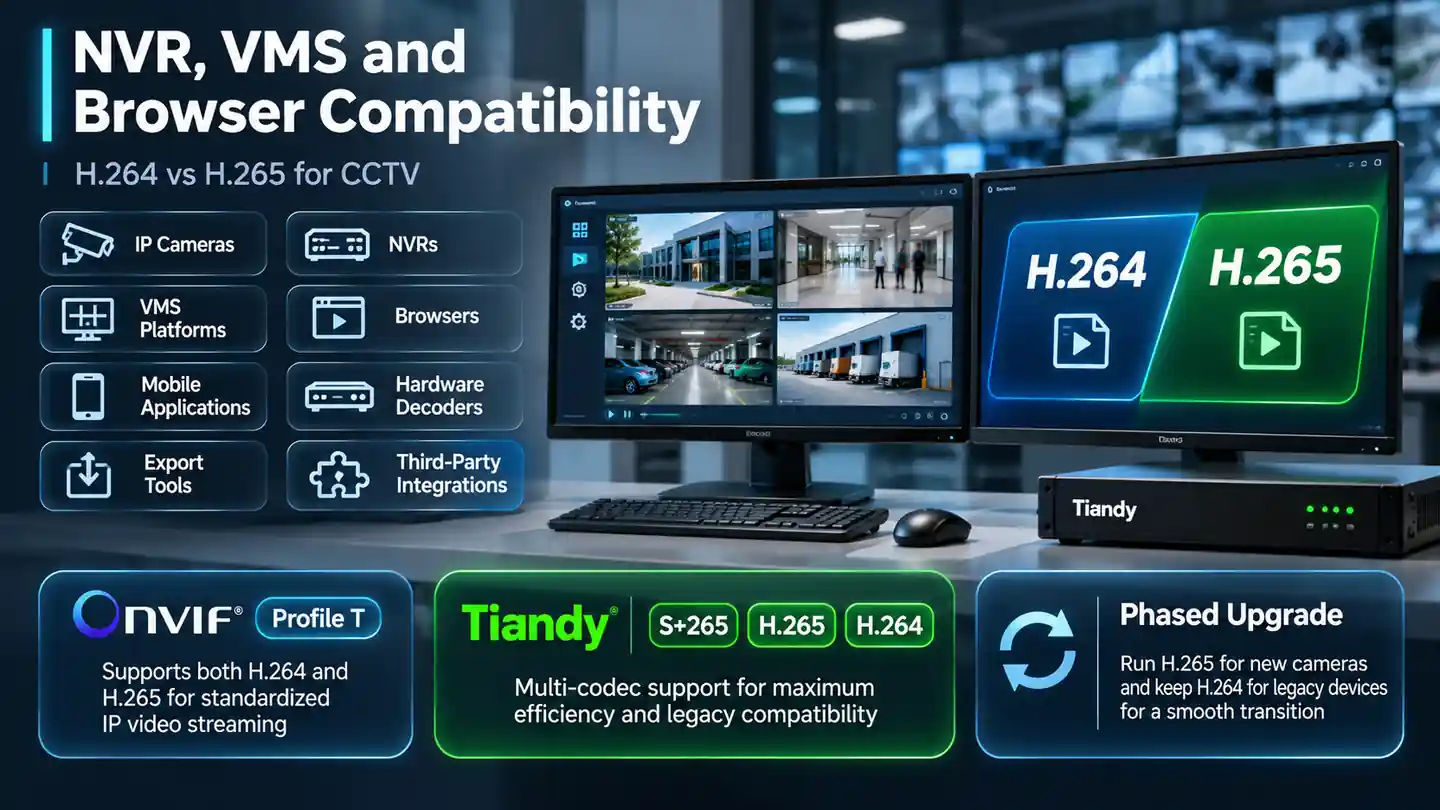
Tiandy systems offer a great example of how to handle multiple codecs gracefully. Many of their NVRs support S+265, H.265 and H.264 side by side, letting integrators choose between maximum compression efficiency and legacy compatibility on a case-by-case basis. This kind of flexibility is a lifesaver when you’re managing gear from multiple vendors. You might run a brand-new 8MP camera on H.265, while leaving an older legacy camera on H.264.
Your recording platform can easily handle both at the same time while you upgrade in phases.In the real world, taking a phased approach like this is usually far more practical than trying to replace every piece of hardware all at once.
Bandwidth Impact at Multiple Sites
The H.264 vs H.265 for CCTV decision becomes even more critical once your surveillance traffic leaves the local network. Picture ten different branch locations streaming video back to a single, central security control room. Each branch might have around 20 cameras up and running. If every single camera pushes a 4 Mbps stream, the total combined bandwidth stacks up fast.
On top of that, you have to consider:
- Remote live viewing
- Central recording
- Playback
- Mobile monitoring
- Analytics
- Cloud connectivity
Wide Area Network (WAN) bandwidth can easily end up being one of the most expensive parts of your entire surveillance setup. This is precisely where H.265 and smart bitrate optimization deliver real, practical value. A lower bitrate keeps data traffic lighter across network connections that have limited bandwidth.That said, you shouldn’t plan network capacity based on average bitrate numbers alone.
Surveillance video feeds naturally fluctuate over time.
When a scene becomes more complex, bitrate may rise. Axis notes that VBR streams adapt according to scene content and recommends considering available network capacity rather than simply forcing very low maximum bitrates that may remove forensic detail during important moments.
When designing multi-site networks, be sure to account for two key figures:
Average bandwidth
and
Peak bandwidth
A system might run smoothly on a quiet afternoon, only to struggle when a sudden surge of activity triggers high data output across multiple cameras at once.
D3, a Tiandy Distributor, focuses on overall system design, centralized monitoring, recording hardware, network layout and multi-site strategy rather than treating individual cameras as standalone units. That becomes important because H.264 vs H.265 for CCTV decisions should ultimately support the wider architecture: reliable monitoring, practical retention and predictable network performance.
When Not to Switch Codecs
When choosing H.264 vs H.265 for CCTV, just because a camera offers H.265 doesn’t automatically mean you should hit that toggle switch. Keep H.264 where compatibility matters more than storage efficiency.
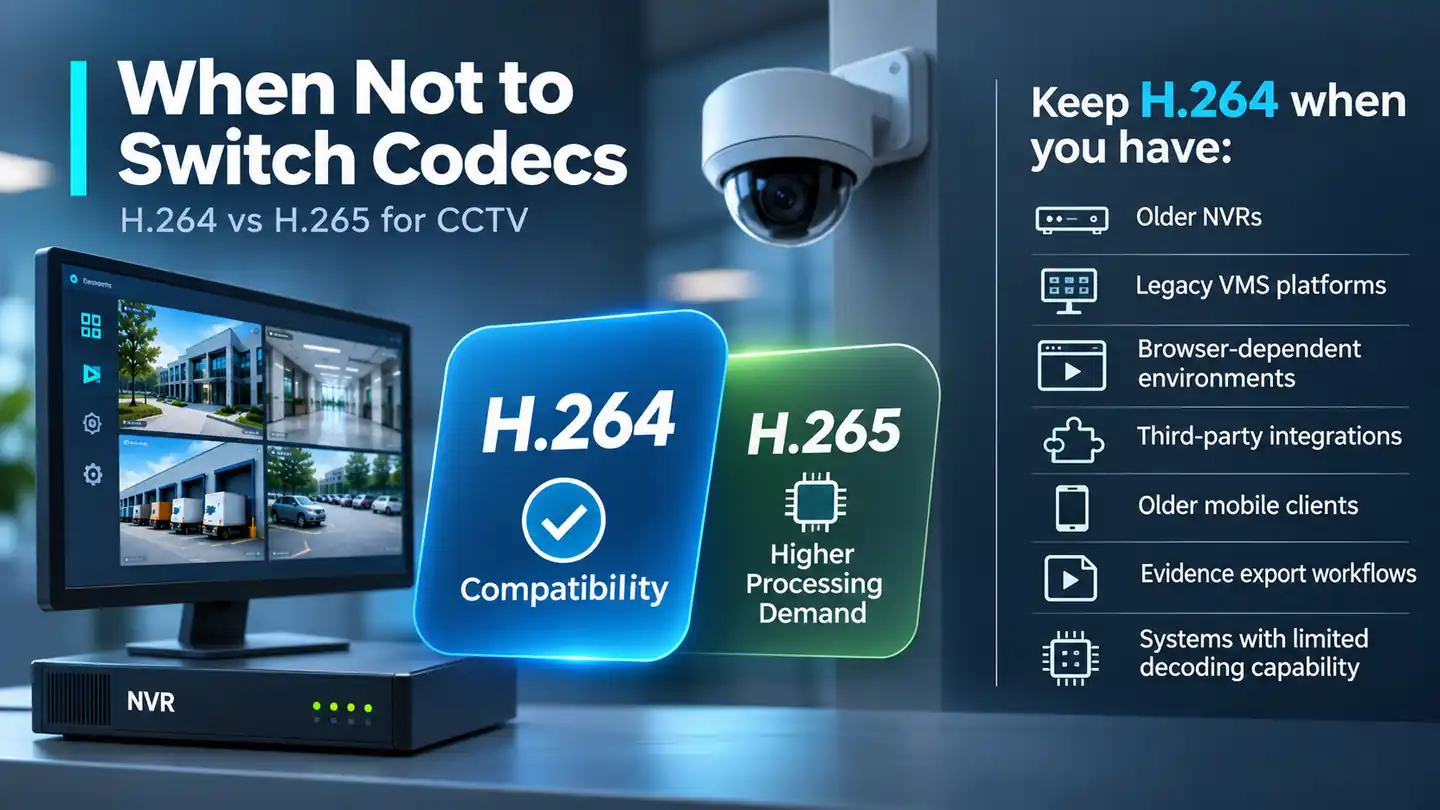
That usually applies to things like:
- Older NVRs
- Legacy VMS platforms
- Browser-dependent environments
- Third-party integrations
- Older mobile clients
- Evidence export workflows
- Systems with limited decoding capability
Processing power is another huge piece of the puzzle.Under the hood, H.265 demands a lot more heavy lifting from hardware to compress and decompress video compared to H.264.
While modern gear is built to take that in stride, older monitoring workstations or aging NVRs can easily start to sweat and stutter when trying to play back multiple high-res H.265 feeds all at once. You also want to avoid the risks of rushing into a complete migration.
A 300-camera estate does not need to change codecs overnight. A much safer, smoother path looks more like this:
- Start by testing a handful of cameras first.
- Make sure live views display smoothly.
- Verify that recordings land without glitches.
- Double-check video playback functionality.
- Try exporting a few video clips.
- Review how streams perform on mobile apps.
- Ensure third-party integrations run cleanly.
- Keep an eye on system CPU usage and overall network load.
- Once everything checks out, roll it out further.
At the end of the day, switching codecs should make your security system better not trigger a massive troubleshooting project.H.264 is still a fantastic option whenever seamless compatibility brings more value to your operation than H.265’s extra efficiency.
CCTV Codec Decision Checklist
Before deciding on H.264 vs H.265 for CCTV, run through this quick checklist:
1. Camera support — Does your specific camera model actually support the codec you want to use?
2. NVR support — Can your recorder receive and decode the stream smoothly at your target resolution and channel count?
3. VMS support — Does the management platform support the codec reliably?
4. Viewing clients — Check desktop, browser and mobile compatibility.
5. Resolution — Higher-resolution cameras usually benefit more from efficient compression.
6. Frame rate — Higher frame rates naturally drive up bitrate and storage demands.
7. Scene complexity — Traffic, crowds, foliage and other movement can increase bitrate.
8. Low-light behaviour — Make sure to test nighttime performance rather than relying on perfect daytime numbers.
9. Storage requirement — Calculate retention using realistic bitrate assumptions.
10. WAN bandwidth — If you are linking multiple sites, account for both average bandwidth usage and sudden peaks.
11. Processing capacity — Confirm the NVR and operator workstations can decode the expected number of streams.
12. ONVIF compatibility — Double-check specific ONVIF profiles and firmware versions when combining equipment from different manufacturers.
13. Export requirements — Make sure recorded evidence can be exported and viewed as required.
14. Existing cameras — Running a mixed setup of H.264 and H.265 is often far more practical than replacing everything at once.
15. Future expansion — Re-evaluate storage and bandwidth requirements whenever you add more cameras or boost resolutions.
The best codec is the one that fits the whole surveillance architecture, not simply the newest one available in the camera menu.