In a tiny, five-person setup you can pretty much plug your PCs, printers and Wi-Fi points into a basic, off-the-shelf Ethernet switch and forget it even exists. Fast forward three years, though and it’s a completely different story.
Now you’re managing 70 employees, VoIP phones, security cameras, guest networks, servers and maybe even a secondary office. Video calls stutter because someone’s downloading massive files. A loose or wrongly plugged cable triggers a network-wide loop and when IT tries to fix a dropping port, the switch offers zero clues about what’s actually happening.
That simple little box that used to make life easy has suddenly turned into a complete black box.
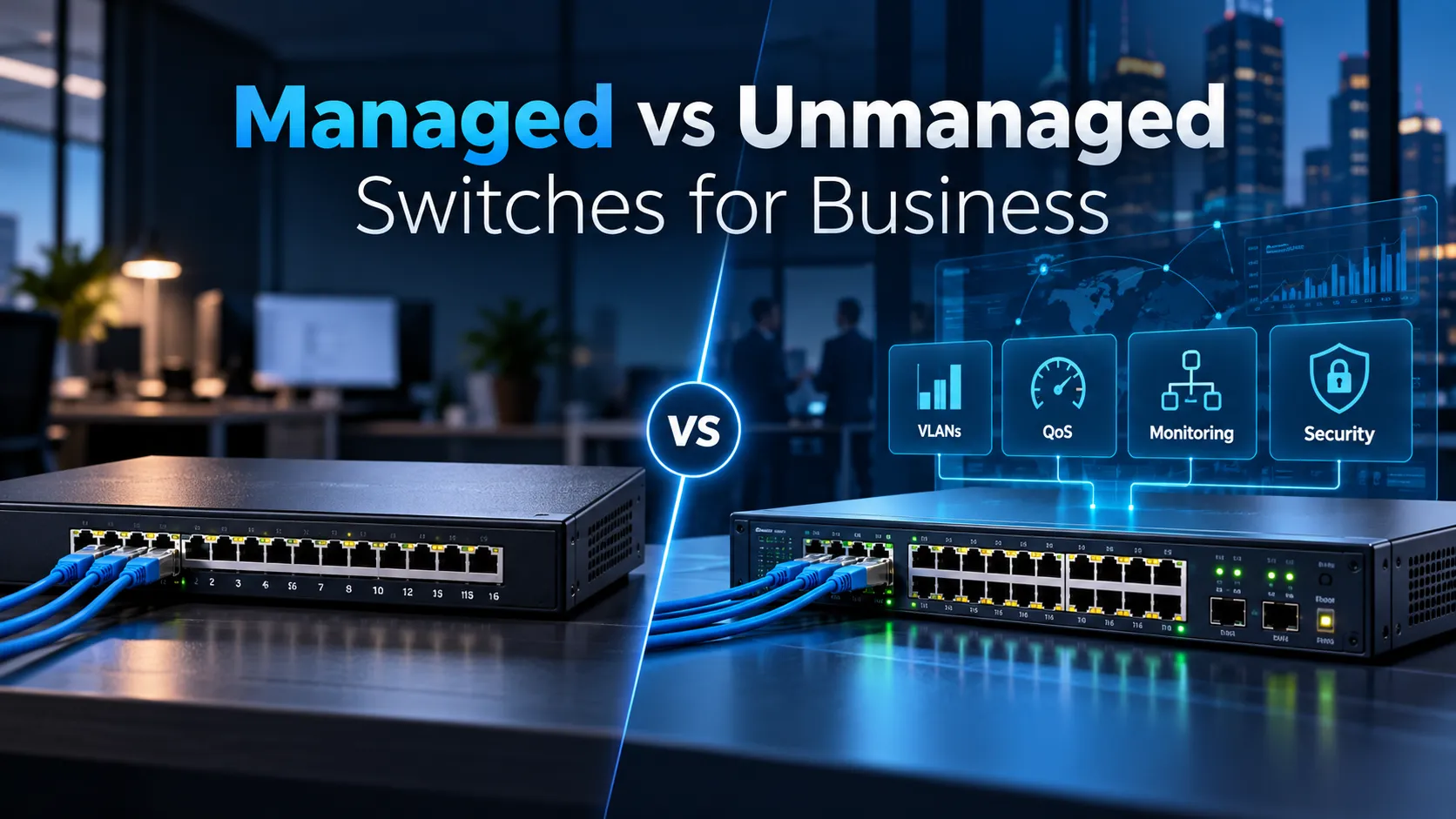
At this stage, choosing between a Managed vs Unmanaged Switches isn’t just about technical specs, it’s a critical business decision.
An unmanaged switch is purely about basic plug and play connectivity. A managed switch, on the other hand, gives your IT team real control over traffic flow, security permissions, bandwidth priority and quick troubleshooting when things go wrong.
Then there’s a middle option, smart-managed switches offering a handy set of management features without the high complexity or hefty price tag of full enterprise gear.
To be clear, not every business needs top-tier networking gear right out of the gate. But cutting corners on basic switches can quickly end up costing far more in lost productivity, tedious troubleshooting, and painful upgrades down the road.
Ultimately, the best choice simply comes down to what your network actually needs to handle today and tomorrow.
What an Unmanaged Switch Does
Unmanaged switches are built to keep things simple. You just plug the switch into your network, hook up your devices and it starts passing data back and forth right away. You don’t have to mess with setup screens or worry about ongoing maintenance.
That simplicity makes unmanaged switches useful. Cisco describes unmanaged switches as plug-and-play devices that depend on automatic negotiation and are suited to relatively simple network topologies. They still learn MAC addresses and forward Ethernet frames intelligently; “unmanaged” does not mean the device has no switching logic.
For a small office, temporary workspace, or an isolated group of basic devices, this hassle-free setup is usually all you need. If you only have four people sharing a router connection, adding a complex enterprise management system doesn’t make much sense.
The real catch is a lack of visibility.
When something breaks, an unmanaged switch won’t tell your IT team why it happened. You won’t have an easy way to track down hogged bandwidth, split departments into separate VLANs, check port activity, enforce security rules or prioritize essential tools. These drawbacks become much harder to ignore as your business grows.
H3C’s latest entry level line shows how even simple switches are adapting. For instance, select H3C US110 models work as unmanaged units while offering handy options like port isolation, link aggregation and loop prevention. This gives simpler setups extra reliability without requiring a full blown managed switch.
In the end, it isn’t about deciding whether unmanaged switches are inherently good or bad. It comes down to whether your network is simple enough that you can get by without needing hands-on control.
What a Managed Switch Adds
Think of a managed switch as turning your network from a simple plug-and-play setup into a fully customizable command center for your IT team. Instead of treating every device like it has the exact same needs, administrators can set up tailored rules for different ports, users, and traffic types.
That means you get access to handy tools like separate VLANs, Quality of Service traffic prioritization, custom security policies, live traffic tracking and simple remote management. Take an enterprise model like the H3C S1850V2-EI, for instance. It handles everything from VLANs and ACLs to port mirroring, 802.1X security, loop detection and centralized management.
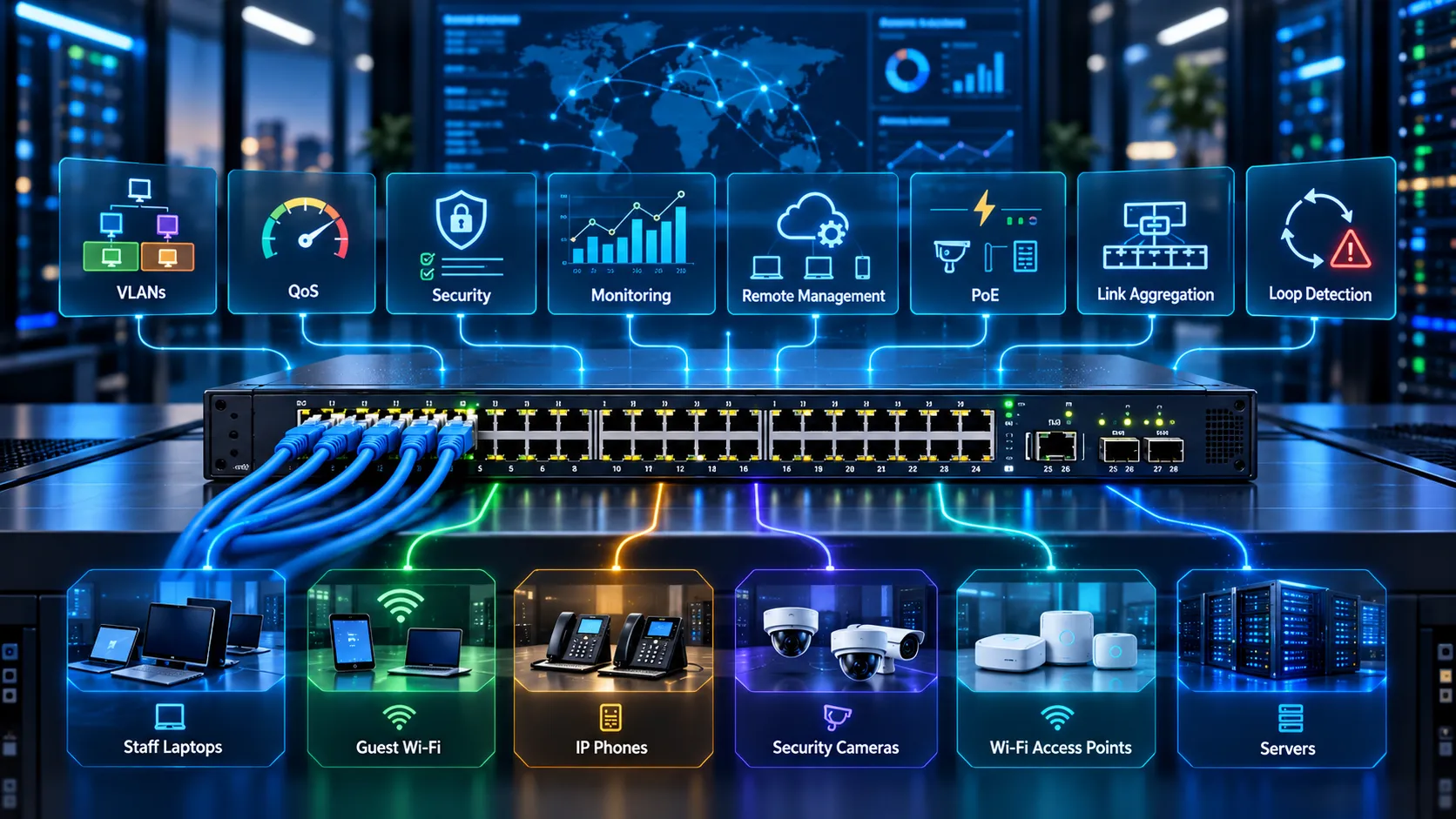
Features like these become essential pretty quickly as a growing company’s network gets more complex.
You might want staff laptops, guest Wi-Fi and security cameras kept on completely separate networks or make sure IP phones never lag during calls. Meanwhile, Wi-Fi access points need PoE power monitoring and critical servers might need combined links for extra speed and reliability.
A managed switch gives your team the controls to build those boundaries cleanly and intentionally. Just as importantly, it gives IT clear, actionable feedback when issues pop up.
If an access point disconnects repeatedly, administrators can inspect its port status and errors. If traffic suddenly increases, monitoring can help identify where it is coming from. When a link fails, central management can report the problem rather than waiting for employees to notice. For a growing company, that visibility can be worth more than the additional hardware cost.
Where Smart-Managed Switches Fit
Not every company really needs a fully managed enterprise switch, but plenty of businesses quickly find that basic plug and play gear just can’t keep up with them anymore.
That’s where smart-managed switches step in as a great middle ground.
Smart switches give you a solid mix of key management tools without making setup anywhere near as complicated as full fledged enterprise hardware. Cisco describes them as sitting right in the sweet spot, giving you far more control than an unmanaged switch, but without the steep learning curve or complex configuration of fully managed models.
For a small business, this can provide access to the features that matter most, VLANs, basic QoS, port controls, monitoring and loop protection without requiring advanced routing or sophisticated network automation.
H3C’s S1600V2 series is a great example of this balanced setup. It handles port based VLANs, web-based management, port mirroring, loopback detection, traffic suppression and multiple QoS queues, along with PoE options for powering your access points, security cameras and other devices. Because of that, a smart-managed switch is ideal for an office of around 20 to 30 people that needs to separate things like guest Wi-Fi from internal traffic, but doesn’t require intricate Layer 3 routing.
The key thing to keep in mind is where your business is headed next.
If you already know you’ll be expanding to new branch offices, connecting hundreds of devices or rolling out stricter security policies, investing in slightly more capable gear right from the start can save you from a costly upgrade cycle down the road.
Compare Control, Visibility and Cost
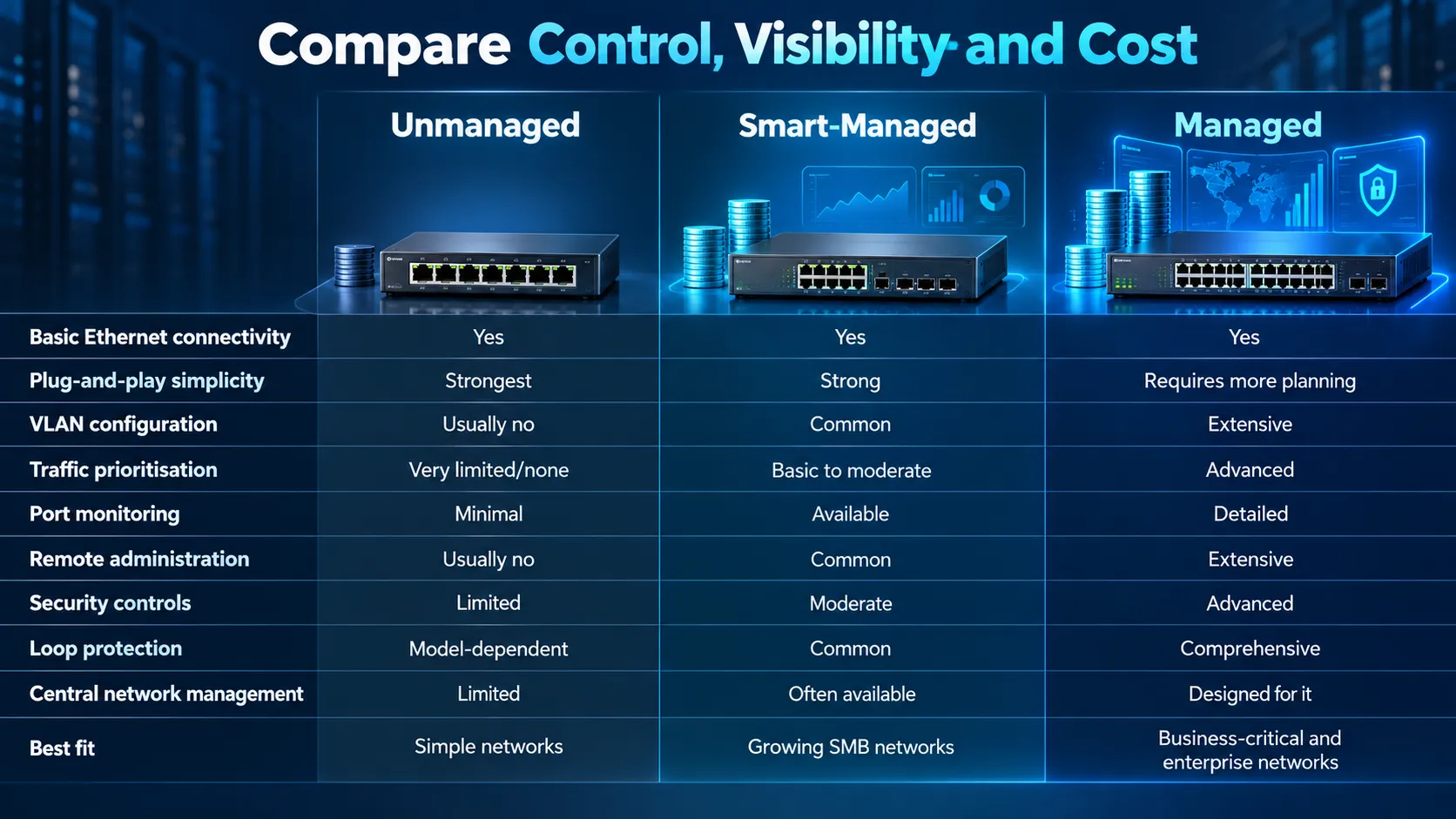
When you compare these three choices side by side as everyday tools for your business, the key differences really start to stand out.
| Requirement | Unmanaged | Smart-Managed | Managed |
| Basic Ethernet connectivity | Yes | Yes | Yes |
| Plug-and-play simplicity | Strongest | Strong | Requires more planning |
| VLAN configuration | Usually no | Common | Extensive |
| Traffic prioritisation | Very limited/none | Basic to moderate | Advanced |
| Port monitoring | Minimal | Available | Detailed |
| Remote administration | Usually no | Common | Extensive |
| Security controls | Limited | Moderate | Advanced |
| Loop protection | Model-dependent | Common | Comprehensive |
| Central network management | Limited | Often available | Designed for it |
| Best fit | Simple networks | Growing SMB networks | Business-critical and enterprise networks |
Cost should not be judged entirely by purchase price.
An unmanaged switch normally costs less and requires almost no configuration. But when IT spends half a day tracing a broadcast storm because there is no useful monitoring, the business has incurred a different cost.
A managed switch definitely takes more setup and ongoing attention, but it lets you resolve issues quickly, scales smoothly as you grow and keeps you from having to tear down and rebuild your setup every time your needs change.
That’s why picking the right switch comes down to weighing the long-term operational impact, not just the initial hardware price tag.
VLANs and Traffic Priorities
When it comes to managed switches, two features stand out as absolute game-changers for business: VLANs and Quality of Service (QoS).
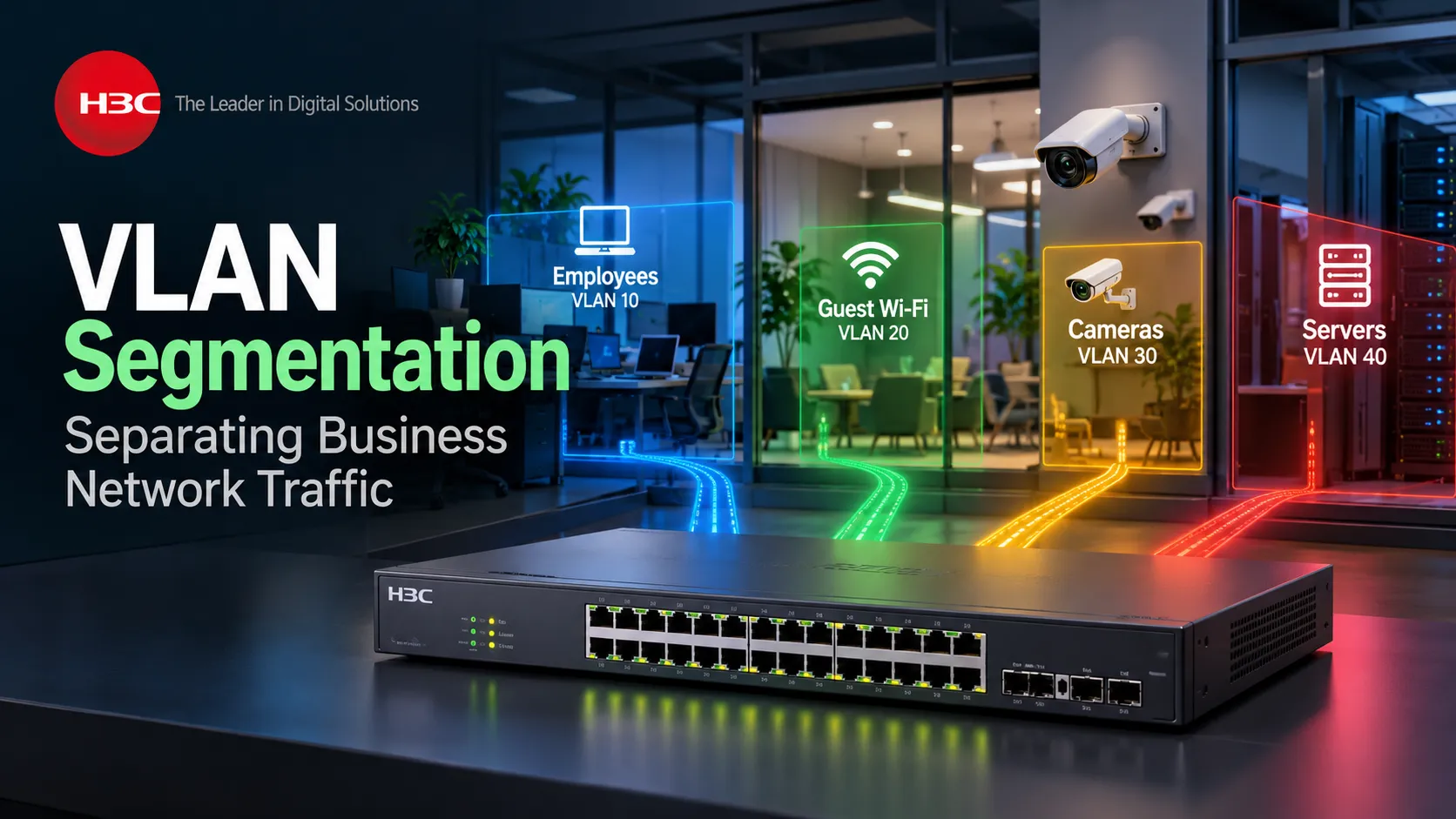
Think of a VLAN as a way to take a single physical switch and split it into multiple isolated, logical networks. That means your finance team, guest Wi-Fi, security cameras and IP phones can all share the exact same box on the rack without cluttering each other’s network traffic or exposing sensitive data.
H3C’s enterprise switches, for example, deliver robust VLAN and segmentation features, letting you group ports by MAC address, subnet or port isolation while keeping loops at bay.
At the end of the day, segmenting your network this way keeps things running smoothly and stays far more secure. After all, there’s no good reason a visitor on your guest Wi-Fi should ever sit on the same subnet as your internal servers or security footage.
QoS tackles a completely different headache: congestion.
Not all data needs instant delivery. If a large file download takes a couple extra seconds, nobody notices. But if a VoIP or video call drops packets, the audio stutters and cuts out immediately.
Managed switches use QoS to put important, delay sensitive traffic at the front of the line. H3C platforms pack QoS rules for individual ports and VLANs, giving IT full control over priorities during peak usage hours.
It doesn’t magically add extra bandwidth to your line. It simply makes sure the bandwidth you already have goes to the applications that actually need it.
Monitoring and Loop Protection
Visibility becomes particularly valuable when something unexpected happens. Managed switches can provide interface status, traffic statistics, logs, alarms and diagnostic information that help IT understand the network without physically visiting every device.
Loop protection is another huge safeguard. If an employee accidentally plugs both ends of a cable into nearby wall ports, it creates a feedback loop that can trigger a network-wide broadcast storm and knock down connectivity for everyone.
Managed switches use tools like STP, RSTP, MSTP and BPDU guard to instantly shut down those loops. H3C’s switch lineup includes built-in loop-free Layer 2 protection to suppress storms and spot faulty links automatically.Simply put, management isn’t just about adjusting settings for fun. It’s about instantly knowing when something goes wrong and having the tools to fix it right away.
When Each Switch Type Makes Sense
An unmanaged switch makes sense when the requirement is genuinely simple: a small number of trusted devices, one network, no need for detailed monitoring and little expectation of expansion.
A smart-managed switch hits the sweet spot for growing teams that need practical controls, like VLANs, basic traffic prioritization, PoE visibility and loop protection without having to dive into full enterprise-grade complexity.
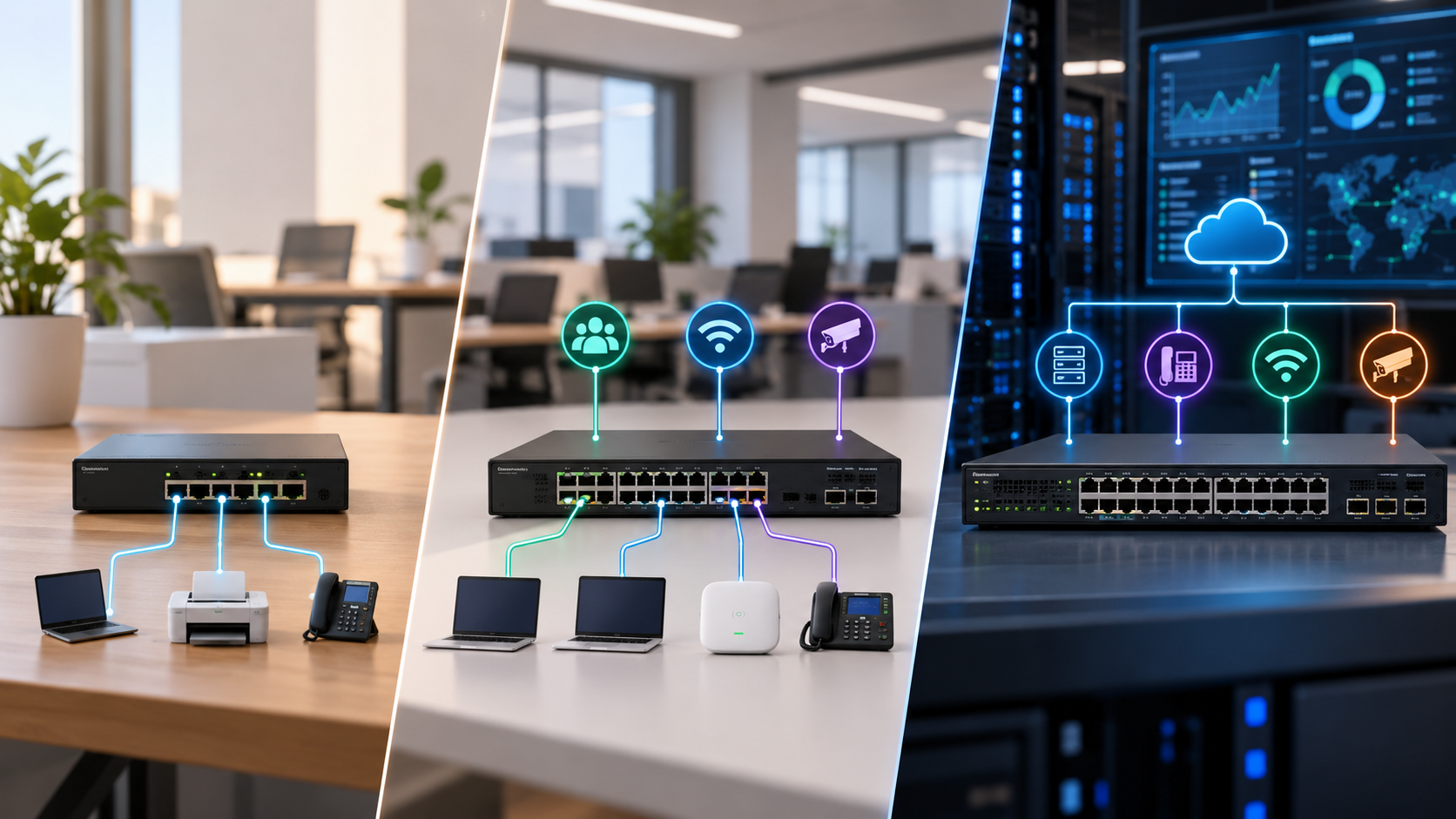
A managed switch is definitely the way to go if your network is critical to daily operations. It’s built to handle multiple teams or devices, support voice and video traffic, power access points or cameras, connect several switches and give you central security and troubleshooting controls.
It’s also worth thinking about who will actually be running the network day to day.
Investing in high-end enterprise switches won’t do much good if no one on your team knows how to configure or monitor them. On the flip side, forcing a skilled IT team to manage a growing, multi-site network on basic unmanaged hardware strips away the exact tools they need to do their jobs effectively.
Through its enterprise networking portfolio with H3C, D3 helps businesses across the UAE and GCC tailor their switching setup to their real-world needs, whether that means simple, reliable connectivity for an SMB or centrally managed infrastructure for an enterprise campus. D3 brings H3C into its lineup for enterprise networking, cloud, and connectivity, offering local guidance to help guide your rollout.
At the end of the day, the goal isn’t to buy the most complicated switch on the market. It’s about making sure you don’t realize two years down the road that your business outgrew the hardware keeping it connected.
A Business Switch Buying Checklist
Before you go out and buy a switch for your business, here’s a quick checklist your IT team should run through:
- Port count: How many users, access points, cameras, phones and servers connect today, and what growth is expected?
- Port speed: Is Gigabit Ethernet enough, or are multi-gigabit, 10G or faster uplinks required?
- PoE: Which devices require power, and does the switch have enough total PoE budget?
- VLANs: Does the business need to separate corporate, guest, CCTV, voice or IoT traffic?
- QoS: Are voice, video or critical applications sensitive to congestion?
- Management: Does IT need Web, CLI, SNMP, cloud or centralised management?
- Visibility: Can administrators view port errors, bandwidth utilisation, logs and device status?
- Security: Are ACLs, 802.1X, port security or other access controls required?
- Loop protection: Does the network need STP, loop detection and broadcast-storm protection?
- Uplinks: Can the switch handle the combined traffic from connected endpoints without creating a bottleneck?
- Resilience: Are link aggregation, redundant uplinks or stacking required?
- Growth: Will this switch still fit the environment when another floor, branch or group of access points is added?
The contrast between a managed and an unmanaged switch really hits home the moment something changes or goes wrong on your network. Say someone plugs a network cable into the wrong port, you add a new access point, you need to set up isolated guest Wi-Fi, video calls start dropping or a security camera suddenly goes offline.
If you’re using an unmanaged switch, your team is stuck guessing and troubleshooting around the device in the dark.
With a managed switch, the device itself tells you what’s happening and helps you solve the issue quickly. Now, if you have a small, straightforward setup, you might never need all that extra control.
But for a growing company, having clear visibility and control isn’t just a nice-to-have bonus, it’s what keeps your entire operation running smoothly as your business grows.