Let’s be honest, a business network doesn’t stay simple for very long.
You might start out with just a few laptops, printers and Wi-Fi access points. Before you know it, you’re juggling IP phones, security cameras, guest devices, building systems, servers, cloud apps, and remote employees. If all of those devices are dumped onto the exact same network with free for all communication, things might still work on paper but managing, securing, and troubleshooting it all quickly turns into a massive headache.
That’s exactly where VLAN Segmentation comes in to save the day.
A Virtual Local Area Network (VLAN) lets your IT team carve up one set of physical switches into separate, isolated logical networks. So, instead of throwing staff laptops, cameras, guests and servers into one big bucket, each group gets its own tailored space with clear rules on who can talk to whom.
This isn’t about overcomplicating things just because we can. It’s simply about setting up the network to match how your business actually runs.
Think about it: a guest browsing on your visitor Wi-Fi has no business connecting to your security cameras. Your cameras rarely need to talk directly to an employee’s computer. And while someone in finance might need access to your accounting software, they definitely don’t need access to the building’s smart thermostat setup.
CISA puts it well, pointing out that network segmentation creates clear guardrails that limit access to sensitive devices, applications and data while cutting out unnecessary chatter. Plus, if one device ever gets compromised, smart segmentation makes it a whole lot harder for an attacker to move around freely.
At the end of the day, the goal is pretty straightforward: if devices actually need to talk to each other, let them. If they don’t, keep them separated regardless of whether they’re plugged into the same box on the wall.
What VLAN Segmentation Does
At its core, a VLAN sets up a logical broadcast domain. Devices sitting in the same VLAN can chat freely at Layer 2, but if they are on different VLANs, they will need a Layer 3 router to talk to each other.
As H3C points out in their VLAN configuration guidance, port-based VLANs group network devices according to the switch ports they plug into, and a port will only pass along traffic for the VLANs it is assigned to.
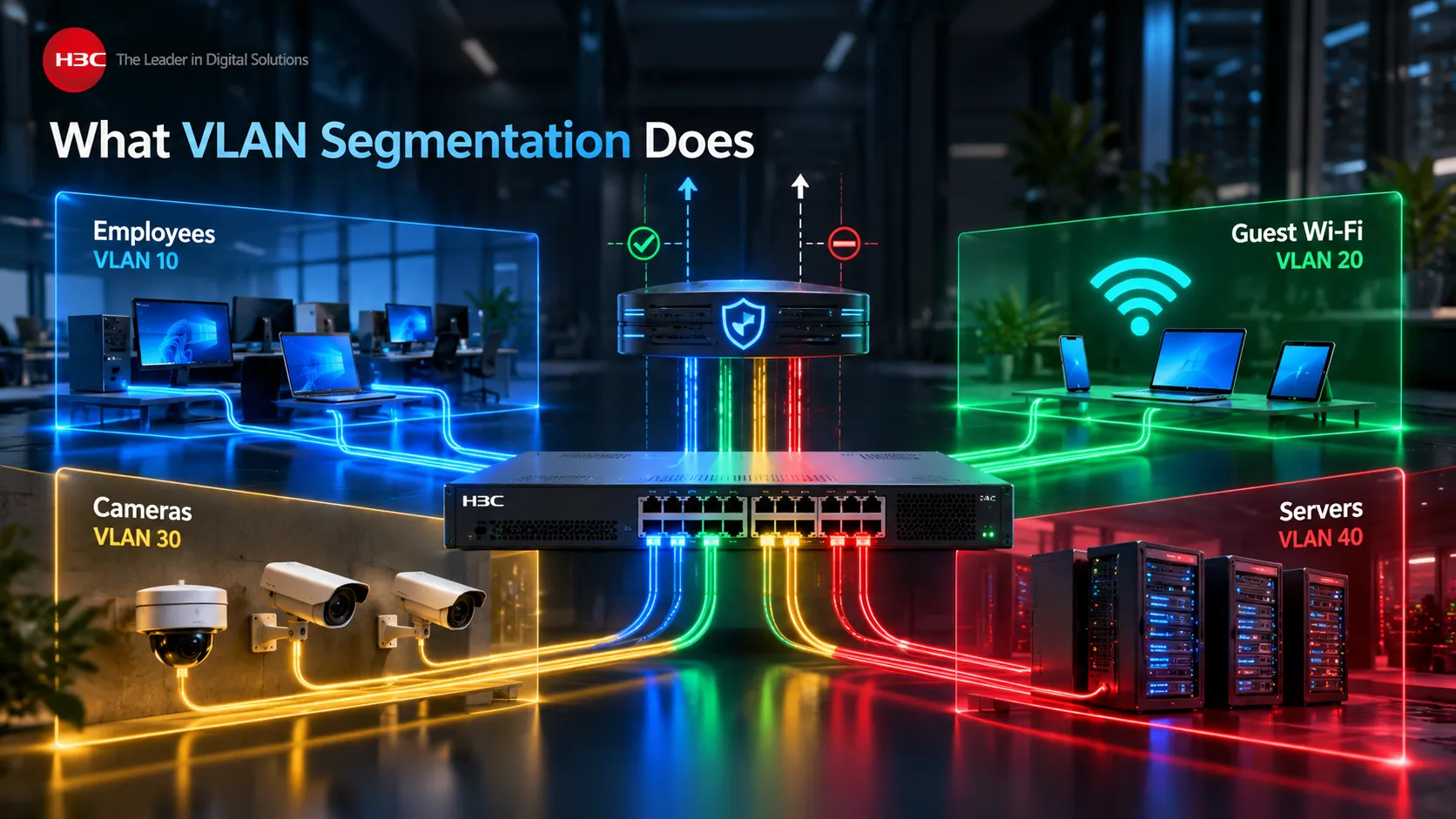
Imagine setting up an office like this:
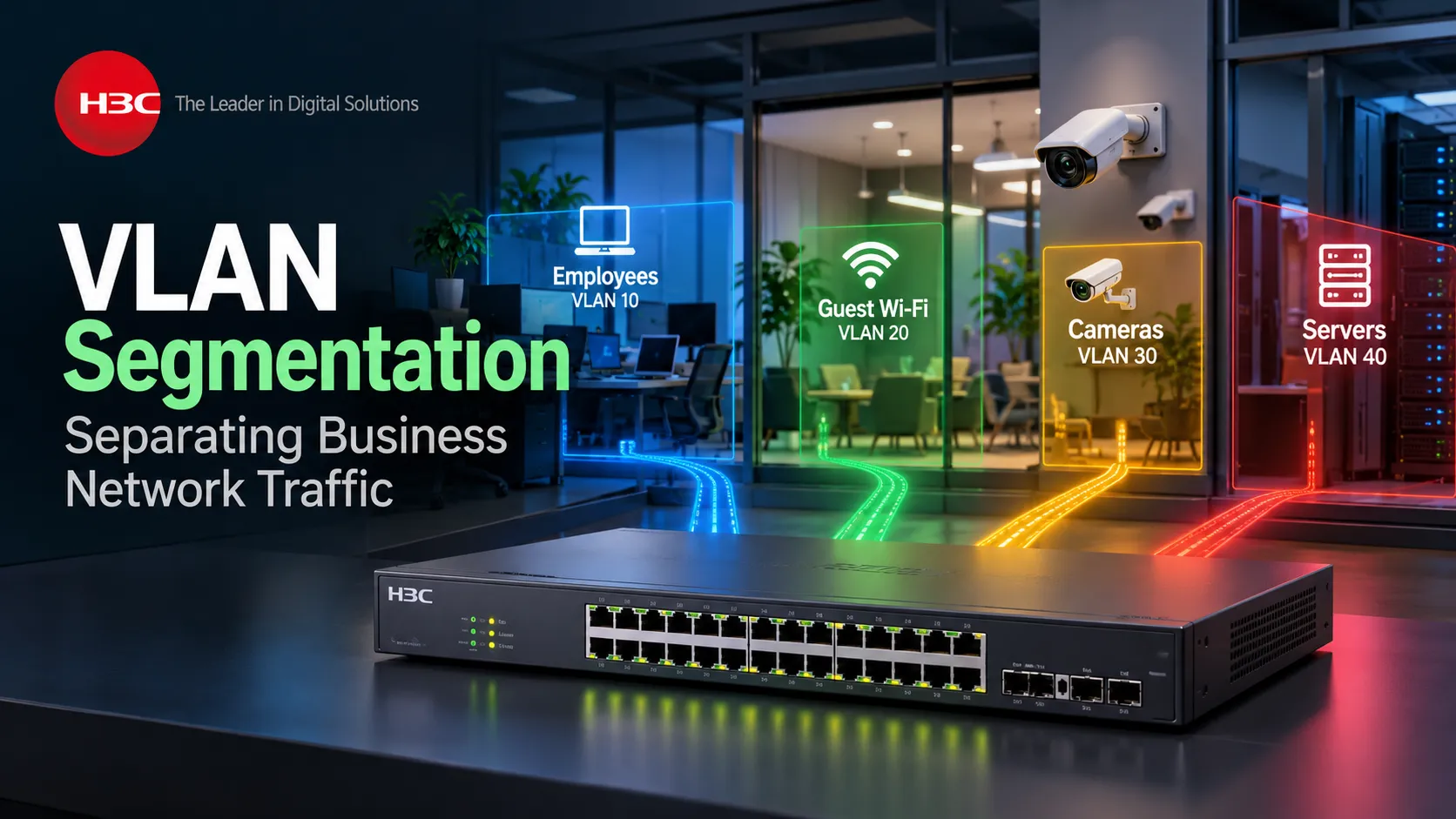
VLAN 10 for employee workstations, VLAN 20 for guest Wi-Fi, VLAN 30 for security cameras and VLAN 40 for servers. Even if all four groups run through the exact same physical switch, they no longer act like one big, open network.
A broadcast sent from a camera in VLAN 30 won’t bother every computer in VLAN 10. Likewise, a guest on VLAN 20 can’t simply poke around and find a server in VLAN 40 unless routing rules and security policies explicitly allow it. This brings huge wins for both operations and security.
Smaller broadcast domains keep network traffic cleaner and easier to understand. Device groups are simpler to identify, allowing security teams to write policies for whole categories of equipment rather than managing endless individual IP addresses.
That said, VLAN Segmentation isn’t a complete security solution on its own.
As NIST highlights in its guidance on network segmentation, VLANs are a great way to achieve logical separation, but they don’t replace firewalls, active monitoring, or proper security controls. Instead, segmentation works best when built into a broader defense-in-depth approach. A VLAN sets up the boundary line. It’s still up to the organization to decide what gets to cross it.
Plan Zones Around Devices and Services
Good VLAN Segmentation planning starts by grouping devices around their actual business and security requirements, rather than simply separating them because the technology makes it possible.
A common trap is creating VLANs simply because the tech allows you to. You end up with VLAN 10 for the “first floor,” VLAN 20 for the “second floor,” and VLAN 30 for the “third floor.”
While that might sound convenient for IT, physical location rarely aligns with your actual security or operational needs.
A much smarter approach is grouping devices by what they actually do, how much you trust them, and who they really need to talk to. Your office laptops should stay together since they share the same login systems and main work apps. Security cameras belong in their own space because they mostly just talk to your video recording setup. Guests should definitely be kept away from internal company systems and smart building sensors or IoT gadgets need their own dedicated zone since they come with completely different security risks.
Even CISA emphasizes that bundling similar devices into dedicated VLANs is a core best practice, especially when paired with firewalls and access rules. Designing around functions makes managing everything so much simpler. Instead of writing endless custom rules for every single camera, you can just set standard guidelines for the entire camera network. And rather than managing visitor devices one by one, you can easily give the guest network internet access while locking out internal files.
That said, try not to overcomplicate it. Creating a separate VLAN for every single department, device or app will quickly become an administrative nightmare if there isn’t a solid security or practical reason behind it.
A useful rule is: create a separate zone when the devices inside it have meaningfully different communication, trust or security requirements. That gives the network structure a business purpose.
Access Ports, Trunks, and VLAN Tags
Once you’ve mapped out your VLANs on paper, your network switches need to know how to actually pass that traffic around. That’s where access ports and trunk ports come into play.
An access port usually connects to a single device like a desktop PC, printer or basic IP camera, that doesn’t need to know anything about VLAN tags.
As H3C explains, an access port forwards traffic from one VLAN and normally sends it untagged. So, the connected device doesn’t even realize VLAN 30 exists. It just sends standard Ethernet traffic and the switch automatically handles linking that port to VLAN 30.
A trunk port handles things a bit differently. Instead of limiting traffic to a single lane, a trunk can carry multiple VLANs at once. You’ll usually see them used between switches, connecting a switch to a router or firewall, or plugging in a wireless access point that serves multiple Wi-Fi networks.
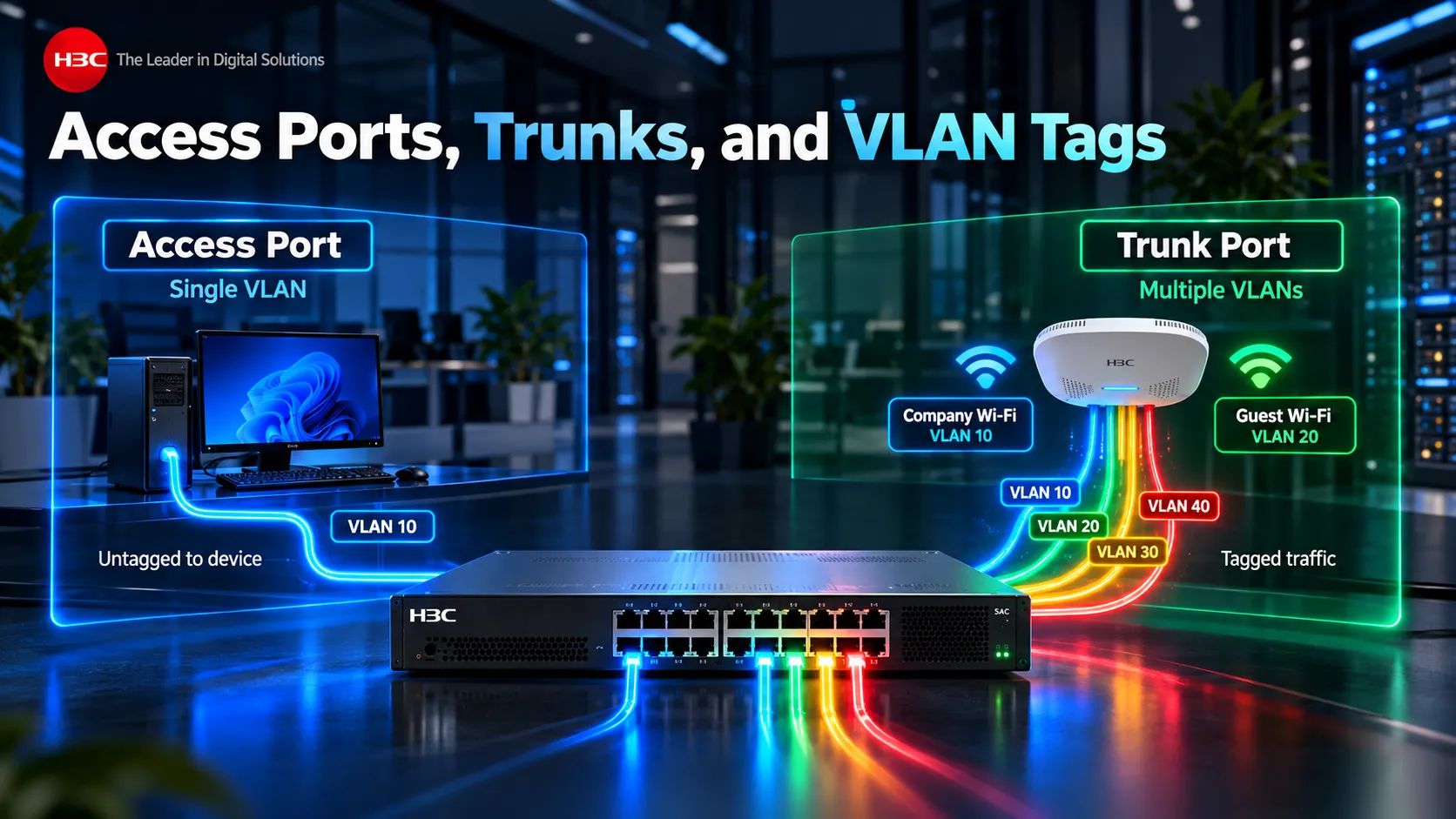
H3C’s VLAN documentation notes that trunk ports can forward multiple VLANs and use VLAN tags for traffic except where specific PVID behaviour applies.
Take a Wi-Fi access point running two SSIDs as an example. Your “Company Wi-Fi” might run on VLAN 10, while “Guest Wi-Fi” lives on VLAN 20. Even though there’s only one physical cable plugging that access point into your switch, it needs to carry both network segments seamlessly. That’s precisely why you use a trunk port.
The VLAN tag tells the network which logical segment each Ethernet frame belongs to as it moves across shared infrastructure. Most end users never see any of this and that is how it should be. VLAN design is an infrastructure function. Employees should simply connect to the appropriate service while the network applies the correct segmentation in the background.
Control Traffic Between VLANs
A good VLAN Segmentation design does not stop at creating separate VLANs. You also need to decide what should happen when devices in those VLANs need to communicate.
By default, hosts on different VLANs can’t communicate directly at Layer 2, they need a router to bridge that gap.
H3C’s inter-VLAN communication documentation makes this clear: hosts on separate VLANs depend on a Layer 3 gateway before any traffic can move between them. That Layer 3 boundary gives IT a really important control point. Say your staff in VLAN 10 need to check the security camera system in VLAN 30. You don’t have to throw open the floodgates between all staff computers and the camera network.
Instead, you can write policies that only allow specific users or admin devices to reach the network video recorder on the exact ports they need. Guests on VLAN 20 can get straight out to the internet through the firewall without ever getting a route into your corporate network. Cameras on VLAN 30 can talk to their recording server and basic network services, but they’re completely blocked from kicking off connections to employee laptops. This is where segmentation really delivers real-world value.
If you set up VLANs only to enable wide-open inter-VLAN routing across all of them, you’ve split up the network on paper, but you’ve stripped away almost all the security benefits. The point isn’t just to build walls. It’s about controlling who gets to walk through the doors.
Routing, Firewalls and ACLs
How you route traffic between VLANs usually comes down to your setup, you can pass it through a Layer 3 switch, a router, or a firewall. Layer 3 switches handle routing super quickly between VLAN interfaces, which is ideal when you need serious speed across a campus network. That said, basic routing only moves traffic around, it doesn’t decide whether that traffic should actually be allowed in the first place.
That’s where Access Control Lists (ACLs) and firewalls enter the picture. For instance, H3C lets you apply ACL-based packet filtering right on the VLAN interfaces, giving admins fine-grained control to allow or block traffic based on custom rules. So, you could easily set up an ACL that lets your IT management subnet reach switch controls while keeping everyday employee devices out.
If you need deeper inspection or tighter security rules for riskier areas, a firewall is the way to go. In fact, CISA explicitly recommends pairing VLAN Segmentation with router ACLs, stateful inspection, firewalls and DMZs.
Ultimately, the level of control you need depends on the boundary you’re protecting. Traffic moving between two trusted staff networks might only need basic policies. But connections between corporate devices and IoT or security camera networks deserve much stricter checking and anything touching the internet or public services definitely needs full firewall protection.
DNS, DHCP and Shared Services
Segmentation comes with one practical challenge: different VLANs often still need access to shared infrastructure. DNS is a prime example.
Devices across multiple VLANs need to resolve internal or external hostnames. Rather than giving unrestricted access between those network segments, policies can be configured to allow DNS traffic only toward approved DNS servers. DHCP requires similar planning.
Each VLAN typically operates on its own IP subnet, so DHCP requests either need a local DHCP server in that segment or a DHCP relay agent to forward requests to a central server. Securing DHCP is just as critical. A rogue or unauthorized DHCP server can easily pass out incorrect gateways or DNS settings and throw users off balance.
H3C’s DHCP snooping feature helps by separating trusted switch ports from untrusted ones, ensuring DHCP clients only get responses from authorized servers while dropping rogue replies.
Other shared resources might include Active Directory, NTP, print servers, monitoring systems, software update servers and management platforms. Each service should be evaluated on a case-by-case basis. While a segmented network shouldn’t get in the way of essential day-to-day business, the lazy fix of “allow all traffic between all VLANs” completely defeats the purpose. The objective is to identify the services every zone genuinely requires and permit those flows intentionally.
Example: Staff, Guests and Cameras
Let’s take a look at a real-world VLAN Segmentation scenario: a growing office using H3C networking gear to support employee workstations, visitor Wi-Fi, and an IP security camera setup.
- Staff laptops are assigned to VLAN 10.
- Guest Wi-Fi is assigned to VLAN 20.
- CCTV cameras are assigned to VLAN 30.
- Servers and shared infrastructure operate in VLAN 40.
Employees get full access to the applications they need on VLAN 40. Designated security personnel can tap into the CCTV management server, but regular employee laptops have no way to talk directly to individual security cameras.
The cameras can connect to their recording server and reach essential DNS or NTP services, but they are completely blocked from kicking off connections to employee computers.
Visitors on the guest network get smooth DHCP, DNS, and internet access, but any traffic heading toward internal business networks is strictly blocked.
Traffic travels between managed switches over trunk links, while individual switch ports are set up as access ports tailored to whichever device is plugged in. Traffic moving between different segments passes through a Layer 3 boundary, where firewalls or ACL rules determine exactly what is allowed to cross.
While this is a full setup, it highlights a key takeaway: smart network segmentation directly mirrors the real world relationships between your devices.
For businesses looking for an H3C Distributor in the GCC, D3 offers switching and routing solutions for growing business and campus networks. As D3 notes, H3C’s switching solutions deliver secure, high-speed performance alongside hands-on local technical support for regional deployments.
For businesses across the GCC, this is where working with D3 pays off: helping organizations map user groups, Wi-Fi, cameras, servers and services into an organized network design that remains easy to manage as the business scales up.
Test Isolation Before Rollout
Before you consider your segmentation project complete, you really need to test it thoroughly.
A configuration can look correct on paper while still allowing unintended communication or blocking something the business genuinely needs. Testing should begin with simple questions.
- Can a guest device reach a corporate server?
- Can a CCTV camera connect directly with an employee’s computer?
- Are team members still able to access the work apps they need?
- Can the security cameras still reach their central recorder?
- Does every VLAN have proper access to approved DNS and DHCP services?
- Do admins still have access to switch controls and management interfaces?
Once you’ve answered those, test the negative scenarios as well.
Confirming that a blocked connection actually stays blocked is just as crucial as verifying allowed traffic.
If your policy dictates that guests shouldn’t reach internal files, double-check that they truly can’t. If CCTV traffic should only go to dedicated infrastructure, try attempting connections elsewhere.
Reviewing logs is extremely helpful here. Firewall logs and ACL counters quickly reveal whether legitimate traffic is getting accidentally blocked or if unexpected connections are still getting through.
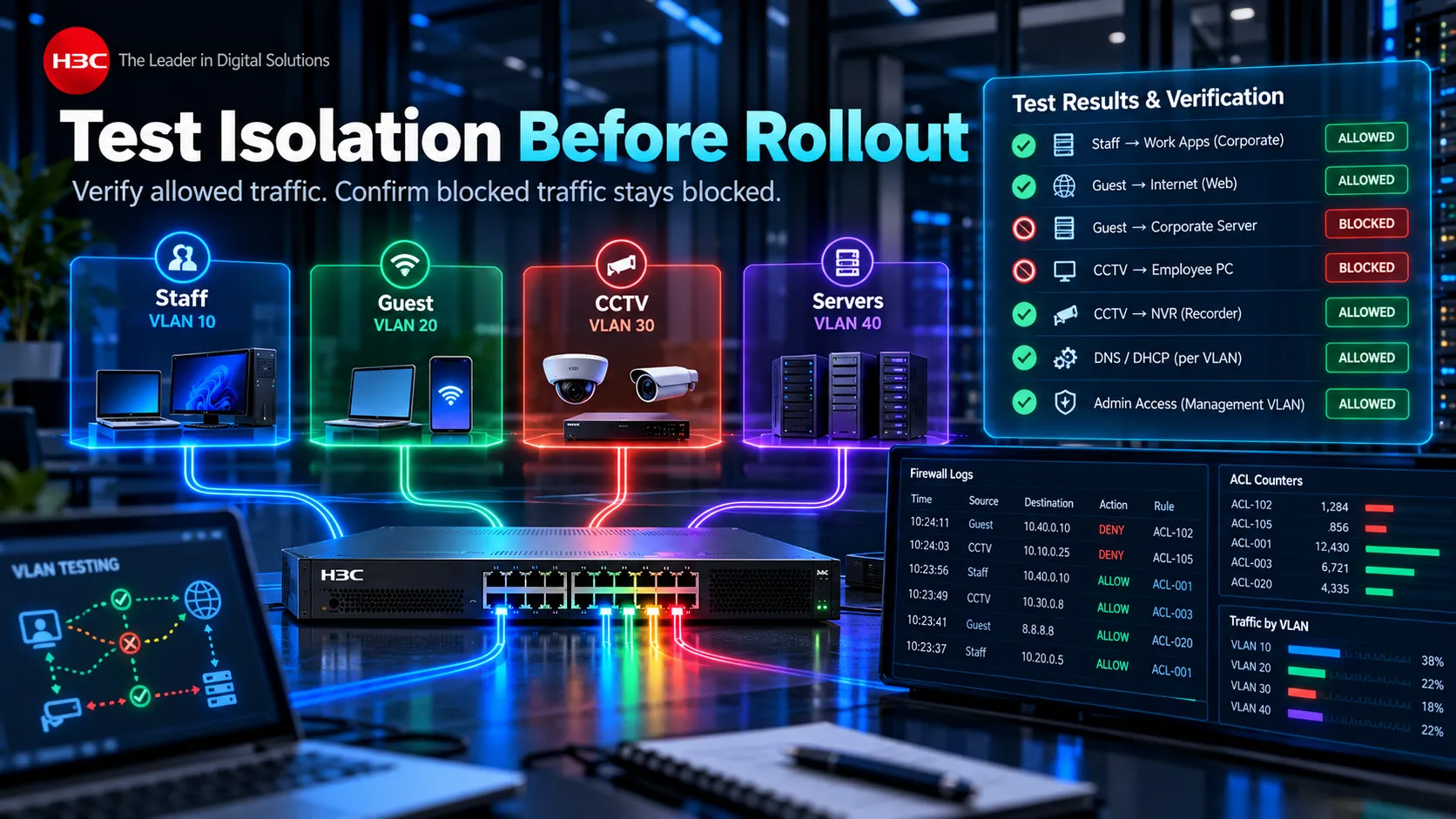
Whenever possible, roll out your changes gradually. Test things out in one single department, branch, or group before cutting over the entire company. Smart VLAN Segmentation massively improves security, but rushing the rollout can easily disrupt printing, logins, phones, camera feeds, or core apps if hidden dependencies get missed along the way.
Common Segmentation Mistakes
One of the biggest mistakes people make is setting up VLANs without actually controlling the traffic between them. Sure, the network looks nicely segmented inside your switch settings, but if every VLAN can still talk freely through the Layer 3 gateway, you’ve only built administrative lines on paper the actual security walls aren’t really there.
Another is putting too many unrelated devices into the same segment simply because they are physically close. A printer, CCTV camera and employee workstation may sit in the same room while having very different communication requirements.
The opposite problem is over-segmentation. Dozens of narrowly defined VLANs can create unnecessary routing, firewall rules and troubleshooting work when the business case does not justify the separation.
Trunk configurations can easily cause trouble, too. Allowing every single VLAN across every trunk line opens up unnecessary risk and makes tracking down issues much harder. As a rule of thumb, trunks should only carry the specific VLANs that downstream gear actually needs.
Management traffic needs special care, as well. Switches, wireless controllers, servers, and other core hardware should never expose their management interfaces directly to regular employee networks. You’ll also want to rethink default VLAN settings rather than simply leaving every unconfigured device plugged into the default setup out of the box.
Finally, poor documentation can quietly sabotage an otherwise great setup. Your IT team should be able to clearly explain what VLAN 30 is for, which subnet it uses, where its gateway lives, which switches support it and which networks it’s allowed to connect with.
If nobody can explain why a specific VLAN exists, your overall segmentation strategy will eventually become a nightmare to maintain. VLAN Segmentation is not complicated because of the tag itself. The technology is well established. The real challenge lies in deciding which systems genuinely belong together and which specific connections your business actually requires.
That’s where thoughtful network design really proves its worth.
For businesses building H3C-based setups in the GCC, D3 helps connect those high-level decisions to your actual switching, routing, wireless, and security setup rather than treating VLAN configuration like an isolated technical chore.
A completely flat network feels simple at first, until the company grows to the point where every device talking to every other device becomes a major issue.
VLAN Segmentation gives your network clear boundaries. Good policies give those boundaries real purpose.
Exact-match count: 10× “VLAN Segmentation”.