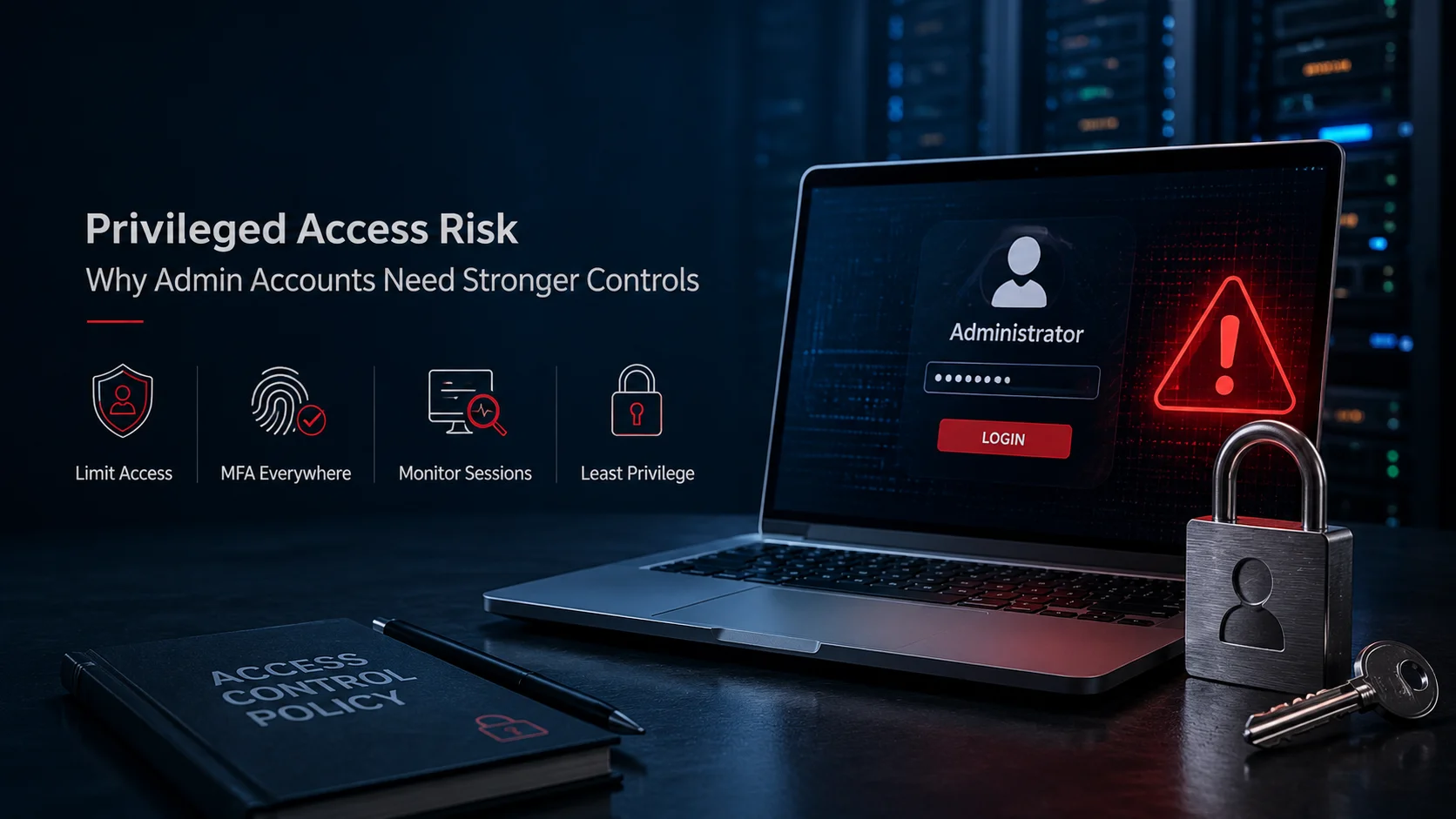
Why Privileged Accounts Are High-Value Targets
Think about what happens if a hacker gets their hands on a regular employee’s password.
Usually, their first move is to poke around and see what else that person can access. They might dig through shared folders or try to find other credentials that lead to even more permissions.
But if they manage to snag an administrator’s identity, the situation changes instantly and dramatically.
Depending on the specific account, an attacker could create new users, mess with authentication settings or even turn off security controls. They can jump into servers, set up a permanent way back in or move freely between different systems.
This is exactly why hackers don’t always bother “hacking” every layer of a network. Often, the shortcut is simply stealing the identity of someone who already has all the keys.
When we talk about privileged access, we’re looking at things like:
- Domain and directory administrators
- Cloud administrators
- Server and database administrators
- Network and security administrators
- Application administrators
- Backup administrators
- Service accounts with elevated permissions
- Emergency or “break-glass” accounts
- Third-party vendor and support accounts
The risk also extends beyond permanent administrators.
A contractor who gets temporary RDP or SSH access to fix a server is basically a privileged user while they’re logged in. Or consider a service provider who manages systems for several different customers, they might hold high-level access across many organizations at once.
That’s one of the main reasons modern identity security is starting to look much further than just the initial login screen.
Securify Identity pulls identity and access management into one central place for all users and apps. Its tools can automatically enforce rules based on a person’s role, their location or which application they’re trying to use.
However, authentication only solves one piece of the puzzle: are they even allowed to start the session?
Once the door is open, businesses still need to keep an eye on what’s actually happening during those sensitive sessions.
KeyStrike’s continuous remote access governance was built specifically to fill this gap. It gives you live visibility into privileged sessions and lets you enforce policies on what happens inside them. It’s meant to work alongside your existing IAM, PAM and SIEM tools, not replace them.
For a company, this creates a really clear divide:
Identity controls determine who gets in, while session controls manage what they do once they’re inside.
Both are equally critical when an account has enough power to impact your entire infrastructure.
Common Admin Access Mistakes
Privileged access issues are rarely the result of one single, dramatic error. More often than not, they develop slowly as small, overlooked problems start to pile up over time.
One of the most common is giving an employee one account for everything.
An administrator logs into email, browses the internet and performs server administration using the same privileged identity. If that everyday session is compromised through phishing or malicious content, the attacker may gain access to credentials with far greater authority than the user needed for ordinary work.
Separate administrative and standard accounts reduce this exposure.
Another classic mistake is what we call “permanent privilege.”
This happens when someone is granted admin rights for a specific project or a quick fix. The job gets done, but the access stays active. Fast forward a few months, and nobody can remember why they had those permissions in the first place.
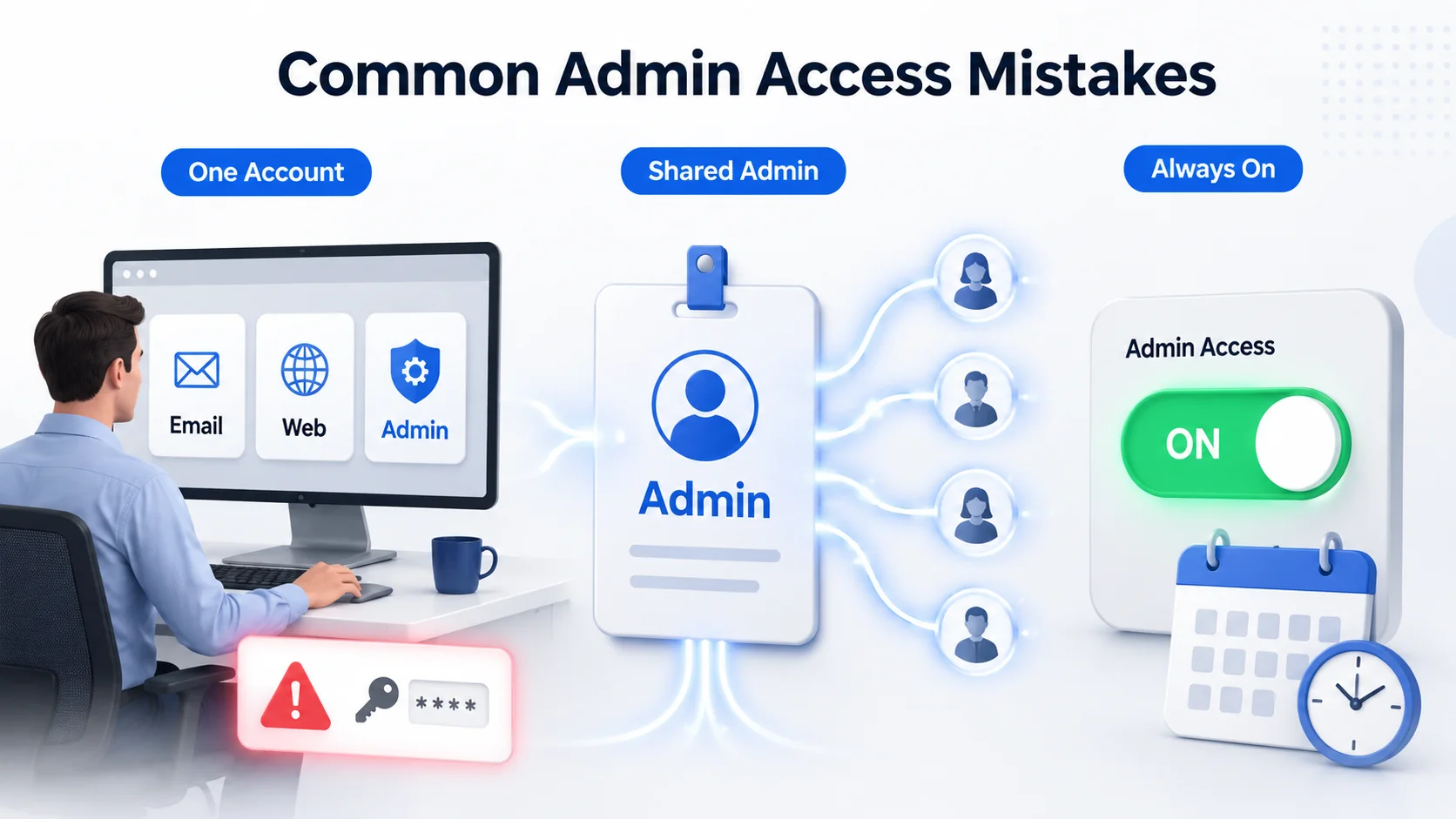
When this happens, privileged access just quietly expands without anyone noticing.
Shared admin accounts are another major headache. If five engineers are using the same login, you might see that “the administrator” changed a critical setting, but you won’t have any idea which person actually did it.
There are several other common weaknesses to watch out for:
- Reusing admin passwords across different systems
- Using privileged accounts on standard workstations
- Leaving access active for former employees or contractors
- Giving vendors permanent remote access “just in case”
- Neglecting to review service accounts and their permissions
- Logging in with passwords alone instead of using MFA
- Granting admins more power than their specific role requires
- Leaving sensitive sessions open longer than they need to be
- Failing to keep a reliable audit trail of what admins are doing
CISA recommends keeping high-level directory accounts off standard devices and using dedicated admin environments instead. The goal is simple: if someone manages to compromise a regular workstation, you want to make it as difficult as possible for them to get their hands on powerful admin credentials.
Ownership is also a huge factor.
Every privileged identity should have a clearly defined owner. “We think the ERP team uses this account” is not enough for an identity capable of modifying critical systems.
The business should know why the account exists, which system requires it, who approves its use and what would happen if it were disabled.
MFA, Session Control, and Approval Workflows
You shouldn’t rely on a password alone to prove someone’s identity.
Since passwords are easily stolen through phishing, malware or just being reused, you really need Multi-factor authentication (MFA). It adds a vital extra layer of protection before someone can start a privileged session.
As CISA puts it, MFA is all about layering your defenses. For the most sensitive accounts, it’s worth using stronger, phishing resistant methods whenever possible.
Tools like Securify Identity MFA help by letting you set smart, adaptive rules based on who the user is, what app they’re using and the current context like checking their location or what time they’re logging in.
But remember, MFA only guards the front door. It doesn’t guarantee that everything happening once someone is inside is legitimate.
Even if a genuine admin logs in perfectly with MFA, if their workstation is already compromised, they could still accidentally trigger malicious activity during that session.
That’s why you need to control what happens inside the session itself.
This is where KeyStrike makes a difference. It watches remote sessions like RDP and SSH in real time, verifying every command and stopping unauthorized actions on the fly, instead of just logging them for you to check later.
For critical systems, businesses can combine this with approval workflows.
Instead of giving out permanent admin access, require these steps:
- A clear reason for the access request.
- Approval from the right person.
- MFA before activating.
- Access for a set timeframe.
- Monitoring while the session is active.
- Automatic removal when the time is up.
This makes audits a breeze. You’ll be able to clearly prove not just that an admin had access, but exactly why, when and who approved it.
Detecting Risky Identity Behavior
Not all identity attacks start with a failed login, sometimes the bad guys already have the right credentials. A compromised account might log in perfectly normally, but then start acting in ways that don’t fit the user’s usual habits. For example, an admin who normally works standard business hours might suddenly hit a critical system in the middle of the night. You might see a dormant permission get activated, someone wandering into a department’s files they don’t usually touch or an odd, tangled path of authorization popping up between systems.
That’s exactly why just looking at login logs isn’t enough; you need to look at actual behavior and context. Tools like Securify Identity VISEE constantly watch how people are accessing things. It flags red flags like weird login times, suddenly active permissions that are usually left alone, or people trying to do things that fall outside their job description. It smartly prioritizes these alerts so your team can focus on the riskiest, most sensitive situations first.
Of course, not every anomaly is an attack. Admins work late, engineers jump into unfamiliar systems during emergencies, and teams sometimes need temporary access to get things done. The real goal is adding context—that’s what tells you the difference between a late-night fix and a genuine threat.
When evaluating an event, it helps to ask a few simple questions:
Securify Identity VISEE continuously analyses access behavior and can highlight events such as unusual access hours, dormant privileges becoming active, out-of-role access, irregular authorization paths and segregation of duties concerns. It priorities findings based on factors including the sensitivity of the privilege and criticality of the resource.
The objective is not to flag every unusual action as malicious.
Administrators sometimes work late. Engineers sometimes access unfamiliar systems during incidents. A department may legitimately require temporary permissions.
Context determines whether the activity deserves investigation.
Useful questions include:
- Is this normal for this person?
- Are we recognizing the device and location?
- Is this resource actually related to their job?
- Was this access recently approved?
- Is this a privilege they use often?
- Are they moving through critical systems faster than usual?
When we’re talking about remote access, we need to go deeper and look at the session level, too. KeyStrike gives you a live look into privileged remote sessions, so your security team can see exactly what’s happening and step in if something looks wrong—even after the user has already logged in.
Put these together and you can answer two vital questions: “Should this person be doing this at all?” and “Should I let this specific action keep going?” Being able to answer these quickly is the difference between stopping a breach and just watching it happen.
Reducing Standing Privileges
The best approach to privileged access is simple: don’t give someone special permissions until they actually need them.
We call it “standing privilege” when someone’s admin rights are always “on,” regardless of whether they’re actively working on an admin task or just grabbing coffee. That’s a big security risk.
Think about a database admin who only needs those high level rights for two hours a week. There’s really no reason to leave those keys in their pocket the other 166 hours of the week. Instead, it’s smarter to make users “eligible” for access and only “switch it on” exactly when they need it.
Even cybersecurity experts like CISA agree, they recommend moving away from permanent access and using approval processes to turn on those sensitive permissions. You’ll often hear this called just in time access, temporary privilege or dynamic privilege management.
This ties into the core security idea of least privilege, giving people and processes just enough access to get their job done, and nothing more. This is also a key recommendation in the NIST security control framework, which covers everything from restricting access to watching out for weird, atypical behavior.
Don’t worry, reducing standing privileges doesn’t mean you have to create a roadblock for every single IT task. Routine, low risk stuff can still be handled automatically through set policies. But for the high stakes actions like messing with identity settings, changing backups or touching production databases you should definitely require a stronger approval process.
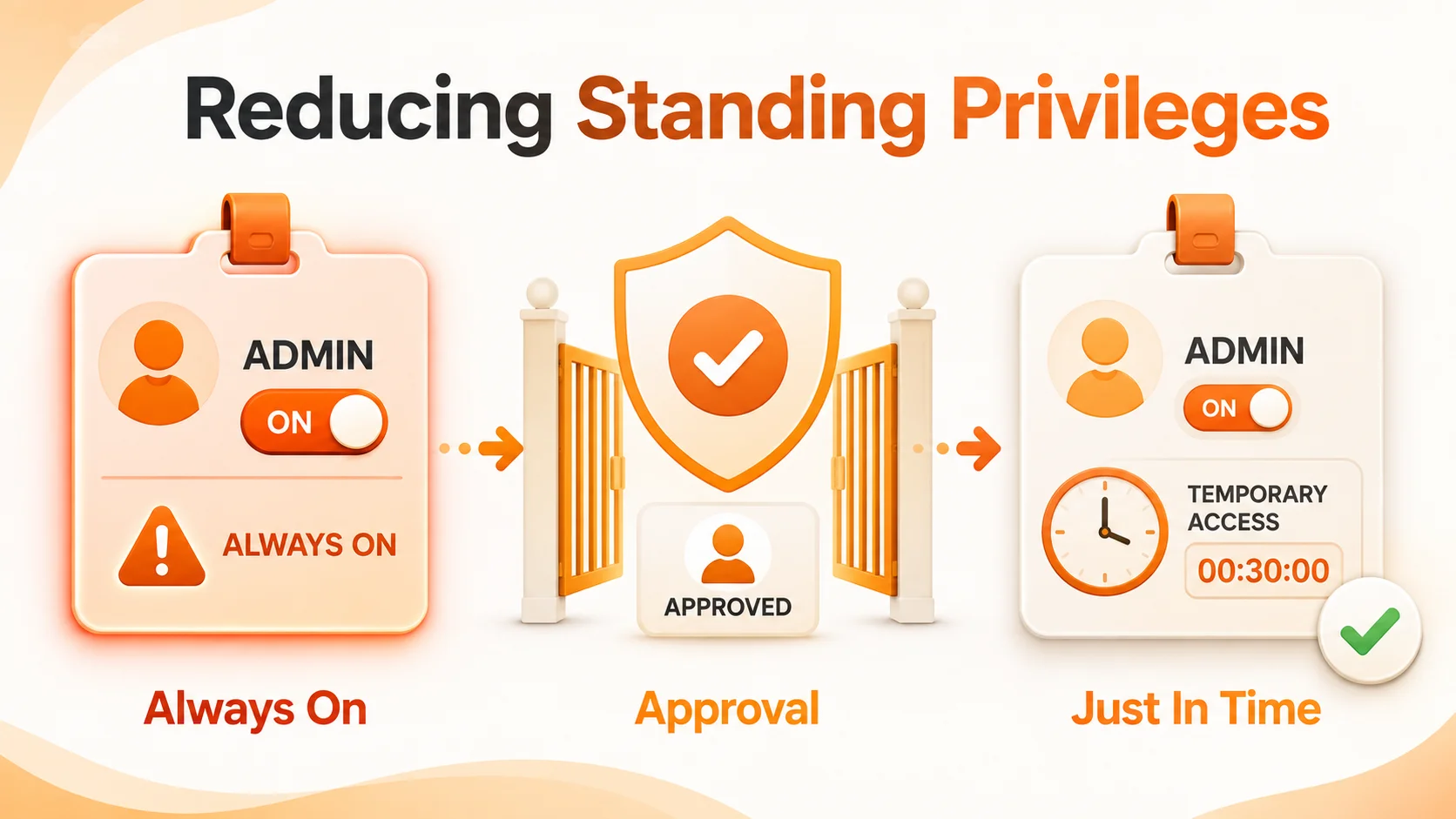
It’s best to start with the accounts that matter most:
- Global or domain administrators
- Security administrators
- Cloud tenant administrators
- Backup and recovery administrators
- Database administrators
- Critical network administrators
- Vendor accounts with remote privileged access
Tools like Securify Identity can help you spot accounts with too much access or those that haven’t been used in a while, helping you clean up relationships that just don’t make sense anymore. At the end of the day, you’ll have fewer accounts with dangerous levels of access and when someone does need special permissions, you’ll have a clear record of why.
Privileged Access Control Checklist
Before we can say our privileged access is truly locked down, we need to be able to answer these 15 questions honestly:
Do we actually know every single admin account we have?
That means everything from cloud roles and service accounts to those emergency break-glass logins and external vendors.
Does every privileged account have an owner?
An administrator identity without clear ownership should be investigated.
Are standard and administrative accounts separated?
Privileged credentials should not be used routinely for email, browsing and everyday work.
Is MFA turned on for every high-stakes entry point?
This is non-negotiable for cloud, remote access and any identity that can change our infrastructure.
Does everyone have exactly what they need for their current role and nothing more?
It’s time to strip away those just-in-case permissions and old access rights that aren’t used anymore.
Can we swap permanent access for temporary passes?
Why leave the door unlocked 24/7 when an admin only needs to go in for an hour once a week?
Are approvals required for sensitive access?
Critical systems should have clearly defined owners and approval paths.
Can we actually see what’s happening inside remote sessions?
Monitoring shouldn’t stop the second someone logs in; we need eyes on the whole session.
Can suspicious actions be stopped during a session?
High-risk environments may require real-time session governance rather than relying only on post-event logs.
Are unusual identity behaviors detected?
Look for access outside normal roles, unusual hours, dormant privileges and unexpected resource combinations.
Is vendor access time-limited?
External support should not remain permanently enabled simply for convenience.
Do we have a reliable paper trail of every admin action?
We need to know who was in, exactly when, and what they changed.
Are permissions reviewed regularly?
Sensitive roles deserve more frequent access certification than ordinary business applications.
Are we protecting admin workstations differently?
We have to stop exposing powerful credentials on the same laptops people use for everything else.
Is there an emergency process?
Break-glass access should be protected, monitored, tested and reviewed whenever it is used.
For organizations in the GCC, D3 simplifies privileged access security by bringing identity governance and session control together. As a Securify Identity Distributor in Dubai, D3 supports authentication, adaptive access, identity governance, and behavioral risk management. As a KeyStrike Distributor in Dubai, we also help organizations gain visibility and control over live privileged sessions. With regional expertise across Dubai and the wider GCC, D3 provides the deployment planning and technical support needed to integrate these technologies into existing security environments.
Privileged access will always be necessary. Someone has to manage the infrastructure.
The security objective is to make sure that privilege does not quietly become permanent, invisible or assumed.
Verify the administrator. Limit the privilege. Control the session. Watch the behavior. Remove the access when the work is finished.
That is how an admin account remains a management tool instead of becoming an attacker’s shortcut into the business.