When planning a network upgrade, it’s easy to focus on the flashy tech things like new switches, faster Wi-Fi access points, upgraded firewalls and internet bandwidth. Meanwhile, the cabling hidden up in the ceiling barely gets a second thought. And that can end up being a pretty costly oversight.
You might invest in Wi-Fi 7 access points with multi-gigabit uplinks, 10GbE workstations, and a fleet of PoE-powered cameras, phones, and smart office gear. But at the end of the day, none of those devices can perform any faster than the physical cables linking them together.
That’s why the Cat6 vs Cat6A choice isn’t just a matter of picking a label off a shelf. If you’re keeping your current office space as-is, stick with Cat6 it’ll likely do everything you need. But if you’re building out a new headquarters, setting up a high-density workspace or putting down infrastructure you want to last for the next decade, Cat6A gives you a lot more breathing room.
The right choice really comes down to cable run distances, your speed targets, Power over Ethernet demands, the installation environment and how much of a headache it would be to replace those cables down the road. You don’t need to put top-spec cables everywhere just for the sake of it. The real goal is making sure you don’t build tomorrow’s network on a foundation that’s already maxed out today.
Cat6 vs Cat6A at a Glance
Cat6 and Cat6A are both balanced twisted-pair copper cabling technologies using familiar RJ45-based enterprise connectivity, but their performance specifications are different.
Cat6 tops out at 250 MHz, whereas Cat6A doubles that capacity to 500 MHz. More importantly for modern offices, Cat6A was built from the ground up to minimize alien crosstalk and deliver reliable 10GBASE-T performance across the full length of a standard cabling run. Leviton’s category cabling technical guidance highlights this frequency difference and explains why mitigating alien crosstalk is essential for higher-speed networks.
In everyday terms, Cat6 handles Gigabit speeds and lighter multi-gigabit workloads just fine. But if you plan on deploying 10 Gigabit Ethernet over copper, Cat6A gives you far more reliability and peace of mind.
Testing benchmarks from AEM show Cat6A running 2.5G, 5G and 10G over a full 100 meter span without issue. Cat6, on the other hand, starts struggling over longer distances at 10G, usually capping out around 55 meters depending on environmental conditions.
That distinction alone can completely change how you plan your network. If you are just running cable to typical office desks that will stick with 1GbE connections for years to come, standard Cat6 makes perfect sense. However, if those drops need to support high demand workstations, fast Wi-Fi access points, switch uplinks or hardware likely to step up to 10GbE down the line, Cat6A is the far safer long-term bet.
It helps to think of cabling as permanent building infrastructure. While switches and routers get swapped out every five to seven years, the cables running through your walls and ceilings usually stay put through multiple hardware generations. Investing a bit more up front during initial construction is almost always cheaper than tearing open drywalls and ceiling tiles to replace hundreds of runs later on.
Speed and Distance Requirements
When you’re comparing Cat6 vs Cat6A, the best place to start is with what you’re actually using it for. Simply ask yourself: how fast does your network really need to go and how far do those cables have to reach?
If you’re just running standard Gigabit Ethernet, either option will get the job done without any issues, provided it’s installed properly.
The real differences start showing up once you push things to 10GbE speeds. For instance, H3C’s guidelines for their 10GBASE-T switches cap standard Cat6 UTP at 55 meters for 10G speeds, whereas Cat6A can comfortably handle the full 100-meter range.
That 55 meter limit might not seem like a big deal in a smaller office setup where cable runs are short. In a larger building or floor plan, though, it can easily make or break your setup. Remember that cable runs don’t go in a straight line. Once you factor in routing through walls, ceilings and patch panels, the actual cable length is often much longer than it looks on paper.
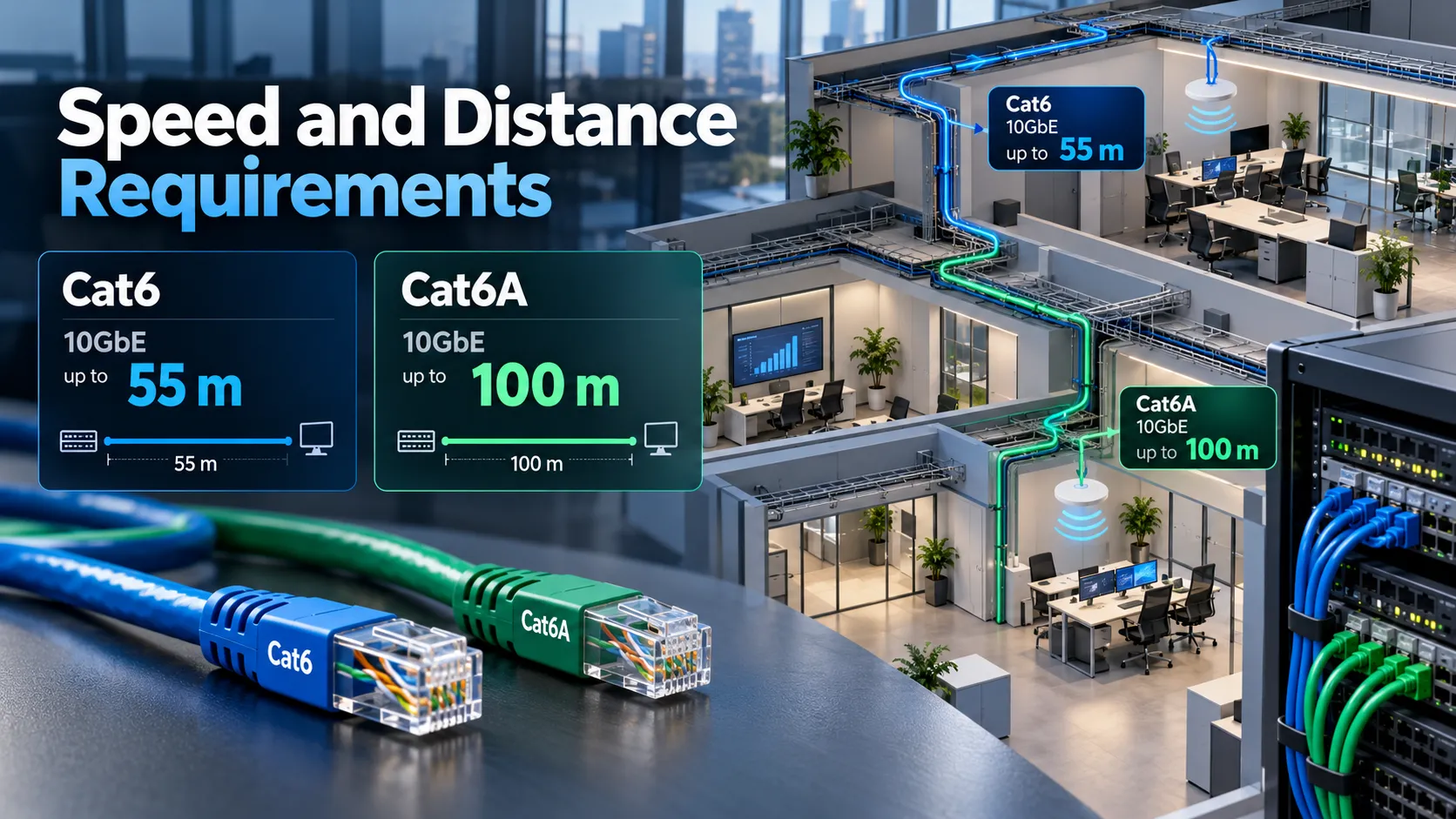
Cat6A takes away that guesswork by guaranteeing full-distance 10GBASE-T support, as long as the install meets standard guidelines.
That makes it particularly relevant for high-performance endpoints and multi-gigabit infrastructure. Modern wireless is a good example. Wi-Fi access points can now have wired uplinks above 1GbE. Installing an expensive wireless system while leaving the cabling incapable of supporting the intended uplink creates a bottleneck in a part of the infrastructure that is harder to replace.
The same applies to content production workstations, engineering departments, local high-speed storage and other applications where moving very large files is part of normal work. But speed requirements should remain realistic. A normal employee browsing cloud applications does not need a dedicated 10GbE connection simply because Cat6A can provide one. Infrastructure planning should focus on capability and lifecycle, not headline speed.
Alien Crosstalk and Installation Space
In a Cat6 vs Cat6A comparison, alien crosstalk stands out as one of the most critical technical distinctions. Standard crosstalk happens between wire pairs inside the same cable jacket. Alien crosstalk, on the other hand, is unwanted signal bleed coming from adjacent cables bundled alongside it.
At standard Ethernet speeds, this interference rarely causes noticeable issues. But once you step up to 10GBASE-T frequencies, keeping that noise under control becomes vital.
AEM’s cabling analysis points out that alien crosstalk often stays hidden during simple link checks when nearby cables sit idle, only rearing its head when multiple lines in a bundle start carrying heavy, high-speed traffic. They also caution that legacy Cat5e and Cat6 runs might pass basic tests with flying colors, yet still fall short of the required operating headroom at multi-gigabit speeds due to this exact interference.
That is why Cat6A was specifically engineered from the start to combat alien crosstalk far more effectively. However, that extra protection comes with a physical trade off: Cat6A cabling has historically been significantly thicker than standard Cat6.
Those thicker cables directly impact cable tray capacities, conduit limits, bend radius tolerances, patch panel spacing and overall room requirements in server closets. That said, you don’t necessarily have to deal with bulky wiring everywhere today. Modern slim profile options have come a long way. For instance, Cat6A reduced-diameter products are tailored to offer better flexibility and higher tray density without sacrificing 500 MHz performance or 10 Gigabit speeds.
Even so, physical pathway space is something you need to measure and plan for rather than take for granted. Trying to switch from Cat6 to Cat6A after conduits are already packed is a major headache, whereas choosing Cat6A during the initial design phase keeps things smooth.
Because of this, any Cat6 vs Cat6A decision should include an evaluation of the entire physical picture, including conduit sizing, rack space, bend margins, patch arrangements, and room for future expansion, before pulling a single cable.
PoE Heat and Cable Bundles
In the Cat6 vs Cat6A discussion, it’s also important to remember that office network cables now deliver both internet data and electrical power. Devices like Wi-Fi access points, security cameras, door access scanners, desk phones and smart building sensors often rely on Power over Ethernet (PoE) to stay running.
Because of this, the physical quality and build of your cables matter more than ever. When electric current travels through copper wires, it generates heat. A single cable rarely causes trouble, but tightly packed bundles of powered lines running through enclosed spaces can quickly trap heat if you don’t plan ahead.
According to the Ethernet Alliance’s PoE guidelines, factors like wire thickness, cable insulation ratings and bundle sizing all affect how much heat builds up. For example, Cat6A cables typically feature thicker 23 AWG copper conductors compared to the thinner 24 AWG wires commonly found in older Cat5e runs, though you should always verify the exact specs for your specific cable.
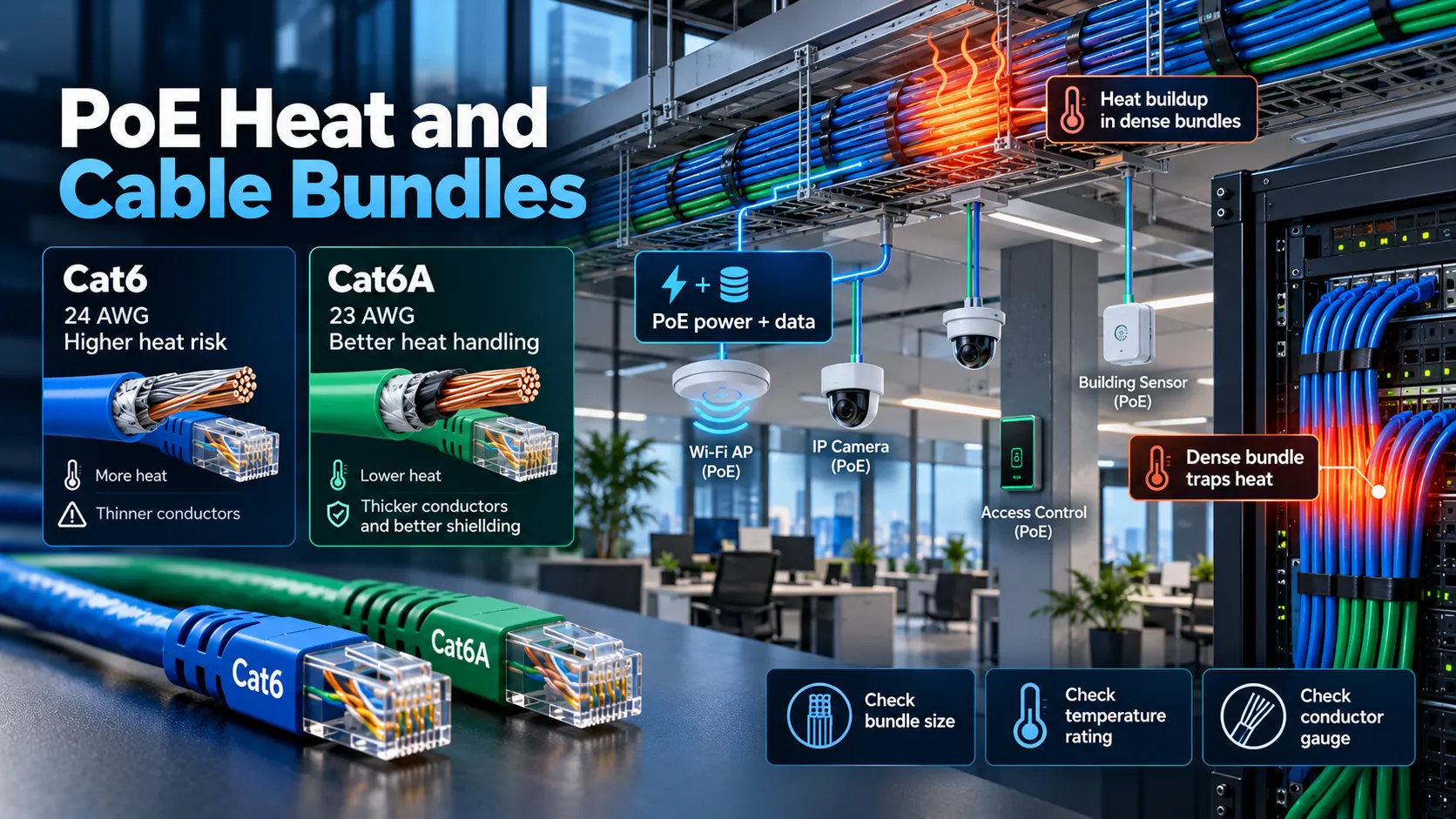
This wire size difference becomes a big deal as modern offices adopt higher wattage PoE equipment. Powering a high performance Wi-Fi access point demands significantly more energy than an old desk phone. When dozens of those high power lines share the same tight tray or conduit, heat management becomes a primary design factor.
That makes Cat6A a smart pick for power-hungry workspaces not just for its raw speed, but because its thicker copper conductors and better shielding handle heat far more effectively.
This is especially critical across GCC facilities, where ceiling voids, risers and server rooms can run quite hot if airflow and air conditioning aren’t perfectly dialed in. Even so, your decision should always hinge on actual product specifications rather than assumptions. Make sure your IT team checks conductor gauges, temperature limits, PoE ratings and bundle size guidelines rather than relying on the “Cat6A” label alone.
Reuse Existing Cabling or Replace It?
A Cat6 vs Cat6A upgrade decision doesn’t automatically mean you need to tear out all your old cabling.
If your office is already wired up with a solid Cat6 setup, ripping it out just because you’re installing new switches is usually a waste of money. What you really need to ask is whether your current lines can handle whatever you’re planning to throw at them next. Say your office is stepping up from 1GbE to 2.5GbE to power faster Wi-Fi access points. Your existing Cat6 cabling might handle that upgrade without breaking a sweat.
AEM’s Multi-Gigabit validation data shows that well installed Cat6 lines can easily run 2.5G and 5G over a full 100 meters, though hitting 10G depends much more on cable length and overall run quality. That’s why actual testing is so much better than making blind guesses.
Replacing perfectly fine infrastructure simply because Cat6A is newer isn’t smart planning.
At the same time, assuming a decade old Cat6 setup will run modern applications just fine, simply because of the label printed on the jacket is equally risky. Older cables might have suffered damage over time, been terminated poorly or extended improperly. Patch cords get swapped out and actual cable runs are often much longer than early blueprints suggest.
It also helps to think about where those cables are physically located. Running new wiring through an open warehouse ceiling is fairly easy, but replacing hundreds of lines inside a fully finished corporate head office means disrupting ceilings, conference rooms and daily work. When replacing cables down the road promises to be a giant headache, investing in higher-spec cabling during an initial fit-out makes a lot more sense.
Testing Before a Network Upgrade
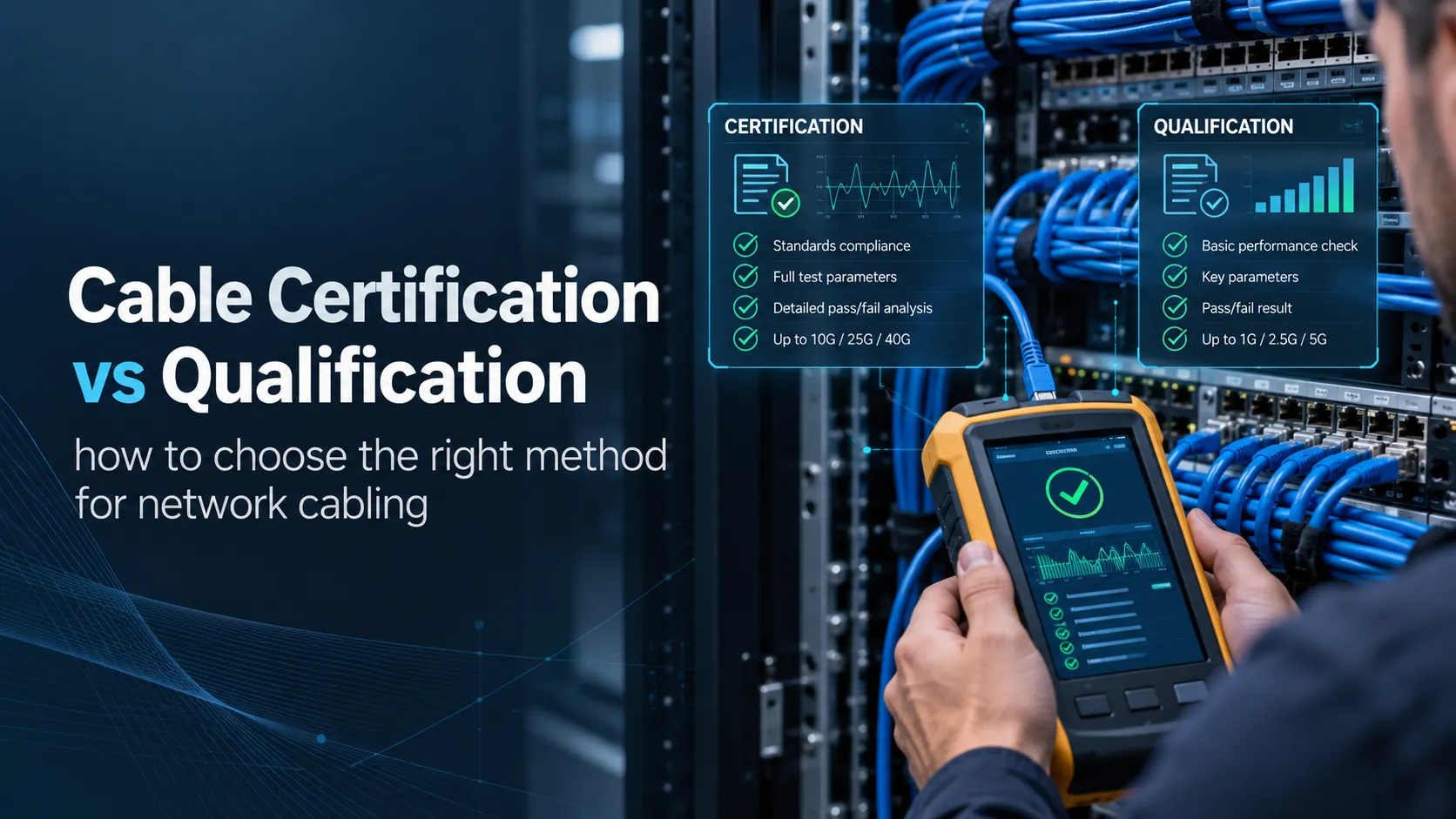
When it comes down to it, the clearest answer to the Cat6 vs Cat6A debate won’t come from a specs sheet, it comes from a physical cable tester. Before making any decisions, you really need to answer two key questions.
First off: does your installed cabling actually hit its rated category specs?
And second: can it handle the specific network workloads you’re planning to run?
Those two things aren’t always identical.
A standard certification test checks whether a cable meets official category standards, while multi-gigabit qualification tells you if you have enough signal-to-noise headroom to hit your target Ethernet speeds reliably.
AEM TestPro’s Multi-Gig validation capability lets you test links for 2.5G, 5G and 10G speeds while checking that your cables can safely deliver higher PoE power levels. That testing becomes especially handy when you’re deciding whether to reuse existing Cat6 runs. Instead of replacing hundreds of links based on age alone, IT can test representative or critical links and determine what they actually support.
For new installations, certification provides something equally valuable: evidence.
D3’s AEM network-testing portfolio offers the TestPro CV100 for deep copper and fiber certification, alongside the Network Service Assistant for quick Multi-Gig, PoE and link checks. D3 helps GCC integrators and IT teams select the right testing strategy, so no one relies on a simple green light to prove a network is ready.
This is especially relevant when working with an H3C Distributor for switching or high-performance wireless deployments, where the active network and physical cabling need to be planned as one system. There is little value in troubleshooting a new switch for hours if the actual bottleneck is a marginal copper channel.
A Cabling Decision Table
Here’s a quick Cat6 vs Cat6A breakdown across key technical and practical operational needs:
| Requirement | Cat6 | Cat6A |
|---|---|---|
| 1 Gigabit office access | Strong fit | Strong fit |
| 2.5G / 5G access | Generally suitable when properly installed | Strong fit with additional headroom |
| 10GBASE-T | Distance and installation conditions matter; around 55 m is a common design limit for Cat6 UTP | Designed for 10GBASE-T across the full 100 m channel |
| Frequency specification | 250 MHz | 500 MHz |
| Alien crosstalk performance | More sensitive at 10G | Specifically improved for higher-speed operation |
| PoE-heavy deployments | Suitable when cable construction and thermal conditions are verified | Often preferred where higher PoE, bundle size and future growth matter |
| Pathway space | Generally smaller/easier to manage | Can require more space, although reduced-diameter Cat6A options exist |
| Existing office reuse | Often worth testing before replacement | Usually selected for new high-performance installations |
| New long-life office fit-out | Suitable when requirements are modest and predictable | Stronger option when 10G, Wi-Fi 7 or long lifecycle is expected |
| Testing requirement | Certification/validation recommended | Certification strongly recommended to prove Cat6A performance |
If your current office network runs smoothly on 1GbE or is making a modest move toward 2.5GbE, Cat6 likely still has plenty of life left in it.
On the other hand, if you’re outfitting a brand new corporate office, expanding a large campus, deploying Wi-Fi 7 or expecting to need full 10GBASE-T speeds over the lifetime of the cabling, Cat6A gives you much better flexibility down the road.
The goal of a Cat6 vs Cat6A decision isn’t just to buy the highest specification available. Instead, it’s about choosing cabling that comfortably matches what your organization will realistically require before the next major cabling overhaul.
With D3’s network testing and certification solutions, partners and enterprise clients across the GCC can thoroughly test, certify and document their copper infrastructure during upgrades, while D3’s broader enterprise networking solutions connect physical cabling with switching and wireless infrastructure.
Switches and routers can easily be swapped out in an afternoon. Cables tucked inside walls, risers and ceilings are another story entirely. That’s why the best Cat6 vs Cat6A decision isn’t just about meeting today’s network demands.
It’s about avoiding the head-aches of what will be far harder to replace tomorrow.