Why Retention Time Is a Business Decision
It’s easy to think of CCTV retention as just a setting on your recorder, but it’s actually a major business decision. It affects everyone from your security and IT teams to your legal and compliance departments.
Think about how different incidents unfold.
A shoplifter might be caught the same day, but a warehouse shortage might not be noticed until the next inventory count weeks later. A logistics company might deal with a damage claim a month after a package was shipped and some internal HR investigations don’t even start until months after the fact.
Your retention period needs to cover the gap between when something happens and when you actually find out about it.
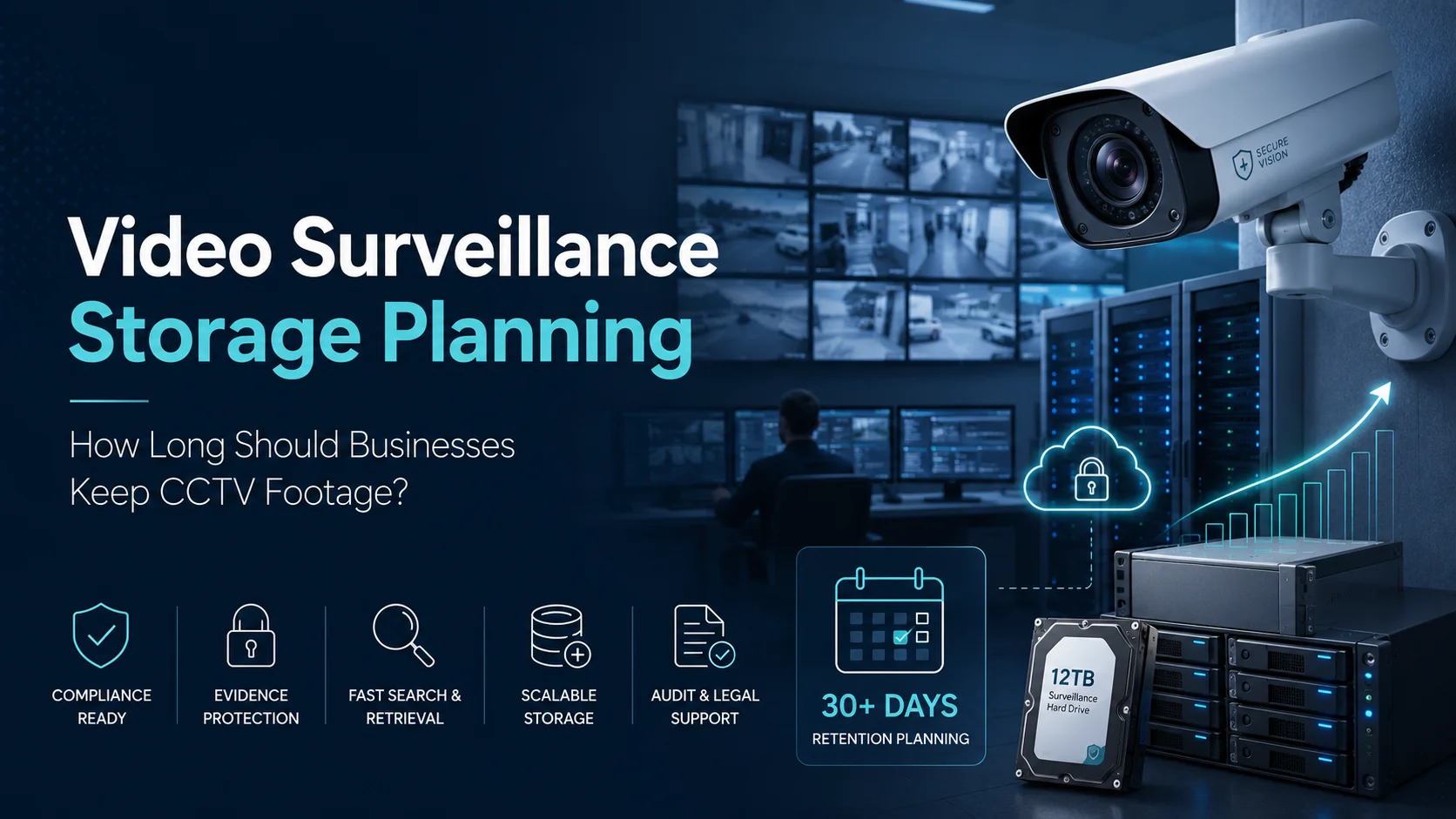
For most businesses, 30 or 31 days is the standard starting point. In Dubai, for instance, the Security Industry Regulatory Agency (SIRA) requires many premises to keep footage for at least 31 days.
However, that one-month rule isn’t universal. Your specific requirements will depend on what you do, where you are, and which authorities oversee your industry.
Saudi Arabia uses a similar risk-based approach. Under the Security Surveillance Camera Law, you have to follow specific conditions for your sector. If an incident is reported, you must keep that footage untouched until the investigation is totally wrapped up.
Some sectors have much stricter rules. For example, UAE anti-money laundering laws mean banks and certain high-risk businesses might need to store CCTV and ATM footage for five years or more.
Don’t just pick a number because it’s what everyone else does. Instead, build a policy that categorizes your footage:
- Everyday video where nothing happened
- Clips linked to an alarm or a known issue
- Evidence for active legal or internal cases
- Video that falls under specific legal mandates
Standard footage can be deleted automatically once its time is up. But anything marked as evidence needs to be locked down and preserved until you’re officially cleared to delete it.
If you operate across the GCC, remember that requirements vary. A branch in Dubai and a warehouse in Riyadh will likely need different settings, even if they use the same system.
The safest approach is to establish the retention requirement first and design the storage architecture second, not purchase storage and allow its capacity to decide the policy.
Camera Count, Resolution, Frame Rate, and Compression
Once the retention period is clear, the next question is capacity. This is where surveillance projects are frequently underestimated.
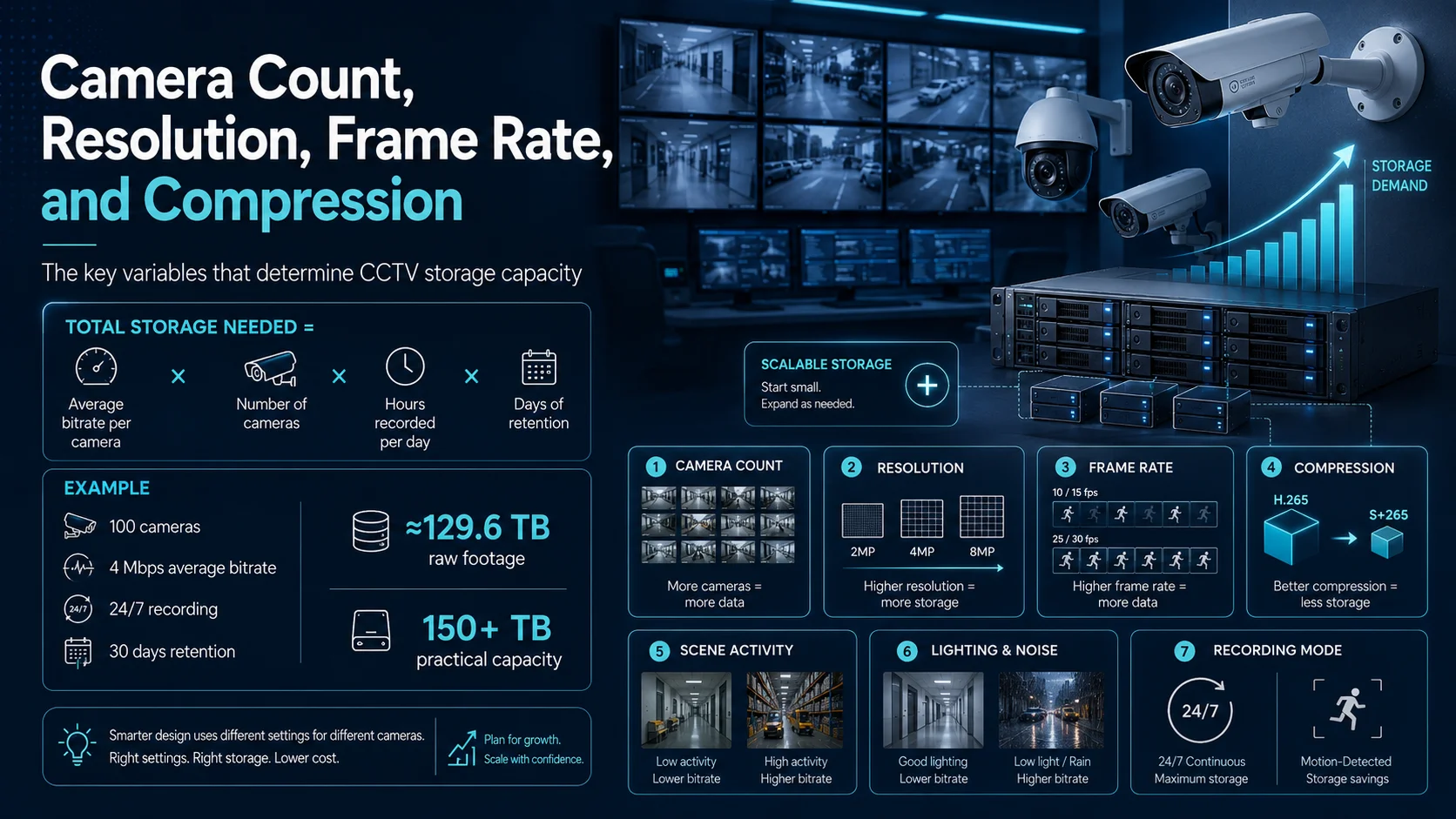
Storage demand is influenced by more than the number of cameras. The main variables include:
Camera count: Every additional stream continuously adds data.
Resolution: Moving from 2MP to 4MP or 8MP cameras generally means bigger files, though your specific settings and what’s happening in the shot play a big role too.
Frame rate: Capturing 25 or 30 frames every second is going to eat up more space than a slower 10 or 15 fps setup.
Compression: If you set them up right, modern codecs like H.265 are great for shrinking your bandwidth and storage footprint compared to older tech.
Scene activity: A quiet, empty hallway is much easier for a system to compress than a busy warehouse floor or a street with constant traffic.
Lighting and image noise: Low-light noise, rain, reflections and rapidly changing illumination can increase the bitrate because the scene becomes more difficult to compress.
Recording mode: If you record 24/7, your storage use is pretty predictable. If you only record when motion is detected, it depends entirely on how often things move.
Tiandy’s cameras and NVRs handle all the modern formats like S+265 and H.265. They offer everything from small NVRs for simple setups to massive, multi-drive systems built for high-security enterprise needs.
Just a heads-up: don’t treat compression as a guaranteed “savings” percentage. It changes based on the camera, lighting and movement. Your best bet is to test the cameras in the actual spot where they’ll be used before committing to a final storage size.
If you want a quick way to plan, use this formula:
Total storage needed = average bitrate per camera × number of cameras × hours recorded per day × days of retention
Let’s look at a quick example. Imagine you have:
- 100 cameras
- An average bitrate of 4 Mbps per camera
- Continuous 24-hour recording
- 30 days of retention
In this scenario, the raw footage would take up about 129.6 TB. By the time you add in things like system overhead and a bit of room for future growth, you’re looking at a practical requirement of over 150 TB.
Keep in mind that real-world testing might change these numbers. A busy entrance might need a higher bitrate, while a quiet back room could use less. Plus, if you start recording audio or boosting quality for high-priority areas, that will add up too.
The smartest designs don’t treat every camera the same. You probably want high-res video at your main entrance for clear identification, but you likely don’t need that same level of detail for a low-traffic storage closet.
By tailoring the recording profile to what each camera is actually for, you keep the quality you need without wasting space.
Finally, always plan for growth. If you think you might add more cameras or extend your retention time later, it’s much better to have a system that can grow with you rather than one that hits its limit on day one.
NVR, Central Storage, Cloud, and Archive Options
When it comes to CCTV, there’s no such thing as a “standard” setup that works for everyone. The best way to store your footage depends on how many cameras you have, how many locations you’re managing and how often you actually need to go back and look at old clips.
For smaller businesses, an NVR (Network Video Recorder) is usually the easiest way to go. It’s a straightforward box that grabs the camera feeds, saves them right there and lets you watch or export video whenever you need to.
It’s a great, budget-friendly option that stays simple as long as your camera count doesn’t change much.
But things can get messy as you grow. If every branch has its own separate NVR, you end up with a bit of a jigsaw puzzle different storage limits, different rules for how long video stays saved, and no easy way to check if everything is running smoothly from one place.
Plus, if one recorder fails or runs out of space, you might lose the very footage you were counting on.
That’s where central storage comes in. It’s built for bigger setups like campuses or multi-building offices because it lets you share storage capacity across the whole system, making it much tougher and easier to expand.
Instead of sizing every recorder independently, storage resources can be managed as part of a broader platform.
For mission-critical surveillance, the architecture must also consider what happens during hardware failure. The Quantum Unified Surveillance Platform combines recording compute and storage resources across multiple servers, reducing the risk of critical footage becoming dependent on one standalone NVR.
The platform can also tier surveillance data to ActiveScale object storage, Scalar tape or public cloud services for longer-term retention.
Cloud storage can be useful for remote access, secondary copies, selected event footage and sites where local infrastructure is limited. But transferring continuous high-resolution video to the cloud requires careful review of bandwidth, recurring storage fees, retrieval charges, data sovereignty and connectivity.
The good news is you don’t have to choose just one. A hybrid approach often works best: keep your most recent footage on fast local drives where you can get to it instantly, and move the older stuff to a cheaper storage tier.
This leads to the difference between storage and archive.
Primary surveillance storage is designed for continuous recording and quick playback. An archive is designed to preserve selected or older footage economically for a longer period.
Keeping years of mostly inactive video on premium recording storage can become expensive and operationally inefficient.
Quantum StorNext is designed to manage large video files across flash, disk, object storage, cloud and tape while maintaining a unified namespace.
Policy-based tiering allows organizations to keep frequently accessed footage on faster storage and migrate older content to a more economical platform.
For very long retention periods, tape remains relevant because it offers high capacity with low power consumption while data is at rest. Quantum Scalar tape storage platforms are designed for secure, long-term storage, compliance requirements and large-scale image or video archives.
A real-world Calgary Police Service surveillance case study illustrates this model clearly.
Recent body-camera footage was retained on disk, while archive copies were automatically created on tape. The tiered architecture allowed the organization to manage close to a petabyte of video without maintaining the entire volume on the primary disk.
The logic is simple: a recording doesn’t need the same level of high-performance storage on day 300 as it did on day one.
Evidence Search and Incident Response
Retention has little value when teams cannot locate the required footage.
Imagine that a warehouse reports missing inventory 25 days after the suspected incident. The video technically still exists, but the security team must search across several cameras, shifts and loading areas.
If timestamps are inconsistent, camera names are unclear or playback is slow, the investigation can take hours. Effective video evidence management begins before an incident occurs.
Every camera should have a meaningful name and location. “Camera 48” is not useful during an urgent investigation. “Warehouse 2 – Loading Bay East” is much clearer.
The camera, NVR, video management system and storage infrastructure should also use synchronized time sources. Even a small time difference between cameras can create confusion when investigators reconstruct movement across a site.
Search capabilities should support practical investigation methods such as time, camera, location, event type, motion, person, vehicle or analytics metadata.
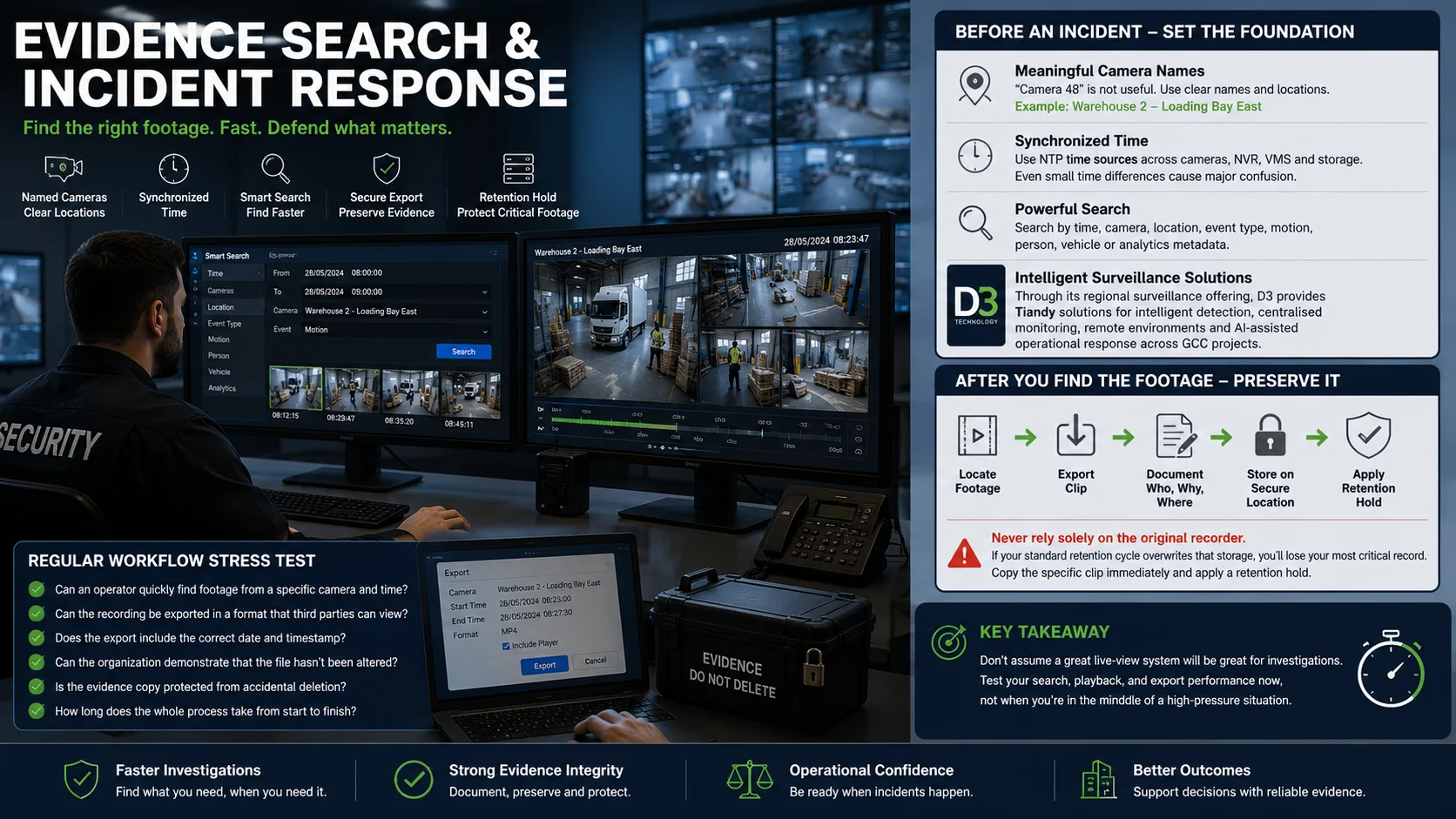
Through its regional surveillance offering, D3 provides Tiandy solutions for intelligent detection, centralized monitoring, remote environments and AI-assisted operational response across GCC projects.
Once you’ve located the footage, follow a strict process for exporting it. Always document who accessed it, why they needed it, and where the copy is stored.
Never rely solely on the original recorder for evidence. If your standard retention cycle overwrites that storage, you’ll lose your most critical record.
Instead, immediately copy the specific clip to a secure location and put a retention hold on it.
Your security team should run a “stress test” on this workflow regularly:
- Can an operator quickly find footage from a specific camera and time?
- Can the recording be exported in a format that third parties can view?
- Does the export include the correct date and timestamp?
- Can the organization demonstrate that the file hasn’t been altered?
- Is the evidence copy protected from accidental deletion?
- How long does the whole process take from start to finish?
Don’t make the mistake of assuming a great live-view system will also be great for investigations. Test your search, playback, and export performance now, not when you’re in the middle of a high-pressure situation.
Compliance and Cost Considerations
Keeping more footage may feel safer, but unlimited retention creates its own risks.
Surveillance recordings can contain identifiable individuals, vehicle registrations, workplace activity and other personal information.
Under the UAE Personal Data Protection Law, you’re expected to have solid technical and organizational safeguards in place. You need to be clear about why you’re recording, who gets to see it, and how long you’re keeping it.
The law also says you should delete personal data once you don’t really need it anymore, as long as other regulations don’t require you to hold onto it.
A smart retention policy really boils down to two simple boundaries:
Don’t hit delete before you’ve met your legal or operational requirements.
Don’t hang onto routine video indefinitely if there’s no real reason to keep it.
The longer you keep footage, the more you pay for storage, power, and cooling. Plus, it just increases the amount of sensitive data that could be exposed if there’s ever a security breach.
When looking at costs, don’t just look at the price tag of the hardware. Think about the long-term reality of:
- The actual drives and servers
- The extra space needed for backups and RAID
- Electricity and AC costs
- How much physical space it takes up in the rack
- License fees for the software
- Bandwidth for moving video around
- Cloud storage and download charges
- Secondary copies for disaster recovery
- Support contracts and future upgrades
- The time your team spends managing the whole thing
You also need clear rules for when things should be deleted. Automatic overwriting is great for the day-to-day stuff, but you have to be able to “freeze” any clip that’s part of an active incident or legal request.
Access should be based on what people actually need to do. A security guard might just need to see live video and playback, while only a few managers should be able to export or delete anything.
Every important action should be logged, and your evidence files should be locked down much tighter than your regular recordings.
At the end of the day, it’s not just about buying more terabytes. It’s about creating a lifecycle where footage is handled responsibly from the moment it’s recorded until the moment it’s deleted.
Storage Sizing Checklist
Before you sign off on a storage plan, sit down with the team and make sure you can answer these practical questions:
- Exactly how many cameras are we putting in now, and how many more will we realistically add next year?
- What are we actually trying to see with each camera? (Do we need to identify faces at the door or just see if the lights are on in the hall?)
- What settings are we actually using for resolution and frame rate? (Let’s use real estimates, not just guesses.)
- Are we recording 24/7, or just when something moves?
- How long does legal or compliance actually need us to keep the regular stuff?
- How are we going to separate incident clips and legal holds from the normal delete cycle?
- If we archive something, how fast do we need to be able to get it back and play it?
- What’s the plan if a drive or a server dies? (How much downtime can we handle?)
- Where are we putting the long-term archives? (Cloud, tape, or just cheaper local storage?)
- Does the design leave enough room for us to grow without starting over?
- Who has the keys to view, copy, or delete things? Is that reflected in our software roles?
- Have we actually tried to find and export a clip from start to finish yet?
One last tip: leave some breathing room. If your system is permanently running at 99%, you’re going to have a bad time when a drive fails or you need to add just one more camera.
D3 works with businesses across Dubai and the GCC to bridge the gap between smart video tech and the actual storage infrastructure needed to support it.
By combining Tiandy surveillance technologies with Quantum storage, tiering and archive options, businesses can build an environment that supports everyday monitoring, faster investigations and long-term footage preservation without treating every recording in exactly the same way.
Through our technology and infrastructure offering, D3 combines surveillance and enterprise-grade storage with local support you can actually call.
So, the real question isn’t just “How many days can we store?”
It’s: How long do we need this, how fast do we need to find it, and what’s the most responsible way to handle it from start to finish?